
What does the Service Desk in Tazk CRM do?
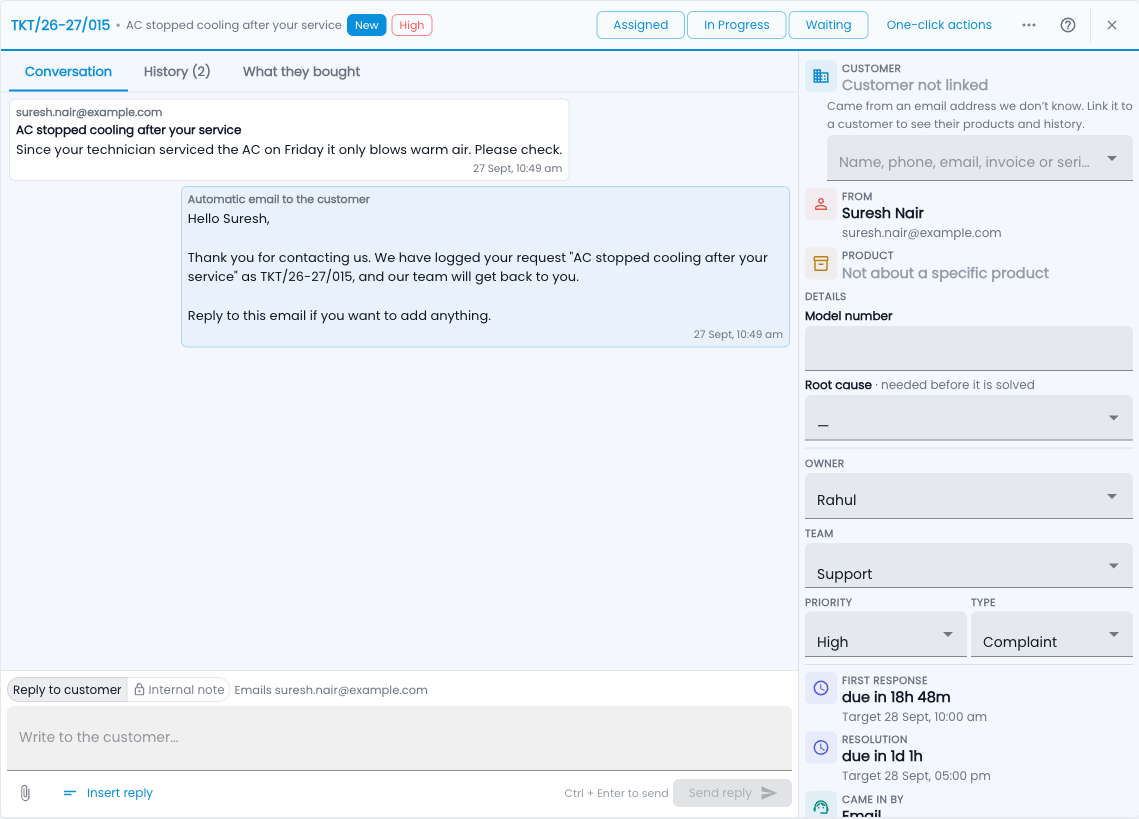
One place for every customer request after the sale — who has it, how long it has left, and what the customer bought. When a customer needs help after buying from you — a machine that stopped working, a wrong invoice, a question — the Service Desk turns that request into a ticket. Every ticket has a number, an owner, a stage and a promised time, so nothing is forgotten and the customer always gets an answer.
It is an add-on to Tazk CRM. You find it in the menu under Service Desk.
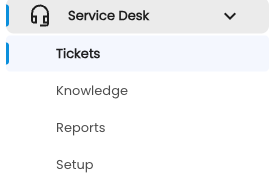
What you’ll find
- Tickets — the queue of requests, and one screen per ticket to reply, move it along and solve it.
- Knowledge — articles for your team and your customers, and a public help centre.
- Reports — how many came in, how fast you answered, what customers thought.
- Setup — request types, stages, teams, promised times, emails, automation and more.
How a request becomes a ticket
- Someone on your team raises it (Tickets › New ticket).
- The customer emails your support address (Setup › Support email).
- The customer raises it on your customer portal, or fills in a form on your own website (Setup › Web forms).
- A WhatsApp or email conversation in the Inbox is turned into a ticket.
- Another system — your shop or app — creates it through the API.
Steps to get going
- Open Setup and check the request types — most companies keep the ready-made ones.
- Add your people to a team (Setup › Teams).
- Set your promised times and working hours (Setup › Promised times & hours).
- Connect your support mailbox if customers email you (Setup › Support email).
- Raise a test ticket from Tickets › New ticket and reply to it.
Words used here
| Term | What it means |
|---|---|
| Ticket | One customer request, with a number like TKT/26-27/014. |
| Request type | What kind of request it is — Complaint, Repair, Question… It decides the stages and the starting priority. |
| Stage | Where the ticket is — New, Assigned, Waiting, Resolved, Closed. |
| Promised time | How quickly you promise to reply and to solve (also called SLA). |
| Owner | The person working on the ticket. |
Common questions
Who can see tickets?
Service Admins and Support Managers see all tickets. Support Agents see tickets assigned to them, unassigned tickets in their teams, and tickets they raised. Other CRM users see a short support summary on the customer’s account.
Does the customer need a login?
No. Every email carries a private link to their request, and the portal signs them in with a one-time code.