
How do assignment rules decide who gets each ticket in Tazk Service Desk?
Hand new tickets to the right person automatically — in turn, or to whoever is least busy. When nobody is chosen on the new-ticket form, these rules decide who gets the ticket. They are checked from the top, and the first one that fits wins. If none fits, the request type’s usual team gets it.
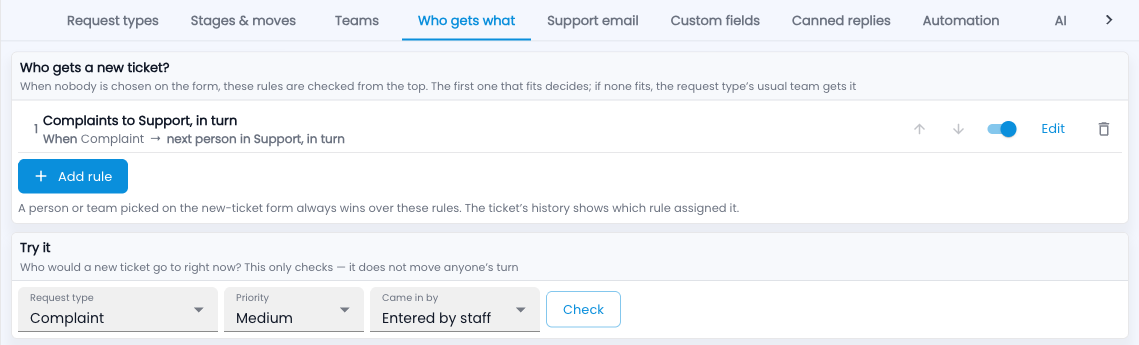
How do I set up who gets what (assignment rules)?
- Go to Setup › Who gets what and click Add rule.
- Say when it applies — request type, priority, how it came in.
- Say who gets it: a person, a team’s queue, the next person in a team in turn, or whoever has the fewest open tickets.
- Use the arrows to put the most specific rules first.
- Check it with Try it: pick a type, priority and channel, then Check — nobody’s turn is used up.
Common questions
How do I know which rule assigned a ticket?
The ticket’s History says which rule gave it to whom.
Does a person picked on the form win?
Yes, always.