
How do I set up ticket stages, moves and approvals in Tazk Service Desk?
Design how a request flows: the stages, what each one means, which moves are allowed, and which need an approval first. A workflow is the path a ticket takes from “just arrived” to “finished”. You decide the stages and the moves between them, so people can only move a ticket in ways that make sense.
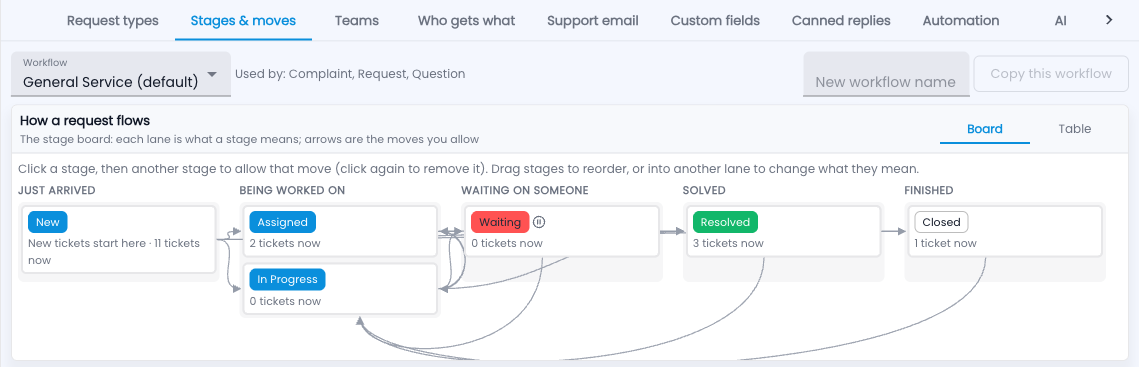
How do I set up stages and moves?
- Go to Setup › Stages & moves and pick a workflow at the top.
- Click one stage, then another, to allow that move. Click again to remove it.
- Drag a stage to reorder it, or into another lane to change what it means.
- To start a new workflow from this one, type a name and click Copy this workflow.
- Prefer a list? Switch Board to Table.
Words used here
| Term | What it means |
|---|---|
| Just arrived | New tickets start here. |
| Being worked on | Someone has it. |
| Waiting on someone | Paused — the promised-time clocks stop. |
| Solved | Resolved; the customer can still reply to reopen it. |
| Finished | Closed for good; a reply opens a new, linked ticket. |
Approval before a stage
Some moves need someone’s OK first — a refund or a free replacement before “Resolved”, for example. Under the stage board, Approval before a stage lists these steps.
- Click Add approval step and name it (“Refunds need a manager’s OK”).
- Pick the stage it guards, and — if it is not for every ticket — the request types, priorities, tags or a custom field value it applies to.
- Under 1 · Approvers, pick who approves: a named person, the requester’s reporting manager, the ticket team’s lead, or the Support Managers. Add up to five — any one of them can approve.
- Under 2 · Verifiers, optionally add verification levels. They sign in order after the approval — for example Finance at level 1, then the Director at level 2. A level can hold several people; any one of them signs that level. With no levels, one approval is enough.
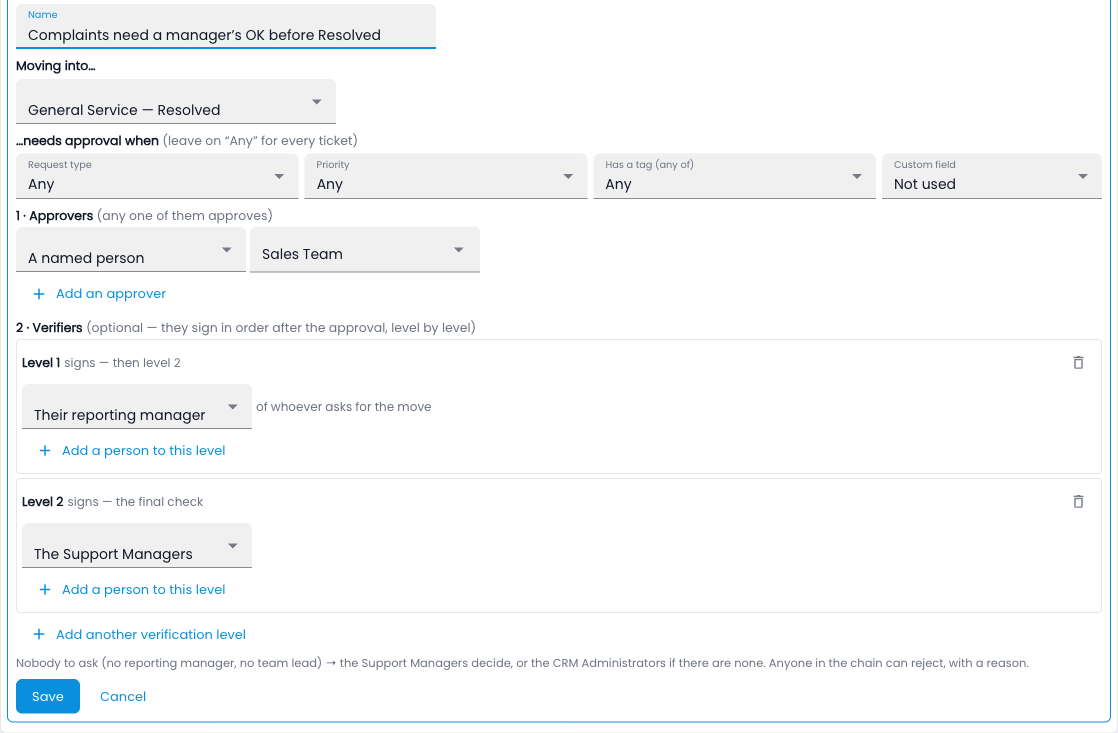
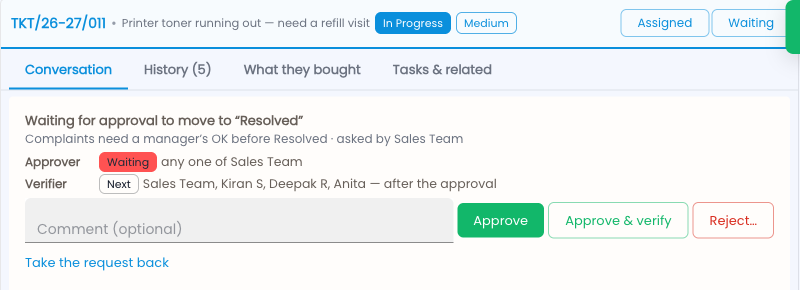
When someone moves a ticket into that stage, it waits where it is with a Waiting for approval banner — the clocks keep running, because the customer is still waiting. The approvers hear by bell and email, and find it under My approvals in the queue.
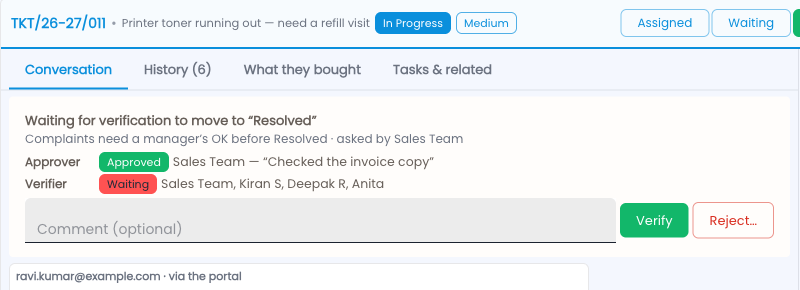
Once an approver clicks Approve, the banner turns to Waiting for verification and level 1 is told. Each level signs in turn — the next level hears only when the one before it has signed — and the last Verify makes the move exactly as it was asked. Without verifiers, the approval makes the move straight away. Someone who is an approver and on level 1 sees Approve & verify and signs both at once.
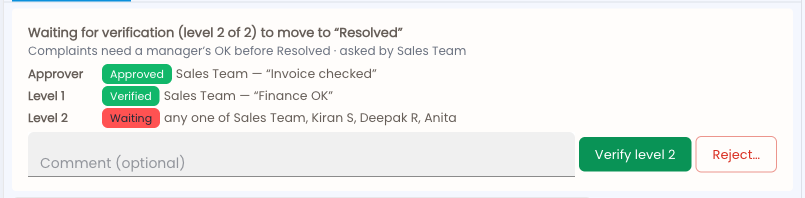
Anyone in the chain can Reject at any stage — it needs a short note, which goes back to the person who asked, and the ticket stays where it was. The person who asked can Take the request back until someone has signed. Every step shows in the ticket’s History.
Common questions
Can two request types share a workflow?
Yes — “Used by” at the top lists every type on it.
Do automation rules need approval too?
No — approvals are for moves people make (in the app or through the API). Rules, the customer portal and email replies move tickets straight away.
Who decides if the approver or verifier can’t be found?
If the requester has no reporting manager or the team has no lead, the Support Managers decide — and if there are none, the CRM Administrators.
Can a verifier sign before the approver, or level 2 before level 1?
No — each level waits for the one before it, and only the level it is waiting for sees it under My approvals. Anyone in the chain can reject at any time, though.