
How do I set up support teams in Tazk Service Desk?
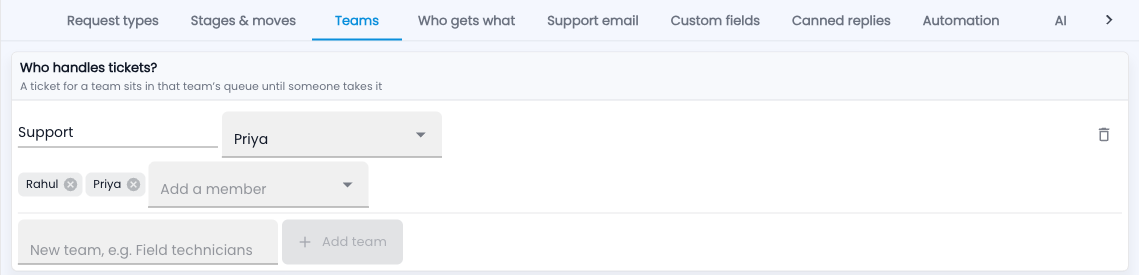
Group the people who handle tickets, and pick a lead for each team. A ticket for a team waits in that team’s queue until someone takes it. The team lead gets alerts about urgent or overdue tickets.
How do I set up teams?
- Go to Setup › Teams.
- Type a name under “New team” and click Add team.
- Choose the team lead, then add members one by one.
An example
“Support” answers the phone and email; “Field technicians” go on site. Repairs go to Field technicians; questions go to Support.
Common questions
Can a person be in two teams?
Yes. They see tickets from both.