
How do I add a support form to my website with Tazk Service Desk?
Put a “Need help?” button or a contact form on your own website — every request arrives as a ticket. Your customers already visit your website. A web form lets them raise a request right there — no login, just their name and email. It arrives as a ticket, the assignment rules pick who gets it, and the customer gets the usual “We got your request” email with their ticket number.
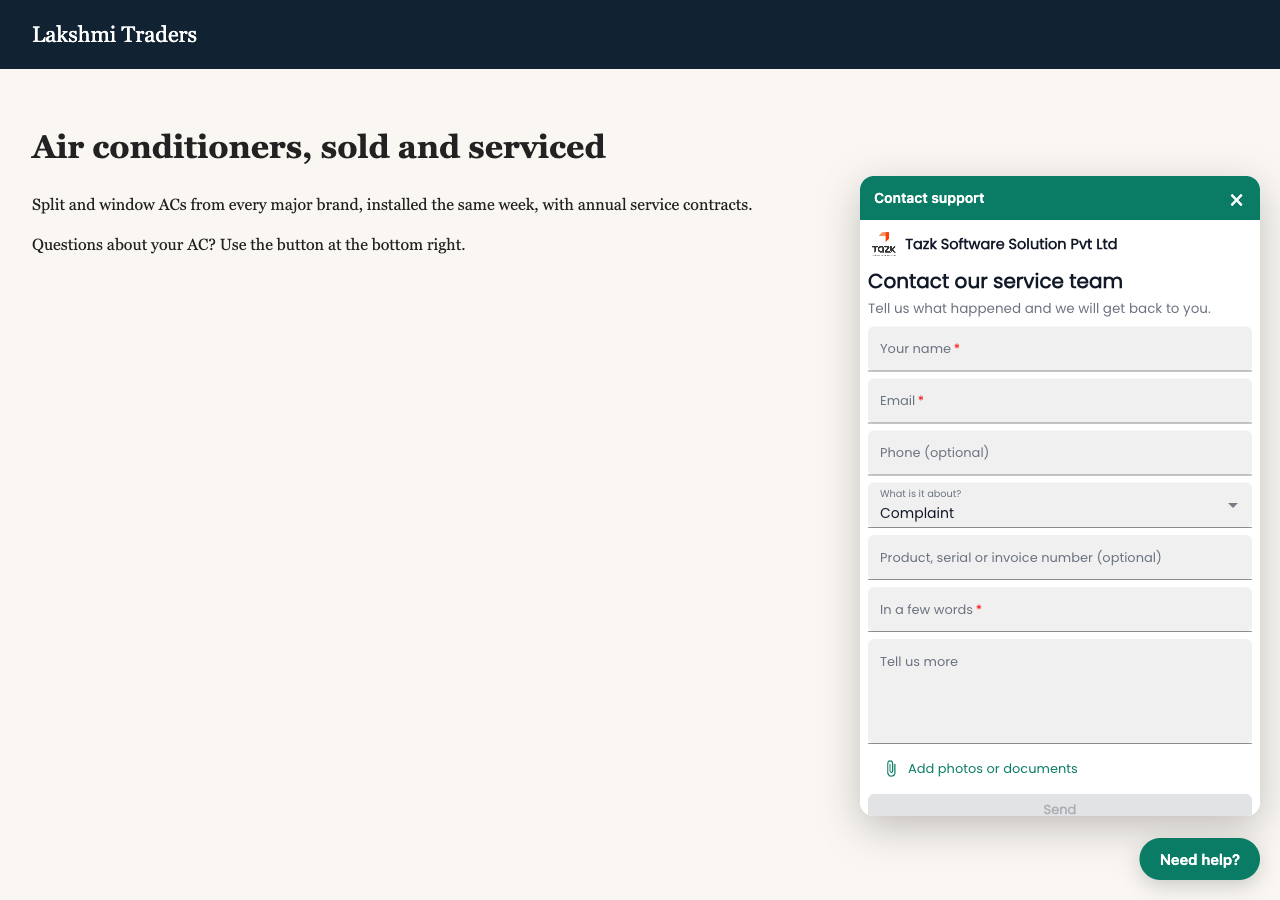
How do I set up web forms on my website?
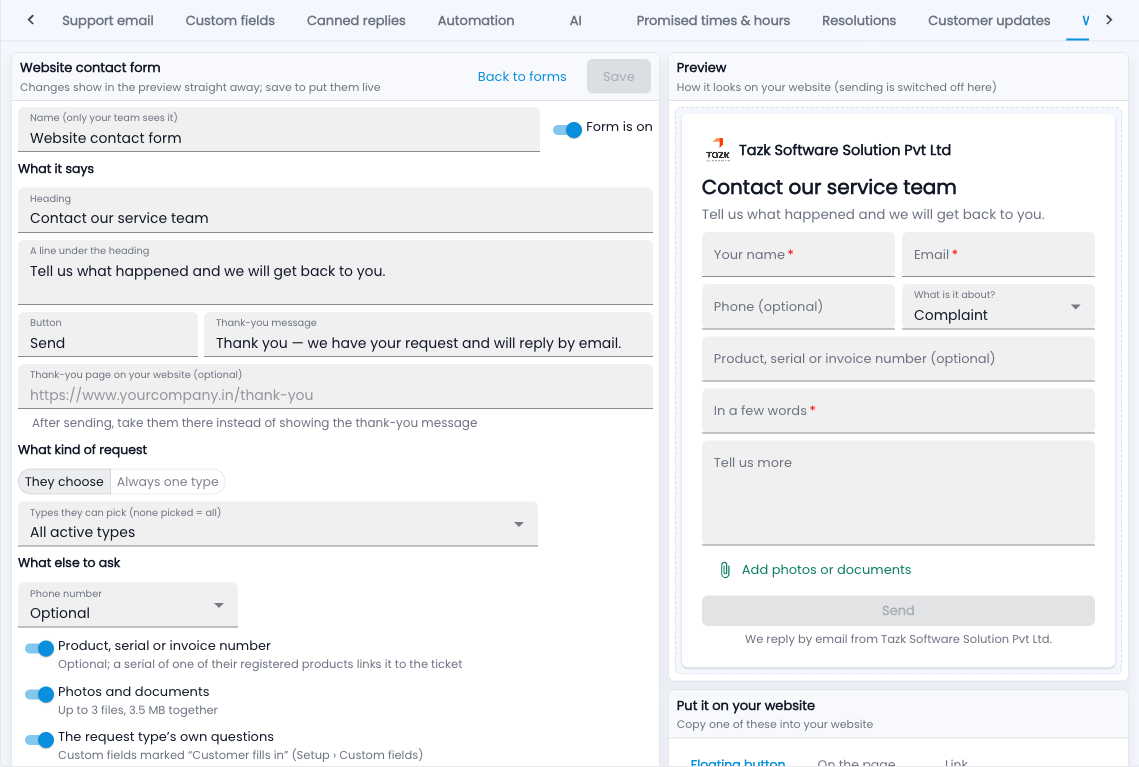
- Go to Service Desk › Setup › Web forms and click New form.
- Give it a name only your team sees, and write the heading, a line under it, the button text and the thank-you message.
- Choose the request types: let customers choose, or fix the form to one type (for example “Warranty claim” on your warranty page).
- Choose what else to ask: phone (off, optional or required), product / serial / invoice number, photos and documents, the request type’s own questions, and “These might help” articles.
- Pick your colour and whether to show your logo. The preview on the right changes as you go.
- Click Save, then copy a snippet from Put it on your website into your website.
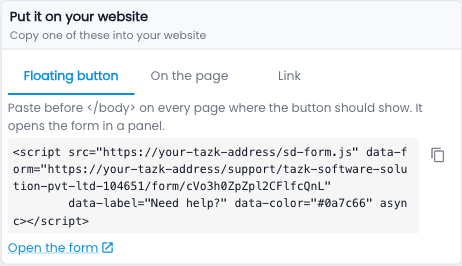
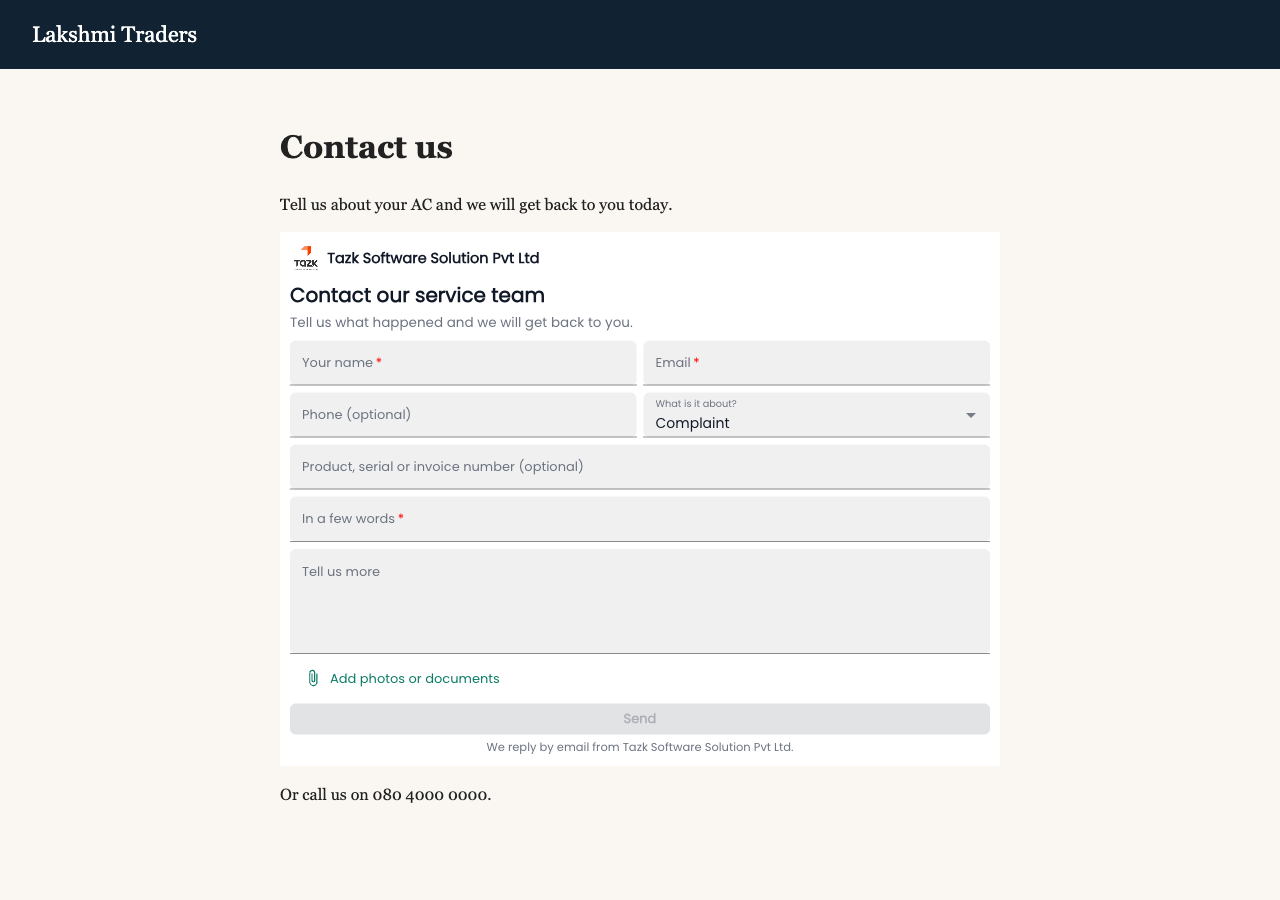
Three ways to put it on your website
- Floating button — paste before </body>; a “Need help?” button sits in the corner and opens the form in a panel (full screen on phones).
- On the page — paste where the form should appear, for example on your Contact page; it grows to fit, with no scroll bars.
- Link — for emails, WhatsApp, a QR code or a menu item.
Keeping spam out
- Always on: a hidden trap for bots, a check for forms sent too fast to be a person, and at most 5 requests an hour from one email address.
- Only on these websites — list your website and the form works only there (and its subdomains).
- Most requests a minute — a limit for the whole form.
Common questions
How is the request linked to the customer?
By email, the same way a support email is — or by phone if you ask for it. If nobody matches, the ticket says “Customer not linked” and you can link it.
Can I have different forms on different pages?
Yes — make as many forms as you like, each with its own request types, questions and look.
What if I switch a form off?
It shows “not available” wherever it is pasted, until you switch it on again. Deleting it does the same, for good.
Where do I see what came in?
Each form shows its recent requests; the tickets also say “via the web form”, and “Came in by: Web form”.