
How do I turn support emails into tickets in Tazk Service Desk?
Connect your support mailbox so every customer email becomes a ticket, and replies come back to it. Customers already email you. Connect that mailbox and each new email opens a ticket. Replies from your team go out with this address as the reply-to, so the customer’s answer lands back on the same ticket.
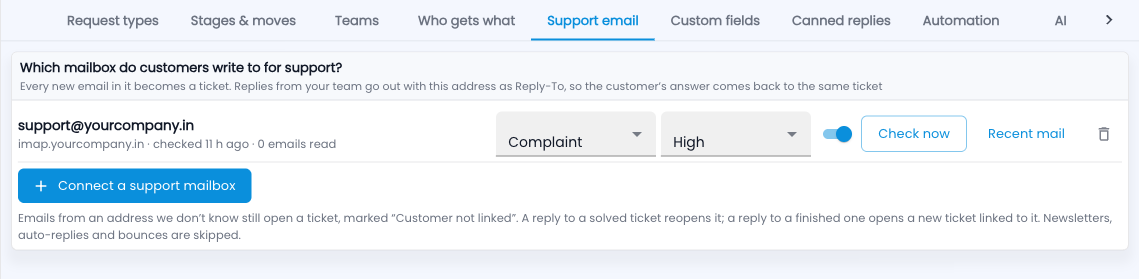
How do I set up support email?
- Go to Setup › Support email and click Connect a support mailbox.
- Enter the mailbox address, its IMAP server and the password (for Gmail, an app password).
- Choose the request type and priority new emails start with.
- Save, then click Check now to read it straight away. Recent mail shows what was picked up.
What happens to each email
- From a known customer → a ticket linked to them.
- From an unknown address → a ticket marked “Customer not linked”.
- A reply to a solved ticket reopens it; a reply to a finished one opens a new ticket linked to it.
- Newsletters, auto-replies and bounces are skipped.
Common questions
Is the password safe?
It is stored encrypted and never shown again.