
How do I run a knowledge base and help centre with Tazk Service Desk?
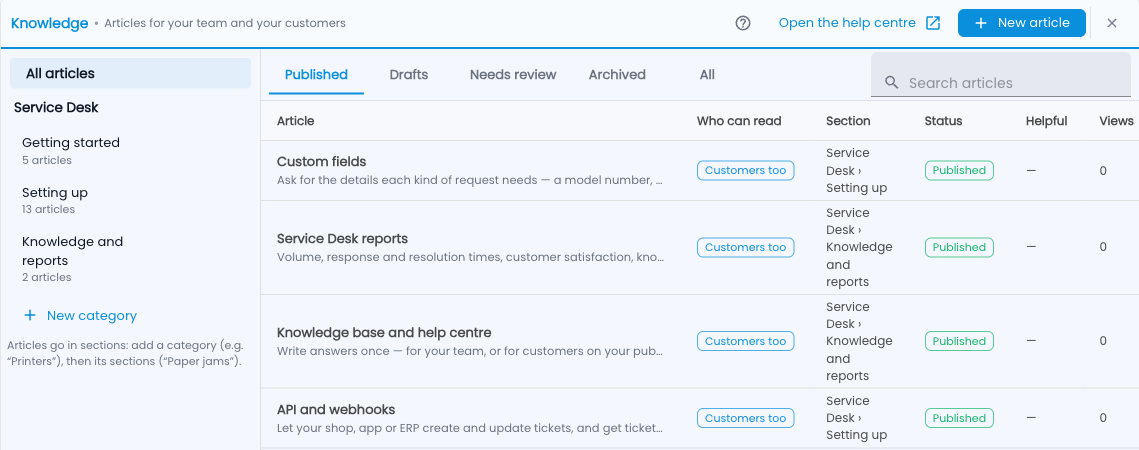
Write answers once — for your team, or for customers on your public help centre — with screenshots. Service Desk › Knowledge holds articles. Team articles help your agents; articles for customers also appear on your public help centre, where anyone — and search engines — can find them.
Step by step
- Add a category (for example “Printers”), then sections inside it (“Paper jams”).
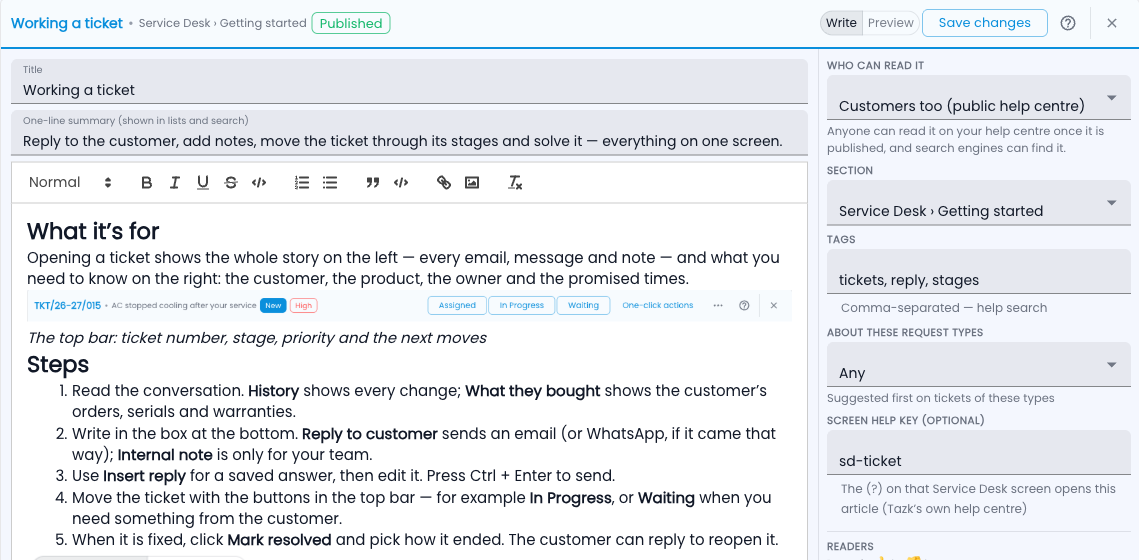
- Click New article. It starts from a simple shape: what it’s for, steps, an example, words used, questions.
- Add pictures: choose, drop or paste a screenshot, drag to crop it to the part that matters, and add a caption.
- Choose Who can read it: Team only, or Customers too (public help centre).
- Save the draft. Someone with Setup rights clicks Publish.
Where articles show up
- On a ticket — matching articles appear in the Knowledge panel, ready to insert into a reply.
- While a customer raises a request on the portal — “These might help”.
- In AI reply drafts, which stick to your published steps.
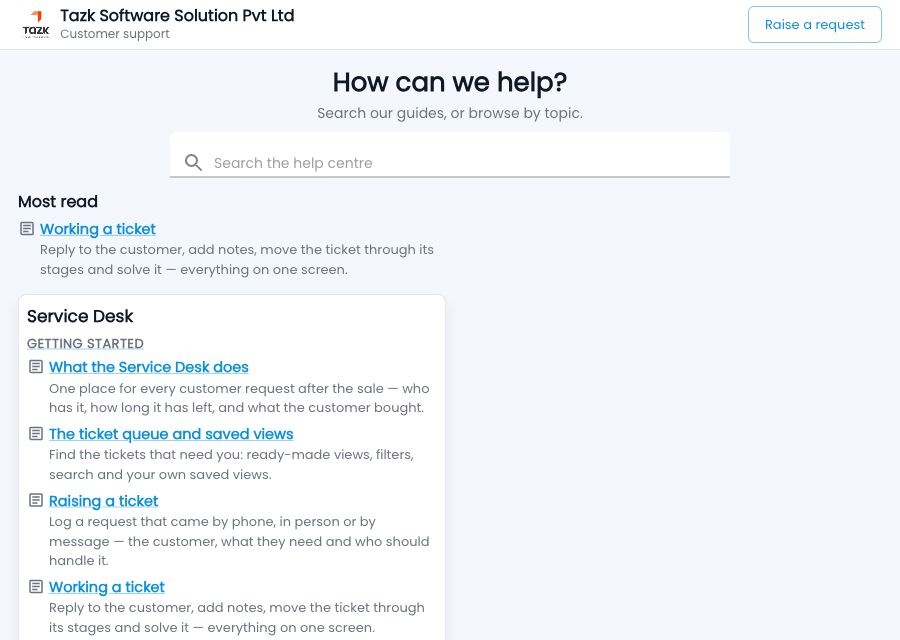
- On your help centre at /support/<your company>/help.
Keeping it right
- Every change to a published article keeps the earlier version; you can restore it.
- Readers answer “Was this helpful?” and can say what was missing.
- An article not reviewed for 6 months reminds its owner.
- A solved ticket can be turned into a draft article, with the customer’s details removed.
Common questions
Can customers see team articles?
Never. Only published articles marked “Customers too” leave the app.