The Diwali Rush Checklist: 12 Billing-Counter Fixes That Stop Queues, Stock-Outs and Walk-Aways
6 min read | By Lokesh A
Table Of Contents
Social Media


Dhanteras, 15 People in Line and a Jammed Printer: How to Make Your Billing Counter Diwali-Proof
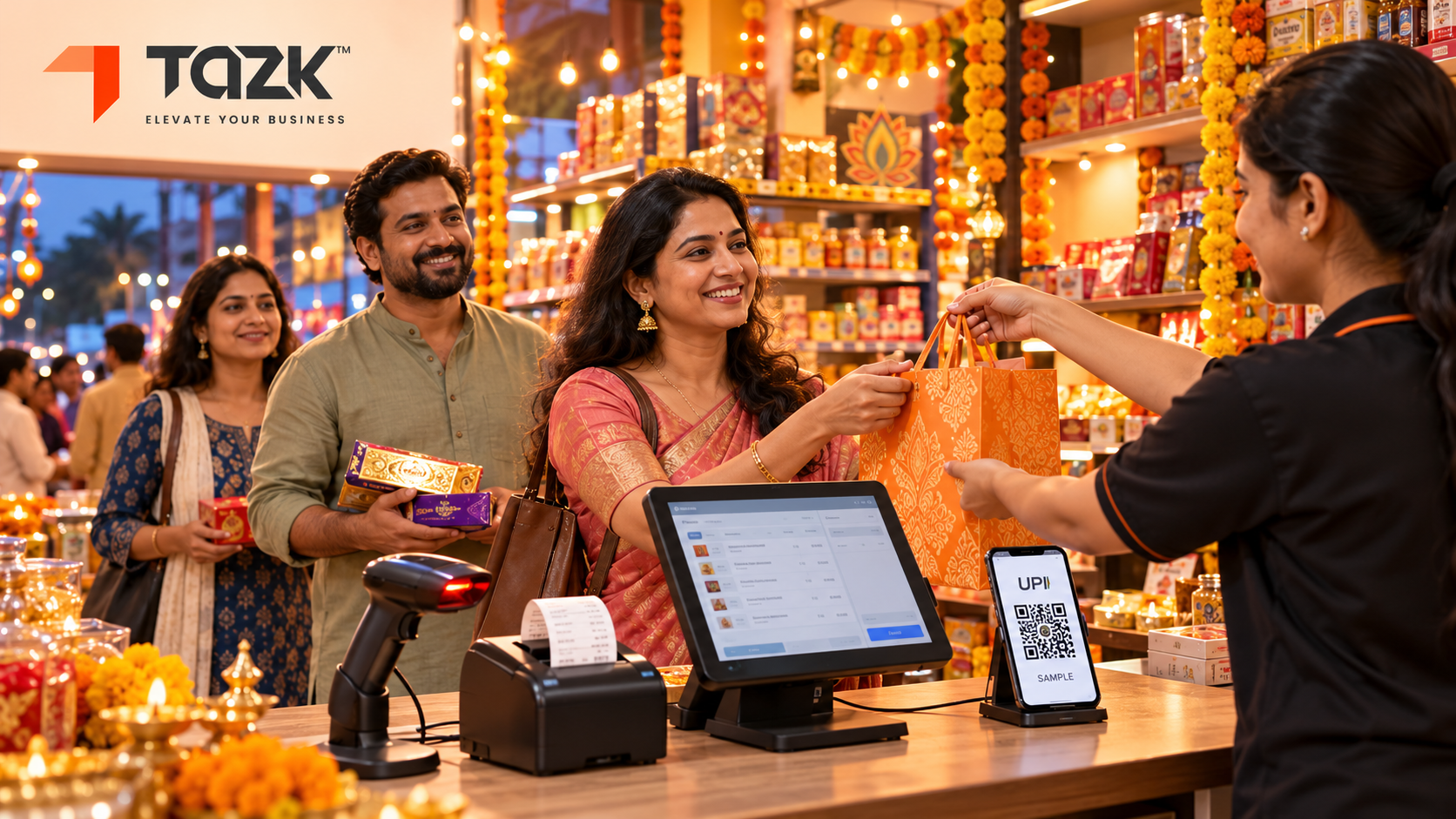
Picture Dhanteras evening. Fifteen people stand in line, bags in hand. The printer jams. The internet blinks. A customer says “never mind” and walks out.
That walk-away is one of the most expensive things that happens in your shop all year, and most of it can be avoided. Festive billing problems are rarely about the shop. They are about the counter: how fast a bill is made, how many ways people can pay, what happens when power or internet fails, and whether the stock in your system matches the shelf
How big is the rush? CAIT estimated India's Navratri-to-Diwali trade at a record ₹6.05 lakh crore in 2025, up 25% on 2024, as All India Radio reported. A September 2026 report expects nearly ₹7 lakh crore this year. On the eve of Diwali 2025, UPI hit an all-time high of 740 million payments in one day, according to NPCI data reported by DD News. Dhanteras is Friday 6 November and Diwali is Sunday 8 November. You have about a month.
This guide gives you a 12-point checklist you can finish in an afternoon, then explains each part in plain words.
The short version
- Fix the counter before the crowd arrives: quick keys, barcodes, a spare printer, and a payment mix that includes UPI and split payments.
- Plan for failure: keep a way to bill if the internet or power goes.
- Open a temporary festive counter early, not at 7 pm on Dhanteras.
- Set your rules for returns, exchanges, GST invoices and staff shifts before the rush.
- Count stock by section after the rush, not in one giant count
Under each heading you will find In simple words. Read only those lines and you will still understand the story.
How do I prepare my shop's billing for the Diwali rush?
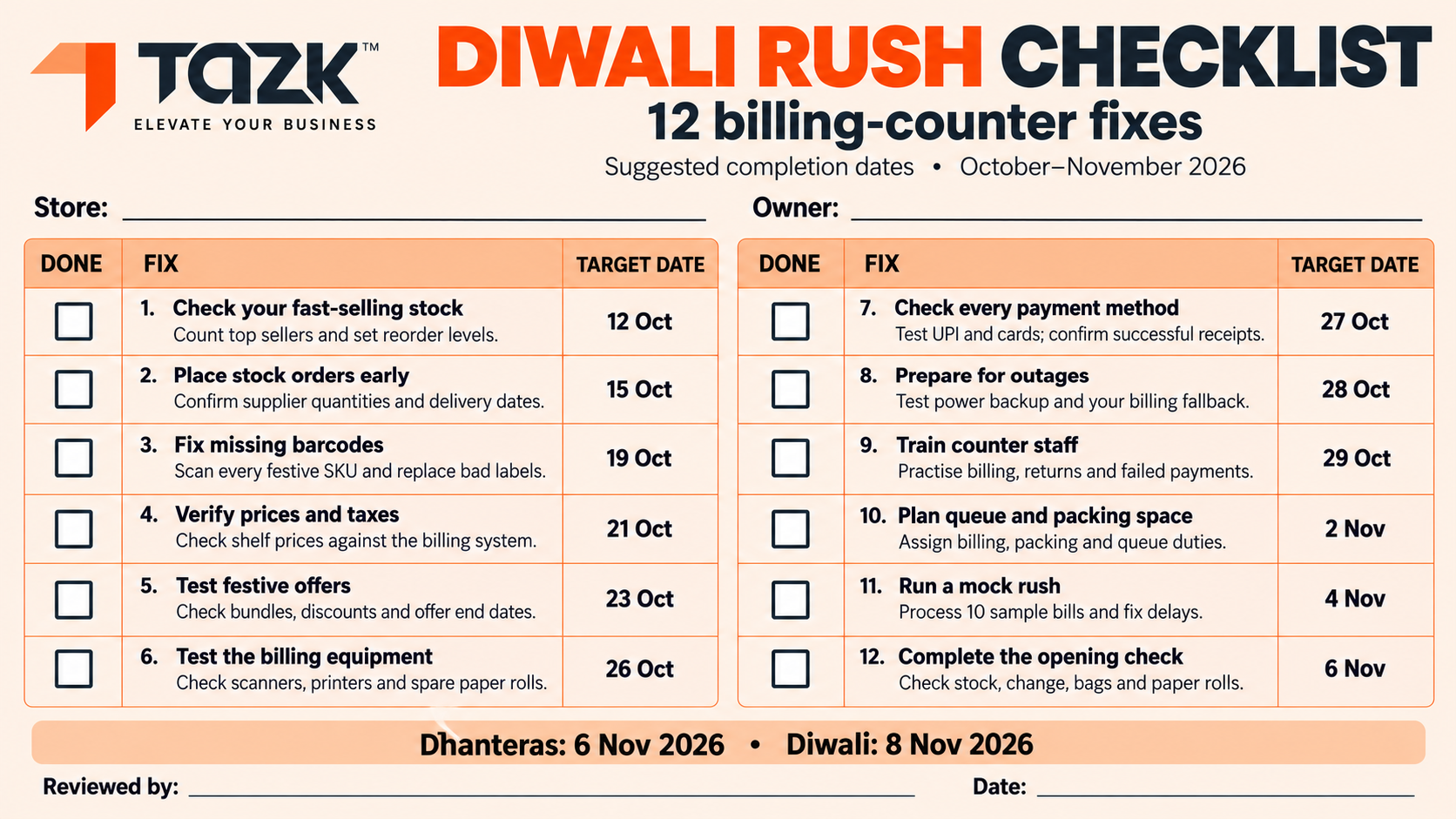
Work through 12 fixes, in order, with a date against each. The first five make the counter fast and safe. The next four set your rules. The last three test everything before Dhanteras on 6 November. You can finish the list in an afternoon, and then spread the actions over the next four weeks.
In simple words: Pack your school bag the night before, not on the bus.
| # | The fix | Do it by |
|---|---|---|
| 1 | Set quick keys for your 20 fastest items | This week |
| 2 | Put barcodes on every fast-moving item | This week |
| 3 | Switch on UPI, cards, cash and split payments at every counter | This week |
| 4 | Buy a spare printer and two spare paper rolls per counter | Tue 20 Oct |
| 5 | Test billing with no internet and a power backup | Tue 20 Oct |
| 6 | Plan a temporary festive counter | Sun 25 Oct |
| 7 | Reconcile stock now so you start clean | Sun 25 Oct |
| 8 | Write a one-page returns and exchange rule | Sat 31 Oct |
| 9 | Set GST invoice rules for walk-in and business buyers | Sat 31 Oct |
| 10 | Fix staff shifts and breaks for peak hours | Sat 31 Oct |
| 11 | Rehearse: ring up 15 test bills in 10 minutes | Tue 3 Nov |
| 12 | Stick a “if this fails, do that” card at every counter | Tue 5 Nov |
figure:`
The next sections explain fixes 1 to 7, then the rules for fixes 8 to 10. Fixes 11 and 12 are simple: they make sure the plan works when you are tired and the shop is full. If your billing software is new, our guide to POS costs will help you plan the budget.
How can I speed up billing when the queue is 15 deep?
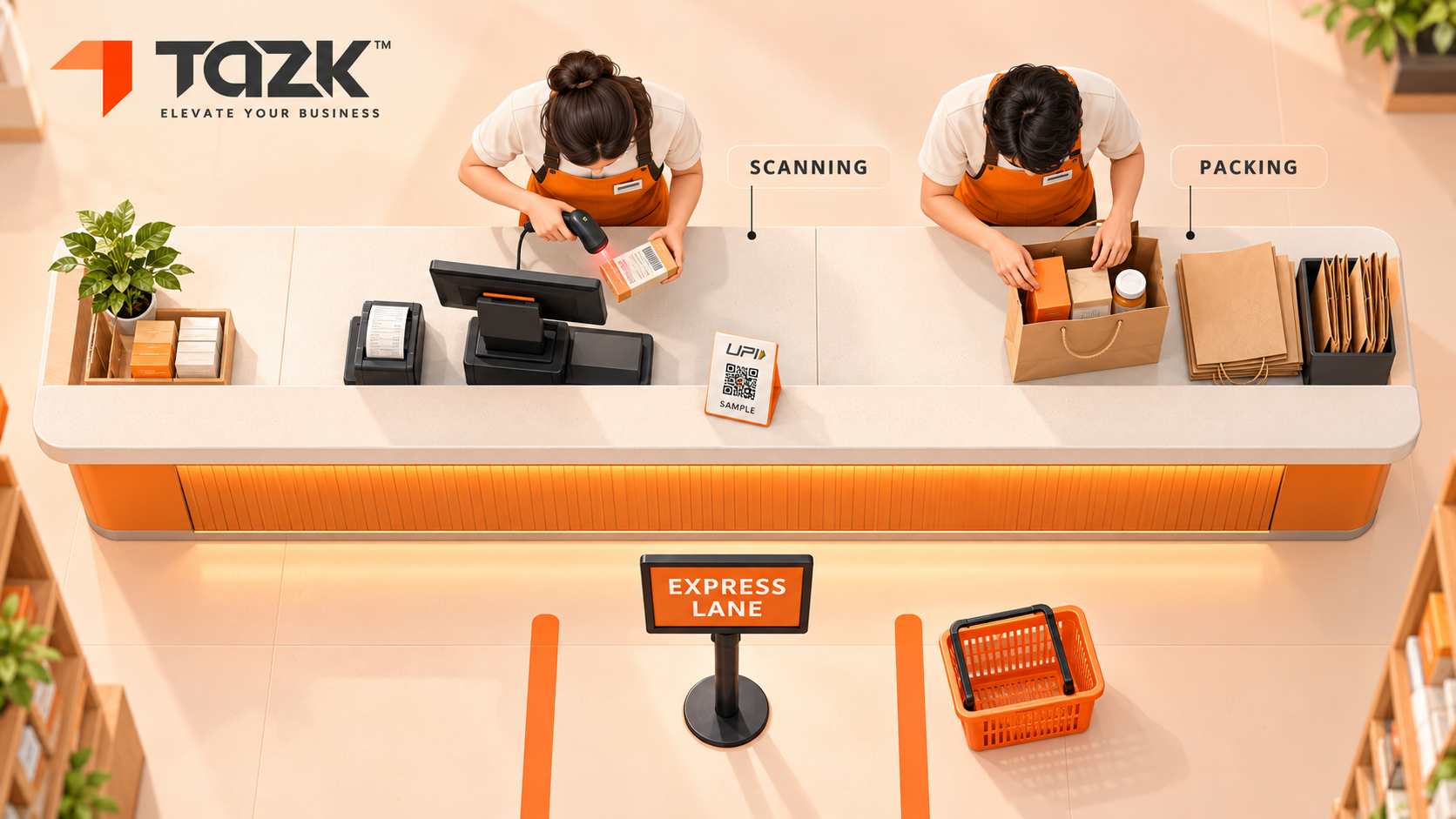
Make every bill touch the screen less, and make every payment quicker. Quick keys and barcodes remove typing, a UPI QR code and split payments remove delays at payment, and a second person who packs while the first one scans cuts the time per customer. The aim is not faster typing. It is less typing.
In simple words: A queue moves fast when each person does one small job, not three.
- Quick keys. Put your 20 fastest items, or your festive hampers, on one-touch buttons.
- Barcodes. Scan instead of typing. Label every fast mover now, and keep a roll of spare labels at the counter
- A full payment mix. Show a UPI QR code, take cards, and allow split payments (part UPI, part cash). Festive shoppers often pay in two ways, and UPI volumes peak around Diwali.
- Pre-priced bundles. A gift pack with one code beats scanning five items.
- Two people, two jobs. One scans, one packs and takes payment
If your software can send the bill by message, use it for small purchases and save printer paper and time
Can I keep billing ifthe internet or power fails on Dhanteras?
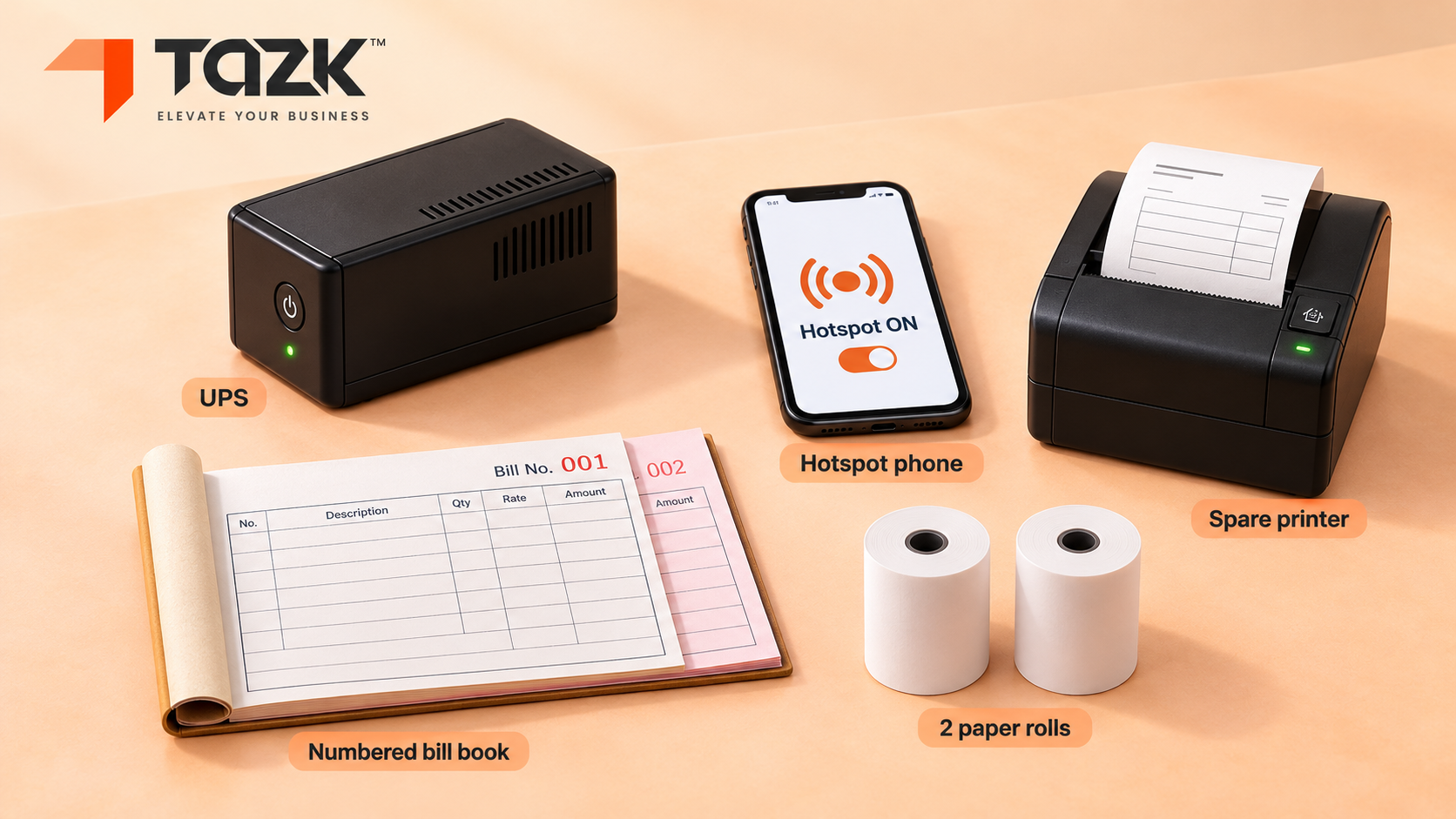
Yes, if you prepare three things before the day: billing software with an offline mode (bills save on the device and sync later), a power backup, and a spare printer. A phone hotspot and a paper bill book are your last two safety nets. Our guide on offline first billing explains why this matters in smaller towns, so here is only the festive checklist.
In simple words: If the lights go out, a torch should already be in your hand.
- Power. Put each counter's computer, scanner and printer on a UPS or inverter, and charge tablets and phones before opening.
- Internet. Keep a mobile hotspot on a different network. UPI payments need a connection even when the bill itself can be saved offline, so keep cash and a card machine ready.
- Printer. Buy a spare. A 58mm printer is compact and suits small counters, while 80mm is the more common size for countertop POS, according to HPRT and Spartan POS. Check roll width, roll diameter and core size before you order spare rolls.
- Paper bill book. Number the pages, and enter every paper bill into the system the same night.
- A card at each counter that says what to do if power, internet or printer fails, and who to call.
How do I add a temporary counter for the festive season?
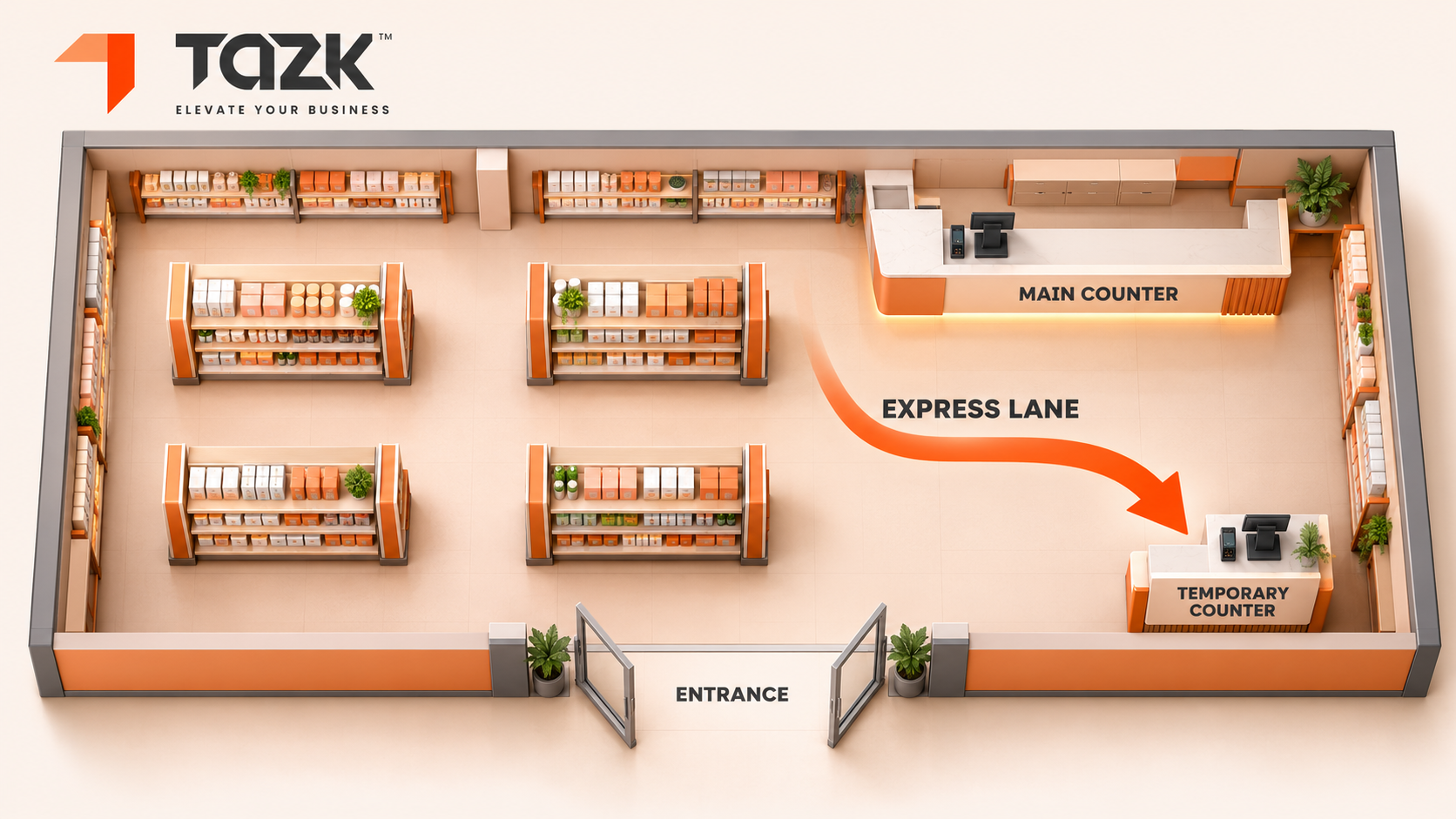
Open it a week early, give it its own counter ID, and keep it simple: express baskets, prepacked gifts and small items. A tablet or phone, a scanner, a printer, a UPI QR code and a cash box are enough. The mistake to avoid is setting it up at 7 pm on Dhanteras, with nobody trained and no way to see its sales.
In simple words: A second till is like a second door in a crowded room. It only helps if people know it is open.
- Pick the spot. Near the door or the festive display, away from the main queue
- Choose what it sells. Express baskets of five items or fewer, plus pre-priced bundles.
- Give it its own login and cash box. Then reports show its sales, and the cash at the end of the day matches its bills.
- Train a floater. One person who can move between counters.
- Run a trial day before Dhanteras with real bills.
- Close properly. Count cash per counter and match it to that counter's bills.
With cloud billing software, adding a counter is a matter of logging a new device in. See how Tazk for retail handles several counters and outlets.
Do I need a card machine, billing software, or both?
Usually both, because they do different jobs. A card machine or UPI QR takes the payment. Billing software makes the GST bill, tracks stock and shows your sales by payment type. With only a card machine, nobody is counting your stock. With only software, you still need a way to take cards. Choose a setup where each payment is matched to its bill.
In simple words: The card machine is the cash box. The billing software is the notebook that knows what was sold.
| Job | Card machine or UPI QR | Billing software (POS) |
|---|---|---|
| Takes a card or UPI payment | Yes | Shows the QR and records how the customer paid |
| Prints a GST bill | Usually only a payment slip | Yes |
| Tracks stock | No | Yes |
| Handles split payments | Limited | Yes, if the software supports it |
| Daily sales by payment type | Only for that machine | Yes, for every counter` |
Every night, compare three numbers: the software's total for each payment type, the card and UPI settlement, and the cash in the drawer. If they match, your counter is honest. If they do not, find the gap while the day is fresh. When you are ready to choose software, see Tazk POS software, which is GST-ready and works with barcode billing and UPI on mobile, tablet or desktop.
How do I reconcile stock quickly after festive sales?
Count by section, not the whole shop at once. Use cycle counts, which means counting a slice of stock at a time, for your fast movers and high-value items in the week after Diwali. Then do a full stock take in the quiet days that follow. Compare each count to the system, find the cause of every gap, and only then adjust the numbers.
In simple words: Tidy one shelf at a time instead of emptying the whole room.
- Pick the slice. Start with your fastest movers and most valuable items.
- Pause movement. Do not receive or transfer that section while you count.
- Count, then compare. Write the shelf count next to the system count.
- Hunt the cause. Shopify lists the usual suspects: data-entry errors, theft or shrinkage, and unrecorded returns or transfers. In festive weeks, add bundles that were sold but not broken into parts.
- Quarantine returns. Cleverence warns that returns put back on shelves without a matching entry create phantom stock.
- Adjust and note the reason.
To see how bad a gap is, use the shrinkage formula: (system count − shelf count) ÷ system count. If the system says 100 and the shelf has 97, the gap is 3%. Lightspeed suggests mixing regular cycle counts with a full count in a quiet period, such as after the holidays.
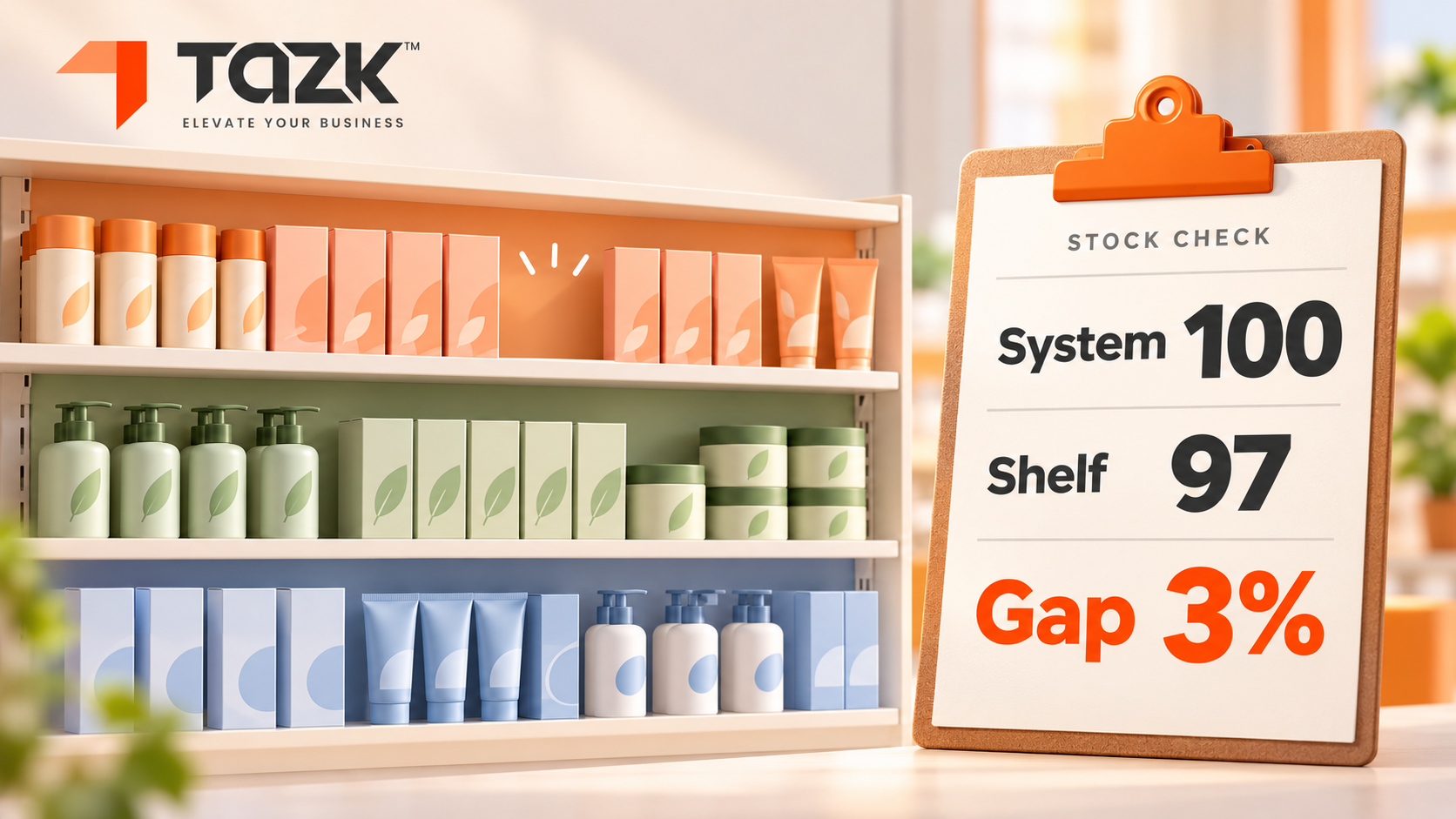
Rules to set before the rush: returns and exchanges, GSTinvoices, staff shifts
Three rules prevent most festive arguments. Write them on one page, give a copy to every counter, and brief the team on Saturday 31 October
In simple words: Rules written on paper stop fights at the counter
- Returns and exchanges. Say how many days, in what condition, with which bill, and who approves. Record every return against the original bill, so stock and sales stay correct. Send returned goods to a separate tray before they go back on the shelf.
- GST invoices. Walk-in customers get a normal GST bill. For a business buyer, such as a trader buying gifts in bulk, ask for the GSTIN before you bill, because it is hard to fix afterwards. E-invoicing applies to B2B sales once your turnover passes ₹5 crore, a limit in force since 1 August 2023 and unchanged as of July 2026, as this CA guide explains. It does not apply to ordinary B2C bills, as Equity List also notes. Confirm your own position with your CA.
- Staff shifts. Festive buying is squeezed into a few hours, so roster your strongest team for the evening peak. Overlap shifts, take breaks in the afternoon lull, and name one floor manager and one floater. Run a 15-minute drill on the offline and power-cut plan.
What happens next:festive retail and billing, 2026 to 2027
Dhanteras is not the end of the rush. It is the middle of a long season of shopping peaks. Here are the dates we know, then expectations that we label as expectations.
| When | What | What to do |
|---|---|---|
| Fri 6 Nov 2026 | Dhanteras | Counters live, temporary counter open, backup kit ready |
| Sun 8 Nov 2026 | Diwali | Peak week ends. Plan your first stock counts for the days after |
| Mid-Nov to Dec | Wedding season and year-end sales | Keep the festive setup running |
| 31 Dec 2026 | New Year's Eve | UPI crossed ₹1.1 lakh crore in a single day on this date in 2025, YourStory reports, so test payments again |
| Jan to Mar 2027 | Quiet period | Do the full stock take and review the year's gaps |
What may come next (expectations, not promises):
- Higher UPI peaks. UPI hit a record 24.51 billion transactions in August 2026, according to GrabOn's roundup. Expect new highs this season, so test your payment flow under load.
- More online competition. Datum Intelligence expects festive online sales of ₹1.50 to ₹1.55 lakh crore in 2026, up 25 to 29%, driven by more orders rather than bigger baskets. A fast, friendly counter is how a shop competes.
- Smarter stock hints. Expect billing software to suggest reorder levels from your own festive sales history. Keep your counts honest, because those hints are only as good as your data.
- Rules that move. The e-invoicing limit has changed before and could again, so ask your CA to check it every year.
Ready to upgrade your retail billing?
Tazk Point of Sale handles billing, inventory, GST invoices, and multi-store management. Free plan available — no credit card required.
Free plan available. No credit card required. Go live in hours.