POS Software in Chennai: Retail Setup Guide 2026
15 min | By Lokesh A
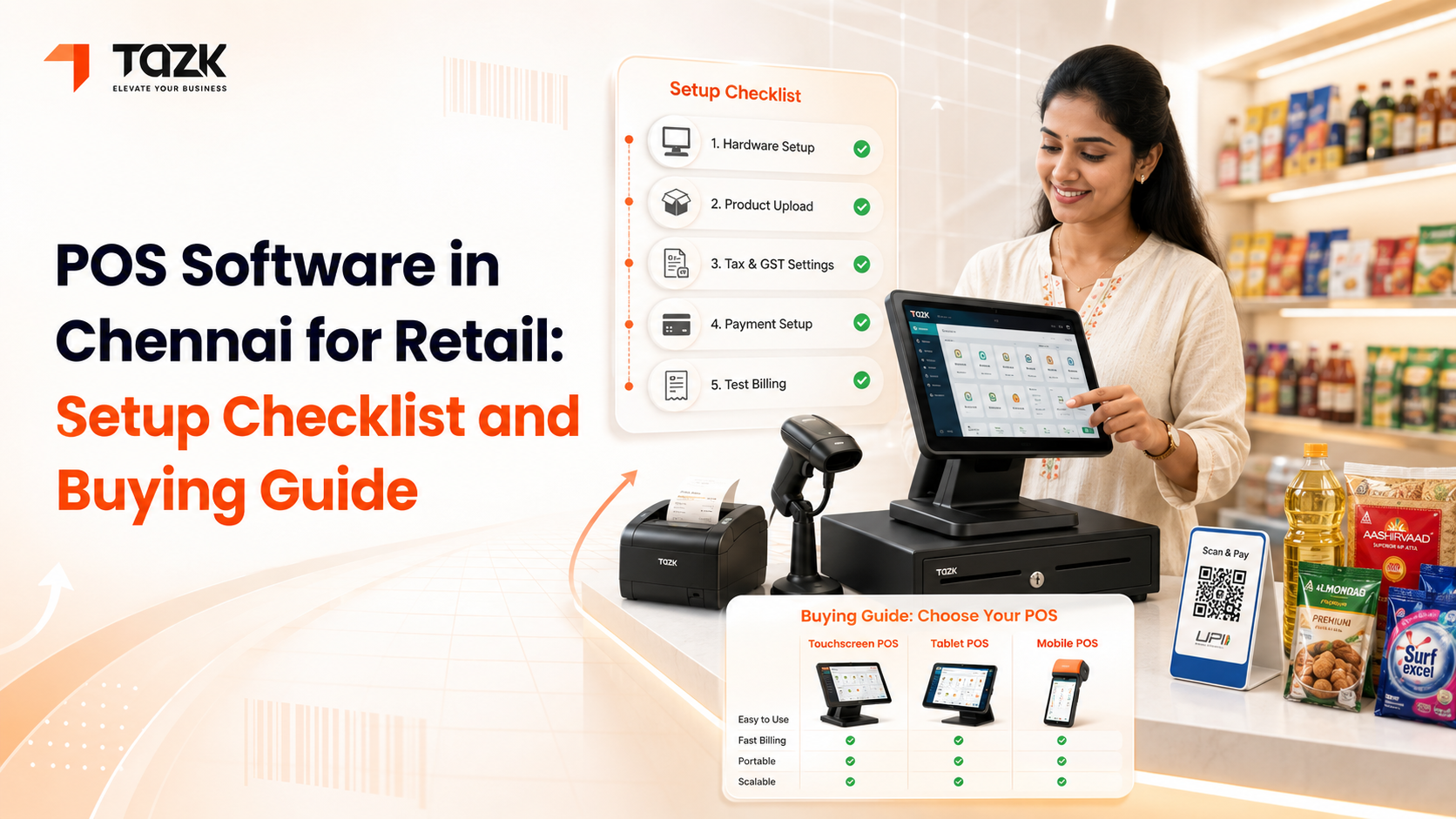
Table Of Contents
Social Media




POS Software in Chennai for Retail: Setup Checklist and Buying Guide
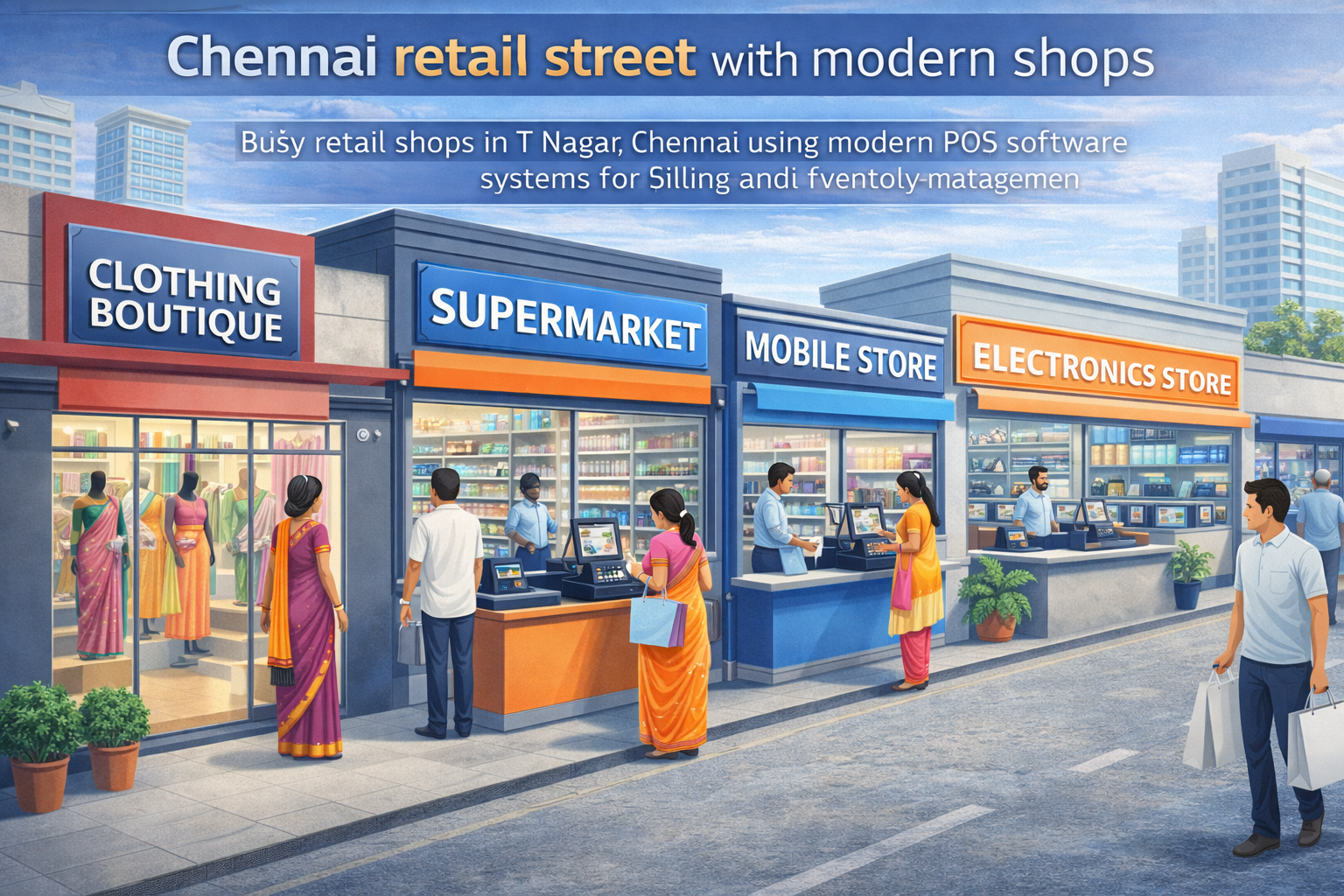
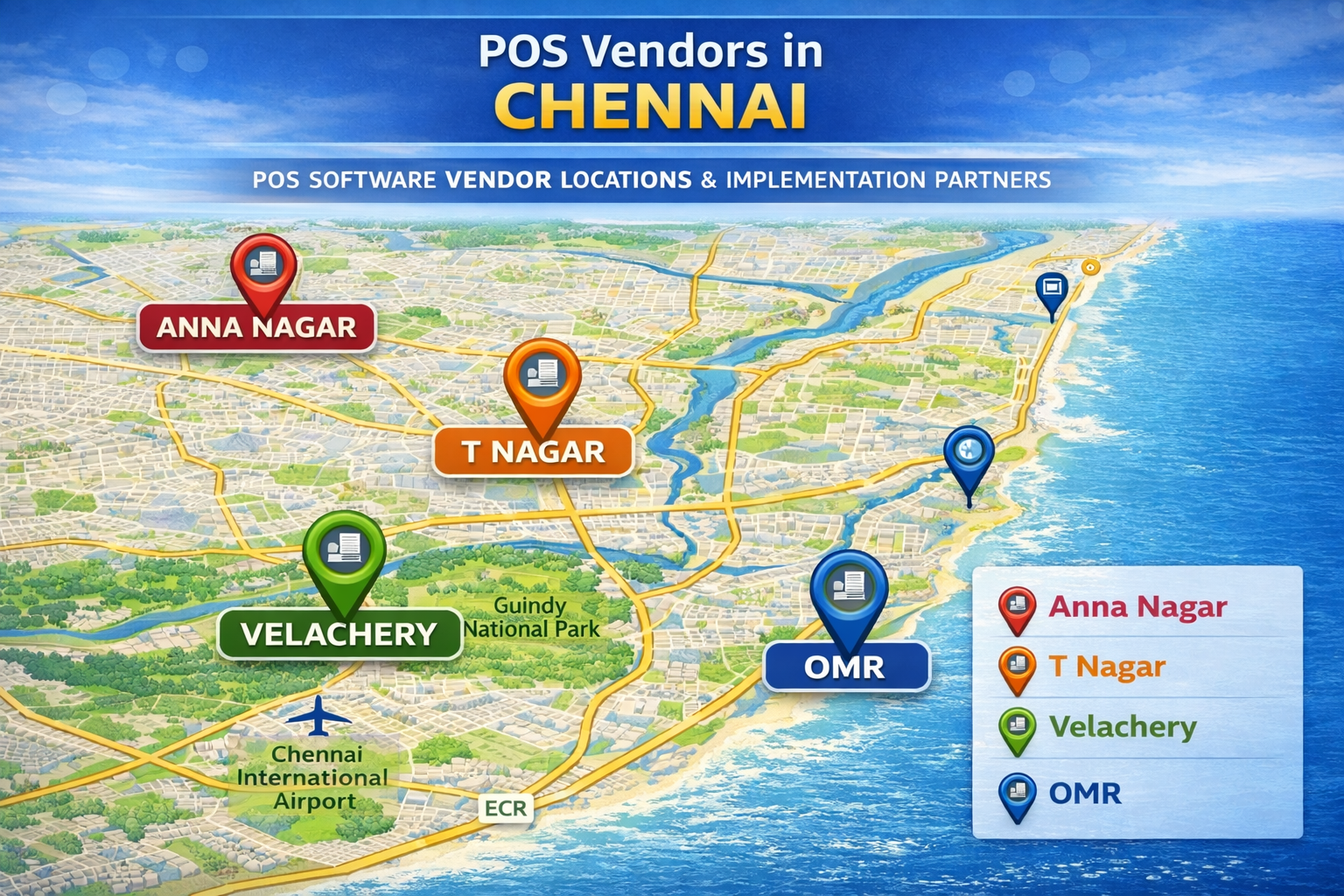
Chennai's retail landscape is evolving rapidly, with traditional shops alongside modern format stores across neighborhoods like T Nagar, Anna Nagar, Velachery, and the growing IT corridor along OMR and ECR. Whether you operate a textile showroom on Ranganathan Street, an electronics store in Ritchie Street, a grocery chain across the city, or a boutique in Besant Nagar, implementing the right POS software transforms how you manage sales, inventory, and customer relationships.
For Chennai retailers specifically, choosing POS software involves unique considerations—finding vendors with local presence for quick support, systems supporting Tamil language for staff comfort, solutions designed for Chennai's business environment, and implementation partners who understand local retail challenges. This comprehensive guide walks you through everything Chennai-based retailers need to know about selecting, purchasing, and implementing POS software successfully. For broader context on POS features and capabilities, refer to our comprehensive guide to point of sale software features and selection.
Understanding Chennai's Retail POS Market
Chennai's POS software market offers a mix of national vendors with local offices, regional players serving Tamil Nadu specifically, and local implementation partners for international platforms. Understanding this landscape helps you find the right combination of product quality and local support.
National vendors with Chennai presence include established names like Marg ERP, GOFRUGAL, Ginesys, and Pine Labs who maintain sales and support offices in Chennai. These vendors understand the broader Indian market while offering local language support and regional customization. Their Chennai teams can visit your store for implementation, provide on-site training, and respond to support requests within hours rather than days. Offices are typically located in business districts like Nungambakkam, Teynampet, and along OMR in Thoraipakkam and Sholinganallur.
Tamil Nadu regional vendors specialize in serving South Indian businesses with deep understanding of local retail practices. Companies like RetailGraph, Unnati, and several smaller players have concentrated presence in Chennai and surrounding areas. They often offer more personalized service and competitive pricing compared to pan-India vendors, understanding nuances like how Chennai textile stores operate differently from Mumbai fashion boutiques, or specific requirements of ration shops and provision stores common in Tamil Nadu neighborhoods.
International platforms with local partners such as Lightspeed, Shopify POS, and Square work through authorized implementation partners in Chennai. These partners handle sales, setup, training, and initial support while the software company provides the platform and updates. This arrangement gives you access to world-class software with local touchpoints, though support responsiveness depends on partner quality rather than the software company directly.
Hardware vendors in Chennai are concentrated in Ritchie Street for computer peripherals and Mount Road for business equipment. These vendors supply receipt printers, barcode scanners, cash drawers, and payment terminals often at competitive prices compared to bundling hardware with software purchases. Establishing relationships with reliable hardware vendors ensures quick replacement when components fail.
Key Considerations for Chennai Retail Businesses
Chennai retailers face specific operational realities that should influence POS software selection more than generic feature comparisons.
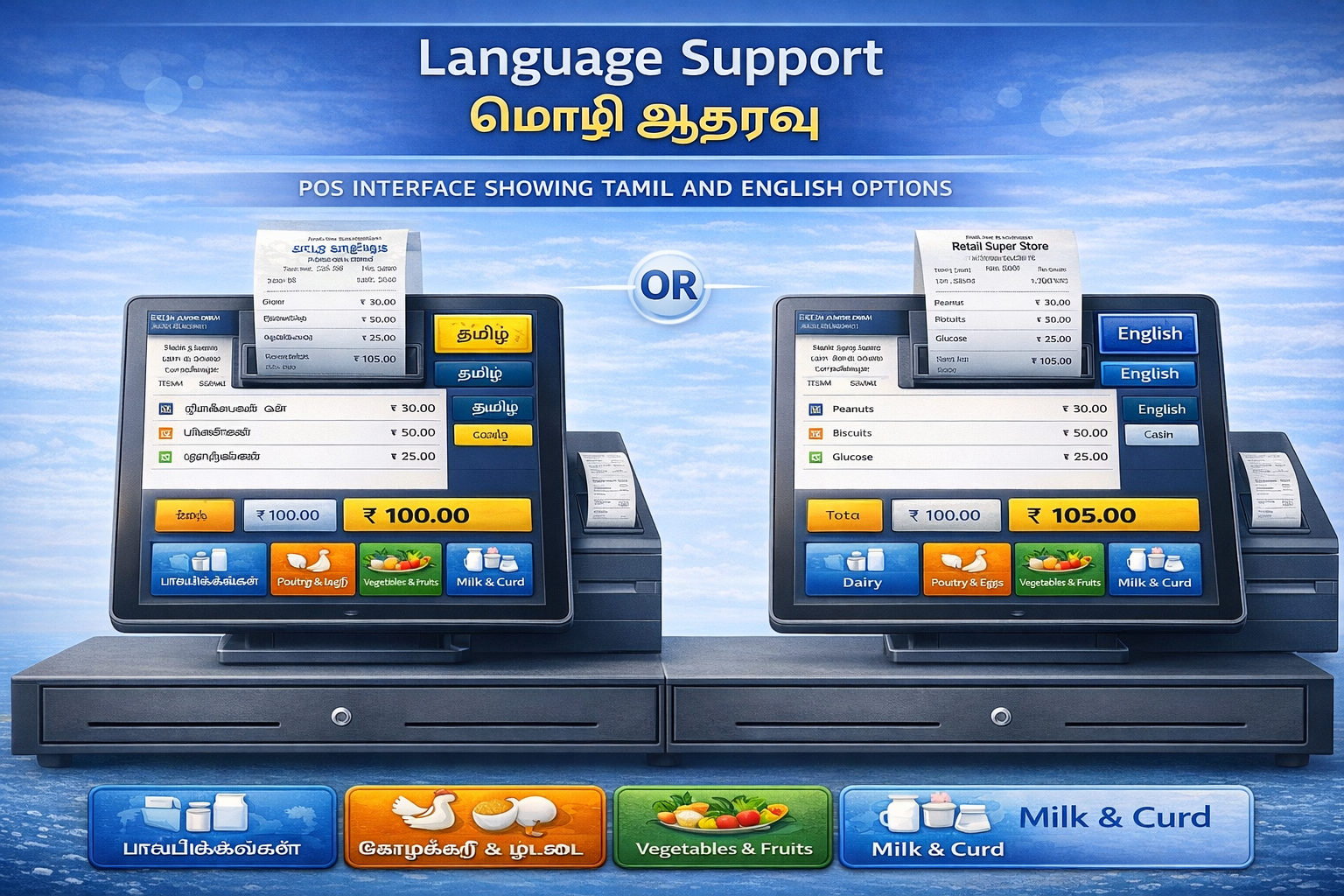
Language support requirements vary dramatically across Chennai businesses. Upscale stores in Alwarpet or Boat Club with English-comfortable staff may not need Tamil interfaces, but traditional stores in Sowcarpet, Parrys, or neighborhood markets often employ staff who strongly prefer Tamil. Quality retail POS software in Chennai should offer Tamil language interfaces for billing screens, product catalogs, and customer receipts. The software should handle Tamil product names without character corruption and print Tamil text on receipts clearly. Some vendors offer Tamil accounting terms familiar to local bookkeepers, reducing confusion during financial reconciliation.
Power reliability and backup requirements matter more in certain Chennai areas than others. While central neighborhoods have relatively stable power, peripheral areas and industrial zones face frequent cuts, especially during summer. Your POS Chennai system should continue functioning during outages through adequate UPS backup or work offline without needing constant internet connectivity. Cloud-based systems with robust offline modes are essential—test specifically how long the system operates offline and what happens when hundreds of transactions queue for sync after extended outages.
GST and Tamil Nadu tax compliance requires POS software understanding state-specific regulations. While GST is national, certain categories have state-level nuances. Your system should generate invoices meeting all legal requirements, maintain proper records for potential inspections, and integrate with accounting software commonly used in Tamil Nadu. Many Chennai accountants prefer Tally, so Tally integration becomes valuable rather than optional.
Payment preferences in Chennai retail have shifted dramatically toward digital but cash remains significant. Your POS must handle the full spectrum—cash transactions with proper cash drawer management, UPI payments through multiple apps (Google Pay, PhonePe, Paytm are all popular in Chennai), credit and debit cards with proper terminal integration, and increasingly contactless payments. Some wholesale businesses in Parrys and Mint area also need NEFT/RTGS tracking for large B2B transactions.
Business type specific needs vary by Chennai retail segment. Textile showrooms in T Nagar need systems handling variant inventory (same saree in multiple colors, borders, materials) and often sell in bulk (6 sarees, 12 blouse pieces). Electronics stores in Ritchie Street require serial number tracking for warranty management. Grocery chains need systems managing weighted items, perishables with expiry tracking, and high transaction volumes. Jewelry stores in Sowcarpet need precious metal tracking with daily rate updates and making charges. Ensure your chosen POS understands your specific retail category.
Top POS Software Options for Chennai Retailers
Based on local adoption, support availability, and suitability for Chennai business environment, these solutions work particularly well for retail businesses in the city.
GOFRUGAL maintains strong presence in Chennai with multiple offices and implementation partners across the city. Their retail POS solution is used by thousands of Tamil Nadu businesses from small shops to large chains. The software offers complete Tamil language support including billing interfaces and receipts, works reliably in offline mode crucial for areas with connectivity issues, provides industry-specific modules for textiles, groceries, electronics, and pharmacies, and integrates with popular accounting software. Local implementation teams understand Chennai retail practices and can set up systems within days. Pricing starts around ₹1,499 monthly for basic plans with Tamil support included. Customer support responds quickly since offices are local, often providing on-site assistance within hours for Chennai businesses.
Marg ERP has been serving Chennai businesses for over two decades with an established user base across Tamil Nadu. Their retail and pharmacy modules are particularly strong, offering comprehensive inventory management with batch tracking essential for pharmacies, robust accounting integration for businesses maintaining detailed books, multi-godown support for retailers with multiple warehouses, and Tamil language capabilities. The one-time purchase model (₹18,000-₹45,000) appeals to Chennai businesses preferring to own software rather than subscribe. Marg maintains authorized partners throughout Chennai providing implementation and support. The software is desktop-based which some traditional retailers prefer over cloud systems.
RetailGraph specifically targets South Indian grocery and FMCG retail, making it extremely relevant for Chennai supermarkets and provision stores. Features include excellent handling of weighted items common in Indian grocery retail, expiry date tracking with FEFO inventory management, schemes and offers engine for complex promotions typical in grocery retail, wholesale and retail pricing from the same system, and fast billing capable of handling high transaction volumes during peak hours. The company understands Tamil Nadu retail practices deeply—their product roadmap reflects Chennai retailer feedback. Pricing starts around ₹1,999 monthly with local implementation support available.
Vyapar has gained massive popularity among small Chennai retailers due to affordability and mobile-first approach. It's particularly suitable for small shops, boutiques, and neighborhood stores without needing complex features. Tamil language support works well on mobile apps, offline functionality is robust for unreliable connectivity areas, extremely simple interface requires minimal training, and affordable pricing (₹4,999 annually) fits small business budgets. The mobile-based approach means you can manage your store from your smartphone—check inventory while meeting suppliers, view sales while at home, and even process bills on a tablet. For very small retailers in residential areas or standalone shops, Vyapar offers the best value.
Pine Labs Plural combines POS software with payment processing, providing integrated solutions particularly valuable for Chennai businesses processing high volumes of digital payments. Since Pine Labs terminals are already widespread in Chennai retail, adding their POS software creates a unified system. Benefits include seamless payment integration eliminating reconciliation headaches, EMI and cardless EMI options popular in electronics and appliance retail, loyalty program connectivity across Pine Labs network, and simplified billing with payment capture in one flow. Pricing is typically bundled with payment terminals at ₹1,500-₹4,000 monthly depending on features and transaction volume.
For detailed comparison of these and other options with feature breakdowns, check our detailed comparison of India's top 10 POS software.
Local Vendors and Implementation Partners in Chennai
Finding the right implementation partner is as important as choosing the software, especially for businesses without dedicated IT staff.
Direct vendor offices for major POS companies are located primarily in business districts. GOFRUGAL has offices in Nungambakkam and Velachery. Marg ERP has authorized dealers across Chennai including locations in Purasawalkam, Anna Nagar, and Tambaram. Ginesys operates from OMR in Thoraipakkam. Pine Labs has multiple offices serving different Chennai zones. Contacting vendors directly ensures you work with authorized representatives rather than unauthorized resellers who may offer lower prices but lack proper support capabilities.
Authorized implementation for international platforms provide localized support for global products. For Shopify POS, Lightspeed, and similar platforms, Chennai has several authorized partners specializing in retail implementations. These partners typically operate from IT hubs along OMR and in Nungambakkam, understanding both the software capabilities and local business requirements. They handle customization, training in Tamil if needed, and ongoing support. Verify partner authorization directly with the software company before engaging.
Hardware suppliers are concentrated in Ritchie Street for peripheral devices and Mint area for business equipment. Established vendors like Computer Point, Sigma Systems, and numerous smaller shops provide receipt printers, barcode scanners, and other POS hardware often at competitive prices. Building relationships with reliable hardware vendors ensures quick equipment replacement when printers jam or scanners fail—critical during busy periods. Many hardware vendors also offer annual maintenance contracts for equipment servicing.
System integrators and IT service providers throughout Chennai can implement POS systems even if they're not official partners, particularly useful for one-time purchase software like Marg ERP. These providers, found in neighborhoods like Vadapalani, Ashok Nagar, and Adyar, handle installation, training, and troubleshooting. While often more affordable than official partners, ensure they have genuine experience with your chosen POS software—ask for references from similar businesses they've served.
Freelance consultants and trainers offer specialized services for businesses needing extra support beyond basic implementation. If your staff needs extensive training or you require custom reporting and workflows, Chennai has experienced POS consultants who work independently. These professionals typically charge ₹2,000-₹5,000 daily for on-site work, providing personalized attention often missing in vendor implementations.
Complete Setup Checklist for Chennai Retail Stores
Follow this systematic checklist to ensure smooth POS implementation without missing critical steps.
Pre-Purchase Phase:
- Define your specific requirements (inventory complexity, transaction volume, number of locations, staff count)
- Set realistic budget including software, hardware, implementation, and training costs
- Research vendors with local Chennai presence for reliable support
- Request demos from 3-4 shortlisted options, testing with your actual product data
- Verify Tamil language support if needed by your staff
- Check offline functionality by disconnecting internet during demo
- Speak with other Chennai retailers using the systems you're considering
- Negotiate pricing, especially for annual payments or multiple locations
Hardware Procurement Phase:
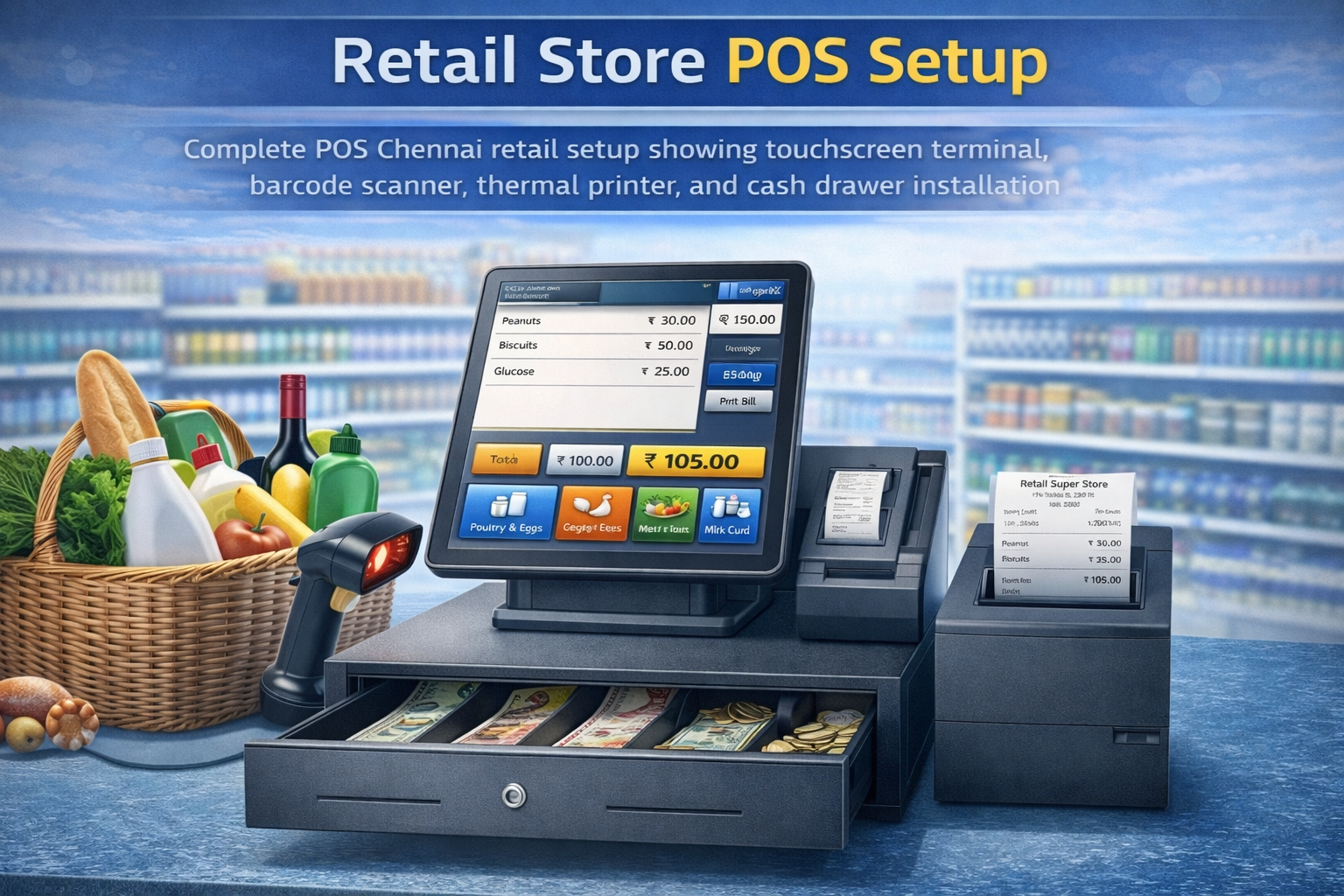
- Determine required hardware: computer/tablet, receipt printer, barcode scanner, cash drawer, payment terminal
- Decide between purchasing hardware directly from Ritchie Street vendors or bundling with software
- For textile/jewelry retail, consider customer display screens for transparency
- For restaurants, include KOT printers if planning to add food service
- Ensure UPS/inverter backup for at least 30 minutes to handle power cuts
- Purchase extra thermal paper rolls, printer ribbons, and barcode labels
- Budget for spare equipment if downtime is unacceptable for your business
Data Preparation Phase:
- Clean up your existing product data, removing discontinued items
- Organize products into logical categories matching how your store operates
- Collect product images if your POS supports visual catalogs
- Prepare supplier information for purchase order management
- Gather customer data if migrating from an existing system
- Document current business processes and workflows to replicate in new system
- Assign product codes systematically if you don't already have SKU system
Implementation Phase:
- Schedule implementation during slower business periods if possible
- Ensure key staff are available during setup for training
- Install and configure software on all planned devices
- Set up user accounts with appropriate permissions for different roles
- Upload product catalog with pricing, tax rates, and current stock levels
- Configure payment methods (cash, cards, UPI) and payment terminal integration
- Set up receipt formats with your business details and GST information
- Test billing process with sample transactions before going live
- Verify GST invoice format meets compliance requirements
- Configure backup procedures for data protection
Training Phase:
- Train all staff who will use the system, not just one person
- Cover normal billing processes first before advanced features
- Practice handling common scenarios: discounts, returns, multiple payment types
- Show staff how to handle connectivity issues and offline mode
- Train managers on inventory management, reporting, and day-end procedures
- Document common procedures in simple language or Tamil for reference
- Keep vendor contact information visible for all staff
- Record training if possible for training future employees
Testing and Parallel Operations Phase:
- Run both old and new systems simultaneously for 5-7 days if possible
- Compare daily totals between systems to verify accuracy
- Have staff provide feedback on difficulties or confusing processes
- Test all connected hardware under real business conditions
- Verify report accuracy by checking against manual calculations
- Test backup and data sync processes
- Simulate power outage and recovery procedures
- Process various transaction types to ensure everything works
Go-Live Phase:
- Choose specific date to switch completely to new POS system
- Inform regular customers about new billing process if noticeably different
- Keep vendor contact information readily available for first-week issues
- Monitor closely for first two weeks, checking reports daily
- Address any staff concerns or difficulties immediately
- Gather feedback from customers about receipt format, billing speed, etc.
Post-Implementation Phase:
- Schedule follow-up training session after 2-3 weeks to address questions
- Review and optimize workflows based on actual usage experience
- Set up automated reports for daily, weekly, and monthly management review
- Establish regular backup verification procedures
- Plan periodic system health checks with implementation partner
- Document any customizations or special procedures for future reference
Budgeting for POS Implementation in Chennai
Understanding typical costs for Chennai retail businesses helps you budget appropriately and avoid surprises.
Small retail shop (500-1,500 sq ft): Software subscription ₹1,000-₹2,500 monthly or one-time purchase ₹15,000-₹30,000. Basic hardware (tablet/computer, printer, scanner) ₹20,000-₹35,000. Implementation and training ₹5,000-₹10,000. First-year total: ₹40,000-₹75,000. This budget suits neighborhood stores, boutiques, and small specialty shops throughout Chennai residential areas.
Medium retail store (1,500-3,000 sq ft): Software subscription ₹2,000-₹4,000 monthly or one-time purchase ₹25,000-₹45,000. Professional hardware setup ₹40,000-₹70,000. Implementation and training ₹10,000-₹20,000. First-year total: ₹85,000-₹140,000. Appropriate for established stores in markets like Pondy Bazaar, Mylapore, or Besant Nagar with moderate transaction volumes.
Large format retail/chain stores: Software subscription ₹3,500-₹7,000 monthly per location or enterprise one-time purchase ₹50,000-₹75,000+. Comprehensive hardware ₹60,000-₹100,000 per location. Professional implementation ₹20,000-₹50,000. First-year total per location: ₹150,000-₹300,000. Suitable for supermarkets, department stores, or multi-location chains across Chennai.
For detailed pricing breakdowns and vendor comparisons, see our complete POS software pricing breakdown.
Cost-saving tips for Chennai retailers:
- Purchase hardware from Ritchie Street vendors rather than through software vendors for 15-25% savings
- Negotiate annual software payments for 20-30% discounts versus monthly billing
- Implement during vendor promotional periods (often around Diwali or financial year-end)
- Start with essential features only, adding advanced capabilities later as needed
- Consider refurbished or previous-generation hardware for non-critical components
- Use existing smartphones/tablets initially instead of dedicated POS terminals
- Join group purchases with other nearby retailers for volume discounts
- Leverage government digitization schemes or subsidies if eligible
Common Implementation Challenges and Solutions
Chennai retailers frequently encounter these challenges during POS implementation—knowing them in advance helps you prepare.
Staff resistance to change is common, especially in traditional businesses where employees have used manual billing for years. Older staff may feel threatened by technology or worry about making mistakes. Solution: Involve staff early in the selection process, letting them test systems during demos. Choose user-friendly interfaces requiring minimal training. Provide patient, repeated training focusing on their daily tasks rather than overwhelming with all features. Have champions among staff who learn quickly and help others. Acknowledge that initial billing may be slower and avoid criticizing staff during the learning period.
Language barriers affect Chennai stores where staff are more comfortable with Tamil than English. Billing becomes slower when cashiers search English product names or struggle with navigation. Solution: Prioritize POS software with genuine Tamil support, not just translation but actually understanding Tamil retail terminology. Enter product names in Tamil during setup if that's how staff remember them. Print receipt samples in Tamil to verify everything displays correctly. Ensure error messages appear in Tamil so staff understand what went wrong. Consider bilingual staff for key roles like inventory management requiring both Tamil and English.
Connectivity issues impact cloud POS systems, especially in areas with unreliable internet. Billing stops if the system can't handle offline operations, frustrating customers and staff. Solution: Test offline functionality thoroughly before going live. Ensure your internet connection is adequate—invest in commercial broadband rather than residential connections if necessary. Maintain mobile data backup through dongles or hotspot devices. Choose POS software with proven offline capabilities where transactions queue locally and sync automatically when connectivity returns. Have manual billing backup procedures for extended outages.
Data migration errors occur when moving product information, pricing, and inventory from old systems or manual records. Missing products, wrong prices, or incorrect stock levels create chaos during early operations. Solution: Start data cleanup weeks before implementation, not during setup. Verify accuracy of product counts through physical inventory before entering in new system. Migrate data in stages—perhaps one product category daily—rather than everything at once. Run parallel systems for a week to catch discrepancies early. Have printed backup lists of popular products with correct prices for first few days.
Hardware compatibility problems arise when printers don't print correctly, scanners don't read barcodes, or cash drawers don't open. Solution: Verify hardware compatibility before purchasing—provide specific model numbers to software vendor for confirmation. Test all hardware during implementation, not just during go-live. Purchase from reputable Chennai vendors who support their products and can quickly replace defective units. Keep backup hardware (at least spare receipt printer) since printer failures are most common hardware issue.
Inadequate training leaves staff confused about procedures, slowing billing and increasing errors. Many implementations provide just 2-3 hours of training, insufficient for staff to become comfortable. Solution: Budget for comprehensive training—full day minimum for staff who will use the system daily. Schedule follow-up training sessions after 2-3 weeks to address questions that arise during actual use. Create simple procedure guides in Tamil for common tasks. Record training videos for future reference and new employee training. Identify power users who receive extra training and support other staff.
Maintenance and Ongoing Support Considerations
Your relationship with your POS vendor continues long after implementation—ensure you have adequate support for the long term.
Local support availability becomes critical when systems malfunction during business hours. Chennai businesses should verify vendor support office locations and response times. Can they provide on-site assistance within hours if needed? Do they support Tamil language for technical issues? What are support hours—some national vendors support only during business hours, problematic for retail stores operating evenings or weekends. Premium support contracts offering faster response times often prove worthwhile for businesses where POS downtime directly impacts sales.
Hardware maintenance and replacement requires quick turnaround in retail environments. Identify local service centers for receipt printer repairs—Chennai has several in Ritchie Street and Mount Road. Many hardware vendors offer annual maintenance contracts (₹2,000-₹5,000 annually) covering repairs and replacement parts. Keep spare thermal paper rolls and printer cleaning supplies on hand. Budget for hardware replacement every 3-5 years—printers and scanners don't last forever, especially with heavy daily use.
Software updates and upgrades keep your system current with latest features and security patches. Cloud POS systems update automatically, but verify updates don't disrupt operations by deploying during business hours. One-time purchase software may require manual updates—stay current to avoid security vulnerabilities. Major version upgrades might cost extra for perpetual licenses, so budget accordingly. Some updates may require Tamil language pack updates if you use Tamil interfaces.
Data backup and security protects your business information. Cloud systems handle backups automatically, but verify backup frequency and test restoration procedures. On-premise systems need manual backup routines—daily backups to external drives or cloud storage services. Test backup restoration at least quarterly to ensure backups actually work. Implement user access controls so staff only access necessary functions. Change passwords periodically and immediately when employees leave.
Ongoing training for new staff maintains operational efficiency as employees turn over. Chennai retail faces seasonal staffing changes and employee turnover. Create standardized training procedures for new hires using recorded videos or step-by-step guides in Tamil. Assign experienced staff as trainers for new employees. Budget time for proper training rather than expecting new staff to learn by watching others—this leads to bad habits and errors propagating.
Conclusion
Choosing and implementing retail POS software in Chennai requires balancing universal best practices with specific local considerations—from finding vendors with true Chennai presence providing Tamil language support to understanding power backup requirements and navigating local hardware markets in Ritchie Street. The Chennai retail landscape spans traditional businesses alongside modern format stores, each with unique requirements that generic POS solutions may not address adequately.
Success factors for Chennai POS implementation include selecting software with robust offline capabilities for connectivity challenges, prioritizing vendors with local support infrastructure for quick issue resolution, ensuring Tamil language support if your staff needs it, testing thoroughly with your actual products and workflows before full deployment, and budgeting realistically for total costs including hardware, implementation, and training—not just software subscription fees.
The pos software chennai market offers options for every business size and type—from affordable solutions like Vyapar for small neighborhood shops to enterprise platforms like Ginesys for large chains. Focus on finding the right fit for your specific business rather than simply choosing the most popular or cheapest option. Involve your staff in selection and training to ensure smooth adoption. Choose vendors with proven Chennai presence who can support you throughout the relationship, not just during sale and implementation.
For Chennai retailers ready to modernize operations, improve inventory control, speed up billing, and gain better business insights, the right POS system delivers returns far exceeding its cost through efficiency gains, reduced errors, and data-driven decision making. Take the systematic approach outlined in this guide—research thoroughly, test extensively, implement carefully, and support adequately.
Ready to implement a POS system backed by dedicated Chennai support? Explore our POS solution with dedicated Chennai support offering Tamil language interfaces, local implementation assistance, and ongoing support from Chennai-based teams who understand your business environment.
faq:
Which POS software is best for retail shops in Chennai The best POS software for your Chennai retail shop depends on your store type and how your team works daily. A textile showroom in T Nagar usually needs variant handling (color, size, material), fast billing, and stock reporting. A grocery store in Anna Nagar needs quick checkout, barcode support, expiry tracking, and sometimes weighing scale integration. An electronics shop in Ritchie Street benefits from serial number and warranty tracking. Shortlist 3 options with Chennai support, then test real billing, returns, discounts, and day-end reports using your own product list before you decide.
What should I check before buying POS software in Chennai You should check local support speed, Tamil language usability, and offline billing performance. Ask where the vendor support team sits in Chennai and how fast they can provide help during peak hours. If your cashiers prefer Tamil, confirm the billing screen and product search work smoothly in Tamil, and receipts print Tamil without broken characters. Test offline mode by turning off internet during the demo and billing 5 to 10 transactions. Also confirm GST invoice format, reports, and whether it can connect with your accounting process, many Chennai businesses use Tally or accountant-friendly exports.
Do Chennai retail stores need Tamil language POS software Many Chennai stores benefit from Tamil support, especially in neighborhood markets, traditional stores, and businesses with long-term staff who work faster in Tamil. You should confirm three things: the billing interface supports Tamil, product names can be stored and searched in Tamil, and receipts print Tamil clearly on your printer model. Some systems show partial Tamil support but fail during printing or search. Ask the vendor to create 10 Tamil product names in the demo and print a receipt on the exact printer model you plan to use.
Does POS software work during power cuts or low internet in Chennai It can, but only if you plan correctly. For power cuts, you need a UPS or inverter that keeps your billing device and printer running for at least 20 to 30 minutes. For internet issues, you need offline billing that still supports barcode scanning, stock updates, and returns, then syncs when internet returns. During evaluation, simulate a real scenario: disconnect internet for 15 minutes, do billing and a return, then reconnect and check whether stock and reports remain correct. This test prevents billing stoppage during busy hours.
What is the typical POS setup cost for a Chennai retail store Your first-year cost usually includes software, hardware, setup, and training. A small shop often spends ₹40,000 to ₹75,000 in year one depending on plan and hardware. A medium store often spends ₹85,000 to ₹140,000 in year one with a better terminal and stronger features. Larger stores and chains often reach ₹1.5 lakh to ₹3 lakh per location in year one due to more devices, deeper setup, and multi-branch needs. Hardware alone can range from ₹20,000 to ₹70,000 depending on tablet versus terminal, printer quality, scanner reliability, and whether you add cash drawer and customer display.
Where can I buy POS hardware in Chennai, and what do I need Many Chennai retailers source POS hardware from local markets like Ritchie Street for scanners, printers, and peripherals. A typical retail setup includes a billing device (PC or tablet), thermal receipt printer, barcode scanner, and optional cash drawer and payment terminal. If you run grocery or FMCG, you may also need weighing scale integration or label printing. Before you buy, confirm hardware compatibility with your POS vendor using exact model numbers. Also keep spare thermal paper and consider a backup printer if downtime will hurt sales during weekends or festive rush.
How long does POS implementation take for a Chennai retail shop Implementation speed depends on how ready your data is. If your product list, prices, GST rates, and opening stock are clean, a single outlet can often go live in 1 to 3 days. If you have thousands of SKUs, multiple counters, or multiple outlets, it can take 1 to 3 weeks. Data preparation usually consumes the most time, especially when you need to fix duplicate items, wrong prices, missing GST rates, or inconsistent product names. You can reduce risk by running parallel billing for 5 to 7 days and matching day totals before fully switching.
What data should I prepare before POS installation Prepare your product master with price, GST rate, HSN, barcode if available, and opening stock. Also prepare supplier list, purchase prices if you track margins, and customer list if you sell on credit. Create clear categories that match how you shop-floor staff search items, for example sarees, shirts, accessories. If you sell variants, define a consistent structure for size and color so reports stay accurate. Do a physical stock count for key categories before go-live, otherwise you will start with wrong inventory and face stock mismatch within the first week.
What are the most common POS problems during Chennai go-live, and how to avoid them Most issues come from three areas: staff learning, data errors, and hardware surprises. Staff issues reduce when you train every cashier and supervisor, not only one person. Data issues reduce when you clean products and confirm prices and GST before upload. Hardware issues reduce when you test printing, scanning, and cash drawer triggers during setup, not on launch day. You should also plan for connectivity problems by testing offline billing and keeping a backup internet option like mobile hotspot. Keep vendor support contacts visible near the billing counter for the first two weeks.
How do I choose a POS vendor with reliable Chennai support You should verify three things: local presence, response time, and support coverage during your working hours. Ask if they can provide on-site support in Chennai and how quickly they respond when billing stops. Confirm whether support works on weekends and evenings, many retail stores operate beyond standard office hours. Check if they provide Tamil support for staff who prefer it. Ask for references from other Chennai retailers in your category, textile, grocery, electronics, boutique, and call at least one reference to confirm actual support experience, not only product features.
Ready to upgrade your retail billing?
Tazk POS handles billing, inventory, GST invoices, and multi-store management. Free plan available — no credit card required.
Free plan available. No credit card required. Go live in hours.