
How do I bring my old balances into Tazk POS?
Open Settings → Migration and set the Migration Date (the start of the financial year, for example 01/04/2026). For Accounts Receivables and Accounts Payables, download the Sample Excel, fill in what each customer owes you and what you owe each vendor, and click Upload File. Then open Assets, Liabilities, Equity, Revenue/Income and Expense/Cost to bring in the balances of your other ledgers.
How do I set the migration date?
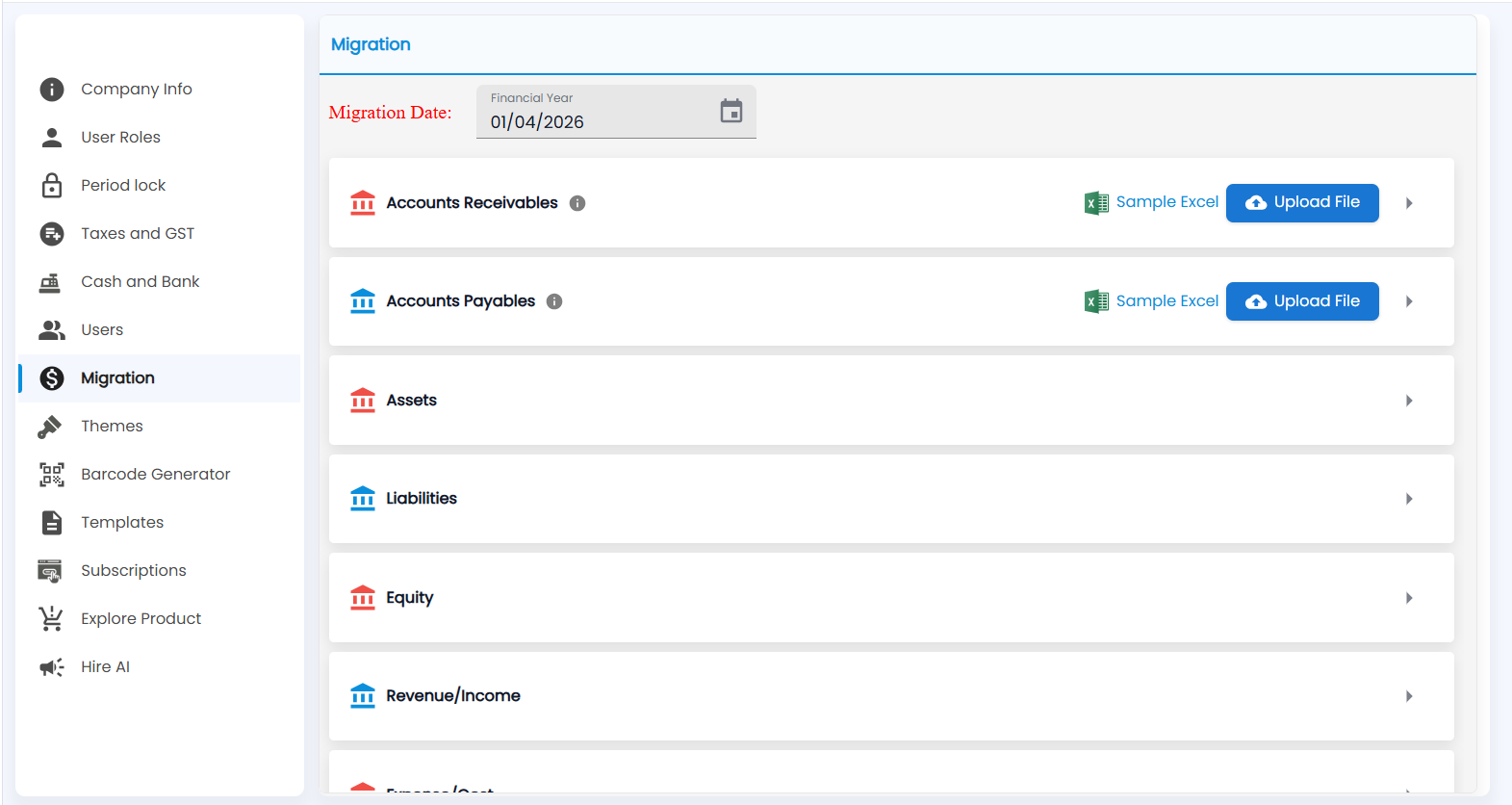
Open Settings → Migration. At the top, Migration Date (Financial Year) is the date your opening balances are as of — usually the first day of the financial year, for example 01/04/2026. Pick it from the calendar before you upload anything.
What can I migrate?
| Section | What it brings in |
|---|---|
| Accounts Receivables | What each customer owes you on the migration date |
| Accounts Payables | What you owe each vendor on the migration date |
| Assets, Liabilities, Equity, Revenue/Income, Expense/Cost | The opening balances of the ledgers under each account type in Chart of Accounts |
How do I upload receivables or payables?
- Hover the i next to the section name for what the file needs.
- Click Sample Excel to download the template.
- Fill in one row per customer (or vendor) and save the file.
- Click Upload File and choose it.
- Click the arrow at the right of the section to expand it and check what was loaded.
Tip: Add the customers and vendors in Customer Contacts and Vendor Contacts first, with the same names as in your file.
Important: Migrate once, before you start billing in Tazk. Check the balances against your old system's trial balance on the migration date.