
How do I change the theme in Tazk POS?
Open Settings → Themes. Under Navigation Styles, click one of the four layouts; under Sidebar Colors, click a colour set. The selected option shows a tick and the change applies straight away.
How do I change the navigation style?
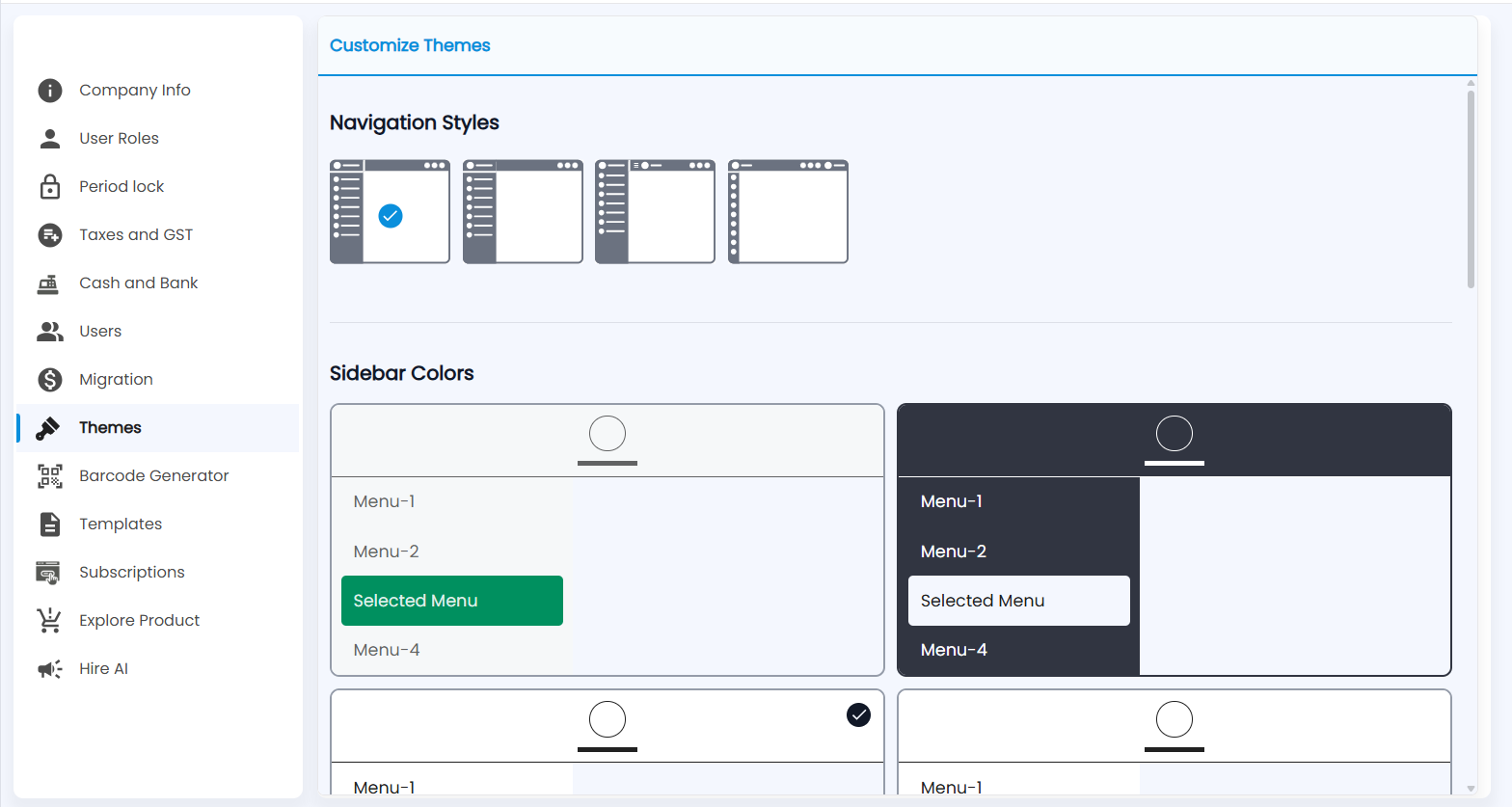
Open Settings → Themes (Customize Themes). Navigation Styles shows four layouts: full menu with icons and names, and narrower or icon-only menus. Click one; the current one has a blue tick.
How do I change the sidebar colours?
Sidebar Colors shows each colour set as a small preview with Menu-1, Menu-2, a Selected Menu and Menu-4 — for example a light sidebar with a green selection or a dark sidebar with a white selection. Click a preview to use it; the current one has a tick. Scroll down for more sets and any further options.
Note: The sidebar colours also colour the rails in Settings and Configuration.