
Where do I see and renew my Tazk POS plan?
Open Settings → Subscriptions. Your subscription shows the status, start date, valid-till date, current billing, renewal date and how many days of the plan you have used. Your plan shows the plan name, price, user limit and current period, with a Renew button. Tax invoices lists your Tazk invoices to download.
What does Your subscription show?
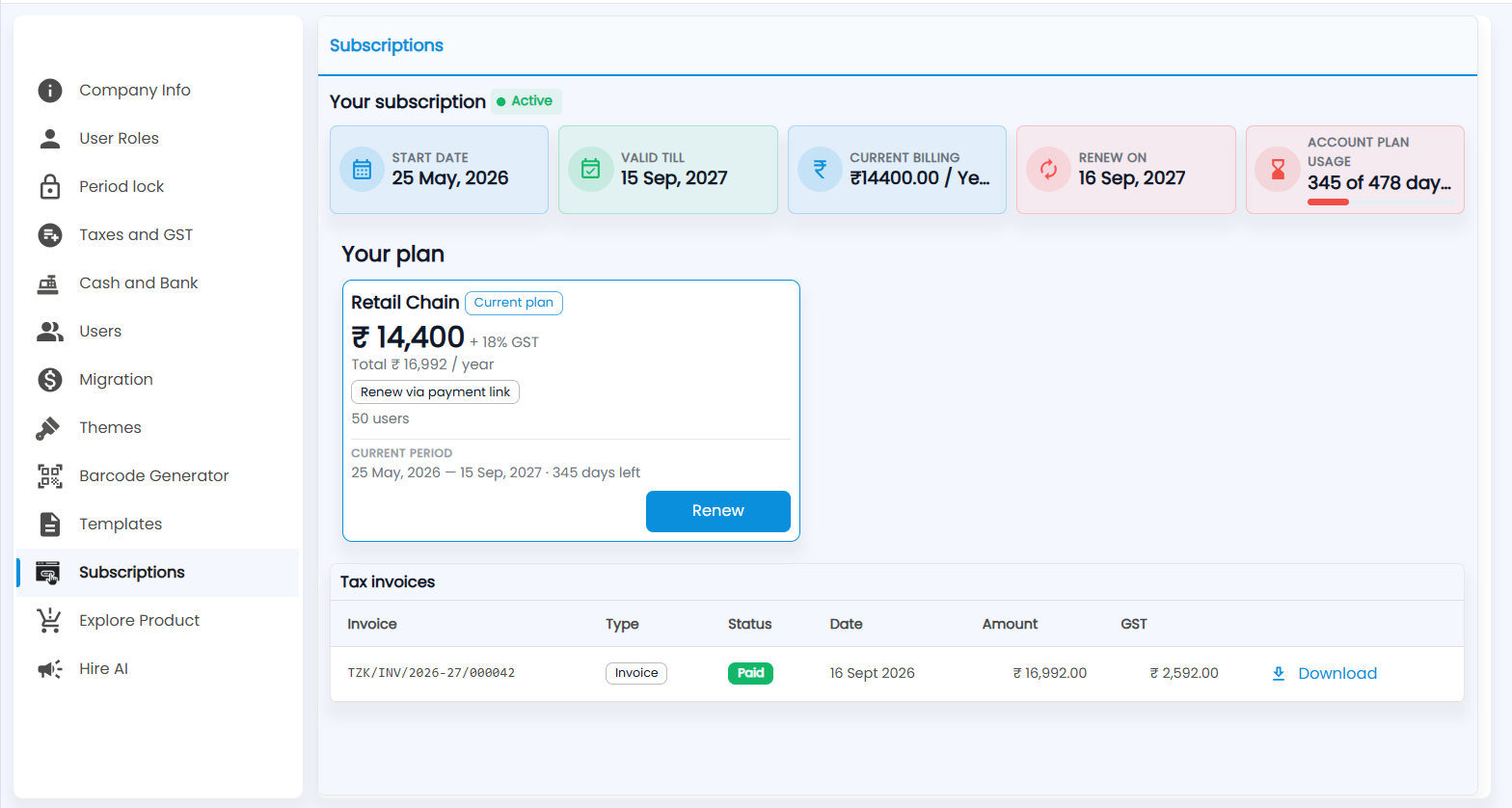
Open Settings → Subscriptions. Next to Your subscription is a status chip such as Active, Free trial, Expires in N days or Expired. The tiles show:
| Tile | What it shows |
|---|---|
| Start Date / Valid Till | When the current plan started and ends |
| Current Billing | What you pay and how often, for example per year |
| Renew On | The day after the plan ends |
| Account Plan Usage | Days used out of the plan's days, with a bar |
How do I renew?
Your plan shows the plan name with a Current plan chip, the price plus 18% GST and the yearly total, how many users it allows, and the Current period with the days left. Click Renew to pay for the next period; if your plan is renewed by payment link, the card says Renew via payment link. Depending on your account you may also see Subscribe Now or Upgrade Plan.
Where are my Tazk invoices?
Tax invoices lists each invoice Tazk has raised to you with Invoice number, Type, Status (for example Paid), Date, Amount and GST. Click Download for the PDF — if you are GST-registered, you can claim its GST as input credit.