
What is the Events screen in Tazk Payroll HRMS?
HRMS → Events ("Personal important dates") keeps employees' birthdays and joining dates from their contact profile, plus custom events such as a spouse's birthday or a wedding anniversary. Cards show who, the event, when it is and the milestone — "Turns 24" or "1 yr of service". View them as cards, a table or a calendar, filter and export them, and add your own with Add Event.

What do the tiles show?
Total events, Upcoming (30 days), Birthdays and Anniversaries.
What is on each event card?
- The employee's initials, name, designation and department, and their ID.
- The event — Birthday, Join Date or a custom type — and a countdown such as In 20 days.
- The date and the milestone — for example "Turns 24" for a birthday or "1 yr of service" for a joining date.
- A lock on Birthday and Join Date — they come from the employee's contact profile and are changed there, not here. Custom events can be edited or deleted (hover the card).
An Administrator sees every employee's events; everyone else sees their own.
How do I find an event?
- Search events… by name or event.
- The filter icon — event types, Upcoming within (today, 7, 30 or 90 days) and month.
- Switch between cards, table and calendar views at the right; the calendar also shows statutory holidays.
- The download icon exports the listed events as an .ics file for Google Calendar or Outlook. The refresh icon reloads them.
How do I add an event?
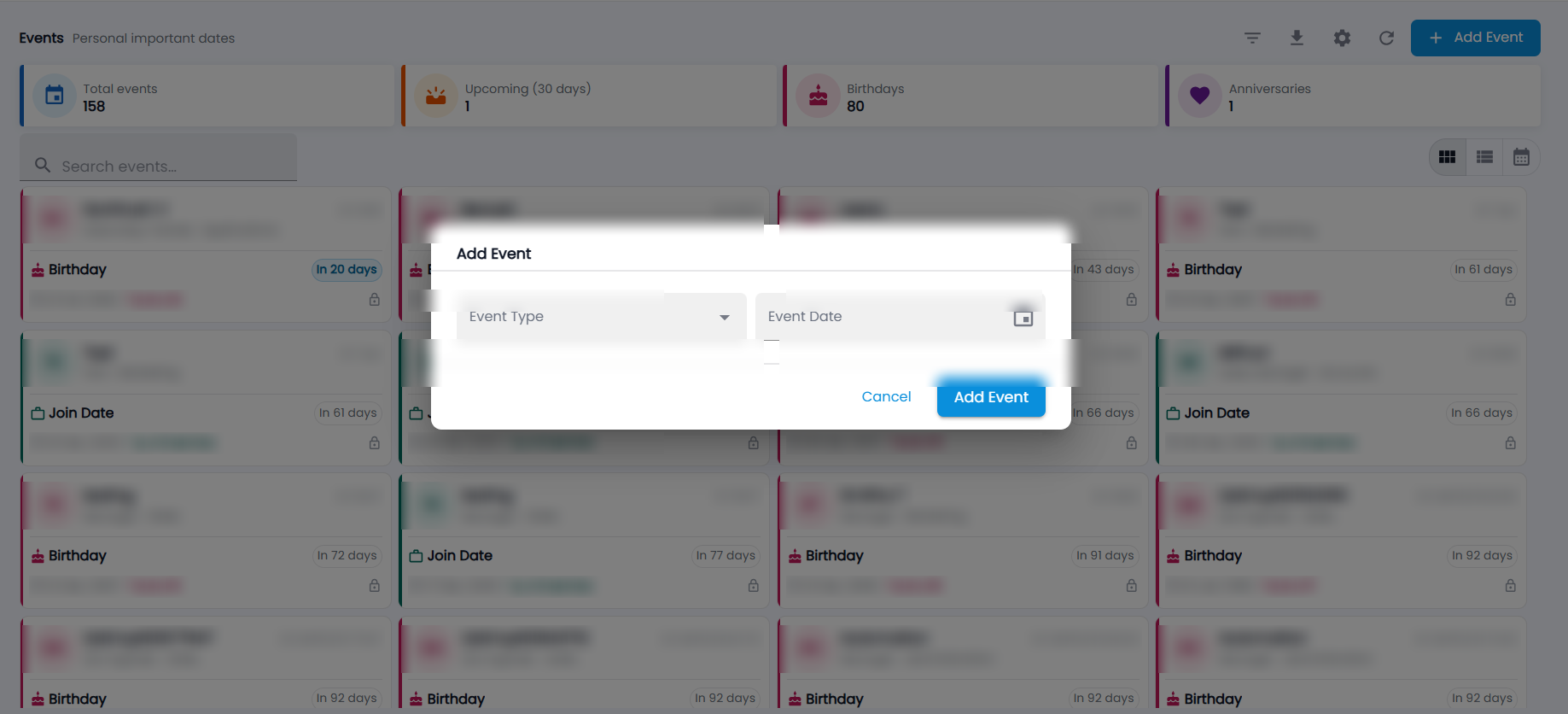
- Click Add Event.
- Choose the Event Type and the Event Date.
- Click Add Event. The event is saved against your own record.
How do I add or rename event types?
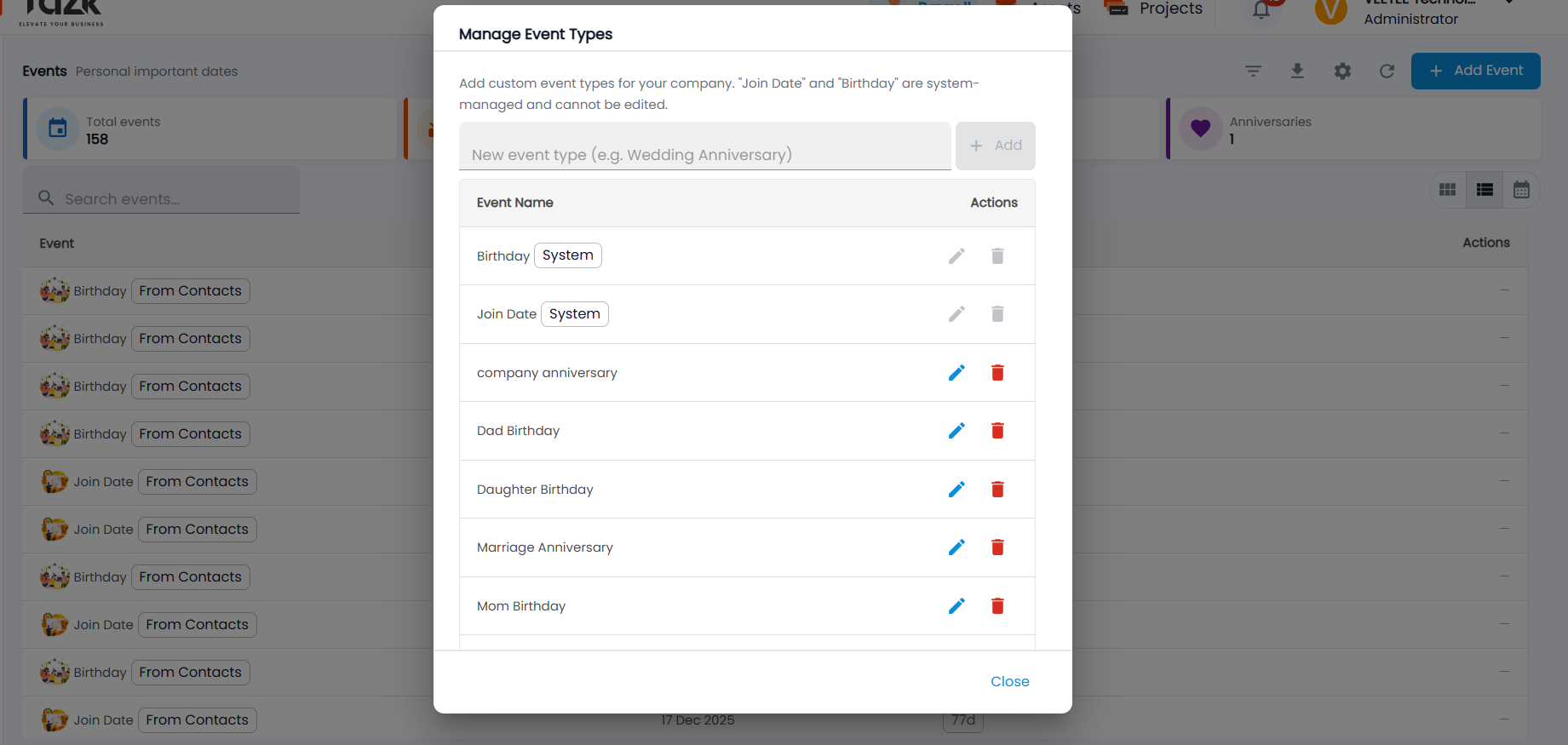
- Click the gear icon. Manage Event Types opens.
- Type a new event type (for example Wedding Anniversary) and click Add.
- Use the pencil to rename a custom type or the bin to delete it. Birthday and Join Date are marked System and cannot be edited.
- Click Close.
How do colleagues send wishes?
On the Dashboard Overview, the Events card lists upcoming birthdays and anniversaries — click Send wishes (or Celebrate), write a message and send it. The person receives it in Messages under Wishes and can reply.