
How do I run a performance appraisal in Tazk Payroll?
Open HRMS → Performance. Build a KRA template whose weights add up to 100, create an appraisal cycle with its dates and deadlines, and assign employees to it through the template. Then move the cycle stage by stage — self review, manager review, HR review, admin review, completed. Employees score themselves, managers and HR review in Team Appraisals, and an Administrator finalises. Metrics from tasks, attendance, training and Git can fill KRAs automatically.
Which Performance tabs will I see?
- Administrators — Dashboard, KRA Templates, Appraisal Cycles, Team Appraisals, Daily Activity, Metrics, Composite Scoreboard and Audit Log.
- Managers (including HR Manager and Team Leader) — Dashboard and Team Appraisals.
- Everyone else — My Appraisal.
Click Help (?) on any tab for how-to steps.
What does the Performance Dashboard show?

Pick a Cycle at the top right; the header shows its dates and stage.
- Cards — Completed, Total Appraisals, Completion %, Avg Rating, In Progress and Not Started; then Recommendations (increments and promotions), Overdue appraisals, Metrics / Git and Goals avg progress.
- Work activity for the elapsed part of the cycle — People (contributors, active days, worklog days), Tasks (completed, on-time, overdue, bugs), Hours (estimated, actual, accuracy) and Git (commits, merge requests, net lines).
- Activity trend over the last 12 active days, Most active contributors (tasks, commits, MRs), and further down the workflow, rating bands, department comparison, top performers and who needs attention.
How do I create a KRA template?
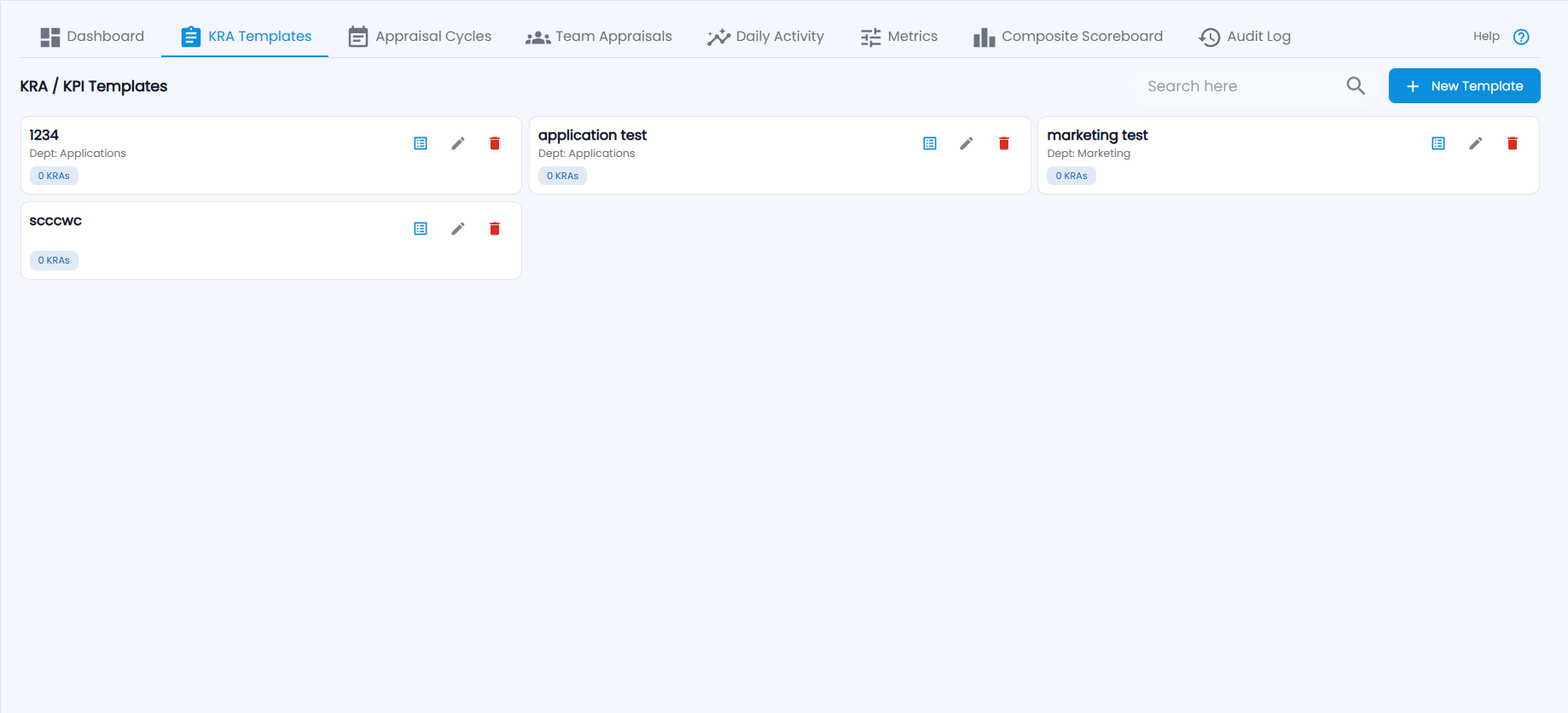
KRA / KPI Templates lists each template with its department and how many KRAs it has, with view KRAs, edit and delete.
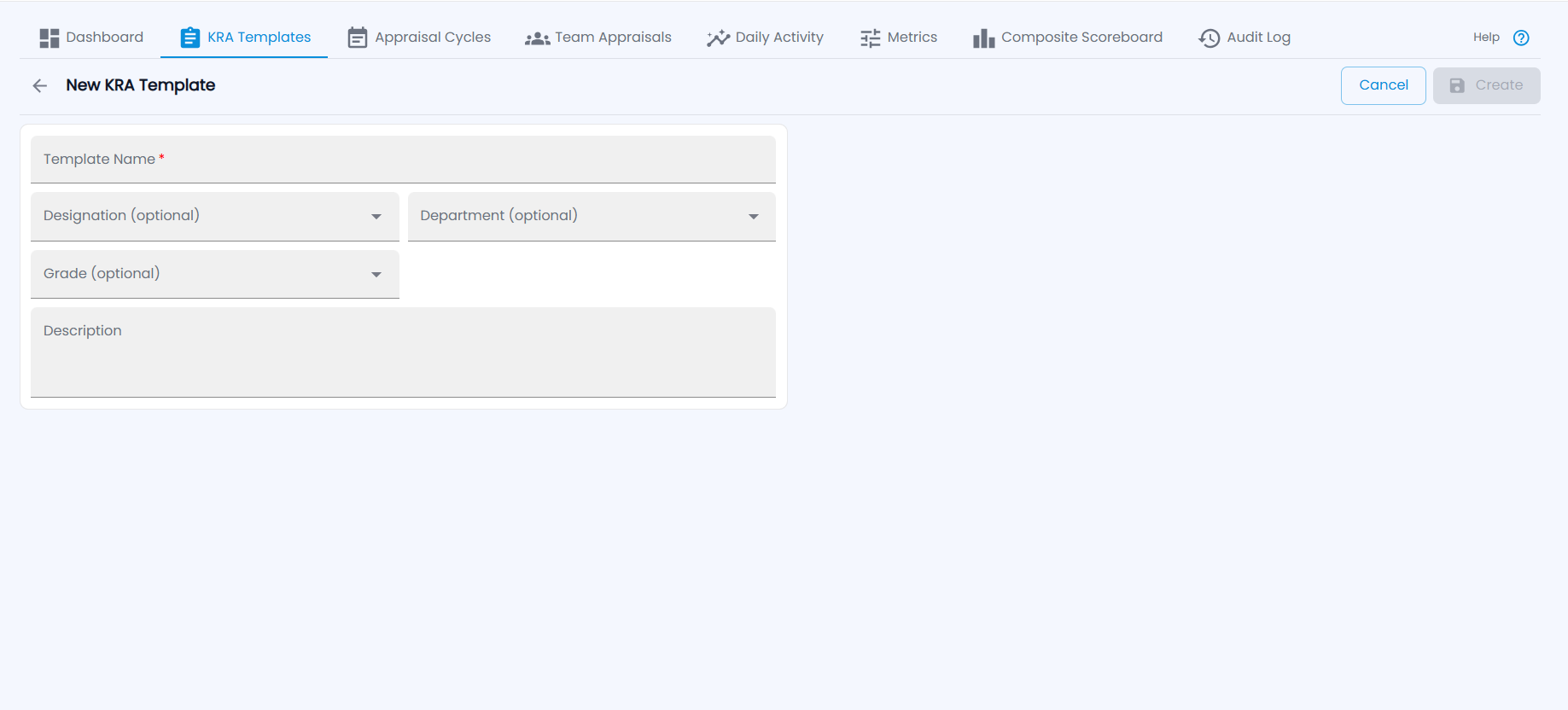
- Click New Template, enter the Template Name and optionally the Designation, Department, Grade and a Description, and click Create.
- Open the template's KRAs and click Add KRA — name, Weight, KPI, type (Rating, Numeric, %, Yes/No), an optional auto metric, and who evaluates it.
- Keep adding until the weights total exactly 100. Bulk paste accepts rows copied from Excel.
How do I set up and move an appraisal cycle?
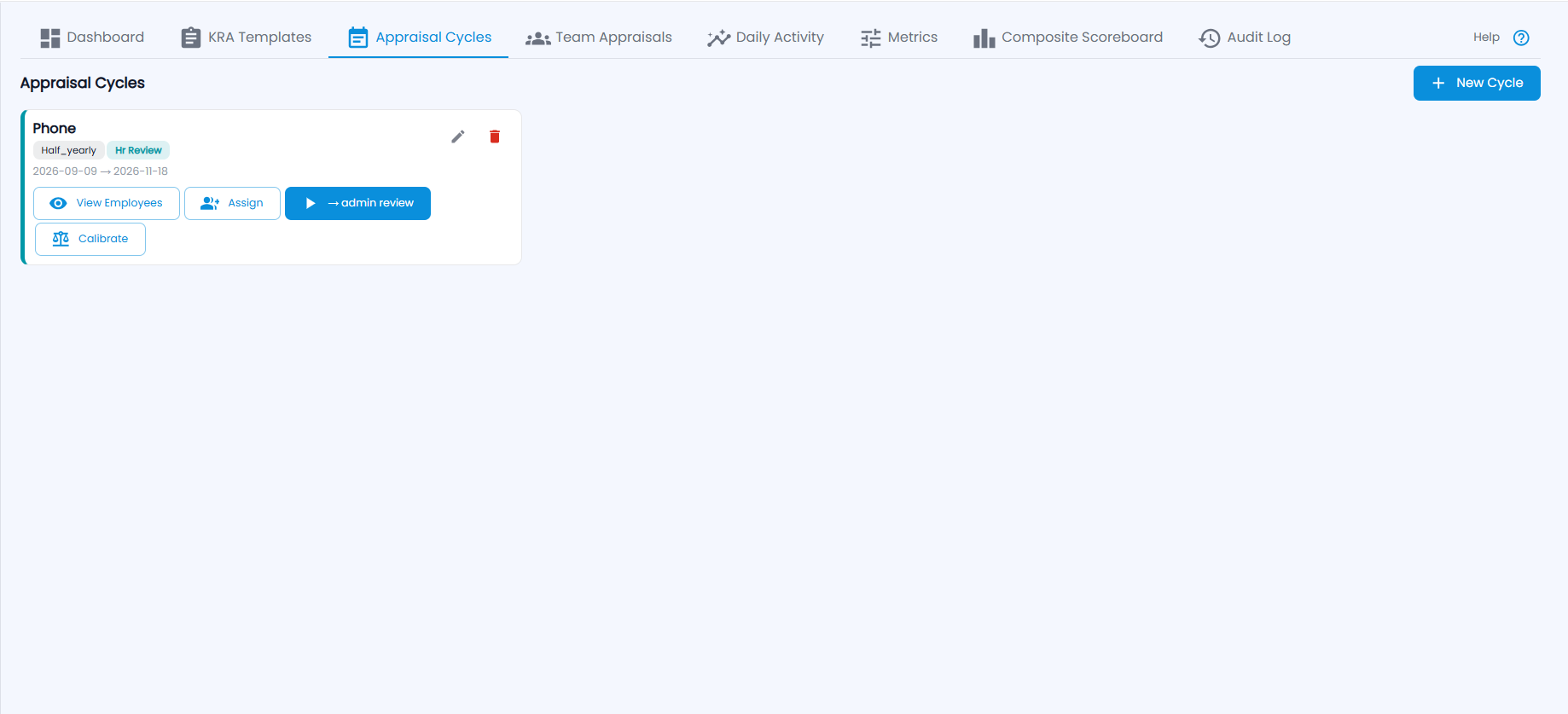
Each cycle card shows its type (for example Half_yearly), current stage (for example Hr Review), dates, and buttons: View Employees, Assign, the next-stage button (for example → admin review) and Calibrate, with edit and delete.
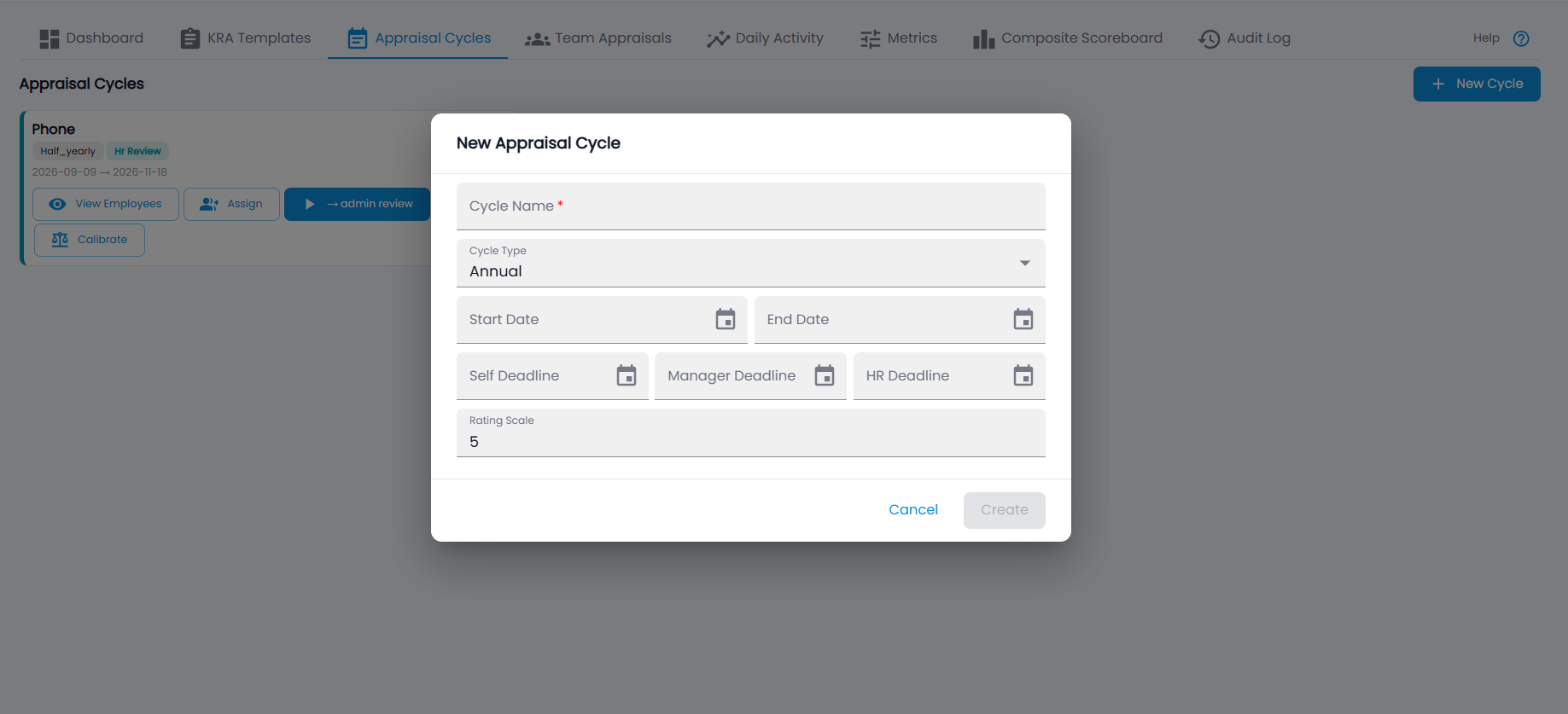
- Click New Cycle: Cycle Name, Cycle Type (Annual, Half-yearly, Quarterly, Monthly, Probation), Start and End Date, the Self, Manager and HR Deadline, and the Rating Scale (5 by default). Click Create.
- On the card, click Assign, pick the KRA template(s) and the employees.
- Use the next-stage button to move it: active → self review → manager review → hr review → admin review → completed.
- From manager review on, Calibrate lets HR adjust ratings across the cycle.
How do managers review their team?
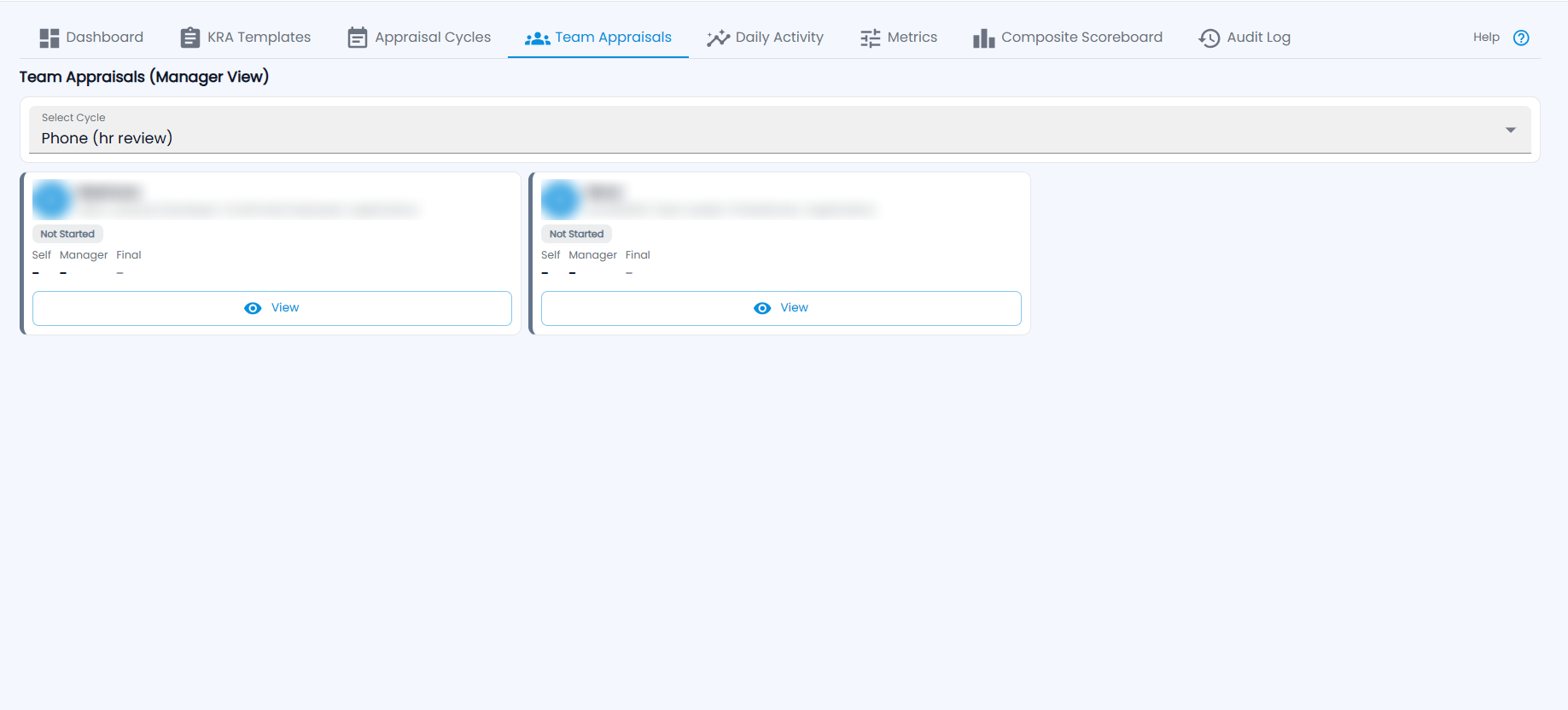
Team Appraisals (Manager View, or HR View for HR) — choose the cycle under Select Cycle. Each employee card shows their designation, category and department, the status (for example Not Started) and the Self, Manager and Final scores. Click View to open the goal sheet, score each KRA and submit your review.
What is Daily Activity?
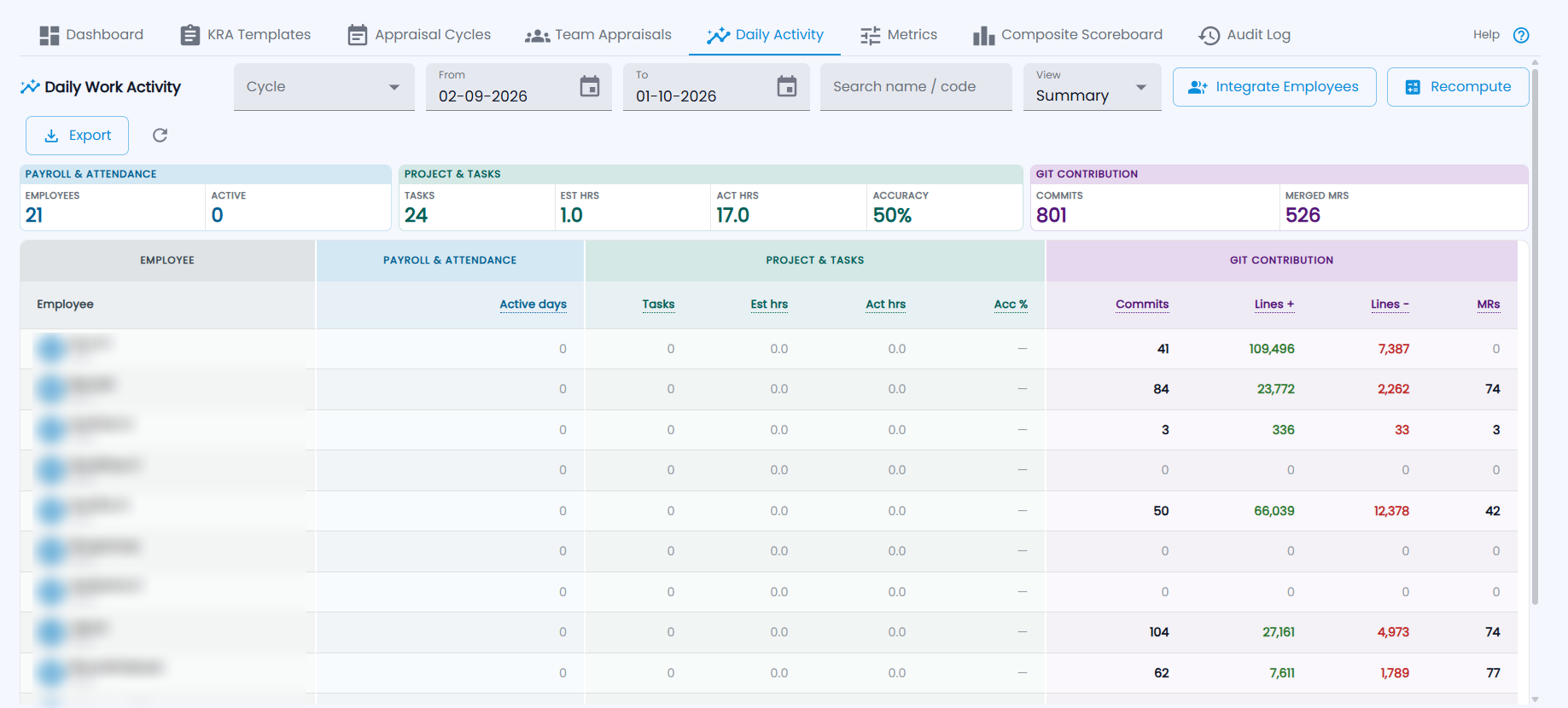
Daily Work Activity shows each employee's work for a cycle or date range: Payroll & Attendance (active days), Project & Tasks (tasks, estimated and actual hours, accuracy) and Git Contribution (commits, lines added and removed, merge requests). Choose Summary or Day-by-day view, search by name or code, and use Integrate Employees (match Git authors to employees), Recompute and Export.
What are metrics?
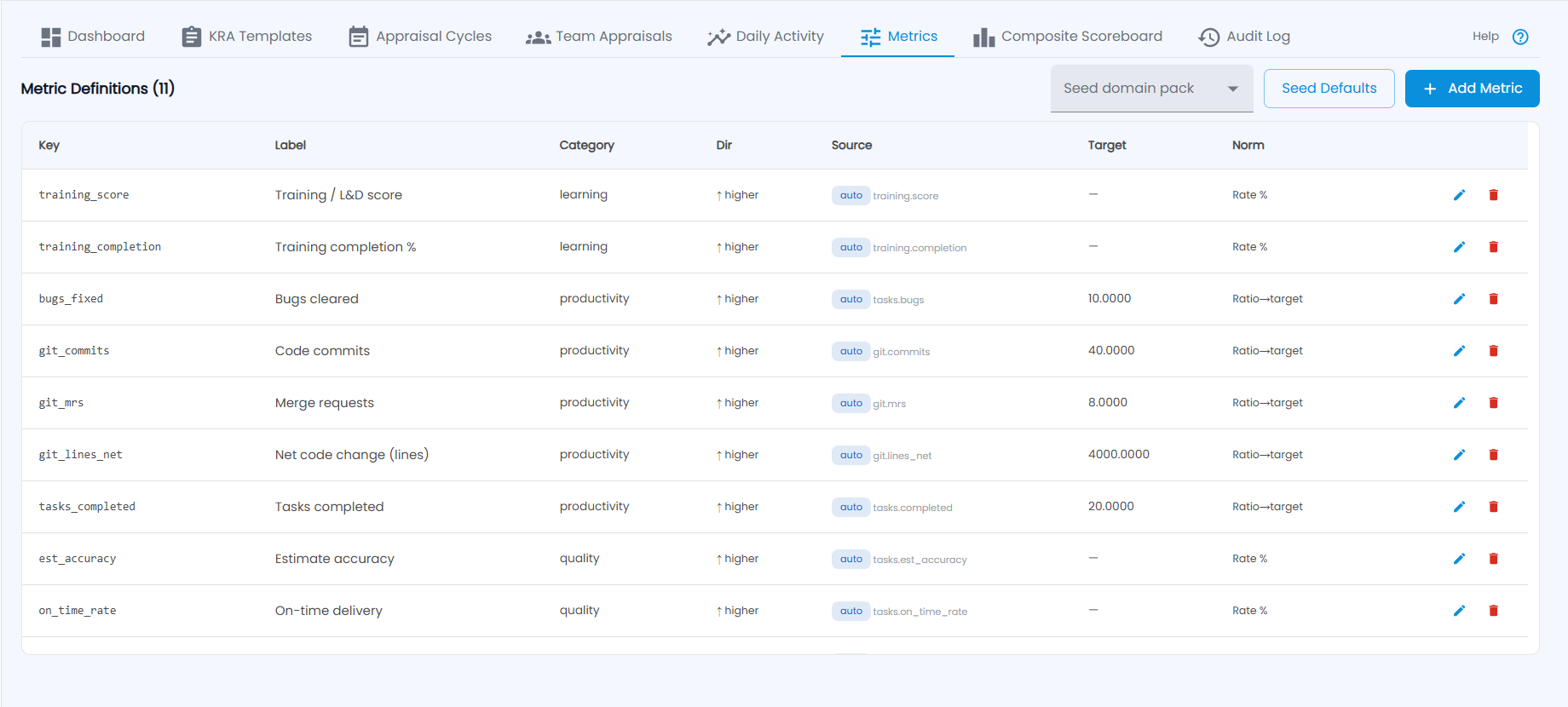
Metric Definitions are the measures that can fill a KRA automatically — for example training score, tasks completed, code commits, merge requests, estimate accuracy and on-time delivery. Each has a key, label, category, direction (higher is better), source (auto, with its provider key), target and normalisation. Use Seed Defaults or a Seed domain pack to add a standard set.
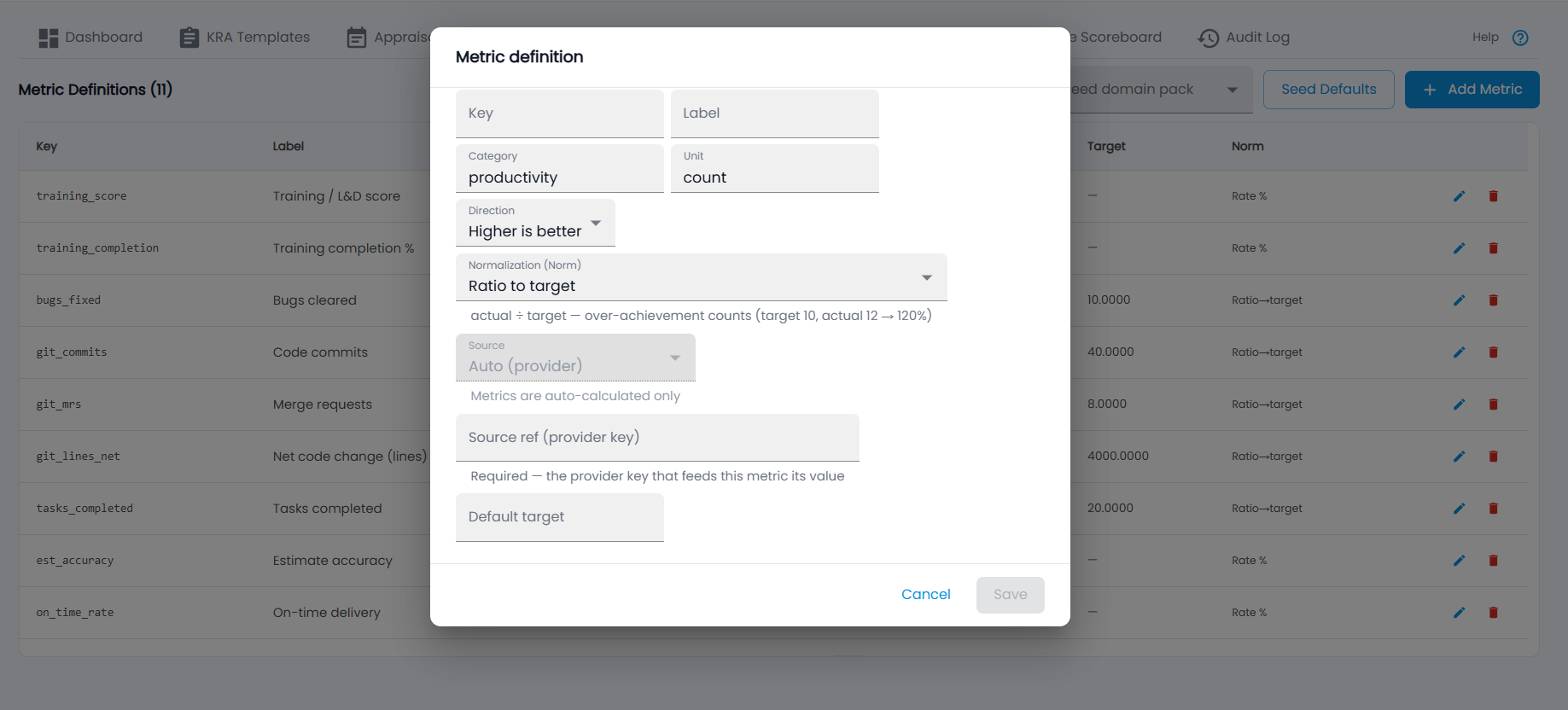
- Click Add Metric.
- Enter the Key and Label, the Category and Unit, and the Direction (Higher is better or lower).
- Choose the Normalization — for example Ratio to target (actual ÷ target; target 10, actual 12 → 120%).
- Enter the Source ref — the provider key that feeds the metric (metrics are auto-calculated only) — and a Default target, then Save.
What is the Composite Scoreboard?
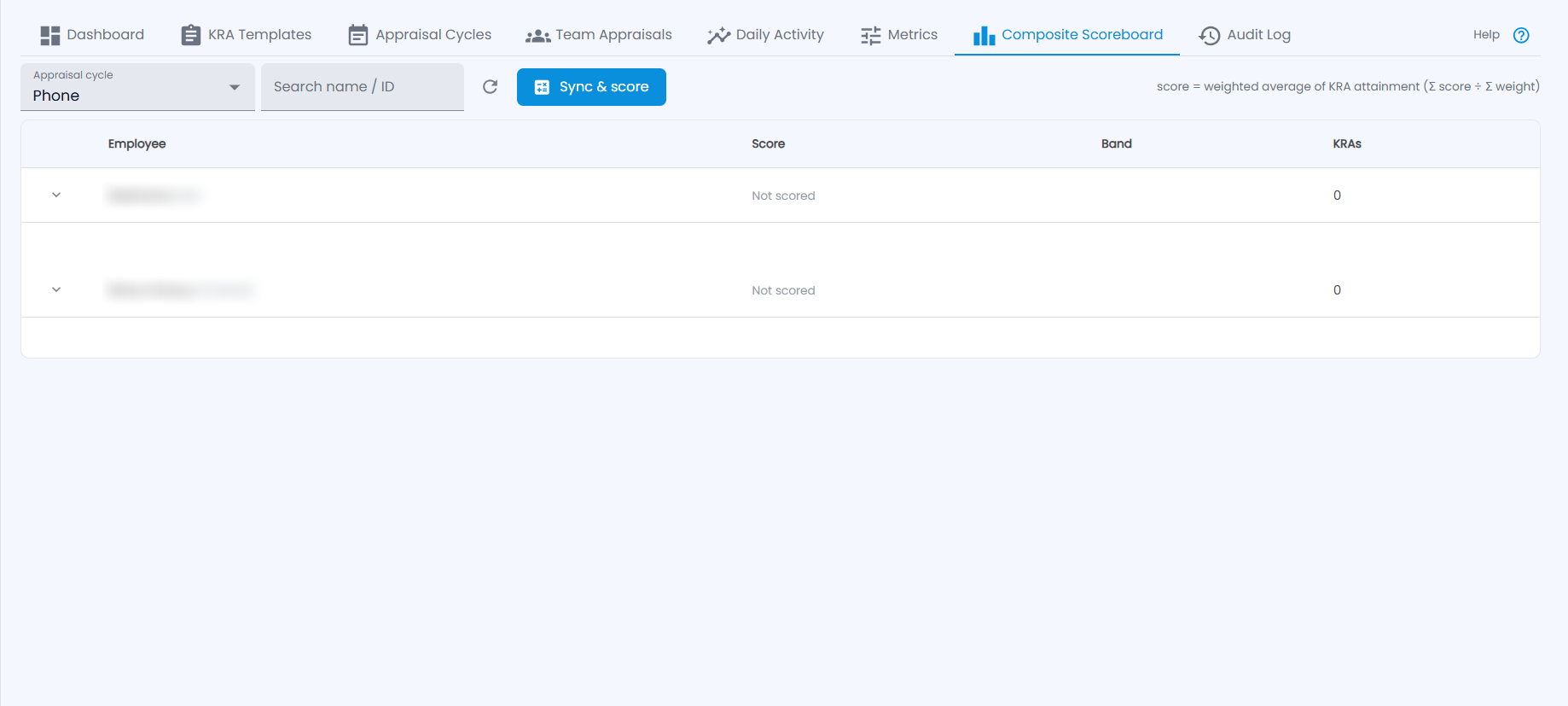
Choose the Appraisal cycle and click Sync & score. Each employee gets a Score — the weighted average of KRA attainment (Σ score ÷ Σ weight) — a Band and the number of KRAs; expand a row for the details. Employees whose KRAs have no data show Not scored.
Where is every change recorded?
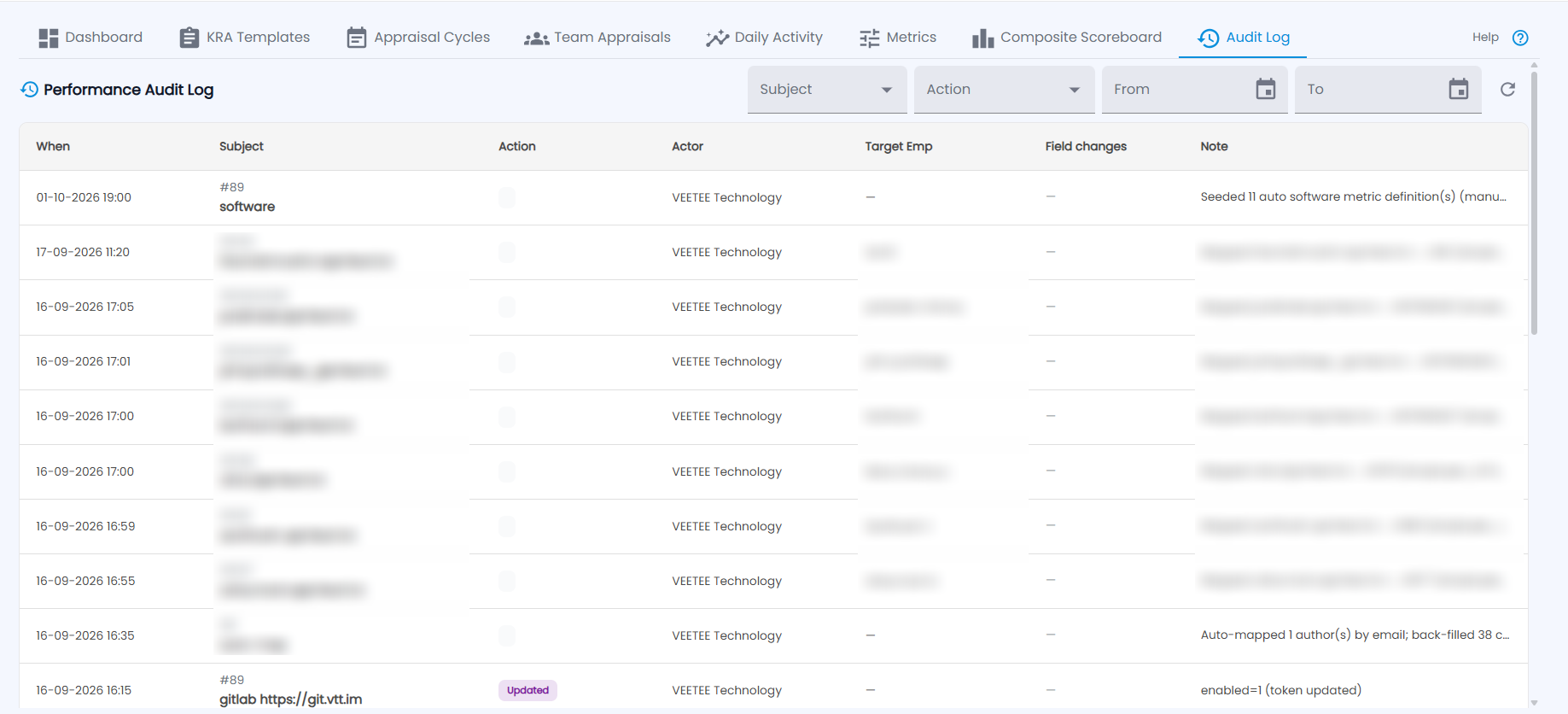
Performance Audit Log lists every change — when, the subject, the action, who did it, the target employee, field changes and a note (for example metrics seeded or Git authors mapped to employees). Filter by subject, action and date.