
How do I manage departments and reporting lines in Tazk Payroll?
Open HRMS → Organization Structure. It has four tabs: Org Chart shows headcount and every department with its employees; Departments lets you add, nest and drag departments into order; Cost Centers holds budgets and shows how much is spent; and Reporting Manager shows who reports to whom and lets you drag one employee card onto another to change it. Without edit rights the screen is view-only.
What does the Org Chart tab show?

Cards for Total Employees (across all departments), Departments (active org units) and the two largest departments, then the chart: each department under the top of the organization, with its employee count and its employees' cards (name, designation, ID).
- Switch between Org Chart, Departments and List views.
- Search here highlights matching employees.
- Zoom out, zoom in and fit the chart to the screen; the zoom level is shown on the right.
- Click a department to open it and move an employee to another department.
How do I add or rearrange departments?
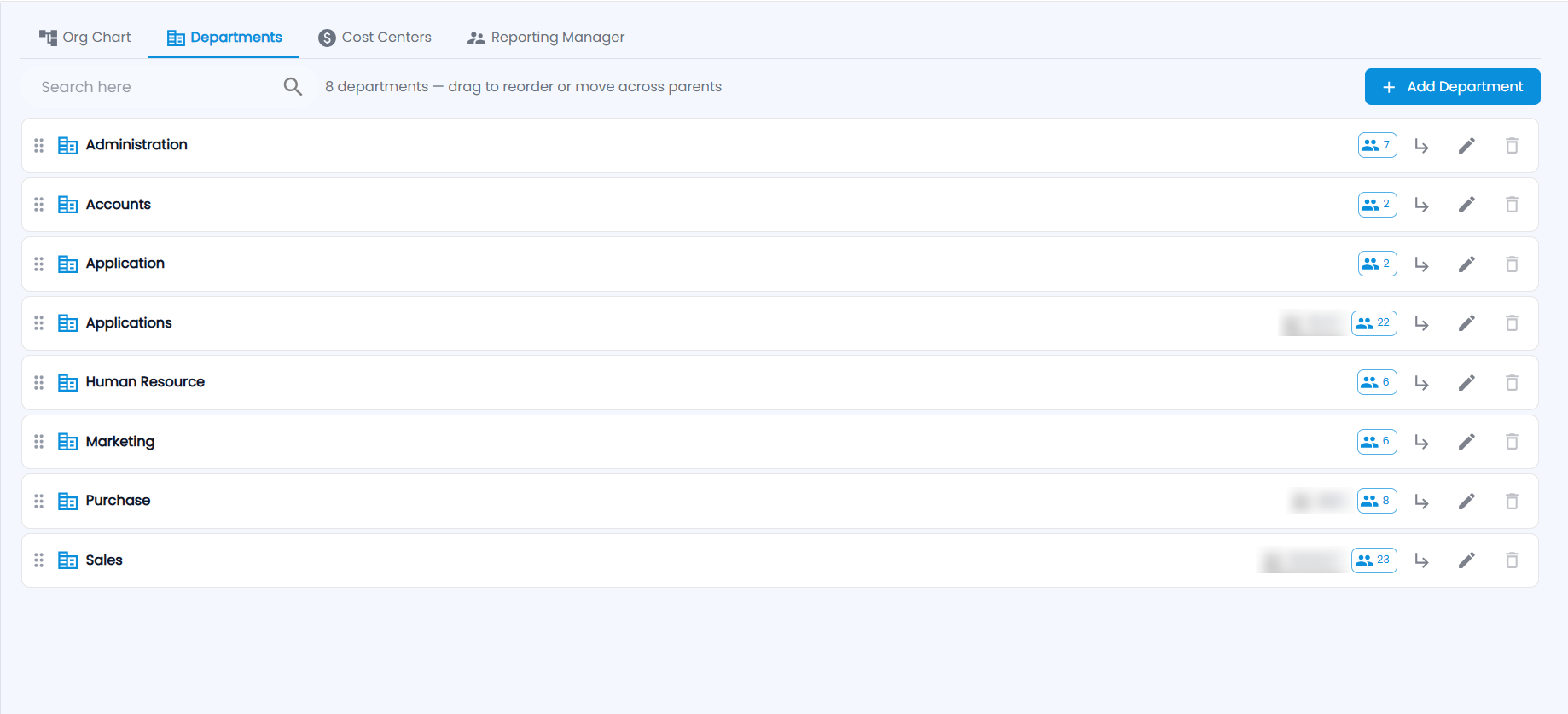
The Departments tab lists every department ("8 departments — drag to reorder or move across parents") with its head and employee count. Each row has view employees, add sub-department (↳), edit and delete. Drag the handle on the left to reorder departments or move one under another parent.
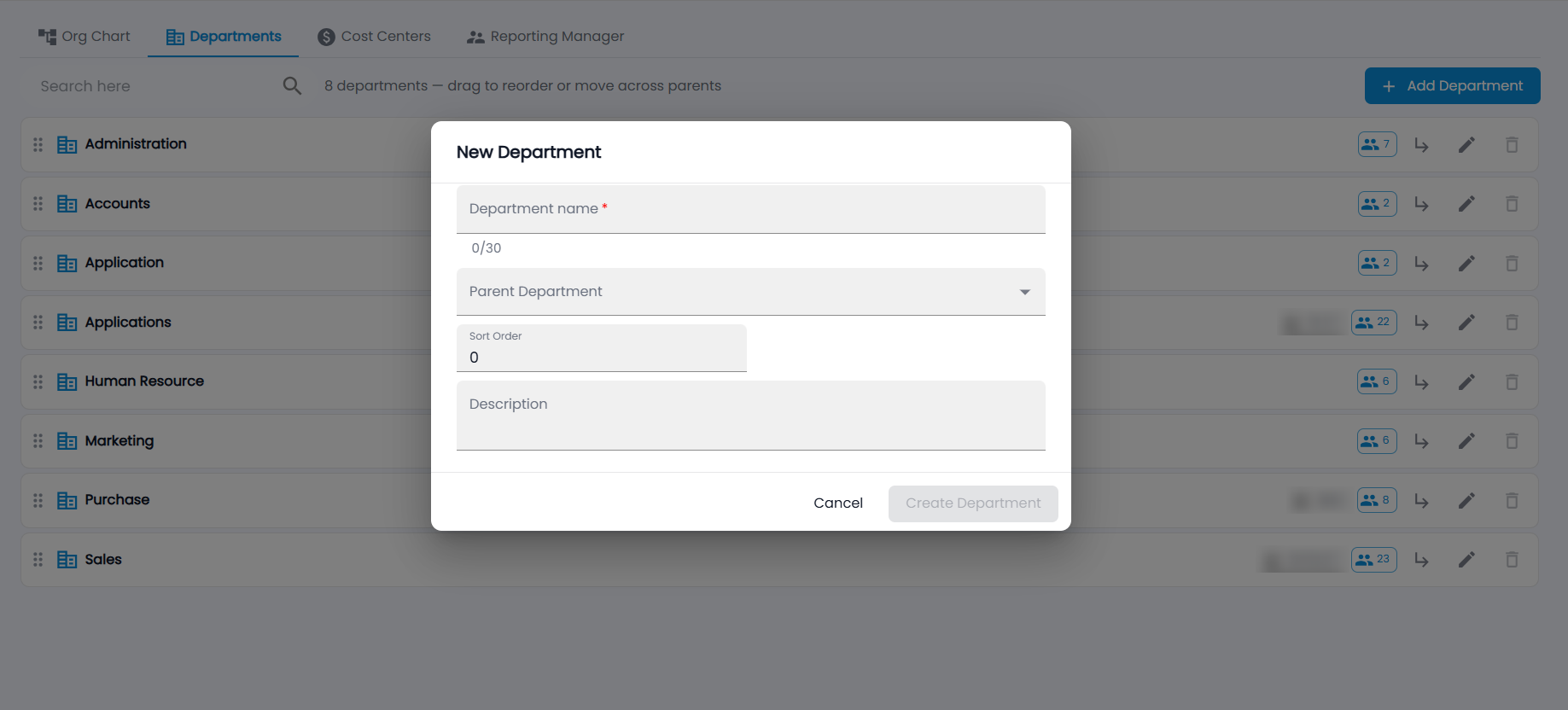
- Click Add Department.
- Enter the Department name (up to 30 characters).
- Optionally choose a Parent Department, a Sort Order and a Description.
- Click Create Department.
How do cost centers work?
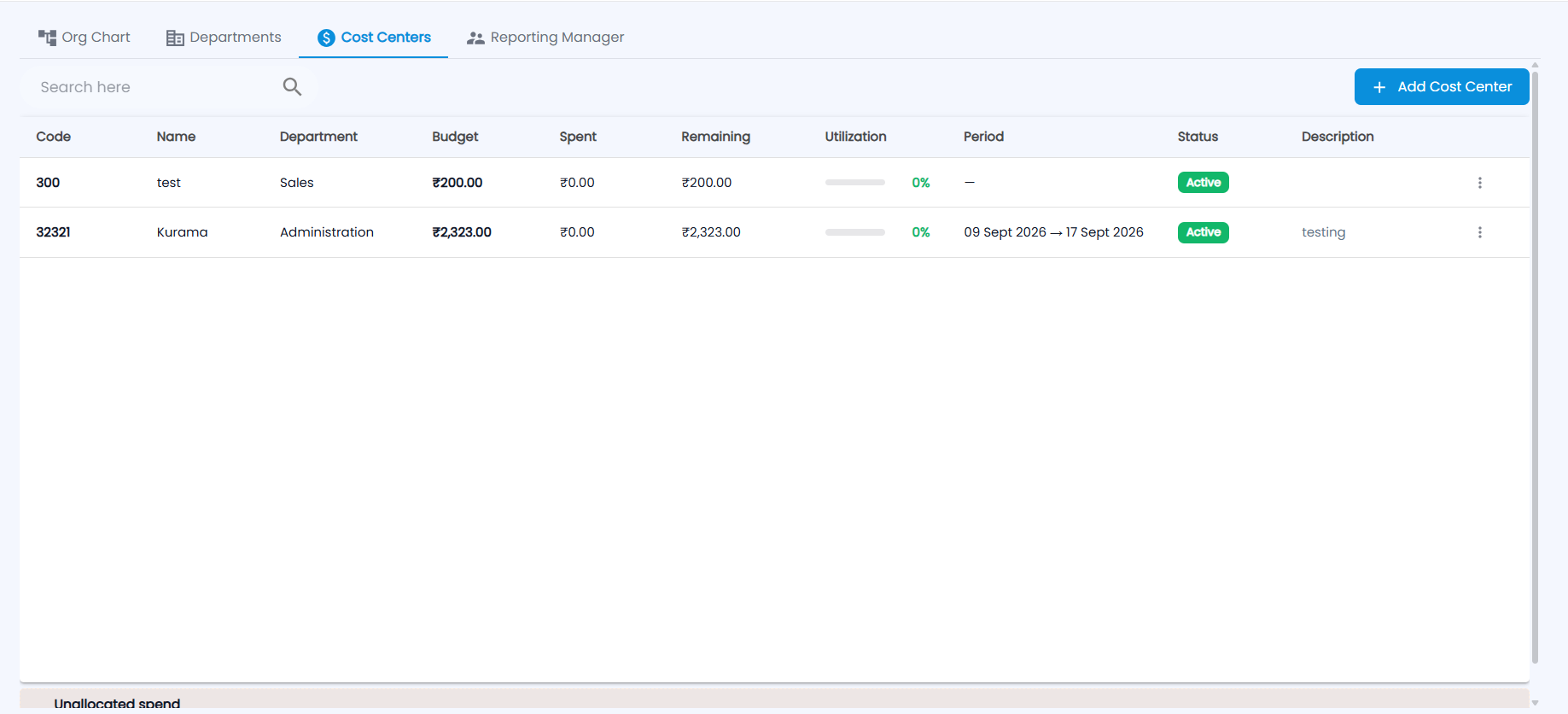
Each cost center shows its Code, Name, Department, Budget, Spent, Remaining, Utilization (a bar and %; Over when spending passes the budget), Period, Status and Description. Use the ⋮ menu on a row to edit or delete it. Unallocated spend at the bottom shows spending not charged to any cost center.
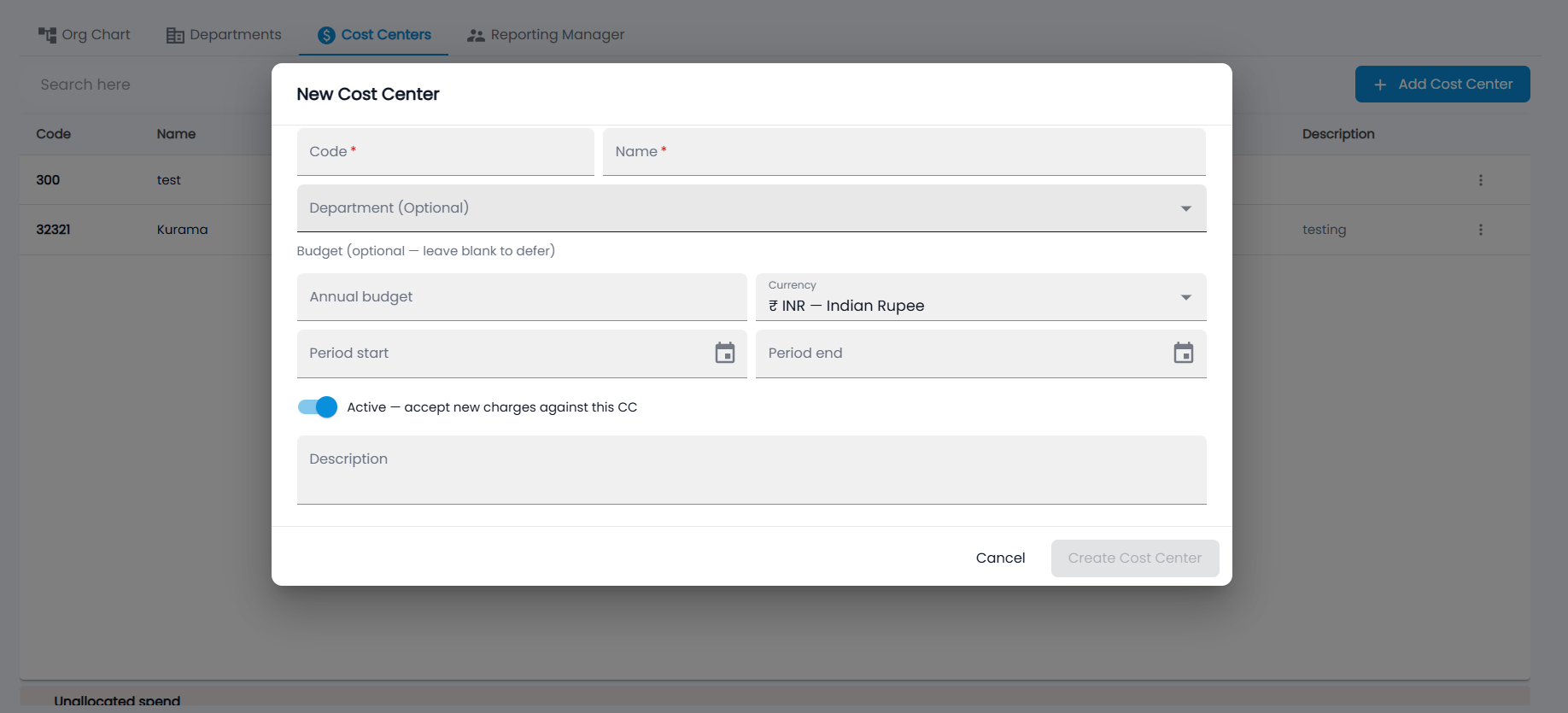
- Click Add Cost Center.
- Enter the Code and Name (required) and, optionally, the department.
- Budget is optional — leave it blank to set it later, or enter the Annual budget, Currency (INR by default) and the Period start and end.
- Keep Active — accept new charges against this CC on, add a description, and click Create Cost Center.
Training program costs are charged to cost centers.
How do I change someone's reporting manager?
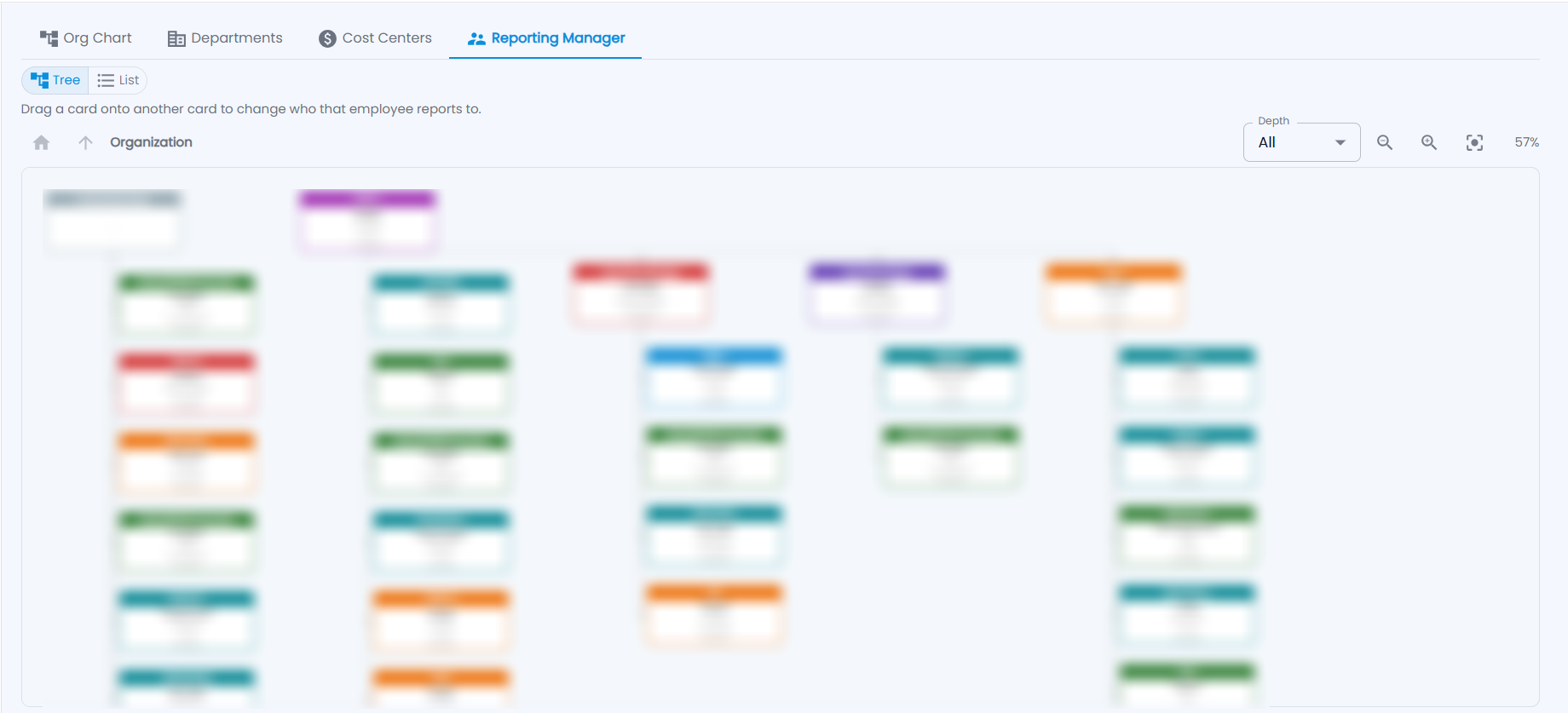
The Reporting Manager tab shows each manager with the employees who report to them — as a Tree or a List. Employees without a manager are under No Reporting Manager. Choose how many levels to show with Depth, zoom with the controls, and use the home and up arrows to move through the organization.
- Drag the employee's card onto their new manager's card.
- If the employee has their own team, choose whether to hand the team to their current manager, move the employee with their team, or move only the employee.
- Click Confirm.