
How do I control expense claims in Tazk Payroll?
Open HRMS → Expense Management. On Expense Limitations, add a limitation for an expense category and department — minimum and maximum per claim, monthly and yearly caps, the dates it applies, and whether a receipt is required. Claims Overview then shows every claim with its status and flags violations; Expense Reports totals claims for a date range, and Training Expenses compares training budgets with spend.
What tabs does Expense Management have?
Claims Overview · Expense Limitations · Expense Reports · Training Expenses.
What does Claims Overview show?

Claims with Policy Info starts with six cards — Total Claims, Total Amount, Pending, Approved, Approved Amount and Violations. Below, each claim is a card with its number, status (Approved, Rejected, Pending or Cancelled), the employee and expense category, the bill number and the amount. A claim that breaks a limit is marked in red with the reason. The list is for review — claims are approved in Approvals and paid from Claims.
How do I set a claim limit?
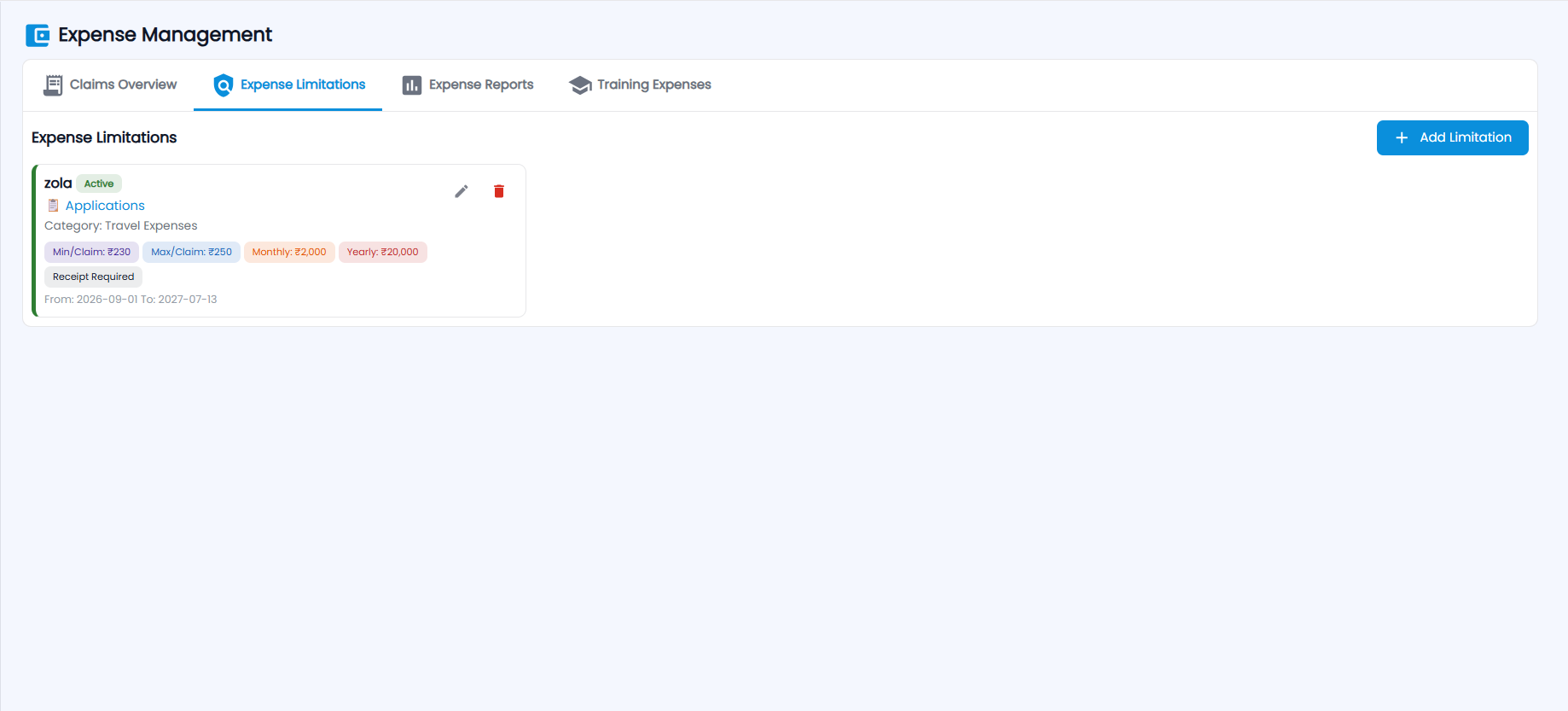
Expense Limitations lists each limitation as a card — its name and Active status, department, category, Min/Claim, Max/Claim, Monthly and Yearly caps, Receipt Required, and the From / To dates — with edit and delete.
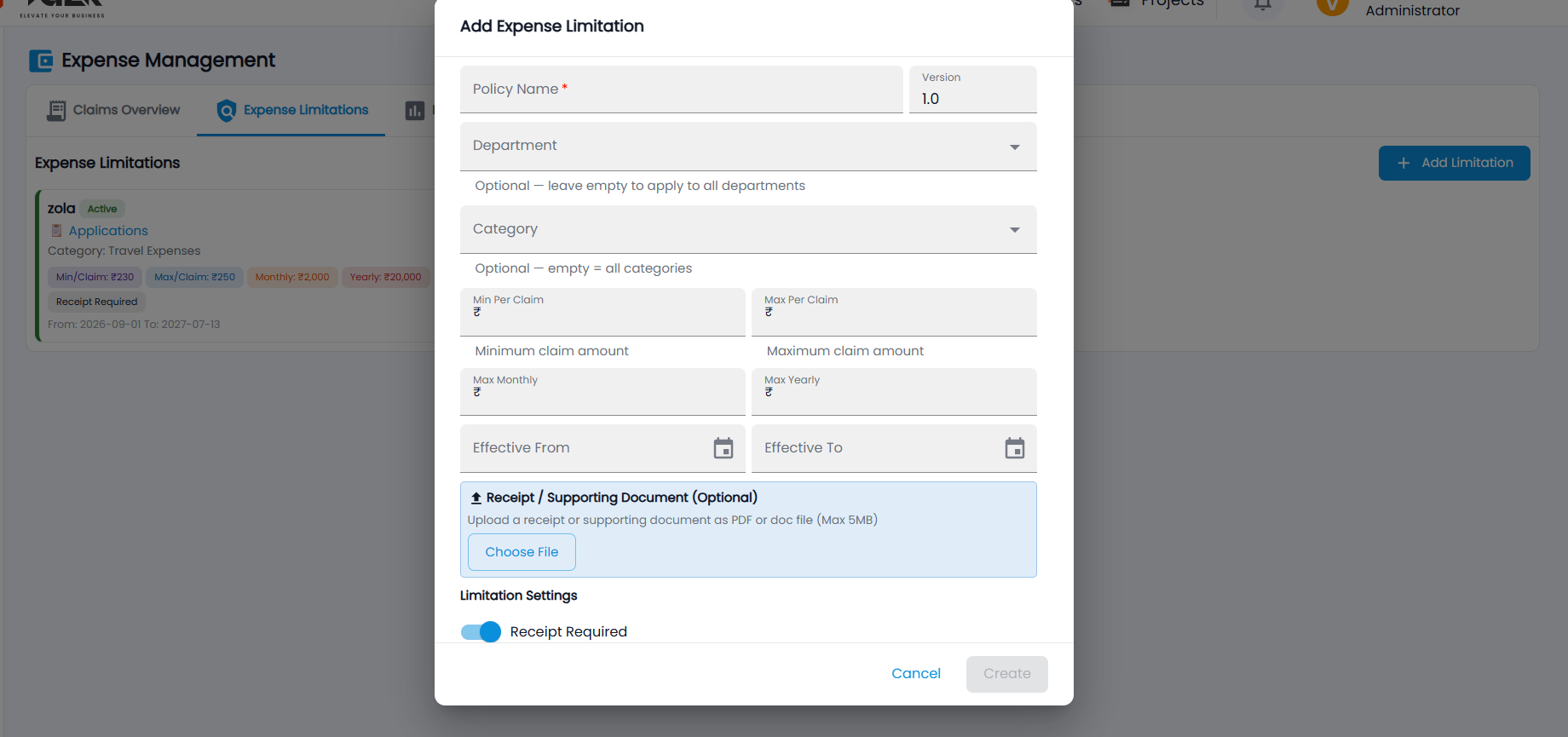
- Click Add Limitation.
- Enter the Policy Name (the Version starts at 1.0).
- Optionally choose a Department (empty = all departments) and a Category (empty = all categories).
- Enter the Min Per Claim, Max Per Claim, Max Monthly and Max Yearly amounts, and the Effective From and Effective To dates.
- Optionally attach a Receipt / Supporting Document (PDF or Word, up to 5 MB) with Choose File.
- Under Limitation Settings, choose whether a receipt is required (and the other settings), then click Create.
When an employee raises a claim above a limit, they are warned that it will be sent flagged for approval.
How do I run an expense report?
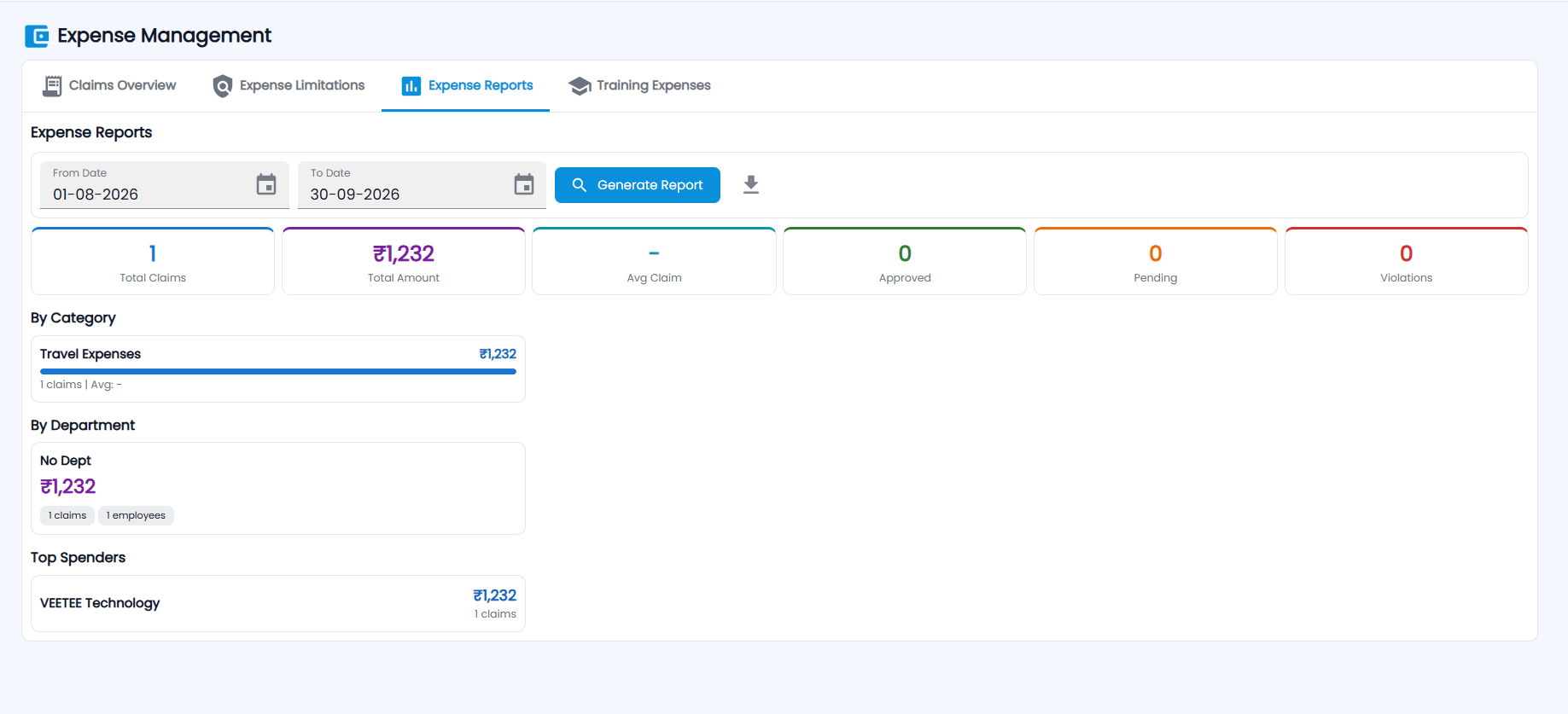
- Open Expense Reports and choose the From Date and To Date.
- Click Generate Report.
You get Total Claims, Total Amount, Avg Claim, Approved, Pending and Violations, then By Category (amount, claims and average), By Department (amount, claims and employees) and Top Spenders. Click the download icon to export the report.
What does Training Expenses show?
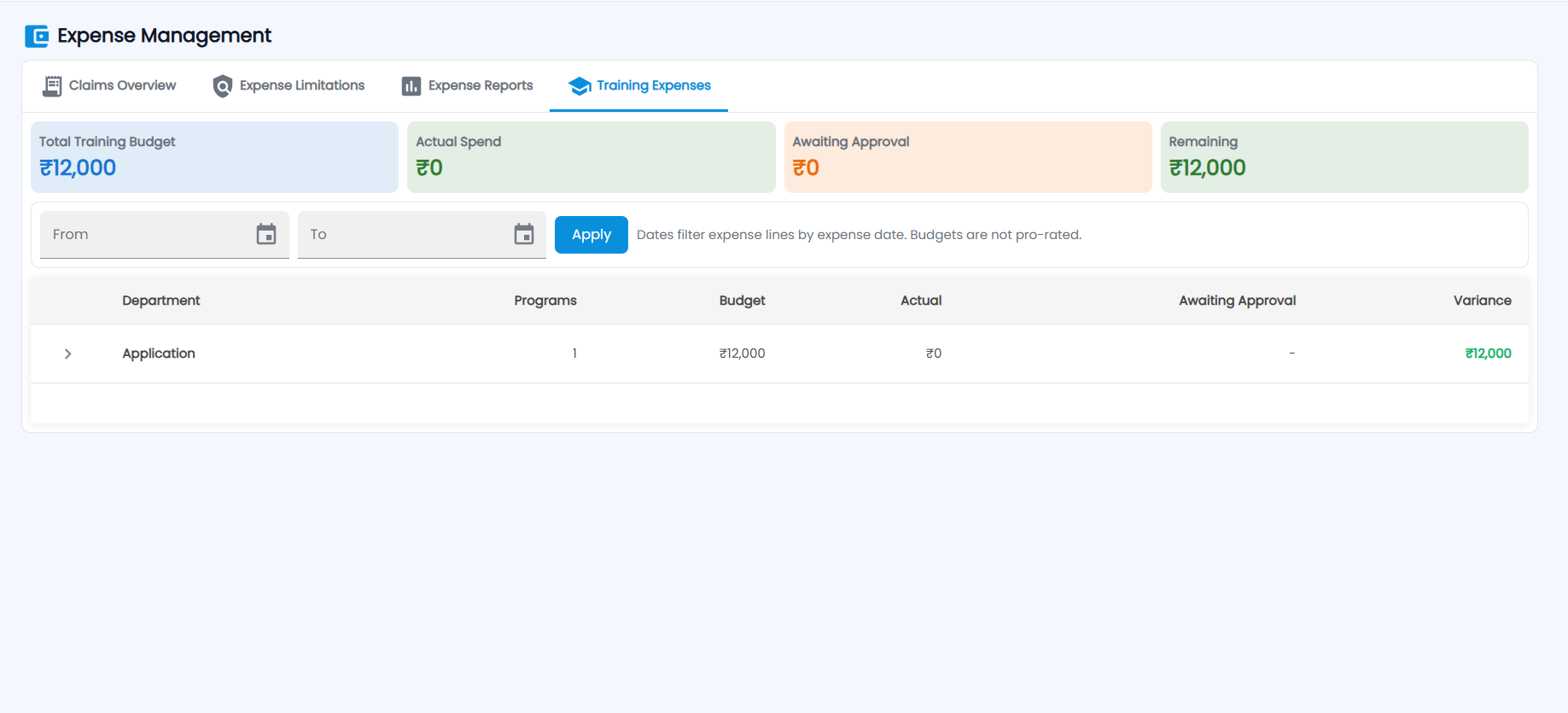
Training budgets against spend: Total Training Budget, Actual Spend, Awaiting Approval and Remaining. The table lists each department with its Programs, Budget, Actual, Awaiting Approval and Variance; click › to expand a department into its programs. Set From and To and click Apply to filter expense lines by expense date — budgets are not pro-rated.