
What does the Marketing Overview show in Tazk CRM?
Marketing › Overview opens the Marketing page: what you spent, what came back, and everything you need to run the next campaign. Getting set up shows your next setup step. This period shows what you spent, what you earned back, how many leads came in and the return on each rupee. Everything in Marketing has a card for each marketing screen.
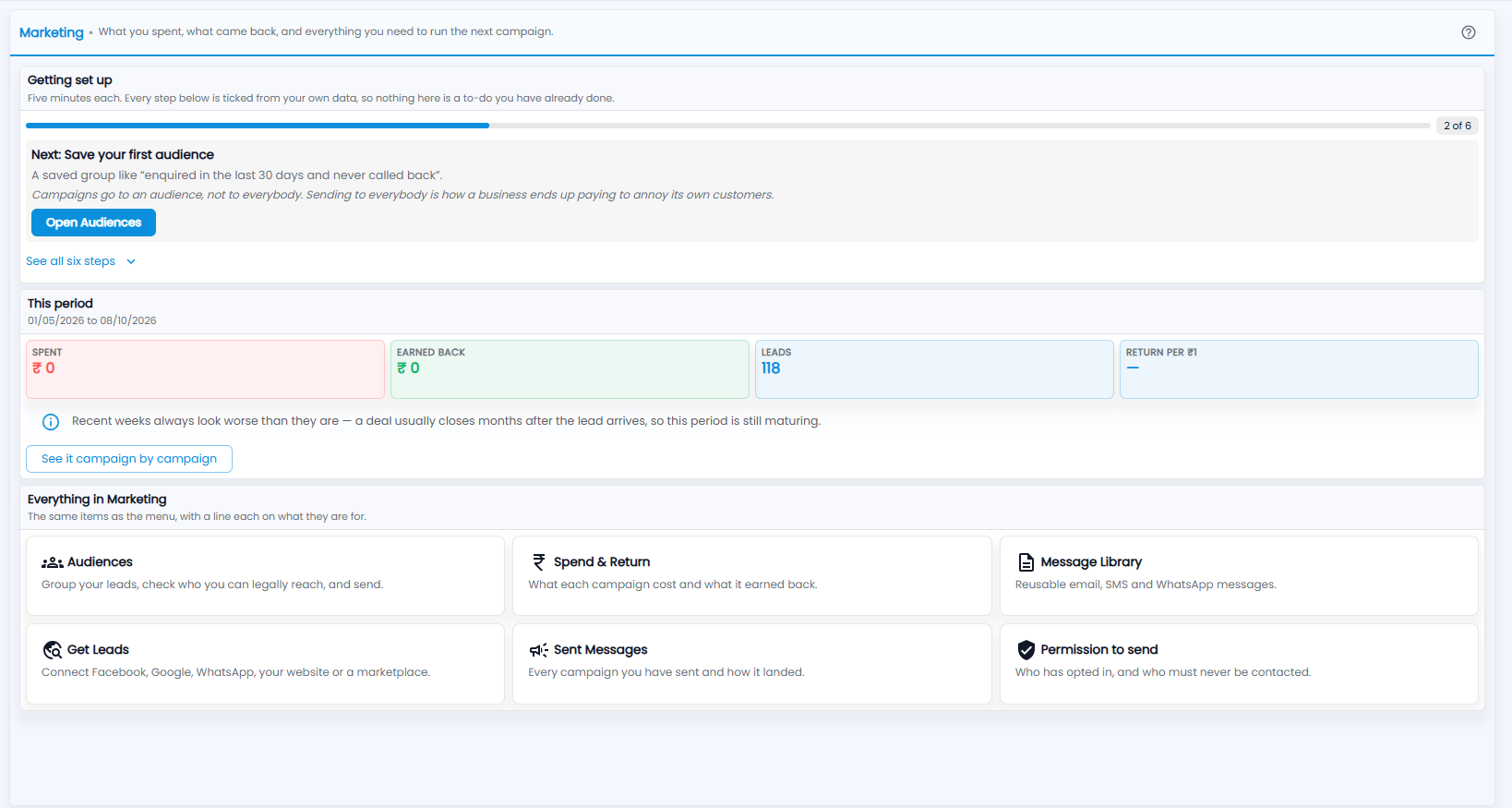
What is the Getting set up checklist?
Six steps of about five minutes each. Every step is ticked from your own data, so nothing here is a to-do you have already done. The bar shows how far you are — 2 of 6 in the picture.
Your next step is shown with what it is for and a button. In the picture it is Save your first audience — a saved group like “enquired in the last 30 days and never called back” — with Open Audiences, because campaigns go to an audience, not to everybody. Click See all six steps for the full list.
What do the This period tiles show?
The dates under This period show the range covered.
| Tile | What it shows |
|---|---|
| Spent | The marketing spend recorded for the period |
| Earned back | The value of deals won from those leads |
| Leads | How many leads came in |
| Return per ₹1 | Earned back for each rupee spent — a dash while no spend is recorded |
As the note under the tiles says, recent weeks always look worse than they are — a deal usually closes months after the lead arrives, so the period is still maturing. Click See it campaign by campaign to open Spend & Return.
What is in Everything in Marketing?
The same items as the menu, with a line each on what they are for:
- Audiences — group your leads, check who you can legally reach, and send.
- Spend & Return — what each campaign cost and what it earned back.
- Message Library — reusable email, SMS and WhatsApp messages.
- Get Leads — connect Facebook, Google, WhatsApp, your website or a marketplace.
- Sent Messages — every campaign you have sent and how it landed.
- Permission to send — who has opted in, and who must never be contacted.
The ? at the top right explains how the Marketing screens fit together.