
How do I create a campaign in Tazk CRM?
Open Marketing › Campaigns and click +. Choose what the campaign is for, give it a name, owner, start and end dates and type, tick its channels, set the budget, and describe the offer and audience. Click Save draft. Nothing goes out until the campaign is approved and launched.
What does the Campaigns list show?
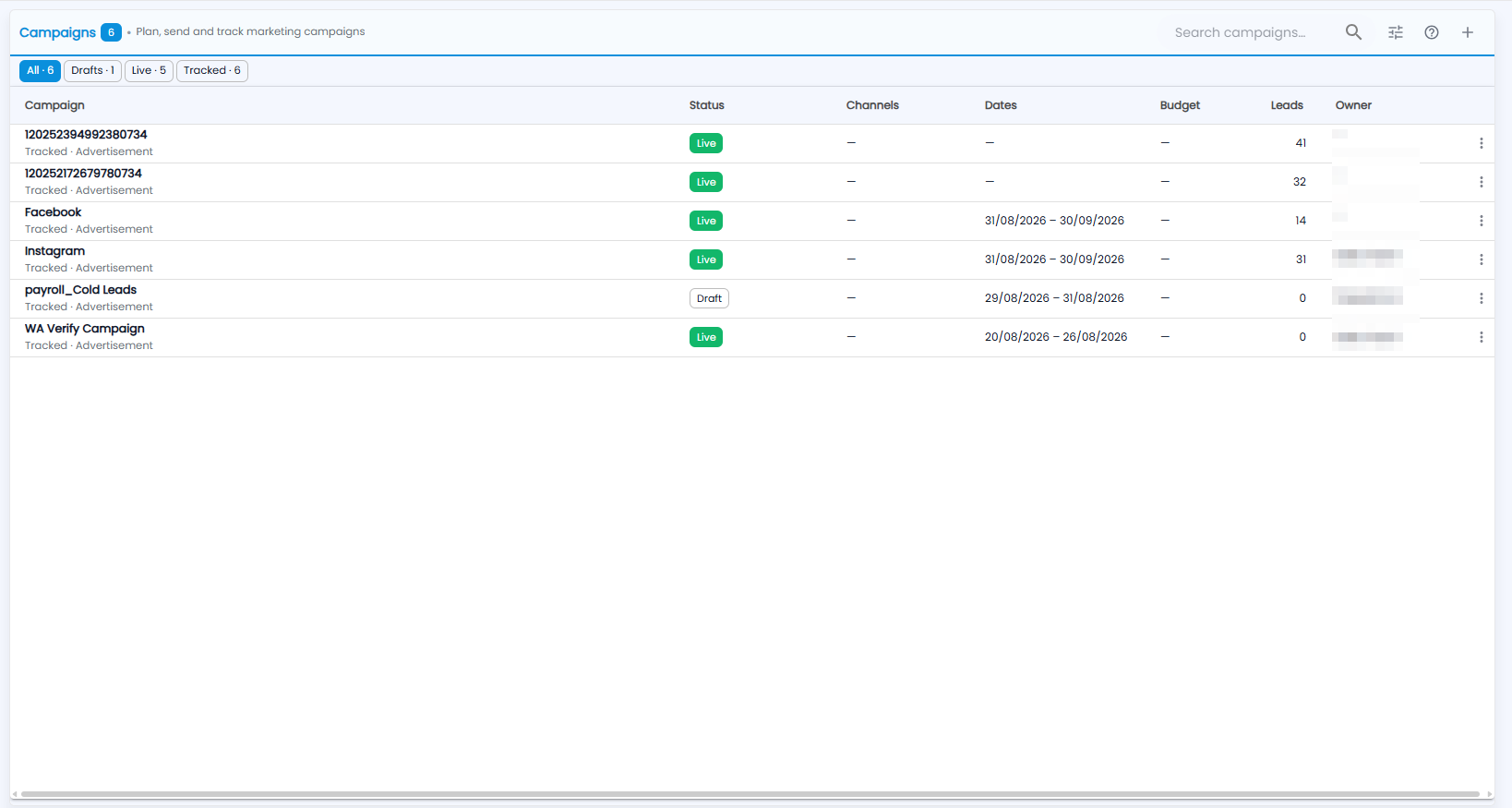
Plan, send and track your marketing campaigns. The number next to the title is how many campaigns you have. The chips across the top show how many are in each group — for example All, Drafts, Live and Tracked; click one to show only those.
| Column | What it shows |
|---|---|
| Campaign | The campaign name, with its kind and type underneath — for example Tracked · Advertisement |
| Status | Live, Draft and so on |
| Channels | Where the campaign runs |
| Dates | When it starts and ends |
| Budget | The ad budget, if any |
| Leads | How many leads the campaign brought in |
| Owner | Who runs it |
The ⋮ on a row has the campaign's actions. At the top right are Search campaigns…, the settings icon, the ? guide and + for a new campaign.
How do I create a campaign?
Click +. A new campaign is saved as a draft — nothing goes out until it is approved and launched.
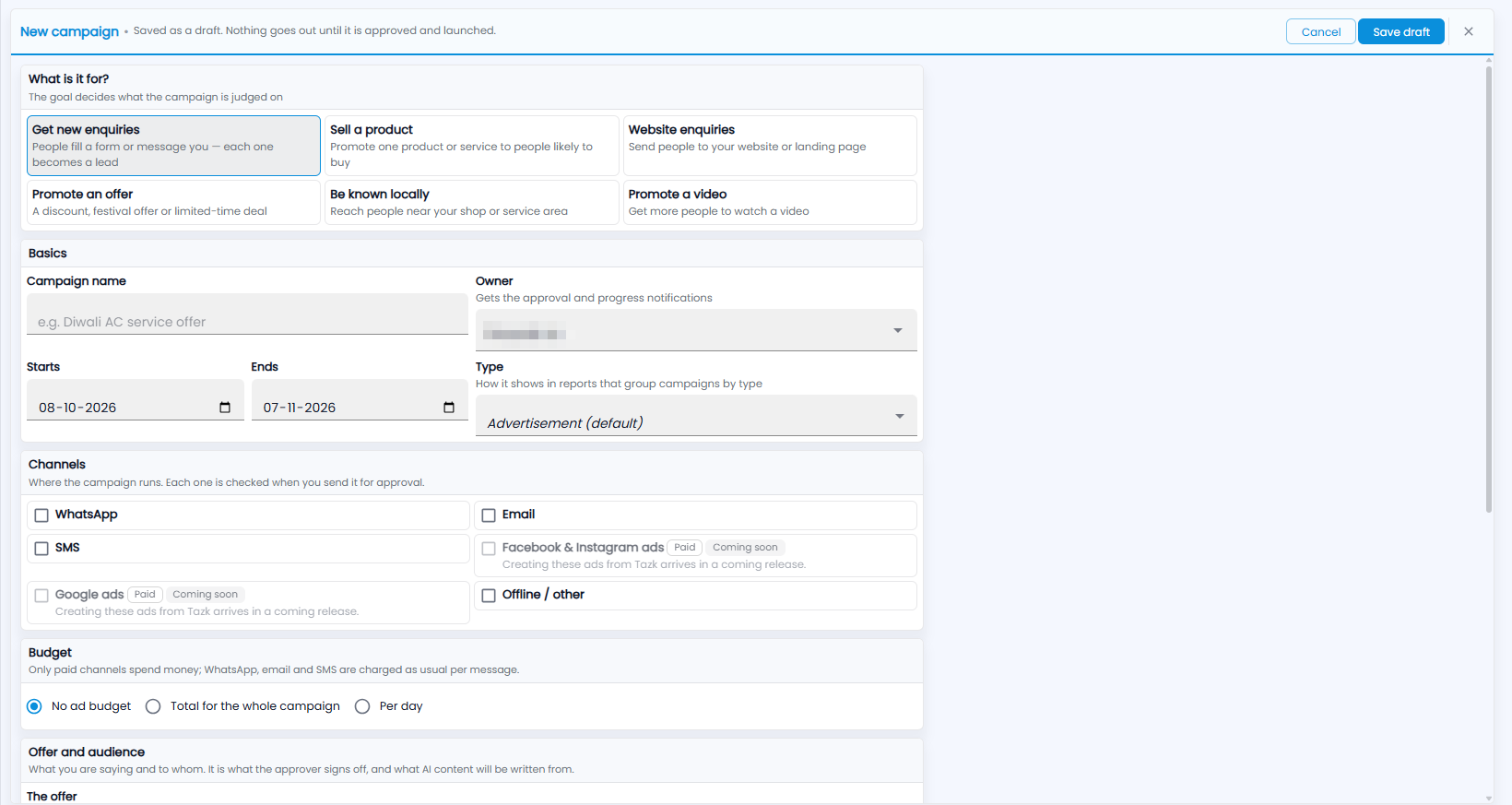
- What is it for? — the goal decides what the campaign is judged on: Get new enquiries (people fill a form or message you — each one becomes a lead), Sell a product, Website enquiries, Promote an offer, Be known locally or Promote a video.
- Basics — the Campaign name (for example “Diwali AC service offer”); the Owner, who gets the approval and progress notifications; Starts and Ends; and the Type, which decides how it shows in reports that group campaigns by type (Advertisement by default).
- Channels — where the campaign runs: WhatsApp, Email, SMS or Offline / other. Each one is checked when you send the campaign for approval. Facebook & Instagram ads and Google ads are paid channels marked Coming soon — creating these ads from Tazk arrives in a coming release.
- Budget — No ad budget, Total for the whole campaign or Per day. Only paid channels spend money; WhatsApp, email and SMS are charged as usual per message.
- Offer and audience — what you are saying and to whom, starting with The offer. It is what the approver signs off, and what AI content is written from in Content Studio.
- Click Save draft, or Cancel.