
How do I see which marketing works in Tazk CRM?
Open Marketing › Analytics. Choose a date range — Last 30 days is the default — and the page shows your leads, conversions, conversion rate, attributed and won revenue, messages sent, open, click and reply rates, the best time to send, leads by source, and how each campaign performed.
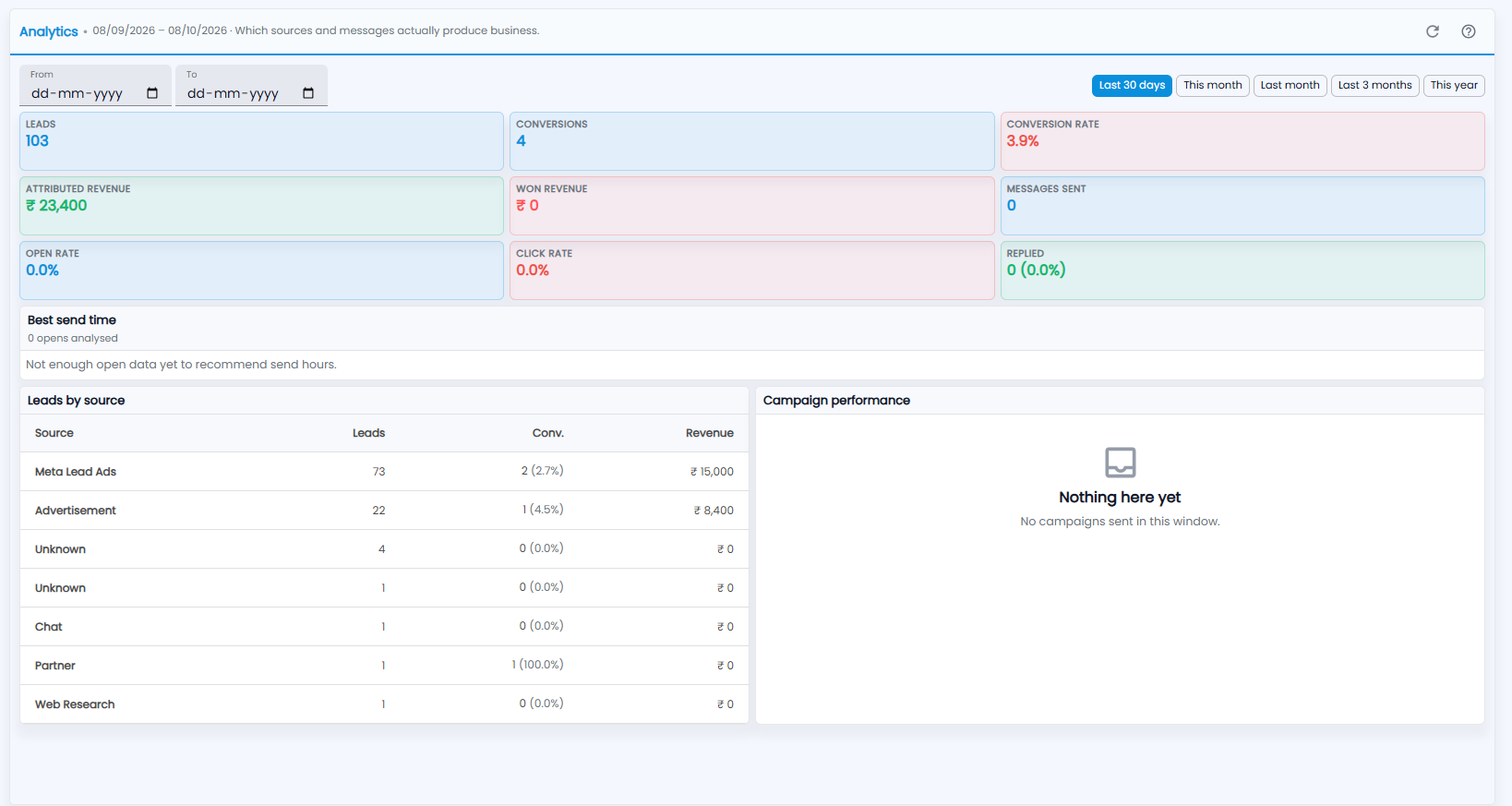
How do I choose the dates?
Analytics shows which sources and messages actually produce business; the range in use is shown next to the title. Pick dates in From and To, or click a quick range: Last 30 days, This month, Last month, Last 3 months or This year. The refresh icon reloads the figures, and ? is a short guide.
What do the tiles show?
| Tile | What it shows |
|---|---|
| Leads | New leads that arrived in the range |
| Conversions | Those leads that became deals |
| Conversion rate | Conversions as a share of leads |
| Attributed revenue | The value of every deal those leads became |
| Won revenue | The value of only the deals won |
| Messages sent | Marketing messages that went out |
| Open rate and Click rate | How many messages were opened, and how many links were clicked |
| Replied | How many people wrote back, and their share |
What is Best send time?
It suggests the hours when your recipients most often open your messages, from the opens recorded so far — the count analysed is shown under the title. Until there are enough, it says Not enough open data yet to recommend send hours.
What do Leads by source and Campaign performance show?
- Leads by source — each lead source (for example Meta Lead Ads, Advertisement, Partner or Web Research) with its Leads, Conv. (conversions and their rate) and Revenue. Leads with no source show as Unknown.
- Campaign performance — how each campaign sent in the range performed. When none was sent, it says No campaigns sent in this window.