
How do I write marketing messages with AI in Tazk CRM?
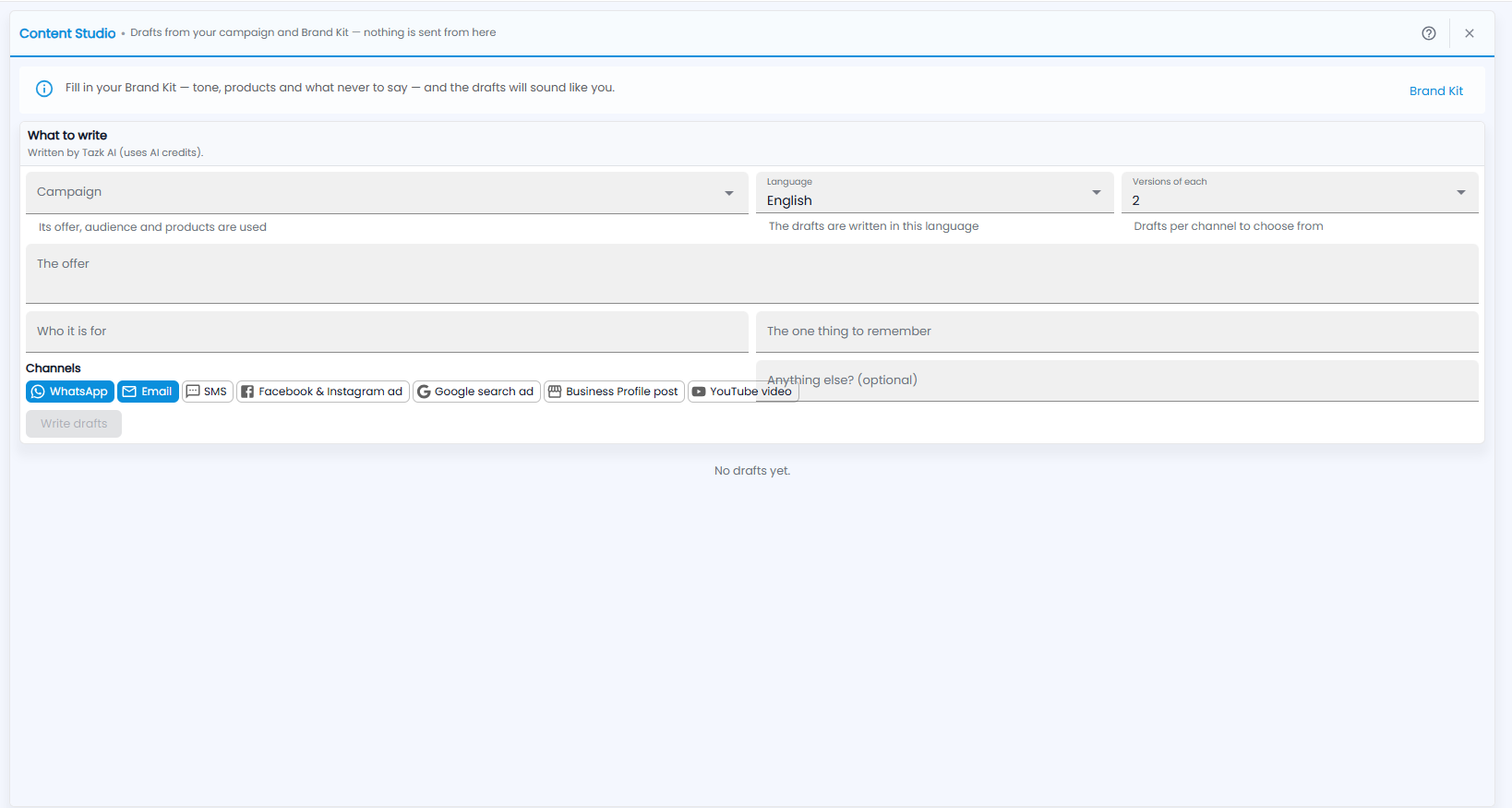
Open Marketing › Content Studio. Pick a campaign, the language and how many versions of each draft you want, fill in the offer, who it is for and the one thing to remember, choose the channels, and click Write drafts. Drafts are written by Tazk AI and use AI credits. Nothing is sent from this screen.
Why does it ask about the Brand Kit?
Content Studio writes drafts from your campaign and Brand Kit. The banner at the top says: fill in your Brand Kit — tone, products and what never to say — and the drafts will sound like you. Click Brand Kit on the right to open it.
How do I write drafts?
Under What to write — written by Tazk AI, using AI credits:
- Campaign — its offer, audience and products are used.
- Language — the drafts are written in this language (English by default).
- Versions of each — how many drafts per channel to choose from (2 by default).
- The offer, Who it is for and The one thing to remember, and Anything else? if you want to add something.
- Channels — tap each one you want drafts for: WhatsApp, Email, SMS, Facebook & Instagram ad, Google search ad, Business Profile post or YouTube video. The selected ones are blue.
- Click Write drafts.
The drafts appear under the card; until you write some, it says No drafts yet.
Note: Nothing is sent from Content Studio. Read every draft before you use it.