
How do I send a WhatsApp broadcast in Tazk CRM?
Open Marketing › Broadcasts — the Sent Messages screen — and click + New broadcast. Pick an approved WhatsApp marketing template, choose who gets it, then review and send. Every message you send is then recorded on Sent Messages with how it landed. To send to a saved group, click From an audience.
What is the Sent Messages screen?
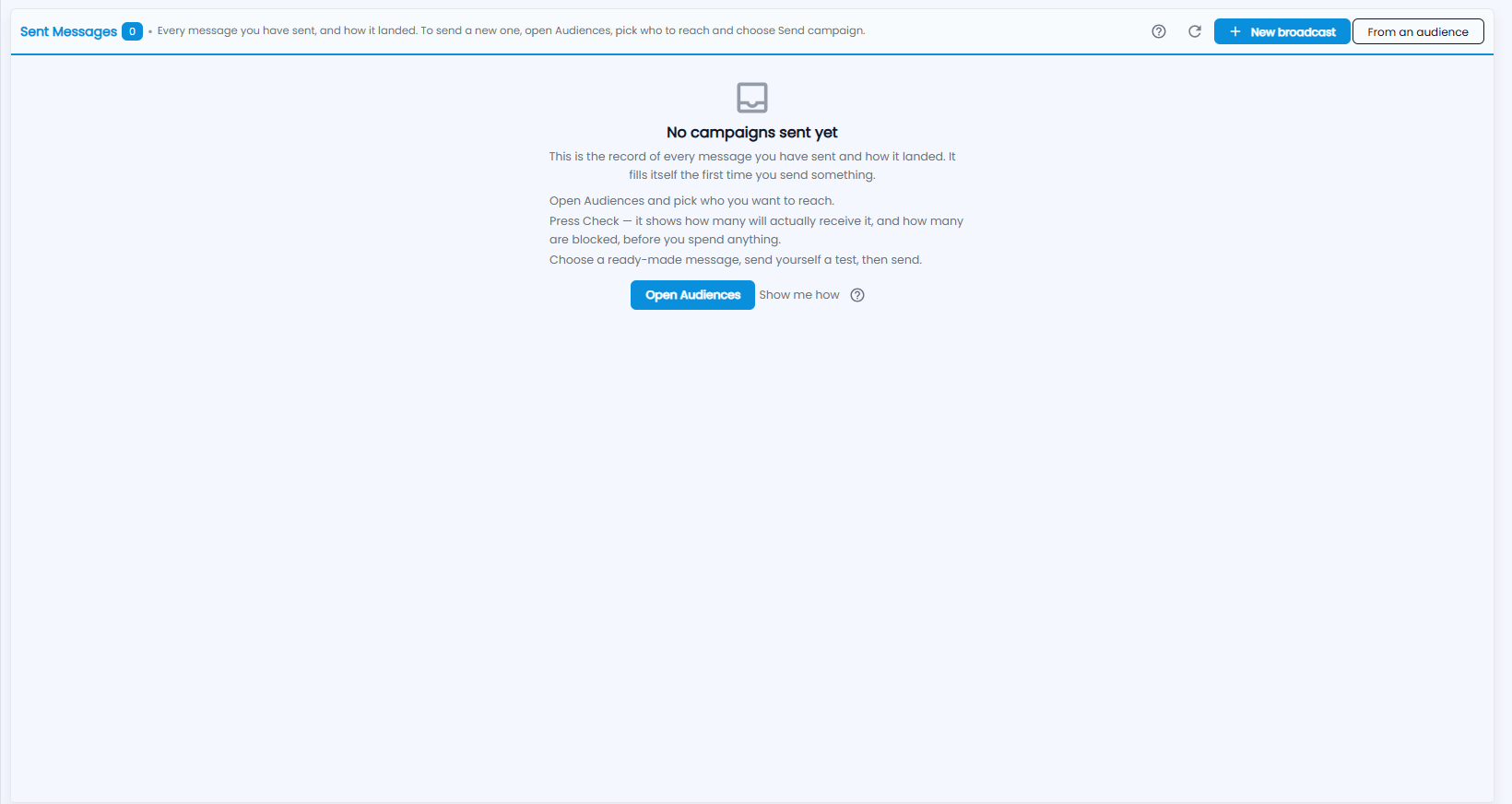
Sent Messages is the record of every message you have sent and how it landed; the number next to the title is how many sends there are. It fills itself the first time you send something. Until then it says No campaigns sent yet and shows the steps:
- Open Audiences and pick who you want to reach.
- Press Check — it shows how many will actually receive it, and how many are blocked, before you spend anything.
- Choose a ready-made message, send yourself a test, then send.
At the top right are the ? guide, refresh, + New broadcast and From an audience. Open Audiences and Show me how help you get started.
How do I send a new broadcast?
Click + New broadcast — one WhatsApp message to an audience: write it, choose who, send. The bar at the top shows the three steps: 1 Message, 2 Who gets it and 3 Review & send.
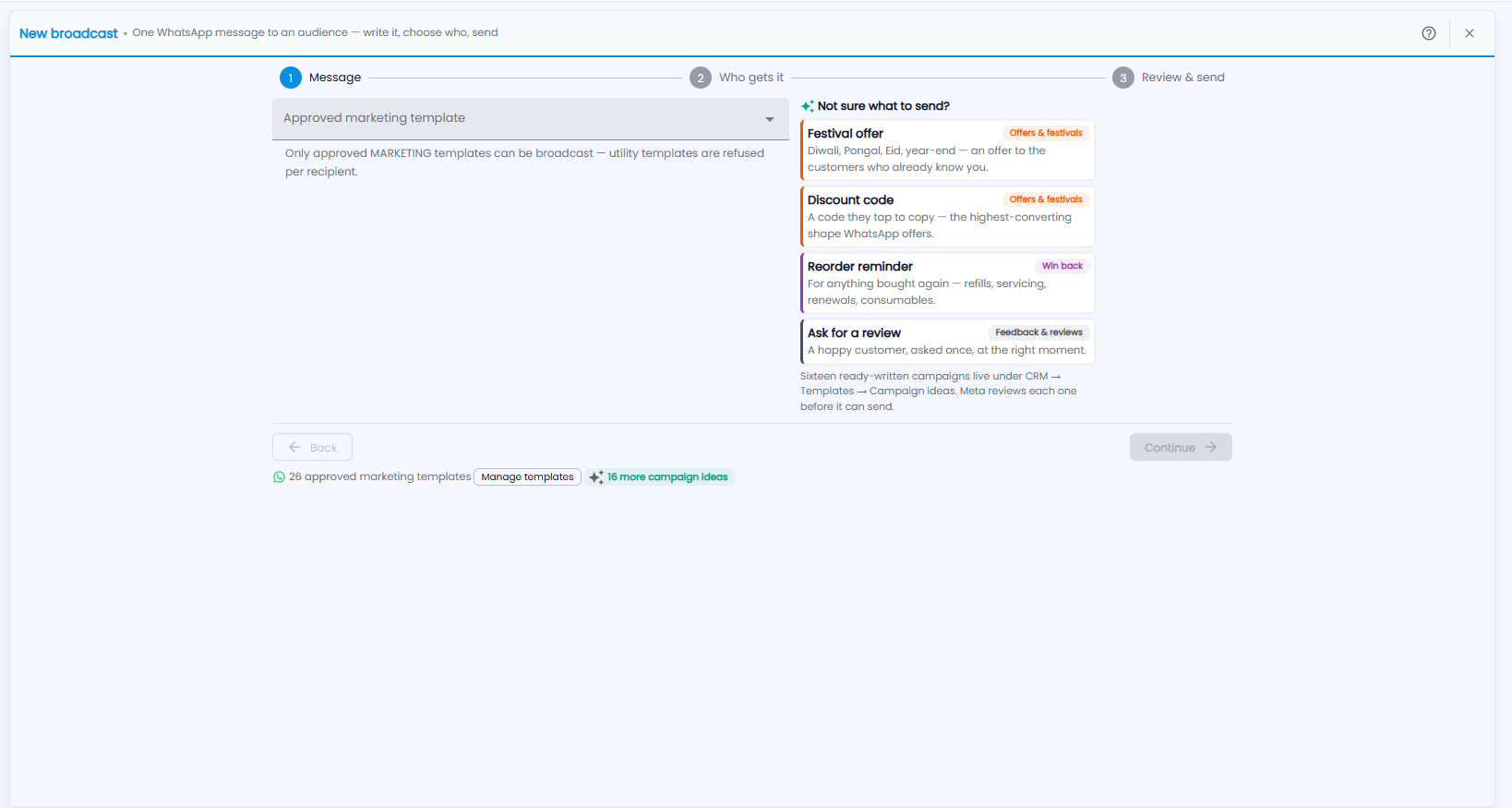
- Message — choose an Approved marketing template. Only approved MARKETING templates can be broadcast; utility templates are refused for each recipient.
- Who gets it — choose the audience the message goes to.
- Review & send — check who will receive it, then send.
Click Continue to move to the next step, or Back to go back.
What if I'm not sure what to send?
Not sure what to send? suggests ready-written campaigns:
- Festival offer — Diwali, Pongal, Eid, year-end: an offer to customers who already know you.
- Discount code — a code they tap to copy.
- Reorder reminder — for anything bought again: refills, servicing, renewals, consumables.
- Ask for a review — a happy customer, asked once, at the right moment.
Sixteen ready-written campaigns live under Templates › Campaign ideas, and Meta reviews each one before it can send. The line under the buttons shows how many approved marketing templates you have, with Manage templates to open the Message Library and 16 more campaign ideas.