
Overview
Each location sends SMS through its own gateway from your SMS provider. Open Configuration > SMS.
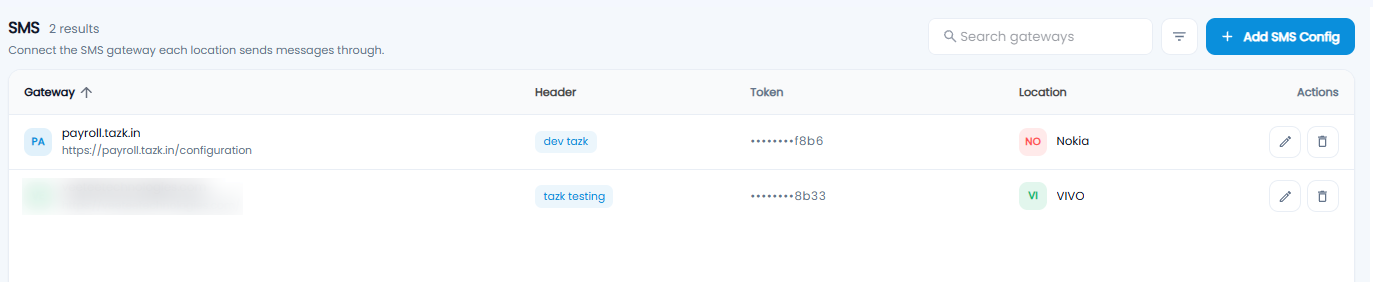
The Gateway List
The count next to the title shows how many gateways there are. Each row shows the Gateway name and URL, the Header (sender ID), the Token (only the last few characters are shown), the Location, and edit and delete Actions. Use Search gateways and the filter icon to find one.
Adding a Gateway
Click + Add SMS Config to open Configure SMS Settings.
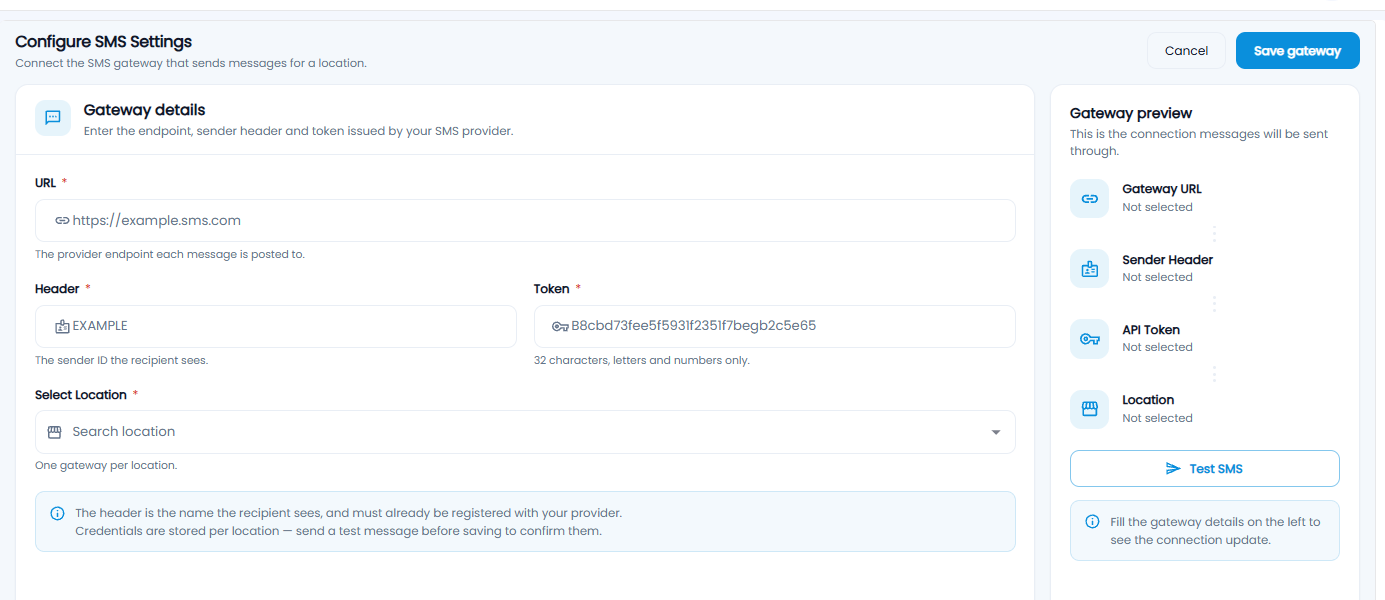
| Field | Description |
|---|---|
| URL* | The provider endpoint each message is posted to |
| Header* | The sender ID the recipient sees. It must already be registered with your provider |
| Token* | The API token from your provider — 32 letters and numbers |
| Select Location* | The location this gateway is for. One gateway per location |
The Gateway preview on the right fills in as you type. Click Test SMS to send a test message, then Save gateway, or Cancel.
Tip: Always send a test SMS before saving — it confirms the URL, header, and token are right.