
Overview
Ecom Setup sets your company's online store address and turns public access on or off. The store uses your company name. Open Configuration > Ecom Config. The badge next to the title shows whether the store is ACTIVE.
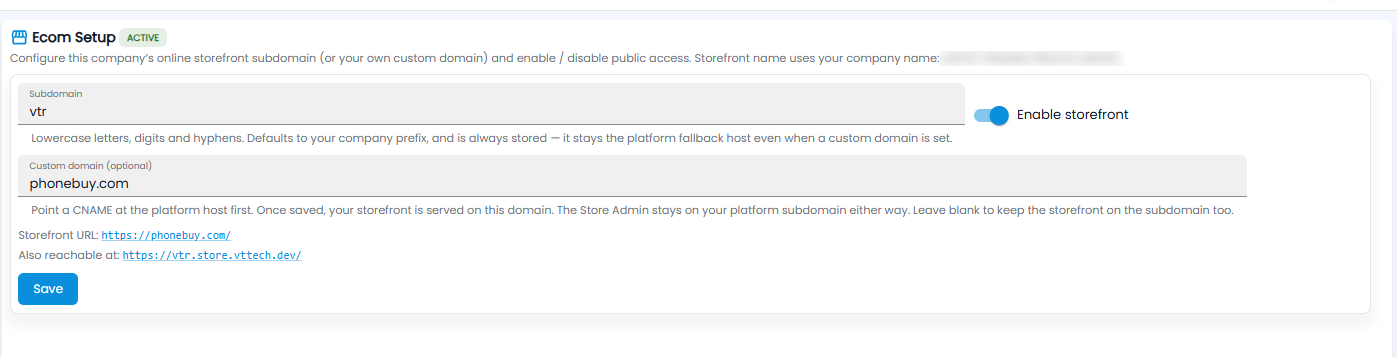
| Setting | Description |
|---|---|
| Subdomain | Lowercase letters, numbers, and hyphens. It starts as your company prefix, and always works as a fallback address — even when you use your own domain |
| Enable storefront | Turn the store on or off for the public |
| Custom domain (optional) | Your own web address. First point a CNAME record at the platform host with your domain provider; once saved, the store is served on your domain. The Store Admin stays on the platform subdomain either way. Leave it blank to keep the store on the subdomain |
Under the fields, Storefront URL shows the store's main address, and Also reachable at the subdomain address. Click Save.
Note: Products go online from Inventory > Product Master > Ecom Integration.