
Overview
General Config manages delivery, payment verification, and field-sales rules across your counters and routes. Open Configuration > General. Change what you need and click Save changes at the top right.
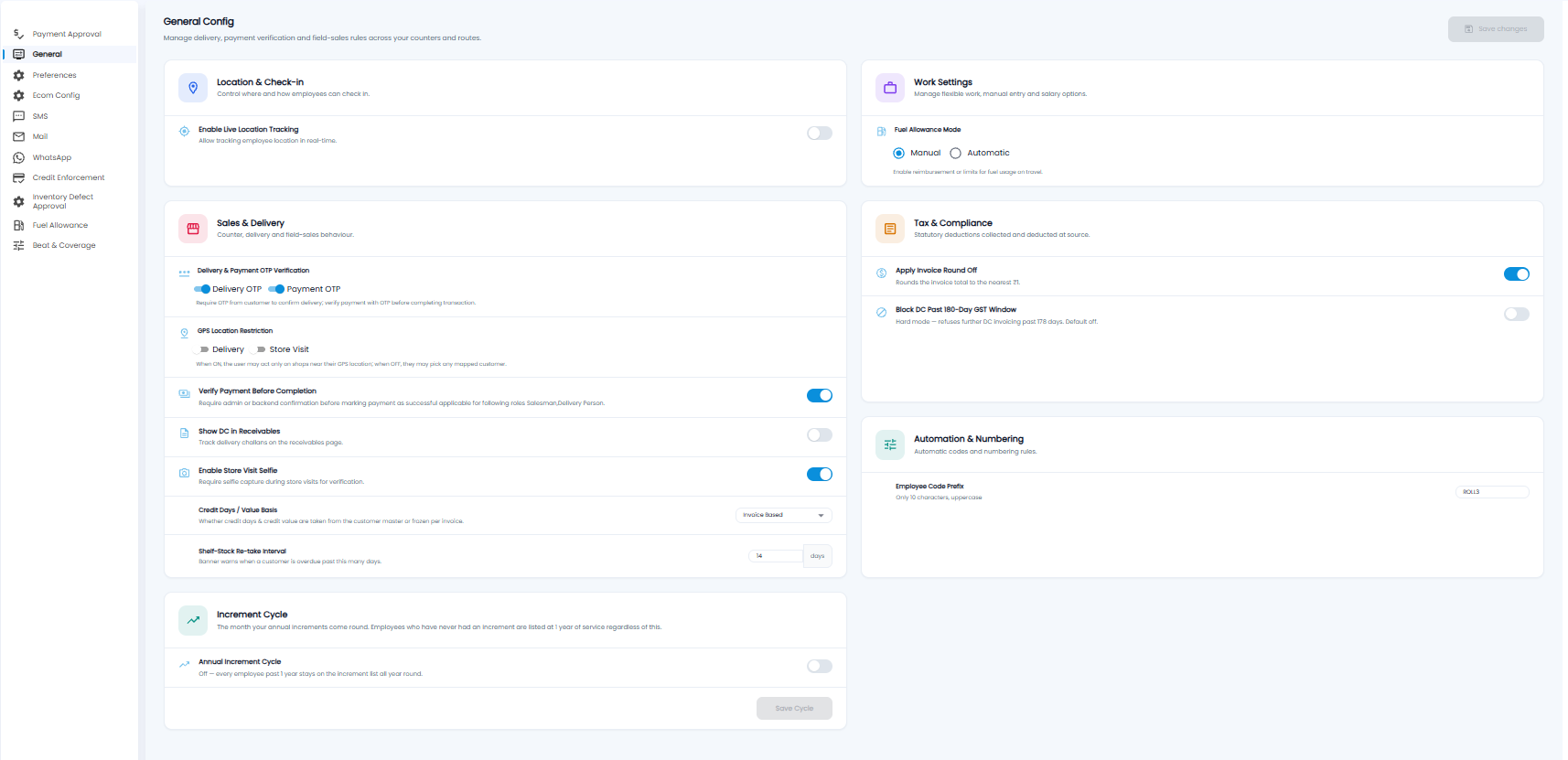
Location & Check-in
Enable Live Location Tracking — track employees' location in real time.
Work Settings
Fuel Allowance Mode — Manual or Automatic fuel reimbursement for travel. See Fuel Allowance Settings.
Sales & Delivery
| Setting | What it does |
|---|---|
| Delivery & Payment OTP Verification | Delivery OTP asks the customer for an OTP to confirm delivery; Payment OTP verifies a payment with an OTP before it is completed |
| GPS Location Restriction | For Delivery and Store Visit: when on, the user can act only on shops near their GPS location; when off, they can pick any mapped customer |
| Verify Payment Before Completion | An admin or back office must confirm a payment collected by a salesman or delivery person before it is marked successful |
| Show DC in Receivables | Show delivery challans on the Receivables page |
| Enable Store Visit Selfie | Ask for a selfie during store visits, as proof of the visit |
| Credit Days / Value Basis | Whether credit days and credit value come from the customer record or are fixed on each invoice (for example Invoice Based) |
| Shelf-Stock Re-take Interval | After this many days (for example 14) a banner warns that a customer's shelf stock-take is overdue |
Tax & Compliance
- Apply Invoice Round Off — round the invoice total to the nearest ₹1
- Block DC Past 180-Day GST Window — refuse to invoice a delivery challan that is more than 178 days old. Off by default
Automation & Numbering
Employee Code Prefix — the prefix for employee codes, up to 10 characters in capitals.
Increment Cycle
Annual Increment Cycle — the month your annual increments come round. When it is off, every employee with more than a year of service stays on the increment list all year. Click Save Cycle to save this setting.
Important: Turning on GPS Location Restriction stops salesmen acting on shops they are not standing at — make sure shop locations are filled in on customer records first.