
The Configuration Page
Click Configuration in the sidebar to change how Tazk Sales works for your company. The sections are listed on the left; each is covered by its own article.
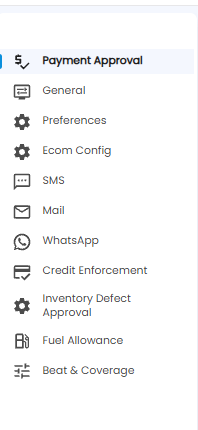
| Section | What it sets |
|---|---|
| Payment Approval | Who approves late-dated cheque receipts (this article) |
| General | Delivery, payment, field-sales, tax, and numbering rules |
| Preferences | Discounts and extra charges on transactions and vouchers |
| Ecom Config | Your online store's web address |
| SMS / Mail / WhatsApp | How each location sends messages |
| Credit Enforcement | Who approves sales to customers over their credit limit |
| Inventory Defect Approval | Who approves defects sent from stock |
| Fuel Allowance | How fuel allowances are worked out |
| Beat & Coverage | How salesmen's daily shop lists are built |
Payment Approval
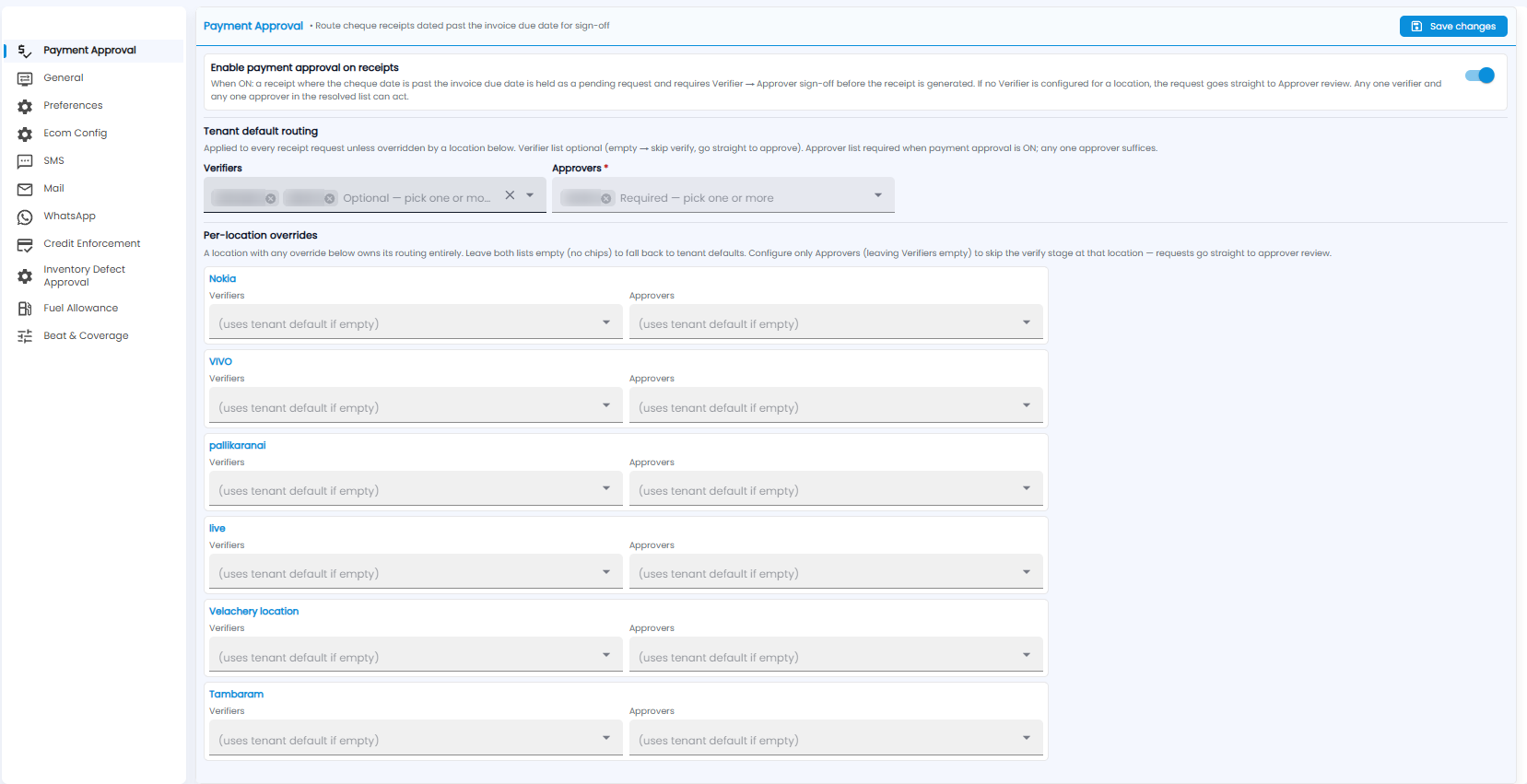
Payment Approval holds back a cheque receipt when the cheque is dated after the invoice due date, until it has been signed off.
Turning It On
Turn on Enable payment approval on receipts. From then on, a receipt where the cheque date is after the invoice due date is held as a pending request. It needs a Verifier and then an Approver to sign off before the receipt is created. Any one verifier and any one approver in the list can act.
Who Signs Off
Tenant default routing applies to every request unless a location overrides it:
- Verifiers — optional. Leave it empty to skip verification and go straight to approval
- Approvers* — required while approval is on. Any one approver is enough
Per-location overrides let a location use different people. Each location has its own Verifiers and Approvers:
- Leave both empty to use the tenant default
- Fill in either one, and the location uses only its own routing
- Fill in only Approvers to skip verification at that location
Click Save changes at the top right.