
Overview
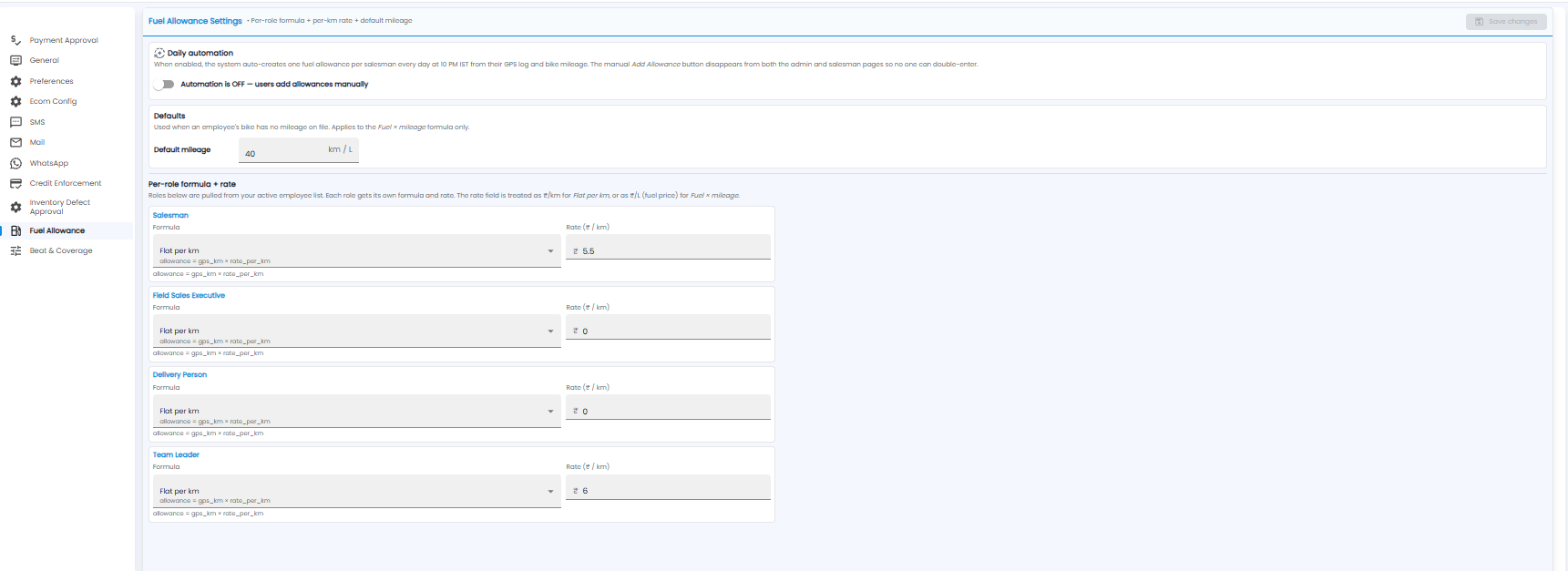
Fuel Allowance Settings sets how fuel allowances are worked out — a formula and rate for each role, and a default mileage. Open Configuration > Fuel Allowance.
Daily Automation
When automation is on, Tazk creates one fuel allowance for each salesman every day at 10 PM IST, from their GPS log and bike mileage. The manual Add Allowance button is then removed, so nobody can enter an allowance twice. When it is off, users add allowances by hand.
Defaults
Default mileage (km per litre) is used when an employee's bike has no mileage on file. It applies only to the Fuel × mileage formula.
Formula and Rate per Role
Each role in your active employee list — for example Salesman, Field Sales Executive, Delivery Person, and Team Leader — has its own:
- Formula — for example Flat per km, where allowance = GPS km × rate per km
- Rate — ₹ per km for Flat per km, or ₹ per litre (the fuel price) for Fuel × mileage
Click Save changes.
Note: Claims are reviewed on Sales Man > Fuel Allowance. The Manual / Automatic choice is also shown under Configuration > General > Work Settings.