
How do I set who approves requests in Tazk CRM?
Open Configuration › Approvals and click + Add Approval. Choose the department and request type, select the approver and, optionally, a verifier, check the routing preview and click Create approval.
What does the Approvals screen show?
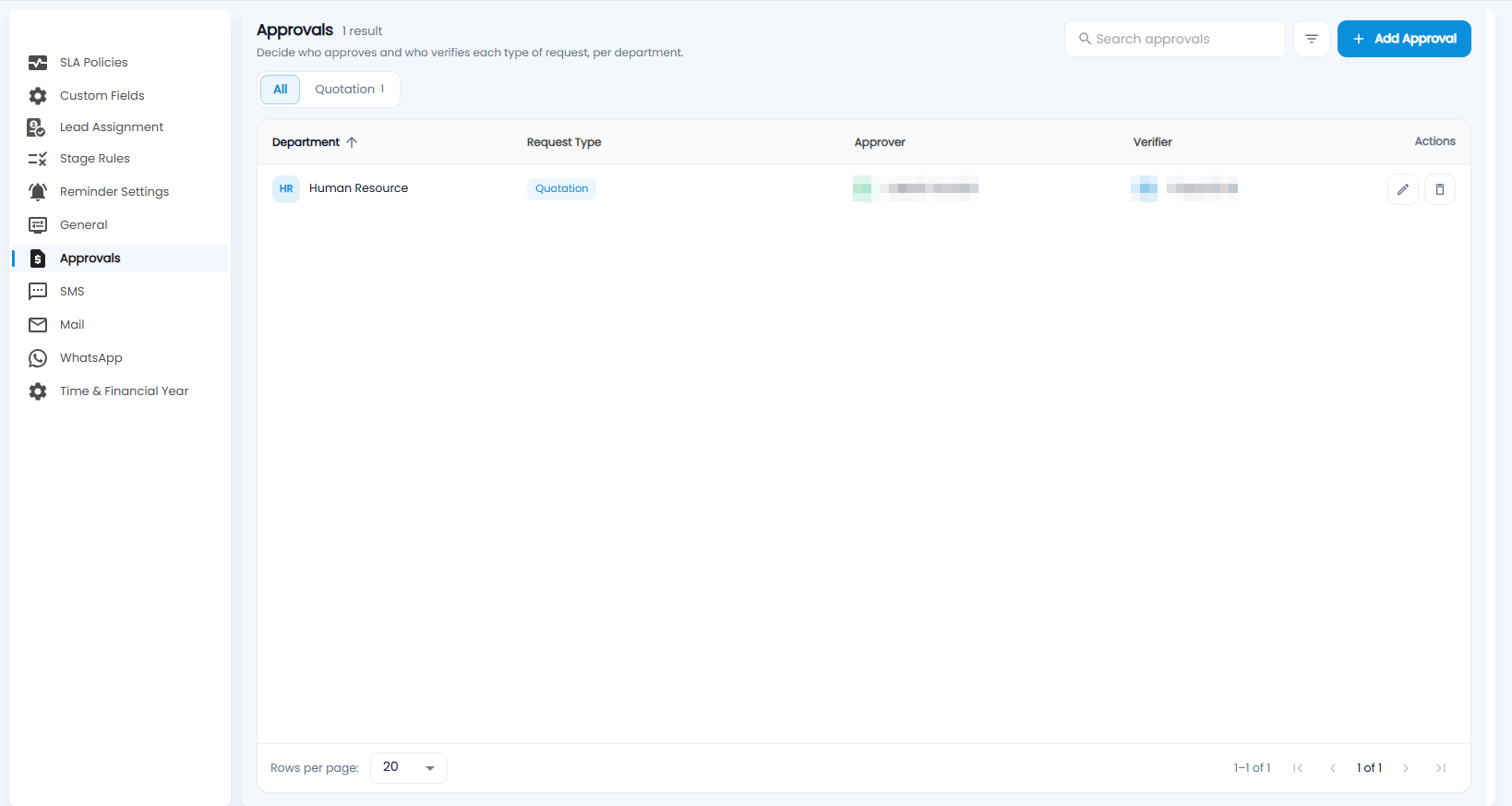
Decide who approves and who verifies each type of request, per department. The chips filter by request type (for example Quotation), with search and a filter at the top. Each row shows the Department, Request Type, Approver and Verifier, with edit and delete.
How do I create an approval rule?
Click + Add Approval.
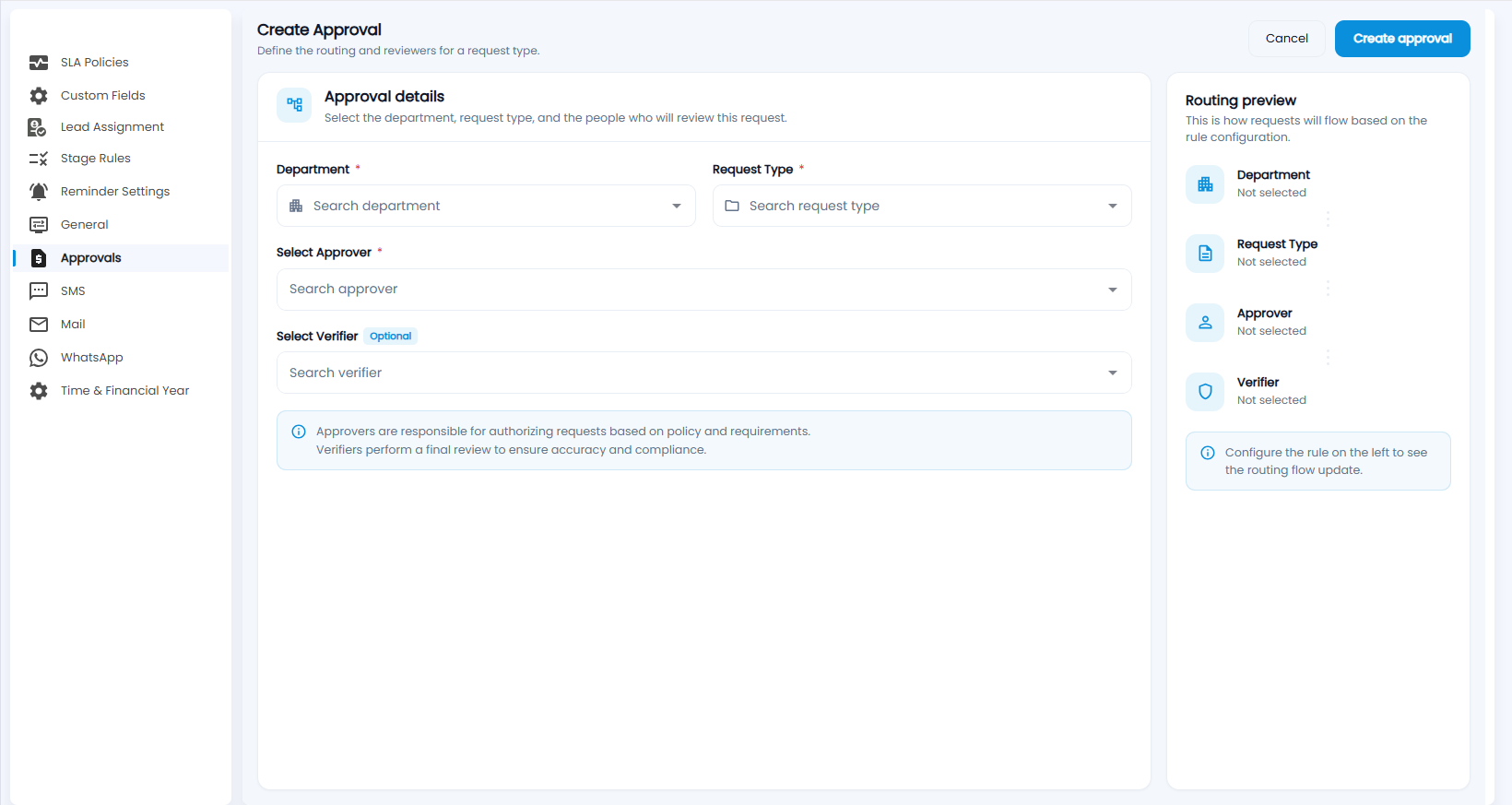
- Department and Request Type (both required).
- Select Approver (required) — approvers authorise requests based on policy and requirements.
- Select Verifier (optional) — verifiers do a final review for accuracy and compliance.
- Check the Routing preview on the right — how requests will flow — and click Create approval, or Cancel.