
How do I add a custom field in Tazk CRM?
Open Configuration › Custom Fields and click +. Enter the field's name, choose its type, and click Create. The field is added to your lead form. Use the pencil to edit a field and the bin to delete it.
What does the Custom Fields screen show?
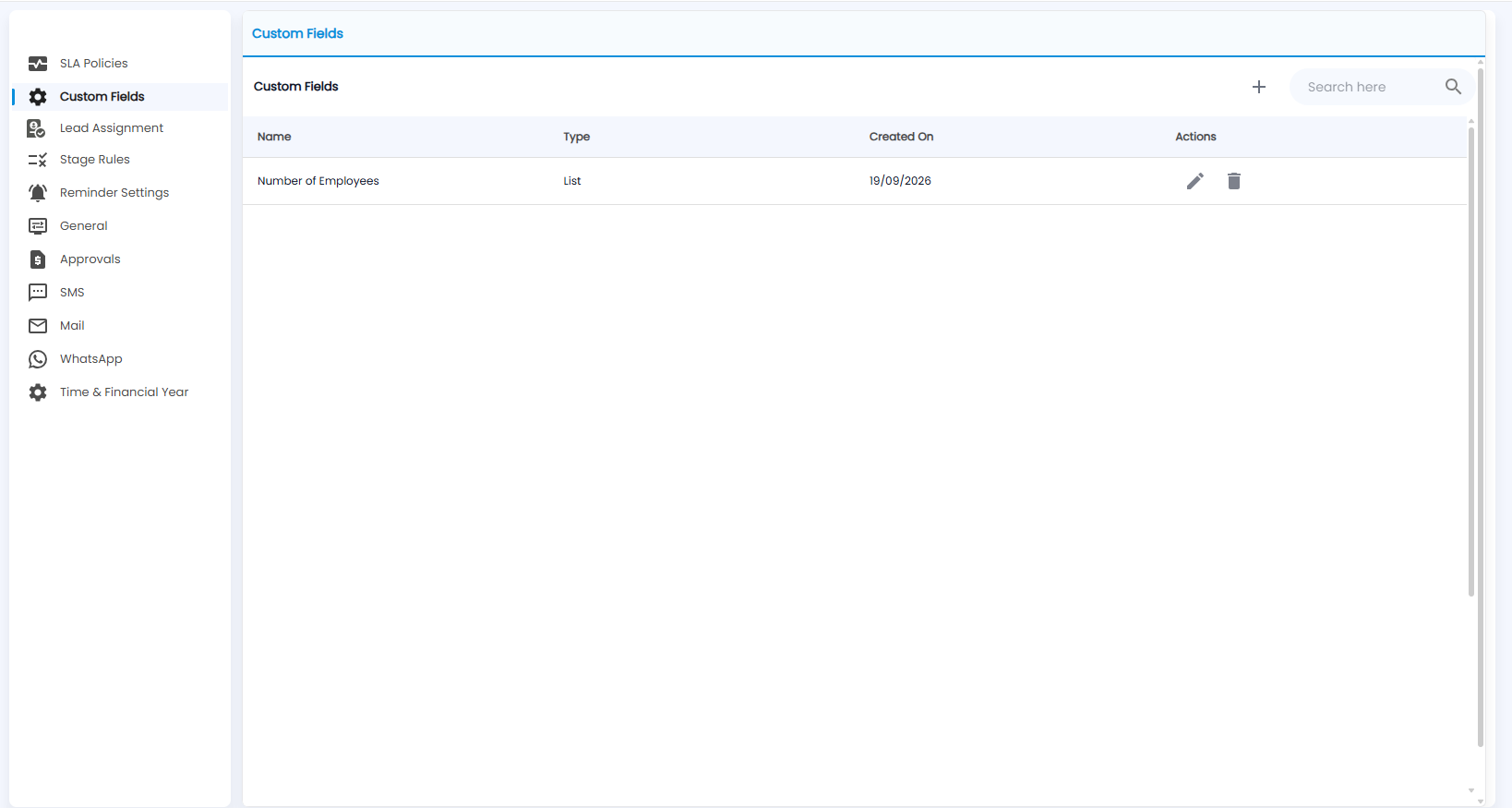
Your extra lead fields, each with its Name, Type and Created On. The pencil edits a field and the bin deletes it. Use Search here to find one.
How do I add a field?
Click +.
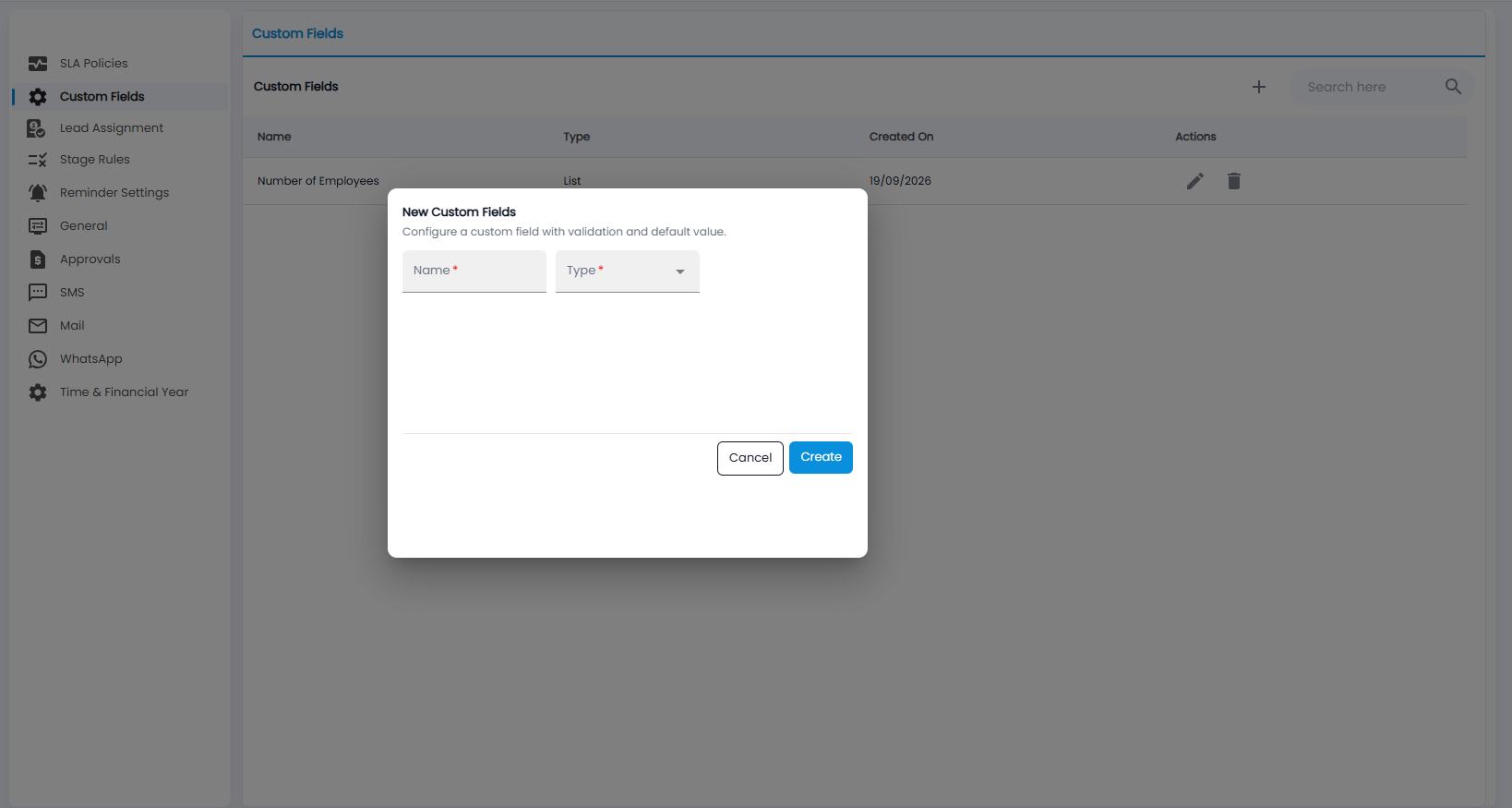
In New Custom Fields, enter the Name and choose the Type (both required) — for example a list. Click Create, or Cancel.