
How do I choose which reminders are sent in Tazk CRM?
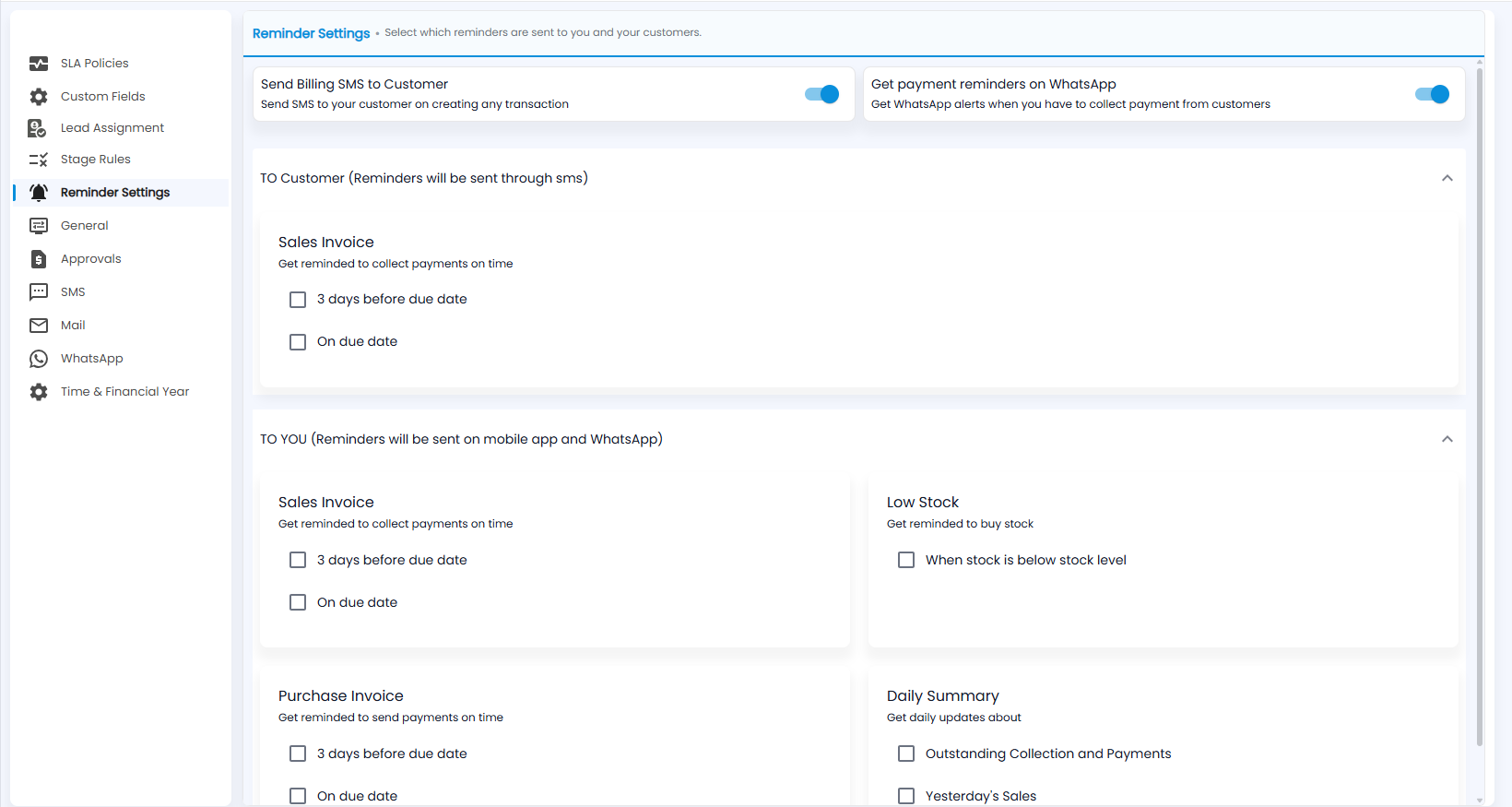
Open Configuration › Reminder Settings. Switch billing SMS to customers and WhatsApp payment reminders on or off, then tick the reminders you want: to customers by SMS, and to you on the mobile app and WhatsApp.
What do the two switches do?
- Send Billing SMS to Customer — an SMS to your customer on creating any transaction.
- Get payment reminders on WhatsApp — WhatsApp alerts when you have to collect payment from customers.
Which reminders can I tick?
- TO Customer (sent by SMS) — Sales Invoice reminders 3 days before due date or On due date.
- TO YOU (sent on the mobile app and WhatsApp) — Sales Invoice and Purchase Invoice reminders before or on the due date, Low Stock when stock is below its level, and a Daily Summary of outstanding collections and payments and yesterday's sales.
Note: These reminders are about invoices and stock. They apply if your company also uses a Tazk product that raises invoices or keeps stock.