
How do I connect an SMS gateway in Tazk CRM?
Open Configuration › SMS and click + Add SMS Config. Enter your provider's URL, the sender header and the token they issued, choose the location, send a test SMS, and click Save gateway. Each location has one gateway.
What does the SMS screen show?
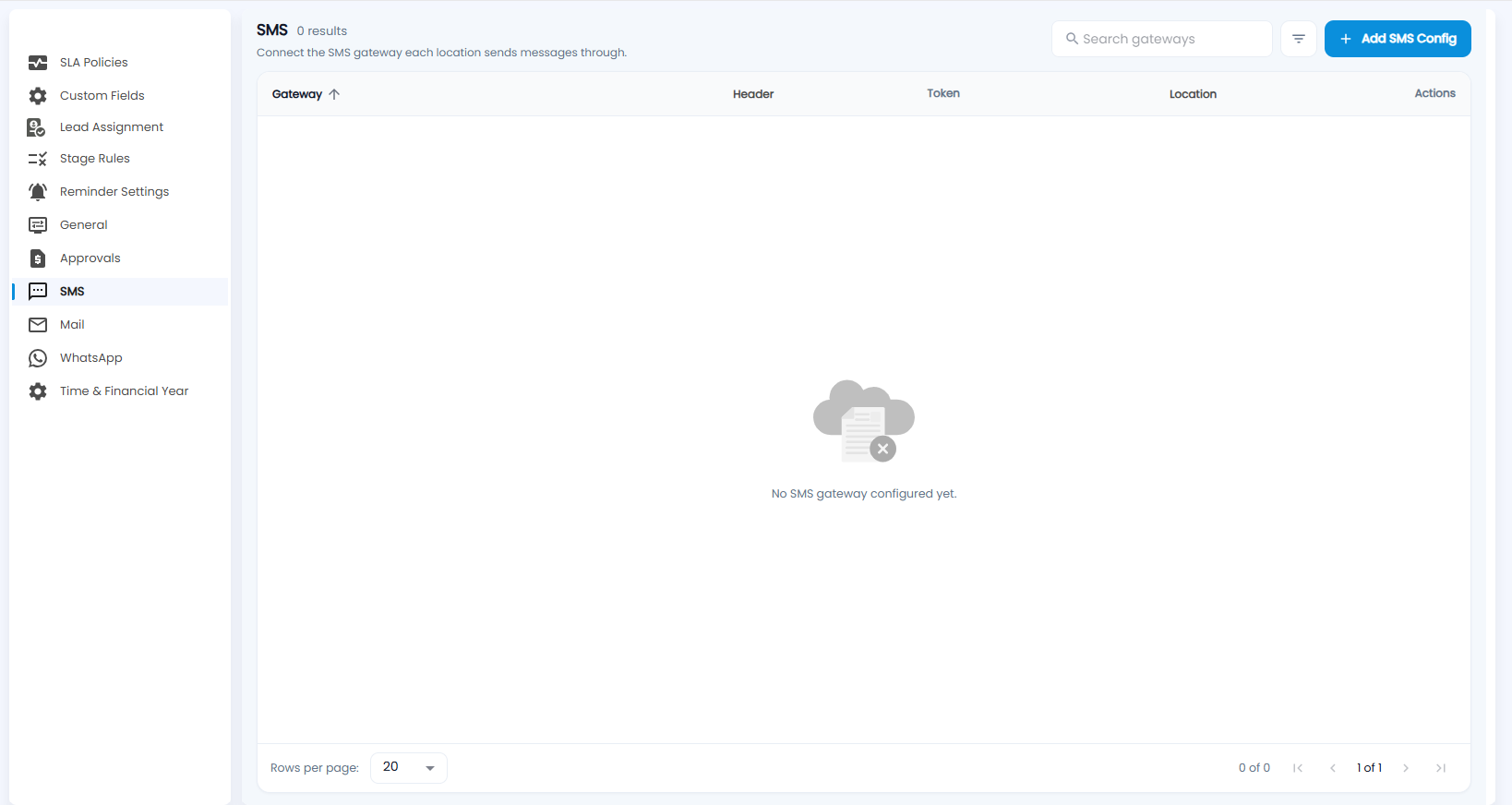
Connect the SMS gateway each location sends messages through. Each gateway shows its Gateway, Header, Token and Location, with actions. Until you add one, it says No SMS gateway configured yet. Search and a filter are at the top.
How do I add a gateway?
Click + Add SMS Config. Configure SMS Settings connects the gateway that sends messages for a location.
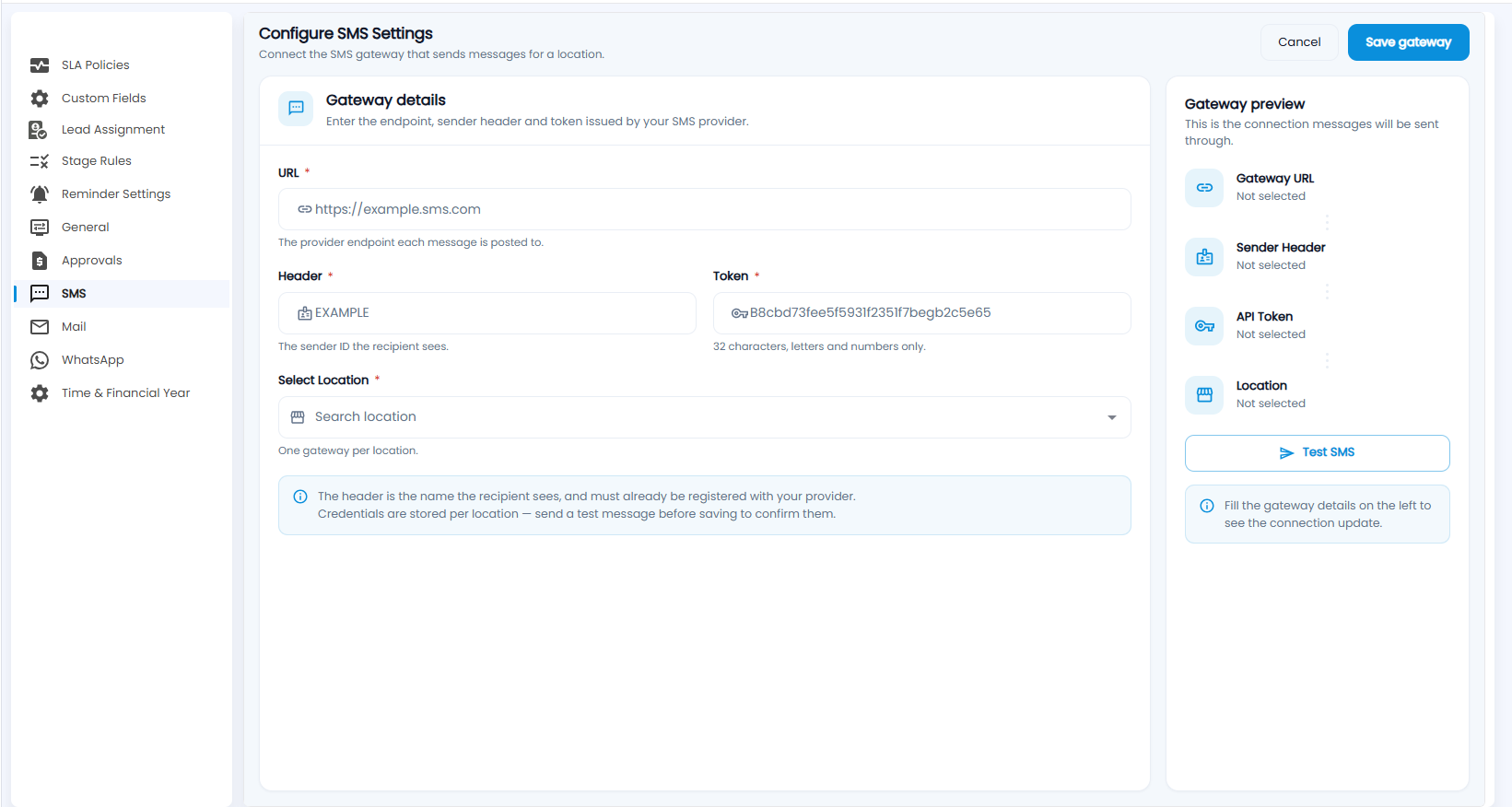
- URL (required) — the provider endpoint each message is posted to.
- Header (required) — the sender ID the recipient sees. It must already be registered with your provider.
- Token (required) — 32 characters, letters and numbers only.
- Select Location (required) — one gateway per location.
- Check the Gateway preview and click Test SMS to confirm the details — credentials are stored per location.
- Click Save gateway, or Cancel.