
Overview
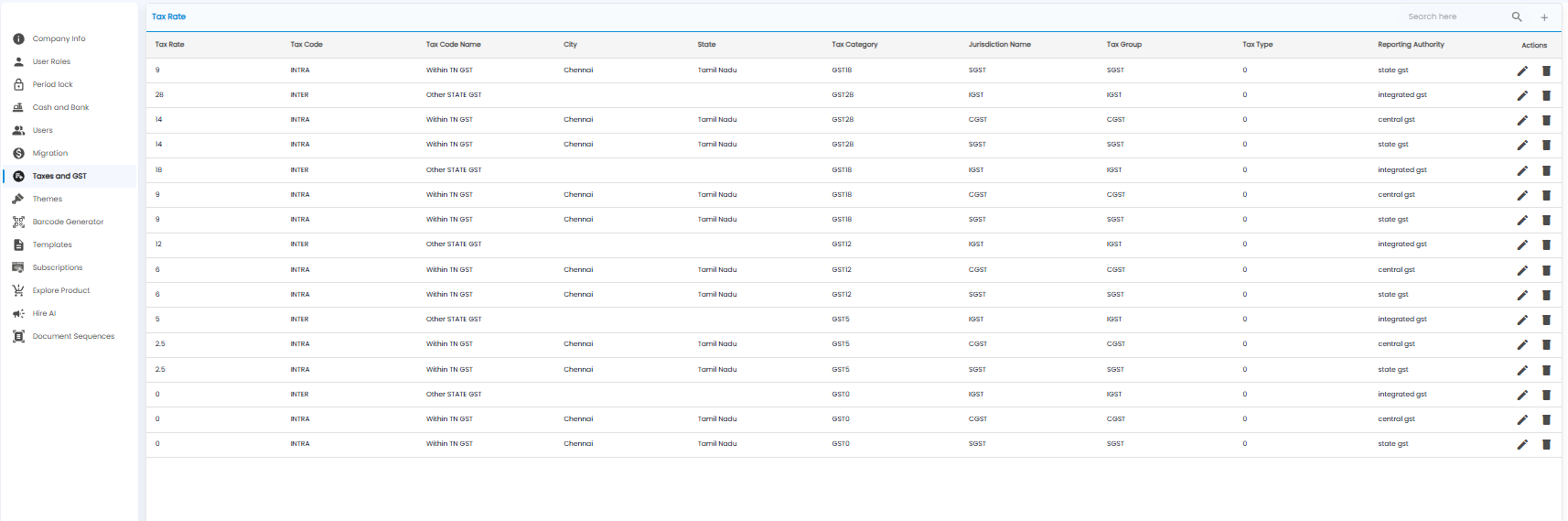
Taxes and GST holds the tax rates Tazk applies on your sales and purchases. Open Settings > Taxes and GST. The page is titled Tax Rate.
How GST Rates Are Set Up
Each GST category is split into its parts:
- INTRA — Within your state: half as CGST (central GST) and half as SGST (state GST). For example GST18 is 9% CGST + 9% SGST
- INTER — to other states: the full rate as IGST (integrated GST). For example GST18 is 18% IGST
The Tax Rate List
| Column | What it shows |
|---|---|
| Tax Rate | The percentage for this part |
| Tax Code / Tax Code Name | INTRA (within your state) or INTER (other states) |
| City / State | Where an intra-state rate applies |
| Tax Category | For example GST18 — the category you pick on products |
| Jurisdiction Name / Tax Group | CGST, SGST, or IGST |
| Tax Type | The tax type code |
| Reporting Authority | central gst, state gst, or integrated gst |
| Actions | Edit (pencil) or delete (bin) |
Adding a Tax Rate
Click + to open New Tax Rates.
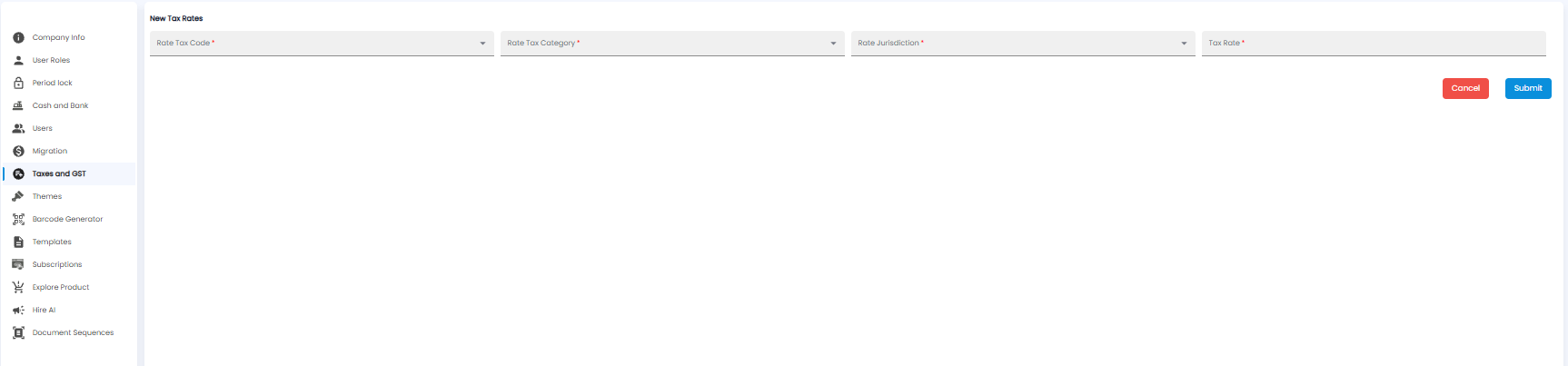
Pick the Rate Tax Code*, Rate Tax Category*, and Rate Jurisdiction*, enter the Tax Rate*, and click Submit.
Important: A new GST category needs all three parts — CGST and SGST for INTRA, and IGST for INTER — or some sales will be taxed wrongly.