
Overview
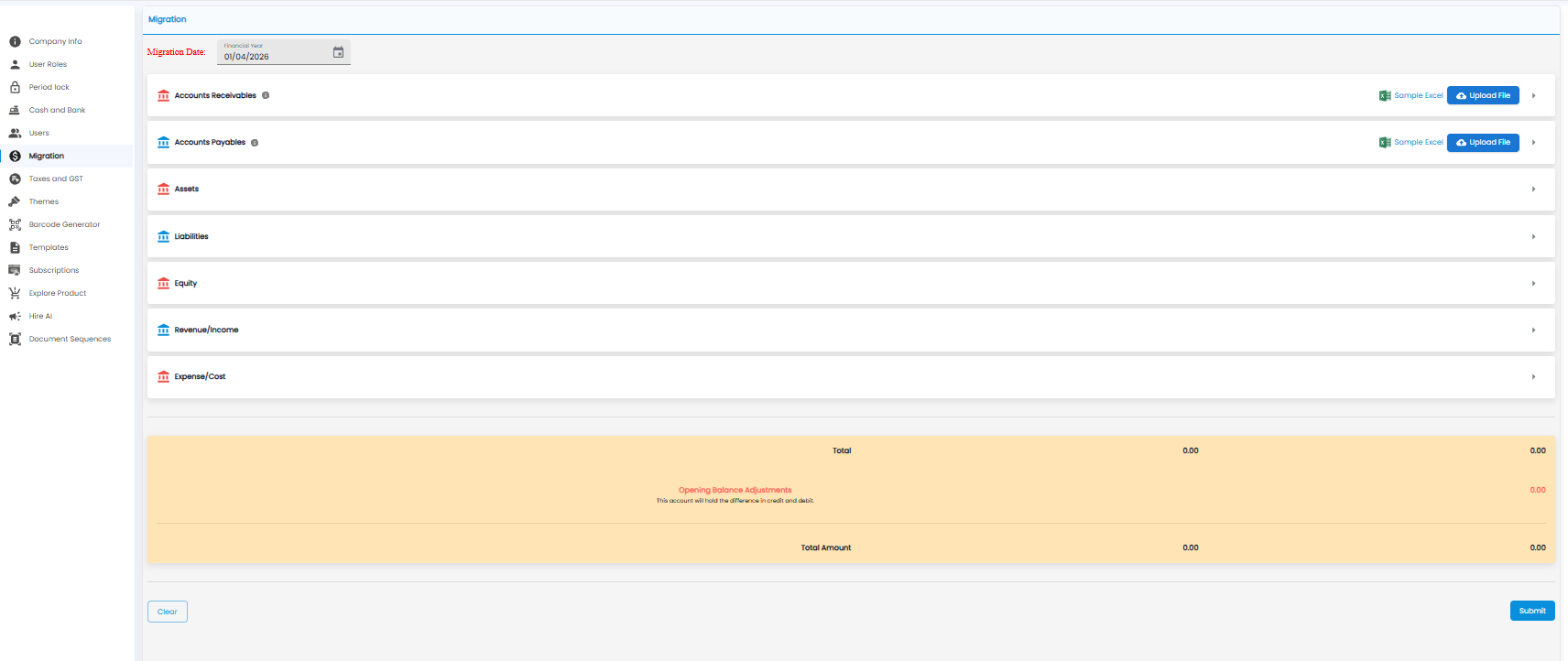
Migration brings your opening balances into Tazk when you move from another system, so your books start from the right figures. Open Settings > Migration.
Bringing In Balances
- Check the Migration Date — the start of the financial year, for example 01/04/2026
- For Accounts Receivables (what customers owe you) and Accounts Payables (what you owe vendors), click Sample Excel to download the format, fill it in, and click Upload File
- Open Assets, Liabilities, Equity, Revenue/Income, and Expense/Cost with the arrow on the right, and enter the balances
- Check the totals at the bottom
- Click Submit. Clear empties everything you entered
Totals
The yellow box adds up the debits and credits. Any difference between them is held in Opening Balance Adjustments, and the Total Amount includes it.
Important: If Opening Balance Adjustments is not zero, something is missing or entered on the wrong side. Find the difference before you submit.