
Overview
Open Settings > Cash and Bank to set up where money is held and how it moves. There are three tabs: Bank Accounts, Payment Methods, and Cash Box.
Bank Accounts
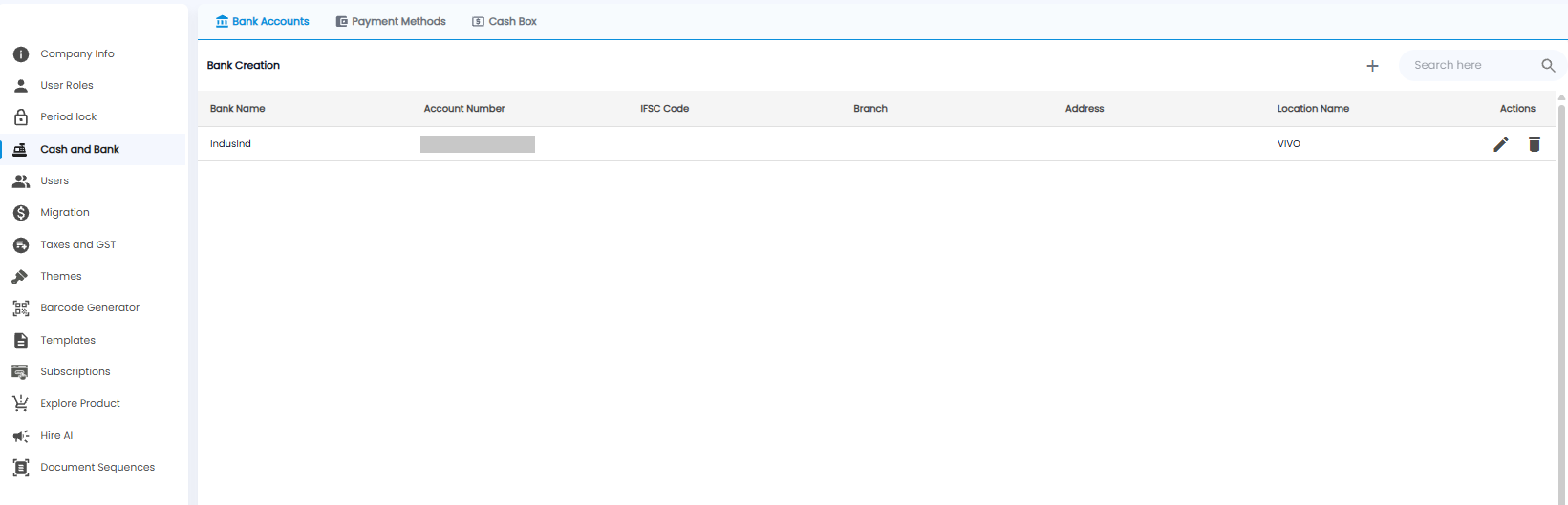
Each row shows the Bank Name, Account Number, IFSC Code, Branch, Address, and Location Name, with edit and delete actions. Click + to add a bank account:
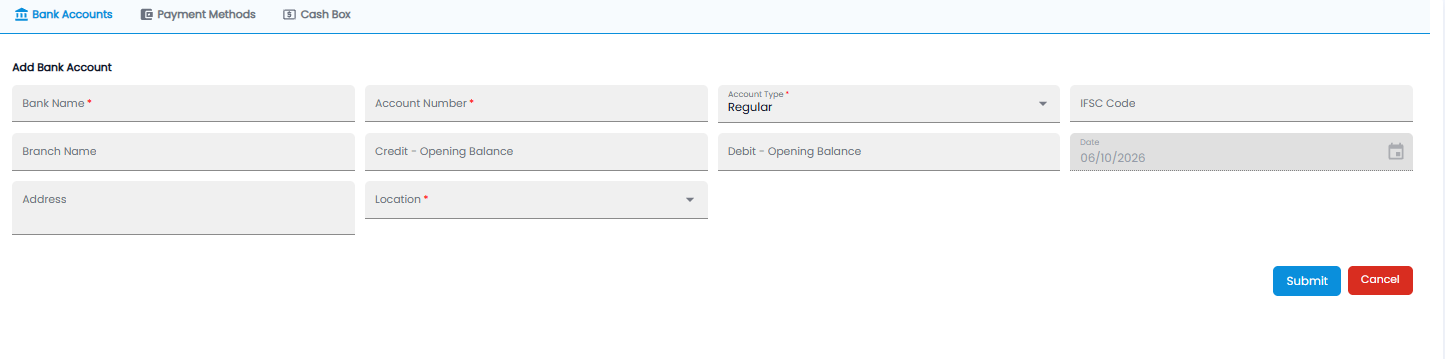
| Field | Required | Description |
|---|---|---|
| Bank Name / Account Number | Yes | As on your bank statement |
| Account Type | Yes | For example Regular |
| IFSC Code / Branch Name / Address | No | The branch details |
| Credit - Opening Balance / Debit - Opening Balance | No | The balance the account starts with in Tazk |
| Date | — | The opening balance date, filled in for you |
| Location | Yes | The location the account belongs to |
Click Submit, or Cancel.
Payment Methods
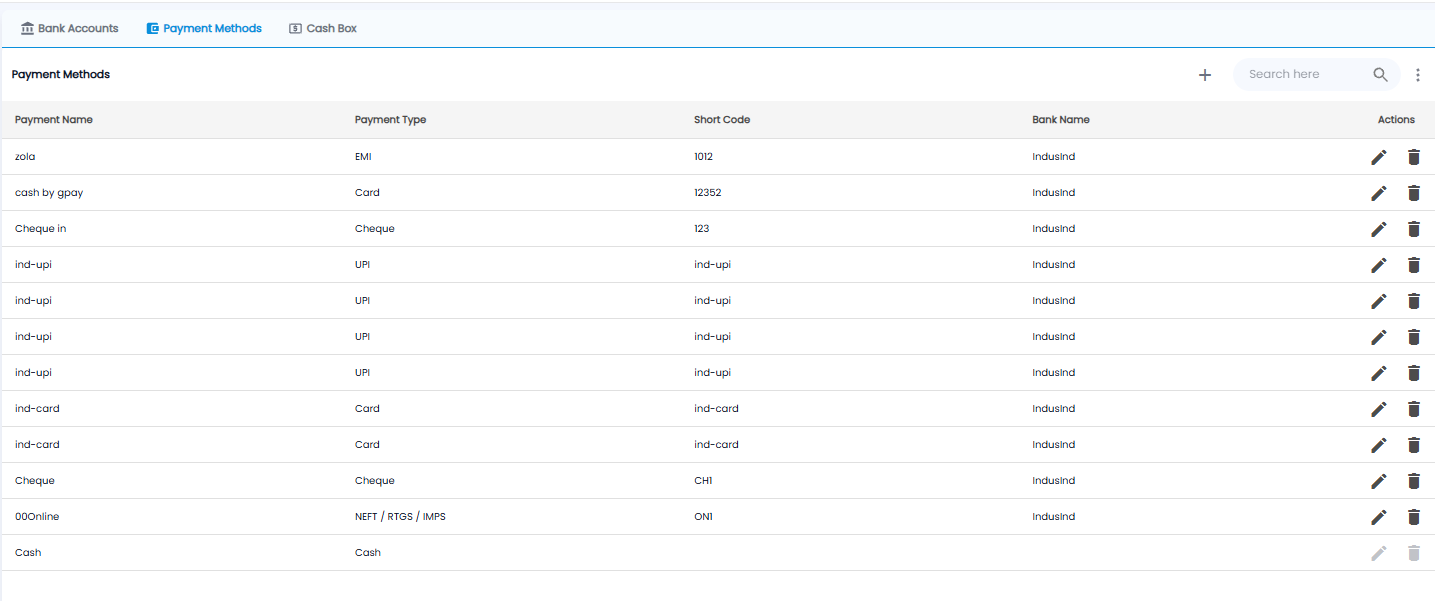
A payment method is a way money moves in or out of a bank account — for example a UPI ID, a card machine, or cheques. These are the methods you tick on a Receipt Voucher or Payment Voucher.
Each row shows the Payment Name, the Payment Type (Cash, UPI, Card, Cheque, EMI, or NEFT / RTGS / IMPS), its Short Code, and the Bank Name it goes into. The built-in Cash method cannot be edited or deleted. Click + to add one:

- Pick the Bank Name* the money goes into
- Pick the Payment Type*
- Enter a Payment Name* you will recognise, for example Shop UPI, and a Short Code*
- Click Submit, or Cancel
Cash Box
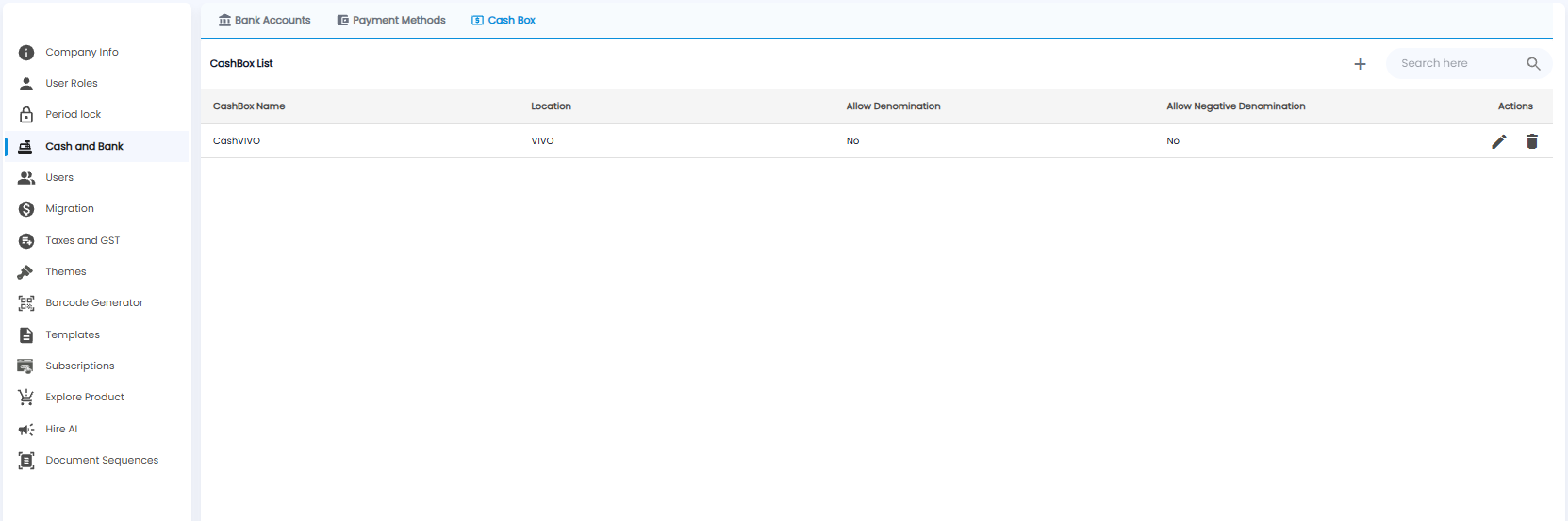
A cash box is a place cash is kept, such as the till at a showroom. Each row shows the CashBox Name, its Location, and whether Allow Denomination and Allow Negative Denomination are on. Click + to add one:
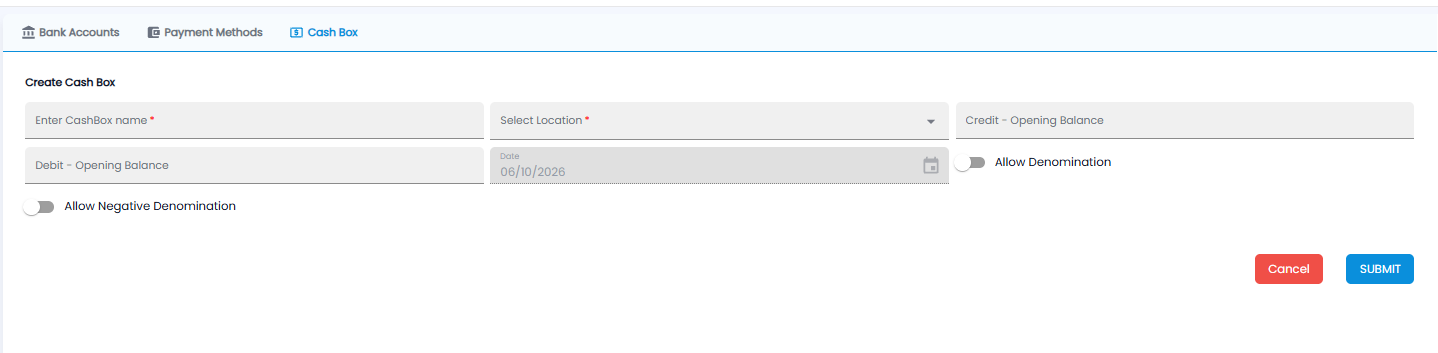
- CashBox name* and Location*
- Credit / Debit - Opening Balance, with the date filled in for you
- Allow Denomination — record cash by notes and coins
- Allow Negative Denomination — allow a negative count of a note or coin, for example when giving change
Click SUBMIT, or Cancel.