
Overview
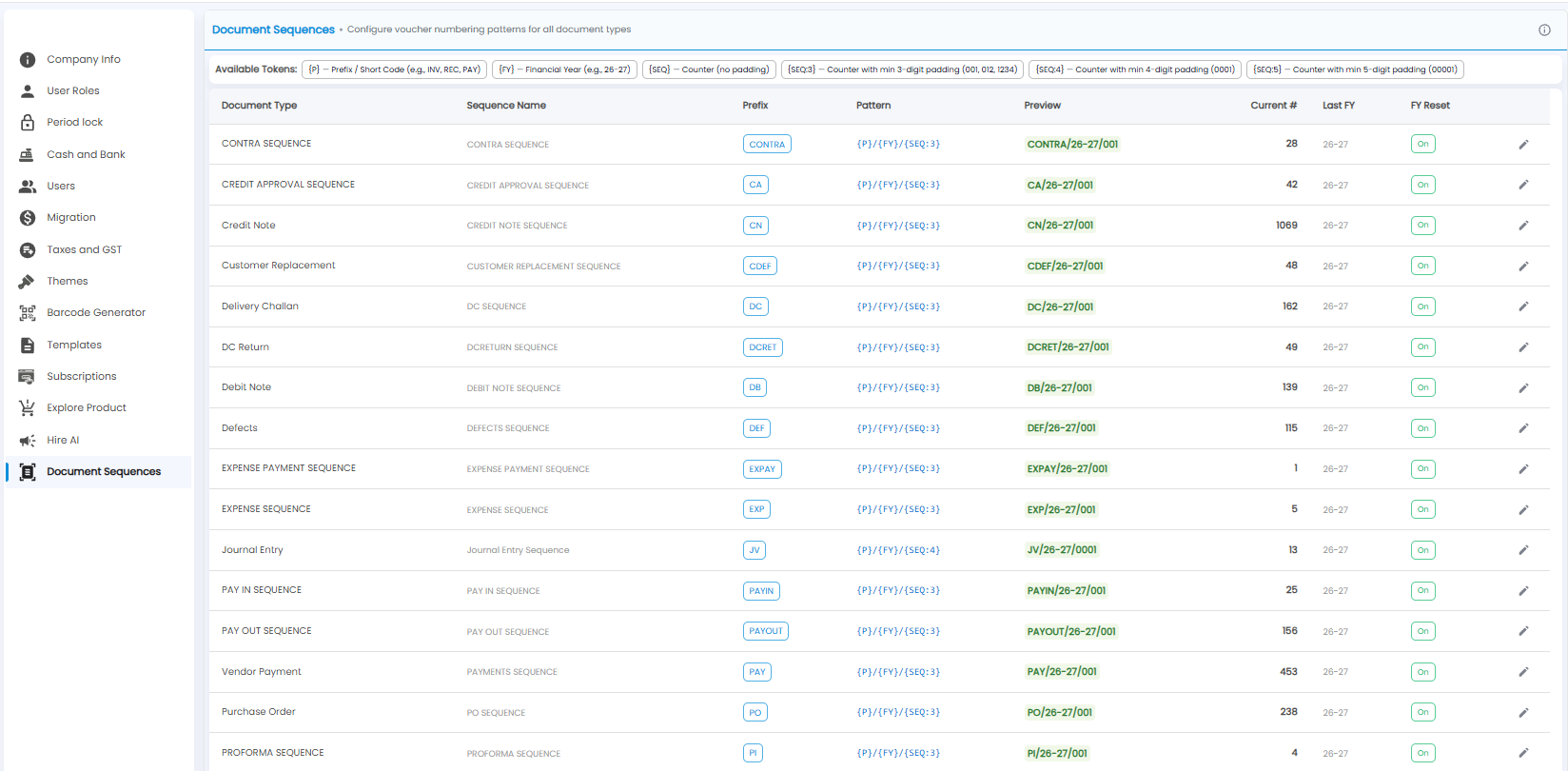
Document Sequences sets the numbering pattern for every kind of document — for example CN/26-27/001 for a credit note. Open Settings > Document Sequences.
Building a Pattern
A pattern is made of tokens, shown under Available Tokens:
| Token | Becomes |
|---|---|
| {P} | The prefix or short code, for example INV, REC, or PAY |
| {FY} | The financial year, for example 26-27 |
| {SEQ} | The counter, with no padding — 1, 12 |
| {SEQ:3} / {SEQ:4} / {SEQ:5} | The counter with at least 3, 4, or 5 digits — 001, 0001, 00001 |
For example, the pattern {P}/{FY}/{SEQ:3} with prefix CN gives CN/26-27/001.
The Sequences List
| Column | What it shows |
|---|---|
| Document Type / Sequence Name | The document, for example Credit Note or Delivery Challan |
| Prefix | The short code used for {P} |
| Pattern / Preview | The pattern, and what a number looks like |
| Current # | The last number used |
| Last FY | The financial year of the last number |
| FY Reset | On — the counter starts again from 1 each financial year |
| Pencil | Edit the sequence |
Important: Change a pattern or prefix only at the start of a financial year — changing it mid-year breaks the run of numbers your auditor and GST returns expect.