
Overview
Hire AI adds specialist AI assistants to your account. Each one works on your own live data. They only suggest — they never post invoices, receipts, or approvals on their own. Open Settings > Hire AI.
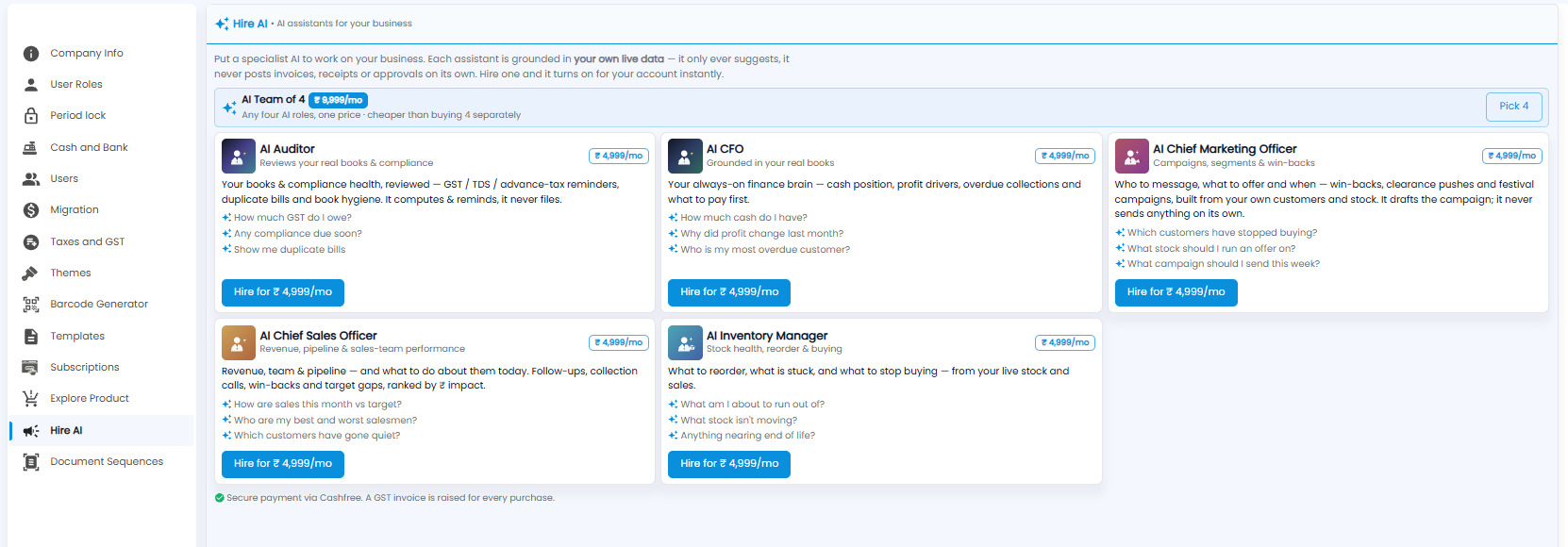
The Assistants
| Assistant | Helps with | Example questions |
|---|---|---|
| AI Auditor | Books and compliance — GST, TDS, advance-tax reminders, duplicate bills | How much GST do I owe? Show me duplicate bills |
| AI CFO | Cash position, profit drivers, overdue collections, what to pay first | How much cash do I have? Who is my most overdue customer? |
| AI Chief Marketing Officer | Who to message, what to offer, and when — it drafts campaigns but never sends them on its own | Which customers have stopped buying? |
| AI Chief Sales Officer | Revenue, pipeline, and sales-team performance, ranked by impact | How are sales this month vs target? |
| AI Inventory Manager | What to reorder, what is stuck, and what to stop buying | What am I about to run out of? |
Hiring an Assistant
- Click Hire for …/mo on an assistant to add it. It turns on for your account straight away
- AI Team of 4 — any four assistants for one price, cheaper than buying them separately. Click Pick 4 to choose
Payment is made securely through Cashfree, and a GST invoice is raised for every purchase.
Note: AI reports and alerts can be turned on per role under Settings > User Roles > Notifications.