
How do customer price lists work in Tazk POS?
A price list sets a discounted price for selected products for a period. You create it in Sales → Customer Price List, map it to customers with Customer Mapping, and from then on, when you pick one of those customers on a sales order or invoice, the Price List field fills in and the items take the list’s prices. Customers with no mapping use the list named Default.
What does the Price List page show?
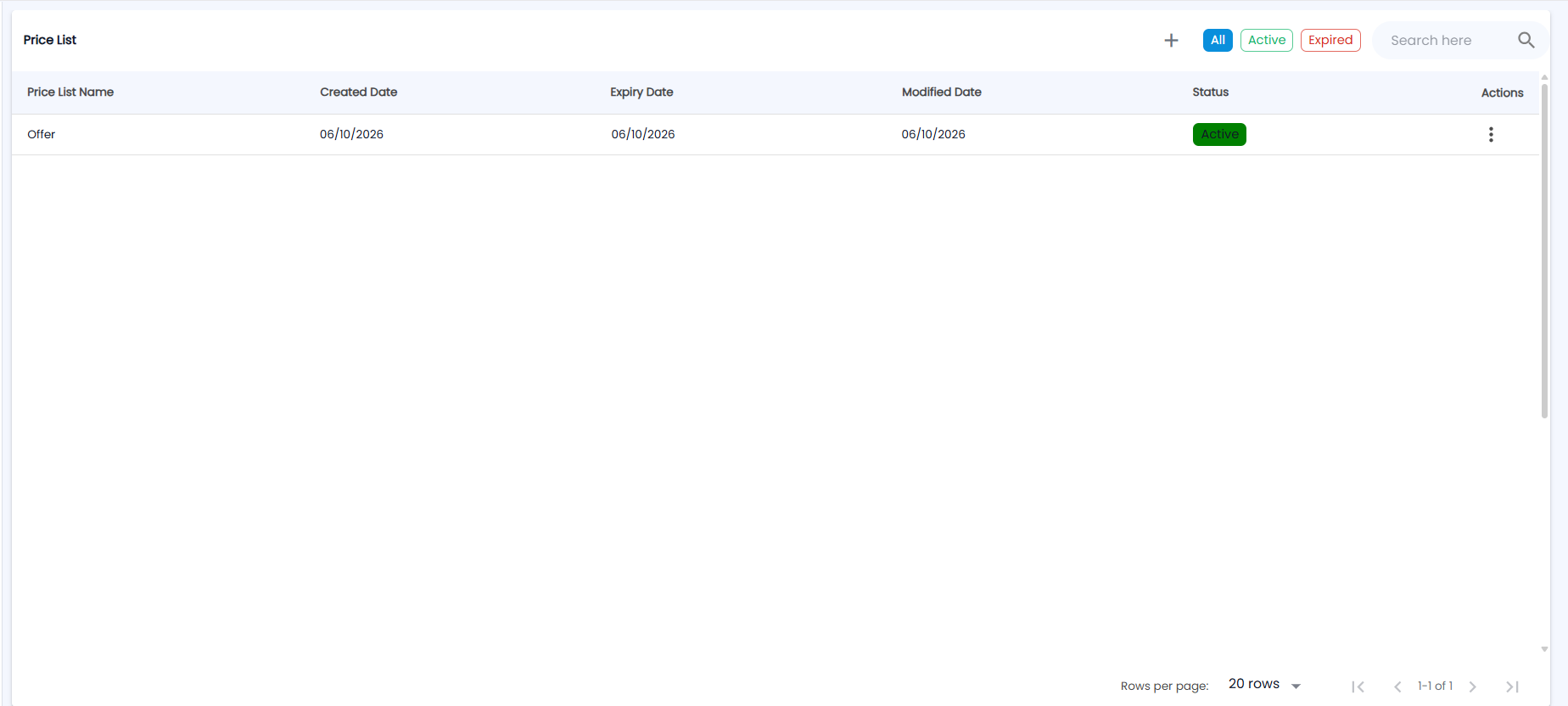
Open Sales → Customer Price List. The Price List page has + (new list), the chips All, Active and Expired to filter the list, and Search here.
| Column | Description |
|---|---|
| Price List Name | The list's name |
| Created Date / Modified Date | When it was created and last changed |
| Expiry Date | The end of its validity, if it has one |
| Status | Active (green) or Expired (red) |
| Actions | The ⋮ menu: Customer Mapping, Edit and Delete |
How do I create a price list?
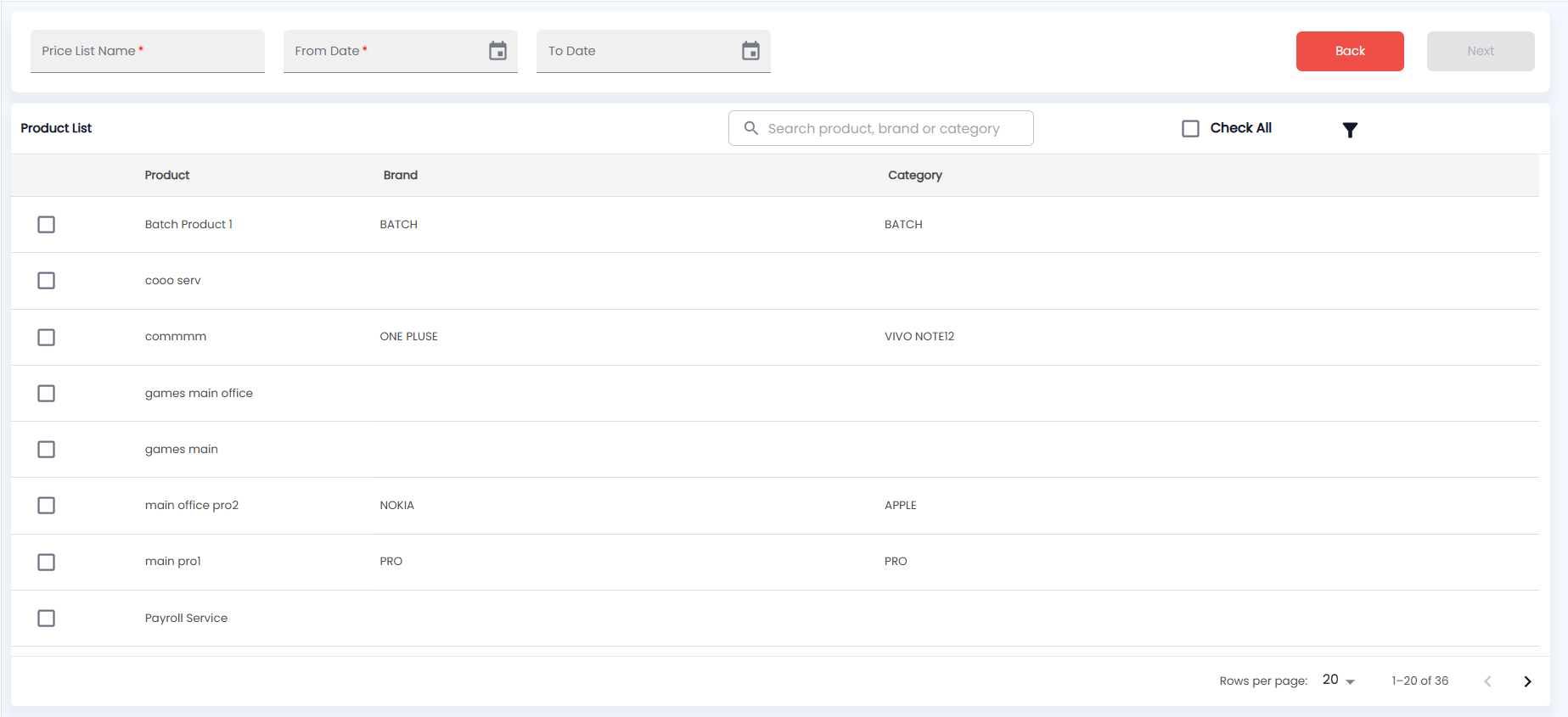
- Click +.
- Enter the Price List Name and a From Date (both required), plus an optional To Date. Dates cannot be in the past.
- In Product List, which shows each Product with its Brand and Category, tick the products to include. Use Search product, brand or category, the filter icon (brand, category and price), or Check All.
- Click Next (enabled once a name, a date and at least one product are set). Back returns to the list.
- For each product, check the Unit Price, choose a Discount Type (% or ₹) and enter the Discount Value. Use the copy icon to apply one value to every row. Discount Price is calculated for you.
- Click Submit.
How do I assign a price list to customers?
- Click Customer Mapping on the list's row.
- In Customer List, search by name, phone or area and tick the customers. A customer already mapped to another active list cannot be ticked; hover to see which list they are on and until when.
- Check the Customer Mapped List preview and click Submit.
How is the price list used when I bill?
- On Sales Orders, Invoices and Delivery Challans, the Price List field is required.
- When you pick a customer, the field fills in with their mapped list, or Default if they have none.
- Products on the list take its Discount Price. Products not on the list keep their normal selling price (see Product Master).
- When you edit a document, or convert a quotation, the prices already on its lines are kept.
Tip: You get a notification when a customer price list is expiring. It opens this page filtered to Expired, so you can extend the dates before billing falls back to normal prices.