
How do I connect Git to Tazk Payroll?
Open Configuration → Git Integration. Choose the Provider, enter the Base URL, an optional Namespace / Group and a read-only Access token, turn on Enable git data fetch and click Save. Click Test Connection to check it, then Collect Now to fetch activity. Commit and merge request activity is collected automatically after that and feeds the Git metrics in Performance. Map any Git email that did not match an employee under Unmapped authors.
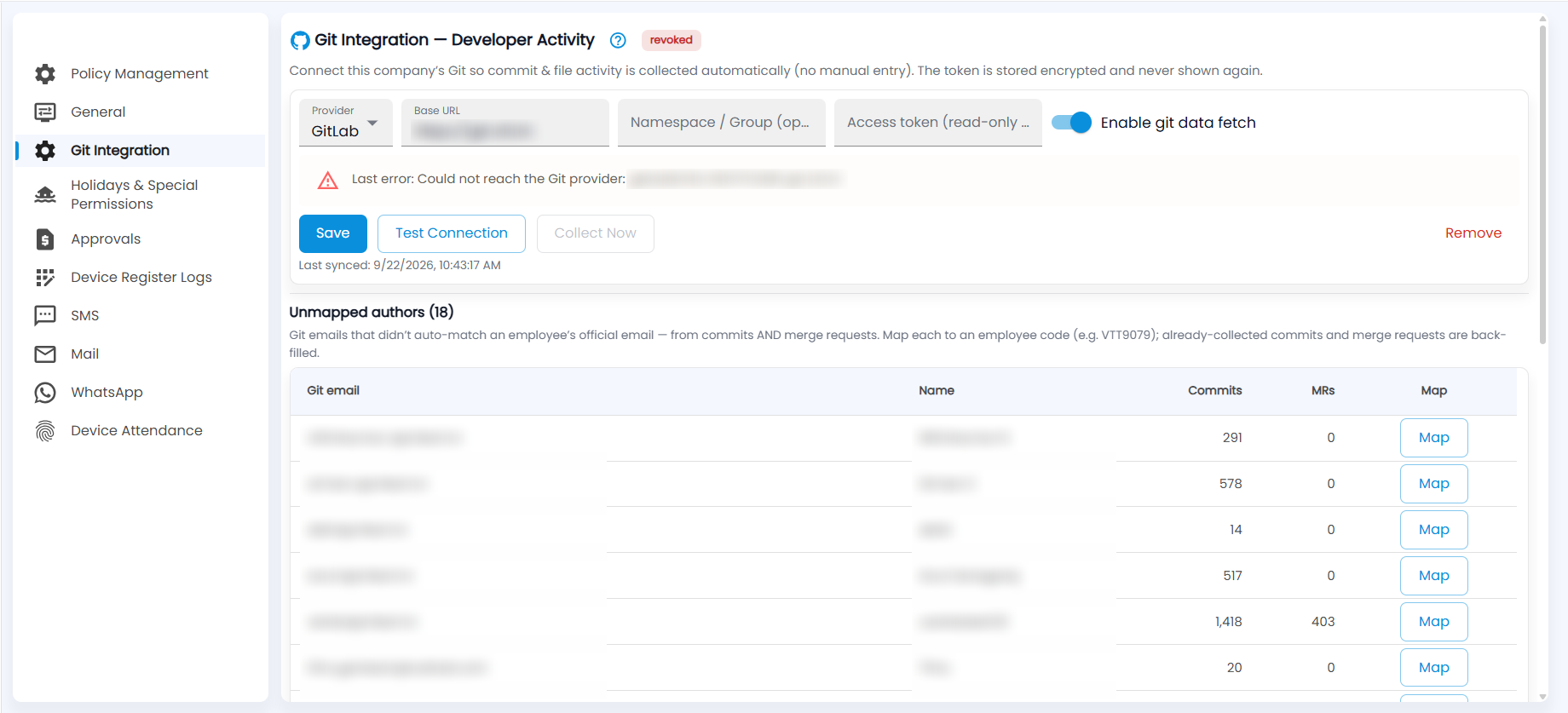
How do I connect my Git provider?
Git Integration collects each developer's commit and file activity automatically, with no manual entry.
- Choose the Provider, for example GitLab.
- Enter the Base URL of your Git server.
- Optionally enter a Namespace / Group to collect only that group's projects.
- Paste an Access token with read-only access. The token is stored encrypted and never shown again.
- Turn on Enable git data fetch and click Save.
- Click Test Connection to check that Tazk can reach the provider. Then click Collect Now to fetch activity straight away.
Last synced shows when activity was last collected. Remove disconnects Git.
What do the status tag and last error mean?
The tag next to the title shows the connection state. For example, revoked means the provider no longer accepts the token. When collection fails, Last error explains why, for example "Could not reach the Git provider" when the base URL cannot be resolved.
- For a revoked or expired token, create a new read-only token in your Git provider, paste it and click Save.
- For an unreachable provider, check the base URL and that the server is reachable from the internet, then click Test Connection.
How do I map unmapped authors?
Unmapped authors lists Git emails, from commits and merge requests, that did not automatically match an employee's official email. Each row shows the Git email, the name used in Git and the number of commits and MRs.
- Click Map on a row.
- Enter the employee code, for example VTT9079.
- Save. Commits and merge requests already collected for that email are back-filled to the employee.