
How do I set up SMS in Tazk Payroll?
Open Configuration → SMS and click Add SMS Config. Enter your SMS provider's URL, the registered sender Header and the 32-character Token, and choose the Location. Click Test SMS to confirm the details, then Save gateway. Each location has one gateway.
What does the SMS list show?
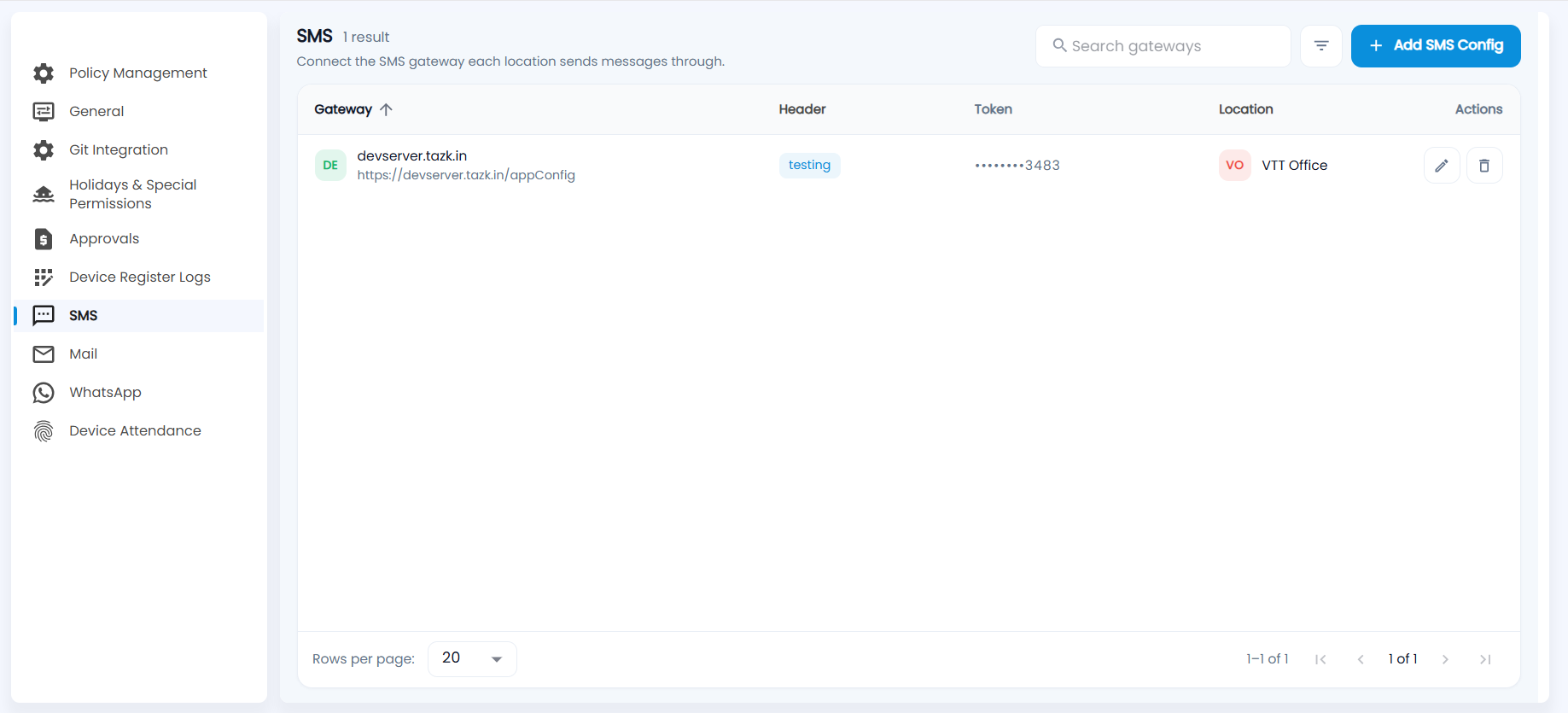
"Connect the SMS gateway each location sends messages through." Each row shows the Gateway (host and URL), the sender Header, the Token (masked except the last four characters) and the Location. Search gateways, filter, sort by gateway, and use the pencil to edit or the bin to delete.
How do I add an SMS gateway?
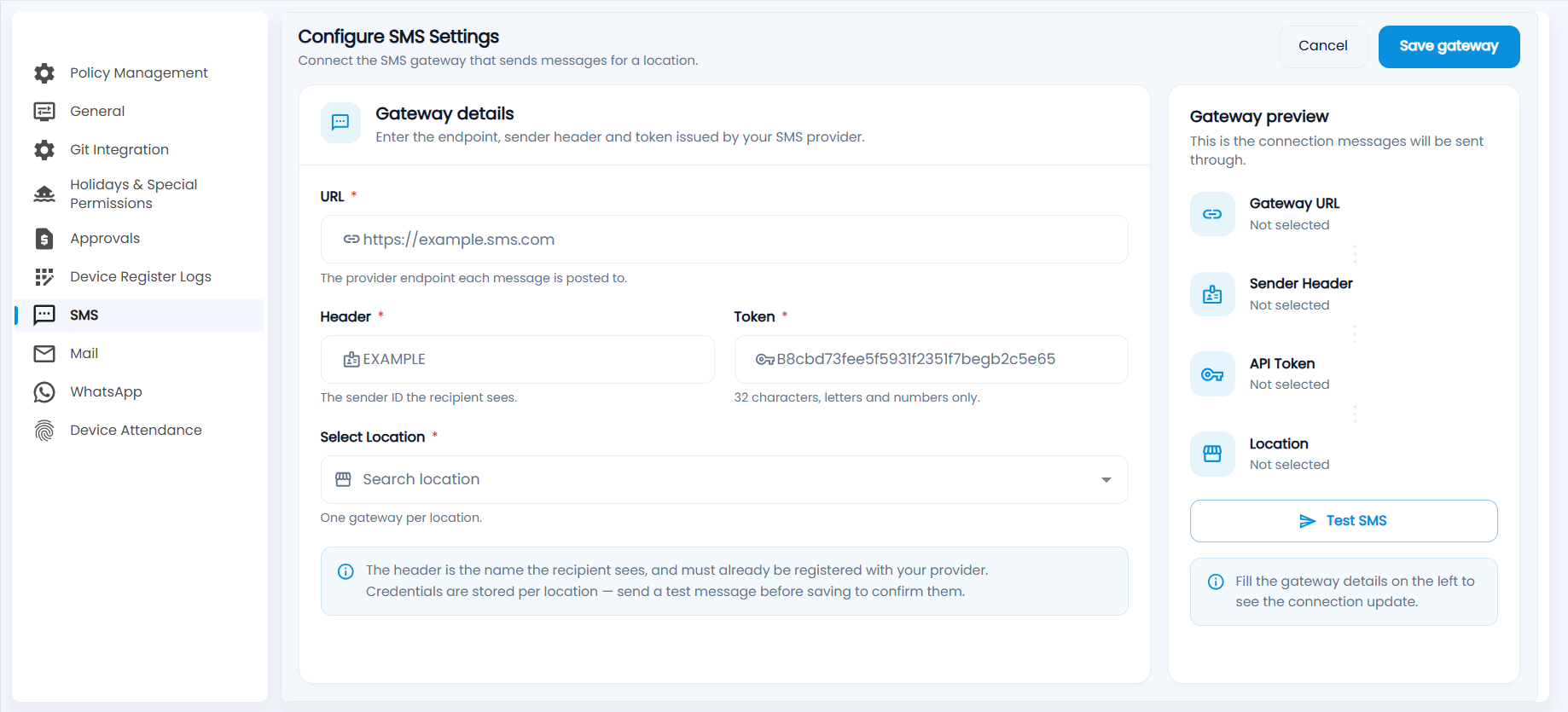
- Click Add SMS Config.
- Enter the URL: the provider endpoint each message is posted to.
- Enter the Header: the sender ID the recipient sees. It must already be registered with your provider.
- Enter the Token issued by your provider: 32 characters, letters and numbers only.
- Choose the Location. Each location can have one gateway.
- Check the Gateway preview on the right, click Test SMS to send a test message, then click Save gateway.
Note: Credentials are stored per location. Send a test message before saving to confirm them.