
The Sales Man Menu
The Sales Man menu is for managing your field salesmen — who covers which customers, where they went, what they sold and collected, and what they are paid. Click Sales Man in the sidebar to expand it.
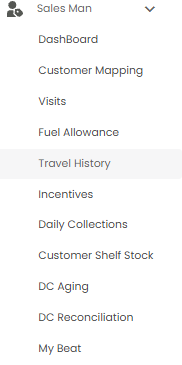
| Sub-menu | What it is for |
|---|---|
| DashBoard | Sales, outstanding, visits, and deliveries at a glance (this article) |
| Customer Mapping | Which customers each salesman looks after |
| Visits | The shops each salesman visited on a day |
| Fuel Allowance | Salesmen's fuel claims, checked against GPS |
| Travel History | Each salesman's route on a map |
| Incentives | Sales targets and incentives for salesmen |
| Daily Collections | Money collected by salesmen each day |
| Customer Shelf Stock | Stock on your customers' shelves |
| DC Aging | How long delivery challans have been open |
| DC Reconciliation | Settling delivery challans |
| My Beat | A salesman's planned round of shops |
The Dashboard
Open Sales Man > DashBoard. It has five tabs: General, Outstanding, Sales & DC's, Visits, and Delivery. A red dot on a tab means something there needs attention.
General
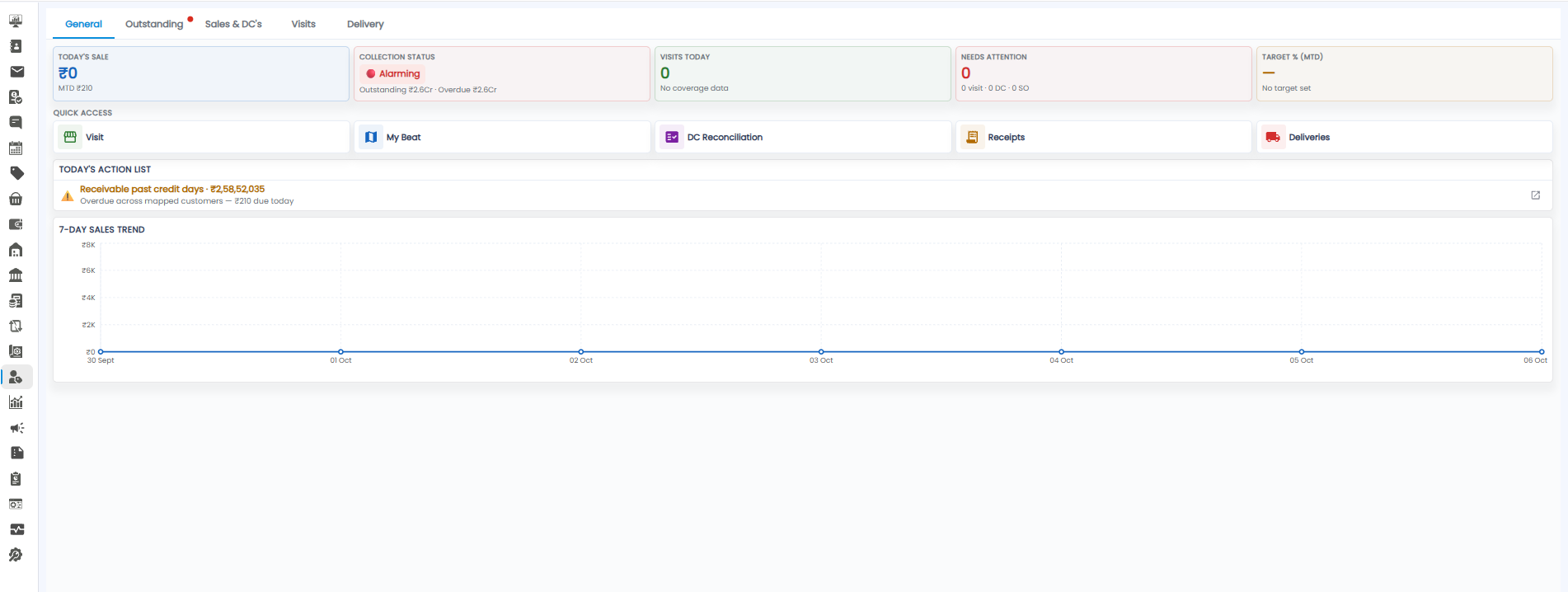
| Tile | What it shows |
|---|---|
| Today's Sale | Sales today, with the month-to-date (MTD) figure below |
| Collection Status | For example Alarming, with the total outstanding and overdue |
| Visits Today | Shop visits made today |
| Needs Attention | Visits, DCs, and sales orders that need action |
| Target % (MTD) | How much of this month's target is achieved, or No target set |
- Quick Access — one click to Visit, My Beat, DC Reconciliation, Receipts, and Deliveries
- Today's Action List — what to act on today, for example Receivable past credit days with the amount overdue across mapped customers and the amount due today. The icon on the right opens the details
- 7-Day Sales Trend — sales for each of the last seven days
Outstanding
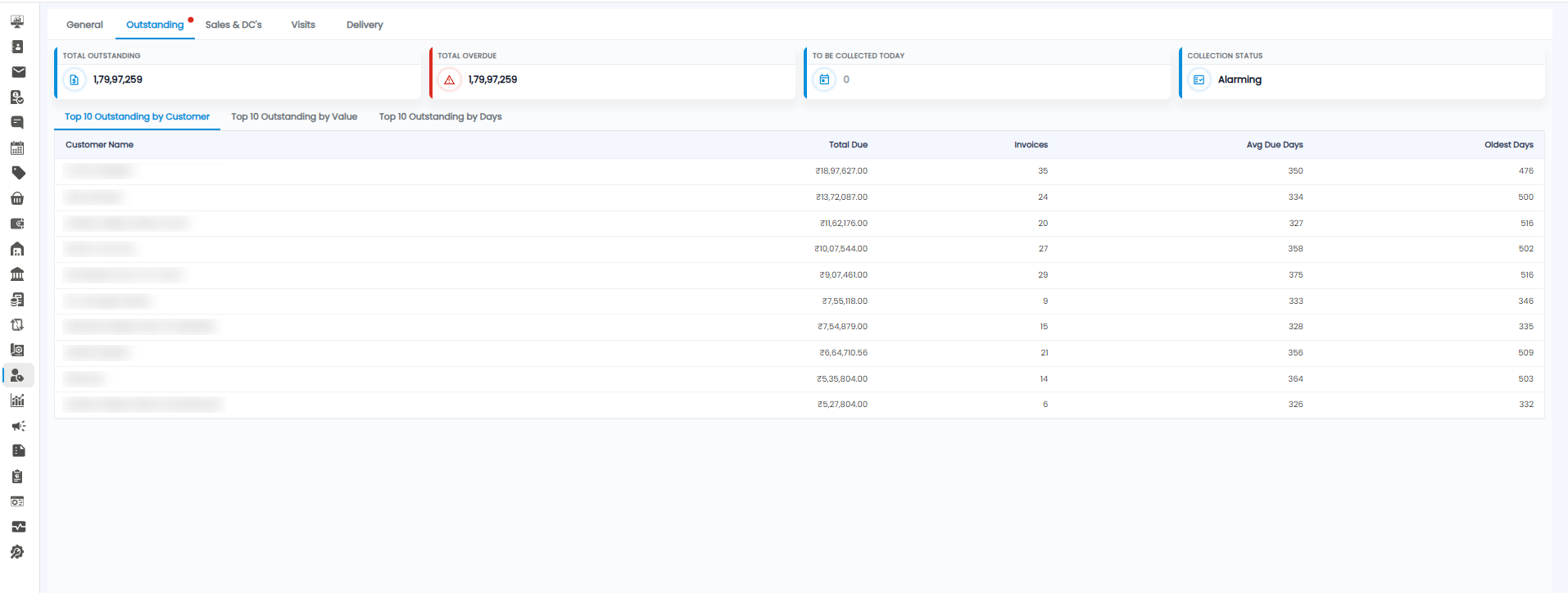
The tiles show Total Outstanding, Total Overdue, To Be Collected Today, and the Collection Status. Below, switch between Top 10 Outstanding by Customer, by Value, and by Days. Each row shows the Customer Name, Total Due, number of Invoices, Avg Due Days, and Oldest Days.
Sales & DC's
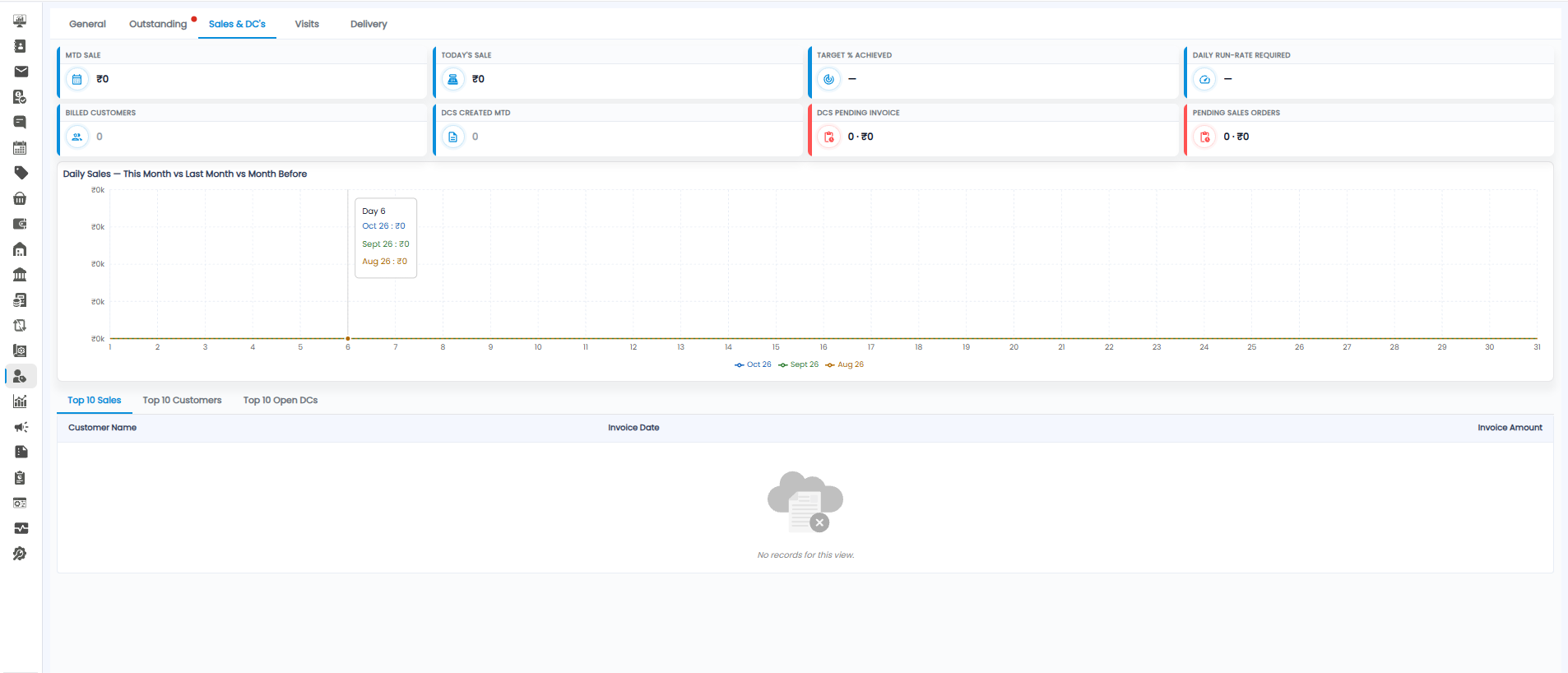
| Tile | What it shows |
|---|---|
| MTD Sale / Today's Sale | Sales this month and today |
| Target % Achieved | Share of the month's target reached |
| Daily Run-Rate Required | How much you need to sell each remaining day to hit the target |
| Billed Customers | Customers invoiced this month |
| DCs Created MTD | Delivery challans raised this month |
| DCs Pending Invoice | Delivery challans not yet invoiced — count and amount |
| Pending Sales Orders | Sales orders not yet invoiced — count and amount |
Daily Sales — This Month vs Last Month vs Month Before compares sales day by day; hover over a day to see all three months. Below it, switch between Top 10 Sales, Top 10 Customers, and Top 10 Open DCs.
Visits
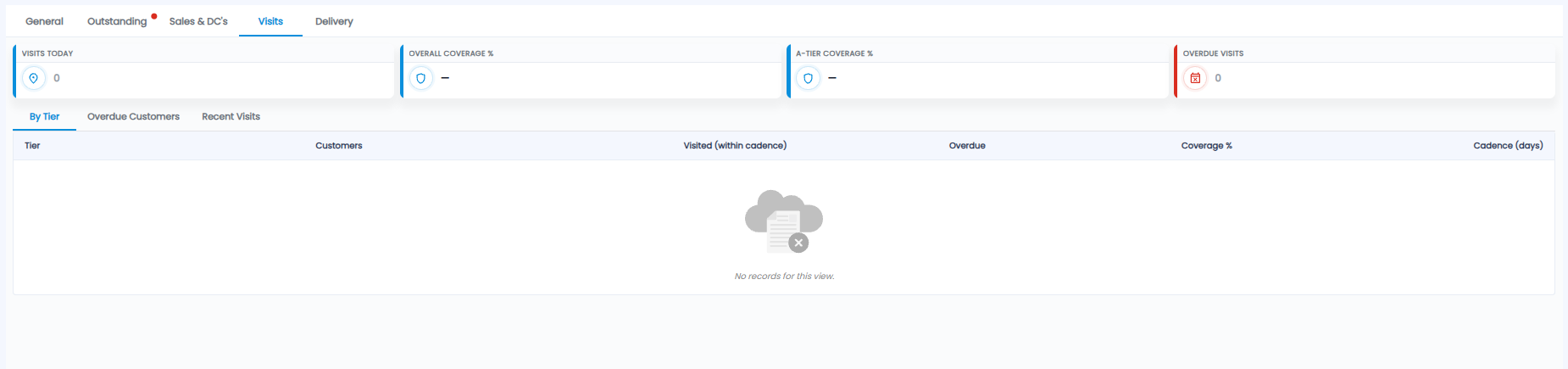
The tiles show Visits Today, Overall Coverage %, A-Tier Coverage % (your most important customers), and Overdue Visits. Below, switch between:
- By Tier — for each customer tier: Customers, Visited (within cadence), Overdue, Coverage %, and the Cadence (days) — how often each tier should be visited
- Overdue Customers — customers not visited within their cadence
- Recent Visits — the latest visits
Delivery
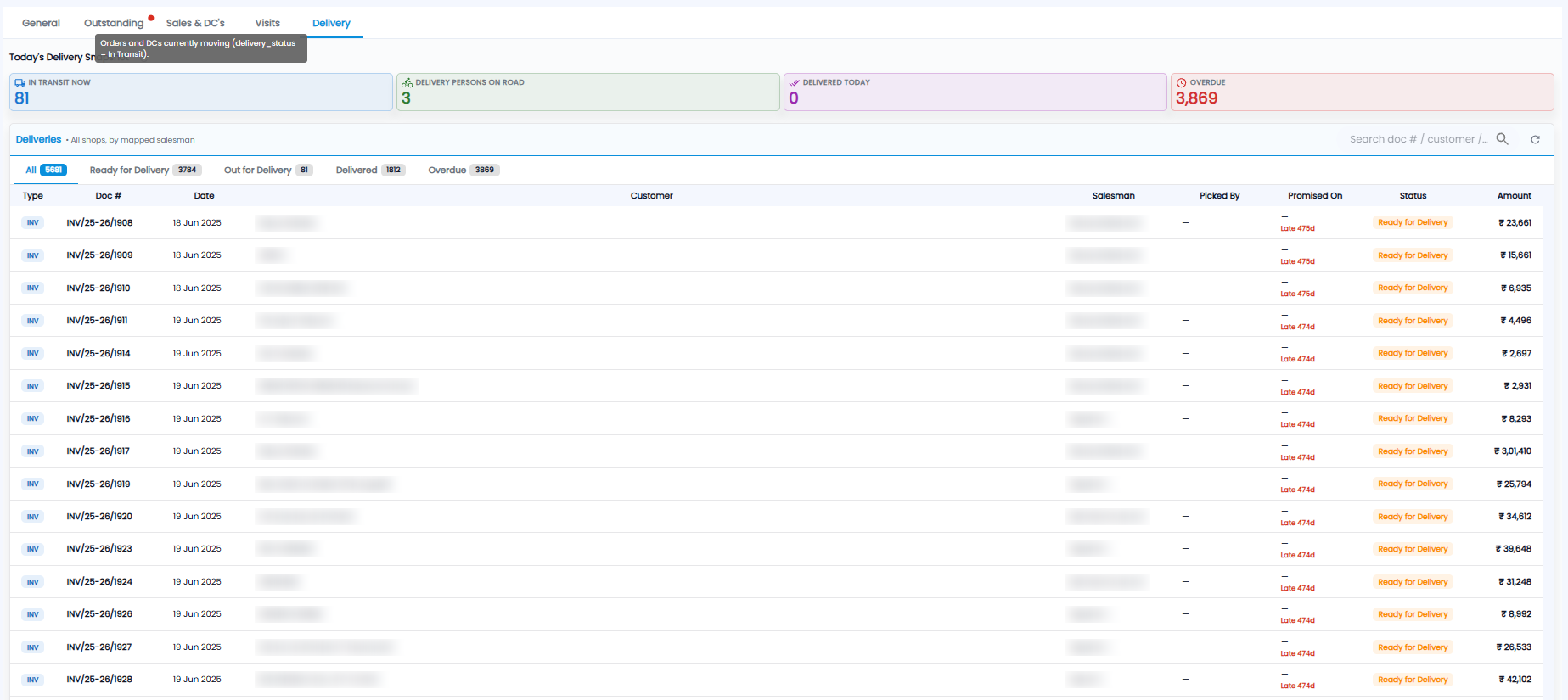
| Tile | What it shows |
|---|---|
| In Transit Now | Orders and DCs currently on the way |
| Delivery Persons on Road | Delivery staff out right now |
| Delivered Today | Deliveries completed today |
| Overdue | Deliveries past their promised date |
Deliveries lists every invoice and DC to be delivered, for all shops, by mapped salesman. Filter with All, Ready for Delivery, Out for Delivery, Delivered, and Overdue (each shows its count), or search by document number or customer. The columns are Type (for example INV), Doc #, Date, Customer, Salesman, Picked By, Promised On (with how many days late), Status, and Amount.