
Overview
Customer Mapping decides which customers each salesman looks after. The dashboard, visits, outstanding, and deliveries all use this mapping. Open Sales Man > Customer Mapping.
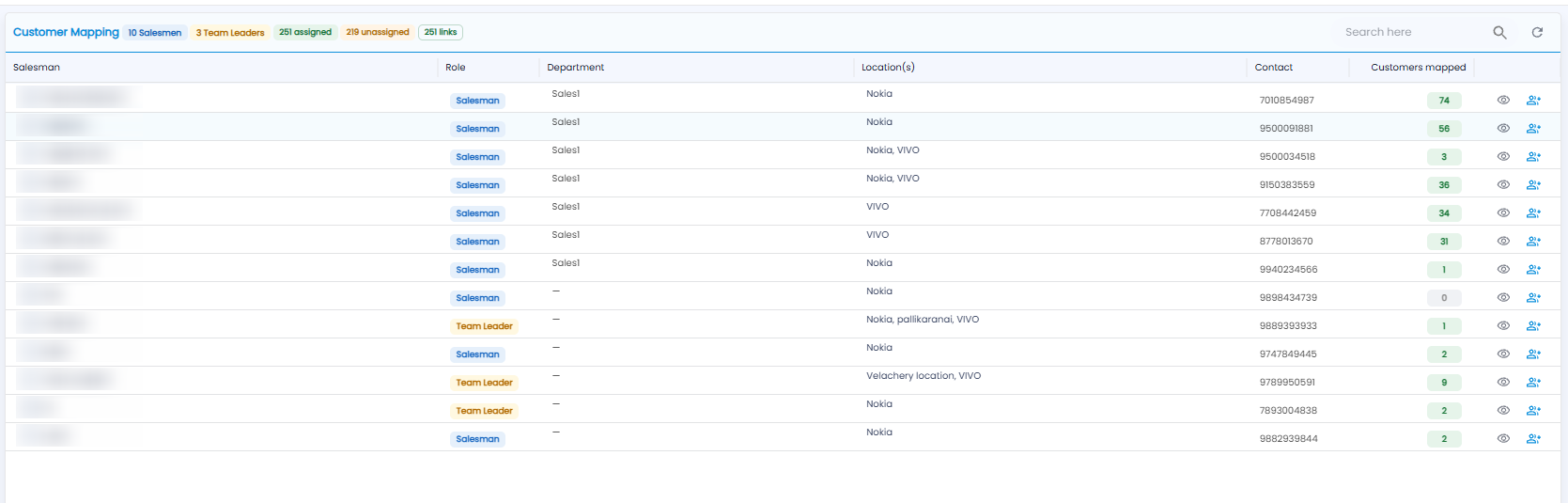
Summary Badges
The badges next to the title show the number of Salesmen and Team Leaders, how many customers are assigned and unassigned, and the total number of links between salesmen and customers.
The List
| Column | What it shows |
|---|---|
| Salesman | The person's name |
| Role | Salesman or Team Leader |
| Department / Location(s) | Their department, and the locations they work for |
| Contact | Their phone number |
| Customers mapped | How many customers they look after |
| Eye icon | View the customers mapped to them |
| Person + icon | Assign customers to them |
Use Search here to find a salesman, and the refresh icon to reload the list.
Tip: Keep the unassigned count close to zero — an unassigned customer has nobody visiting or collecting from them.