
Overview
A debit note reduces what you owe a vendor — for example after returning goods, or for a scheme the vendor owes you. Open Purchases > Debit Notes.
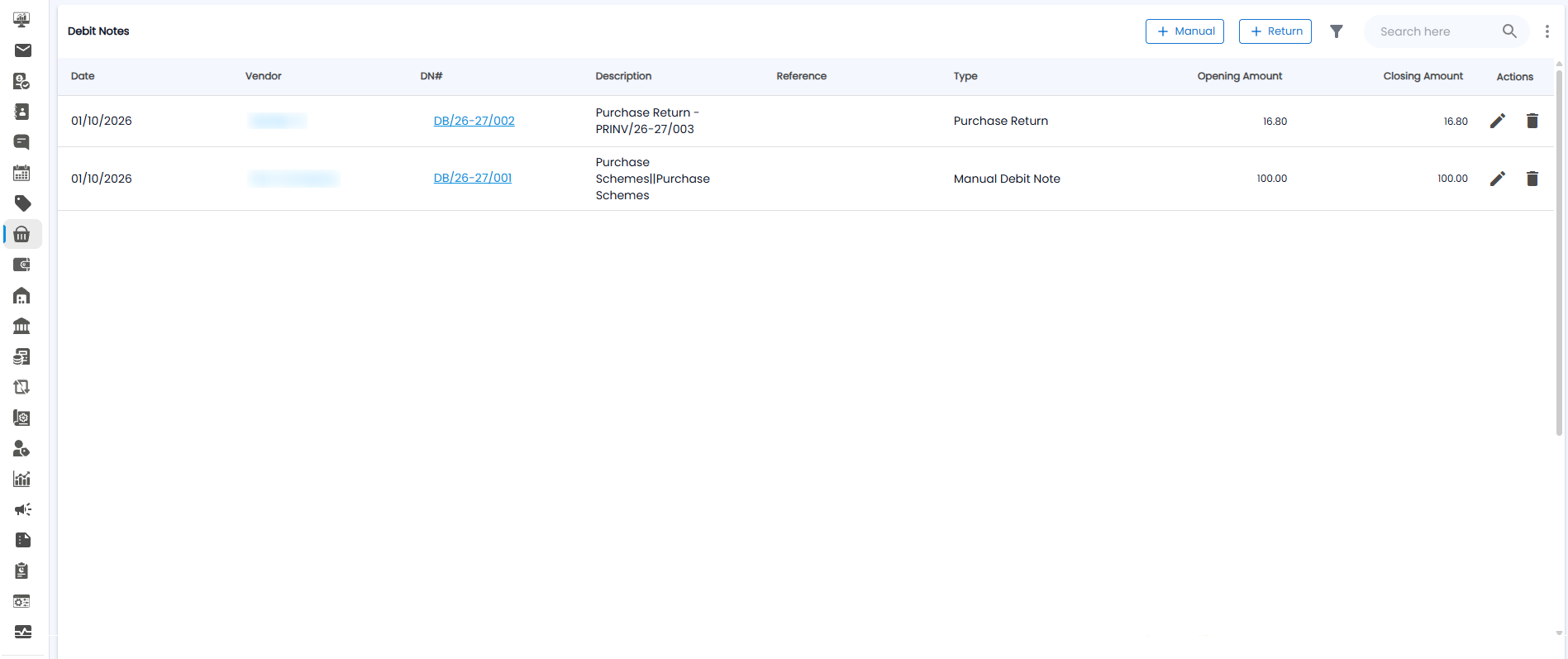
The Debit Notes List
| Column | What it shows |
|---|---|
| Date / Vendor | When, and which vendor |
| DN# | The debit note number, for example DB/26-27/002 |
| Description / Reference | What it is for, for example Purchase Return – PRINV/26-27/003 |
| Type | Purchase Return or Manual Debit Note |
| Opening Amount / Closing Amount | The amount at the start, and how much is still left to use |
| Actions | Edit (pencil) or delete (bin) |
Two Kinds of Debit Note
- + Manual — an amount you enter by hand against a ledger, for example a purchase scheme
- + Return — a purchase return, where you send items back to the vendor
Manual Debit Note
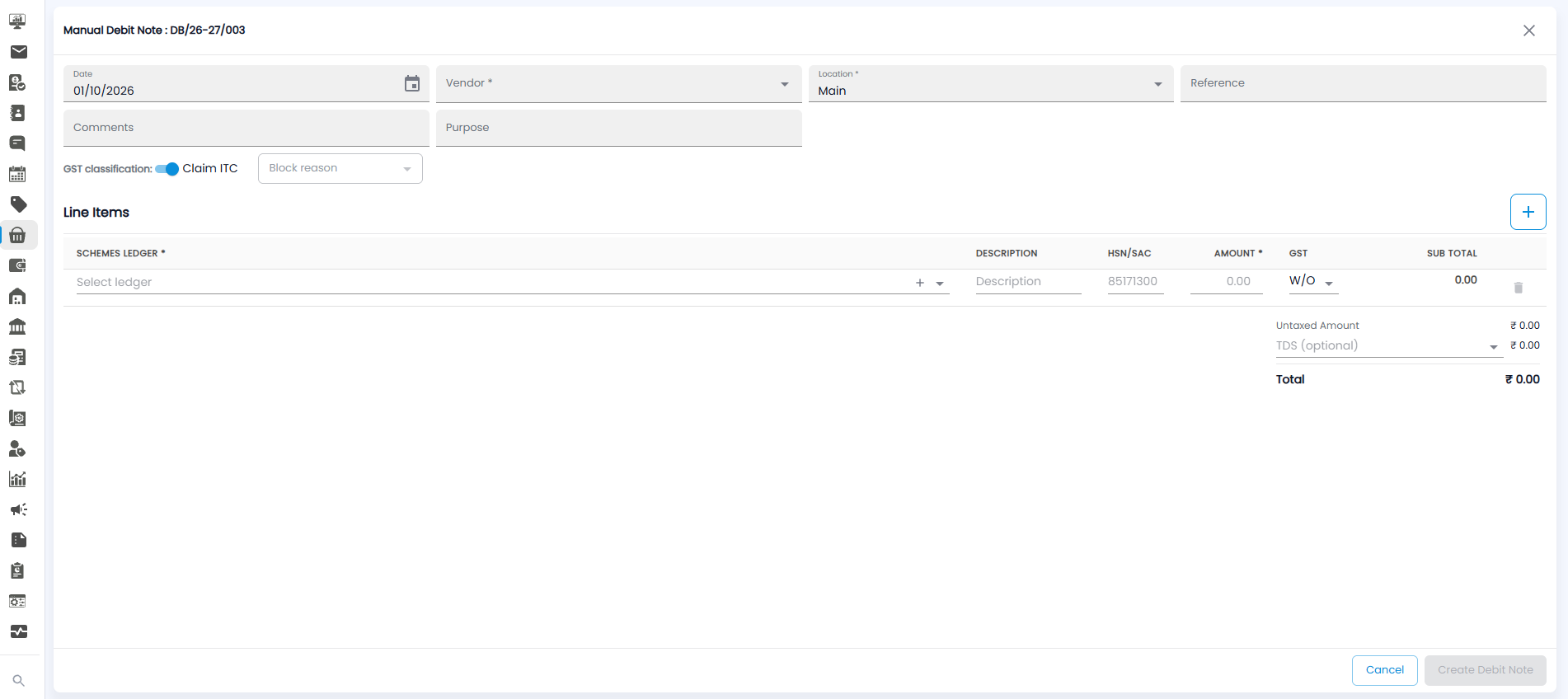
- Check the Date (today by default), pick the Vendor*, and the Location* (Main by default)
- Add a Reference, Comments, and Purpose if needed
- Set the GST classification — Claim ITC on by default, or pick a Block reason
- Under Line Items, pick the Schemes Ledger* (click + next to it to add a new ledger), add a Description, the HSN/SAC, the Amount*, and the GST (W/O means without GST). Use the large + to add more lines, and the bin to remove one
- Choose TDS (optional) if tax is deducted; the Total updates
- Click Create Debit Note, or Cancel
Purchase Return
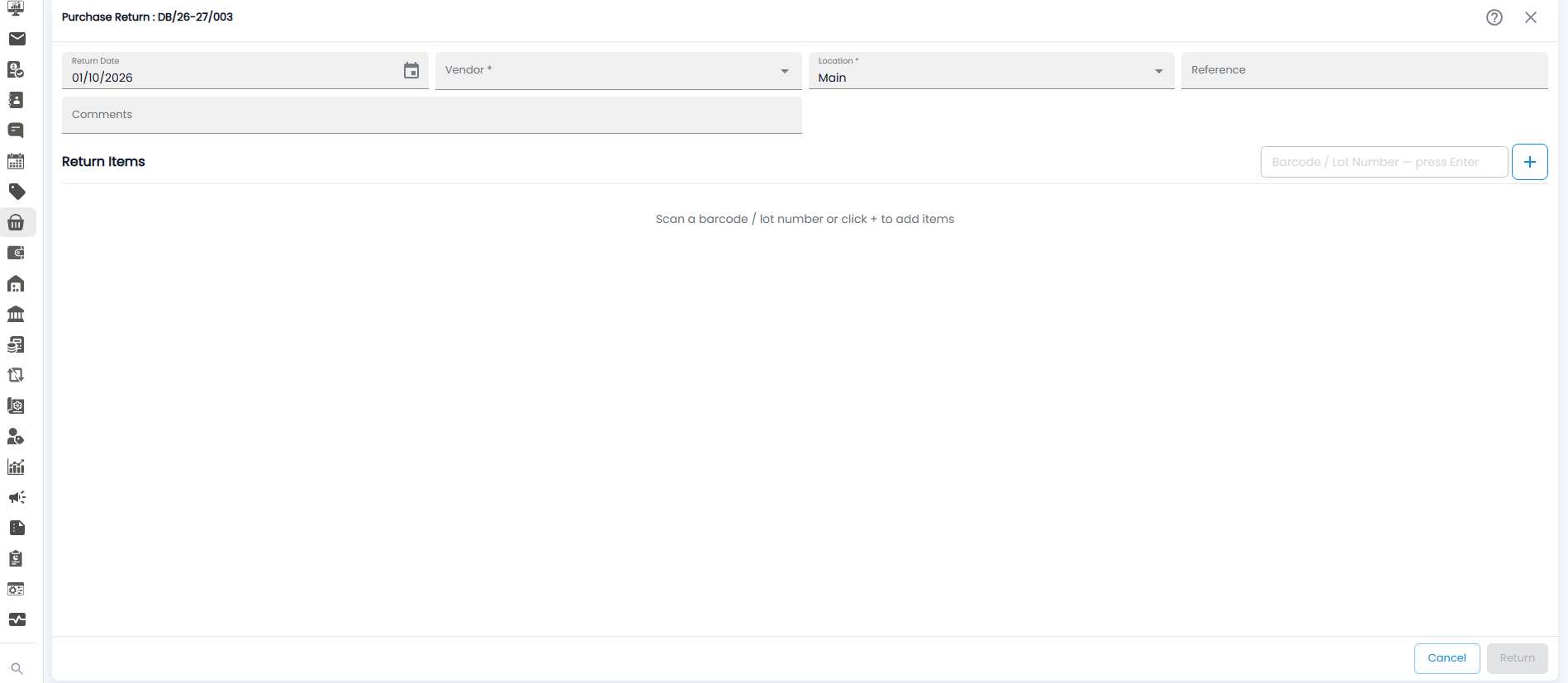
- Check the Return Date, and pick the Vendor* and Location*
- Add a Reference and Comments if needed
- Under Return Items, scan or type a Barcode / Lot Number and press Enter, or click + to add items
- Click Return, or Cancel. The ? icon at the top right opens help
The return creates a debit note of type Purchase Return.