
Overview
A purchase bill records the invoice a vendor sends you. Open Purchases > Bills.
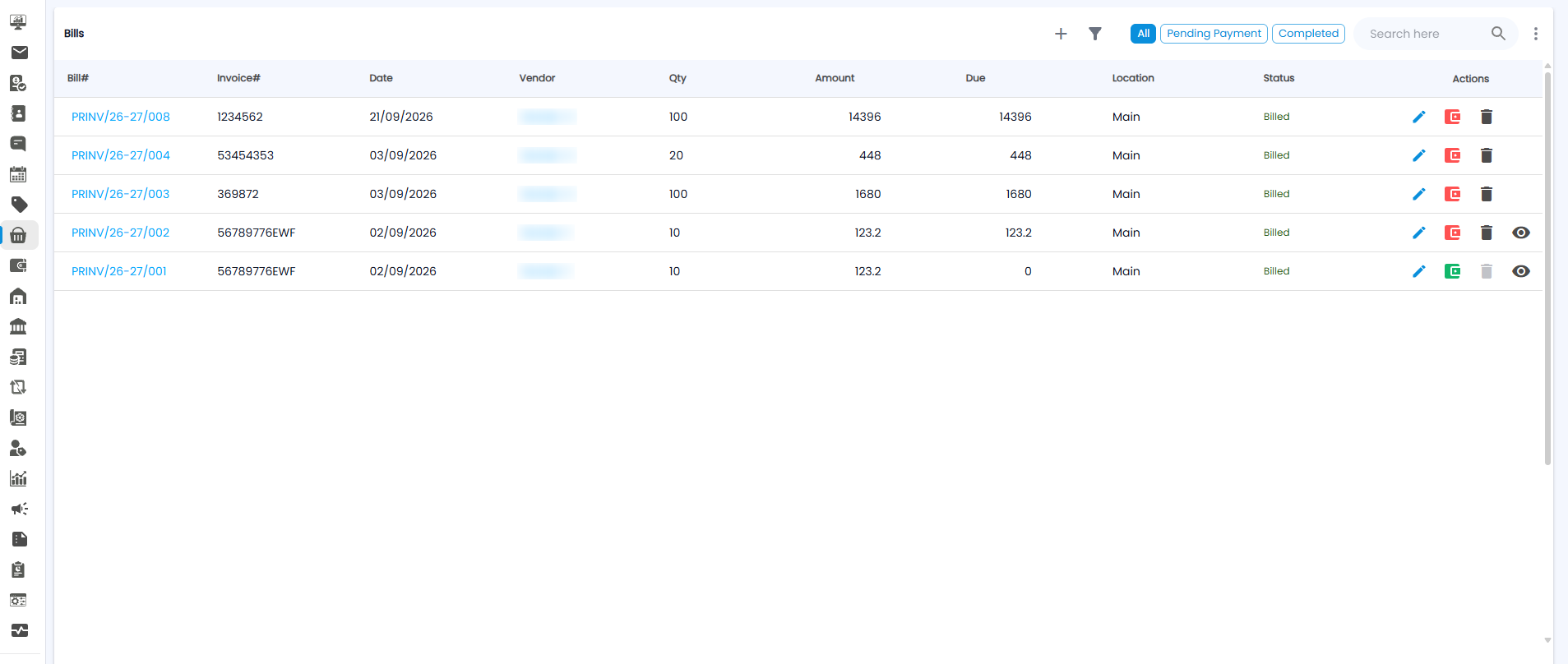
The Bills List
Use All, Pending Payment, and Completed at the top to filter the list.
| Column | What it shows |
|---|---|
| Bill# | Your bill number, for example PRINV/26-27/008 |
| Invoice# | The vendor's own invoice number |
| Date / Vendor | When, and who it is from |
| Qty / Amount / Due | Items, bill value, and how much is still unpaid |
| Location / Status | Where the goods went, and for example Billed |
| Actions | Edit (pencil); the coloured icon is red while payment is due and green once paid; delete (bin, greyed out once paid); and view (eye) on some bills |
Recording a Purchase Bill
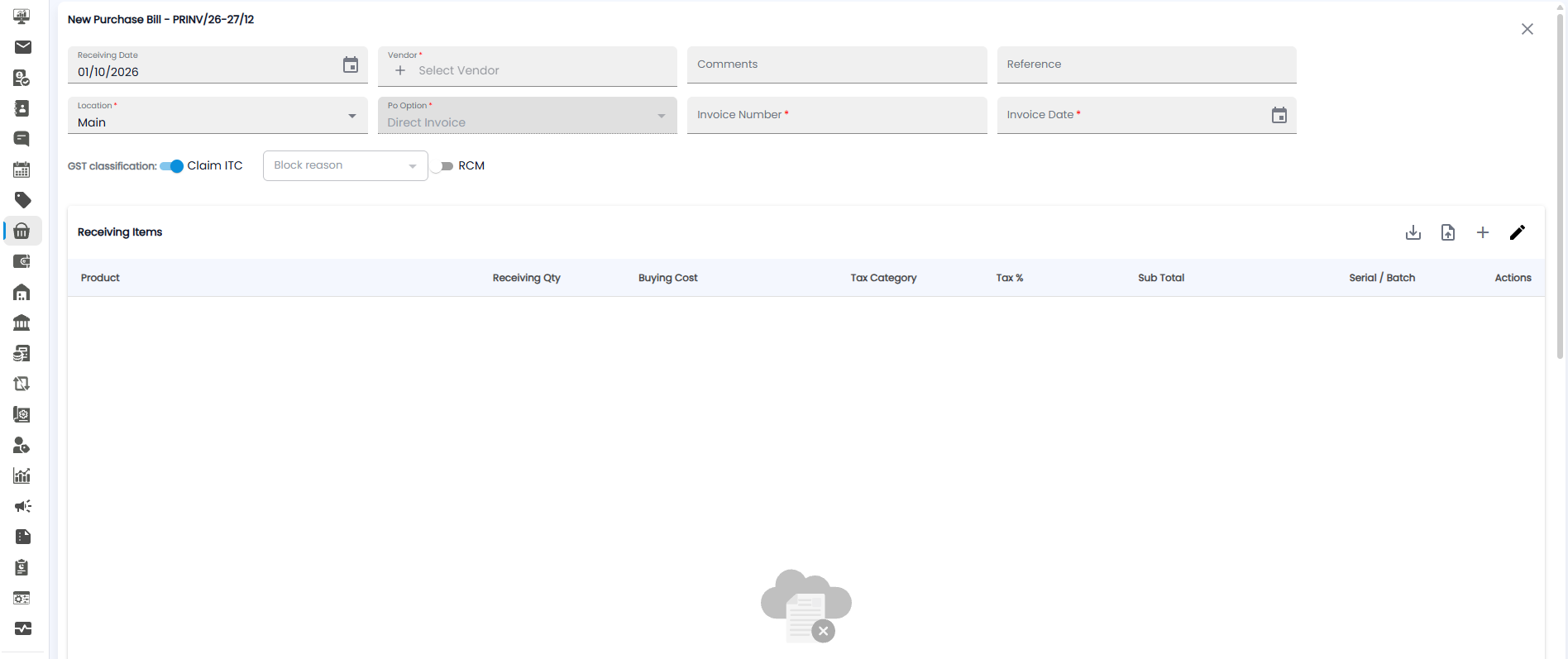
Click +. The form opens with the next bill number, for example PRINV/26-27/12.
| Field | Required | Description |
|---|---|---|
| Receiving Date | No | When you received the goods. Today by default |
| Vendor | Yes | Who the bill is from. Click + to add a new vendor |
| Comments / Reference | No | Notes, and any reference |
| Location | Yes | Where the goods went. Main by default |
| Po Option | Yes | Direct Invoice for a bill without a purchase order |
| Invoice Number / Invoice Date | Yes | The number and date printed on the vendor's invoice |
The GST classification works as on a purchase order: Claim ITC (with a Block reason if it cannot be claimed) and RCM.
Receiving Items
Click + to add each product received: Product, Receiving Qty, Buying Cost, Tax Category, Tax %, Sub Total, and Serial / Batch. The upload icon adds items from a file, the download icon downloads them, and the pencil edits them.
Important: Type the vendor's Invoice Number exactly as printed — it is what you match against their statement and your GST returns.