
The Purchases Menu
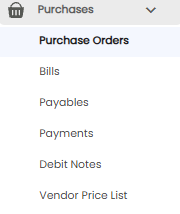
Click Purchases in the sidebar to expand it. It has six sub-menus, each covered by its own article:
| Sub-menu | What it is for |
|---|---|
| Purchase Orders | Orders you place with your vendors (this article) |
| Bills | Bills you receive from vendors |
| Payables | What you still owe vendors, and how overdue it is |
| Payments | Payments you make to vendors |
| Debit Notes | Amounts you claim back from vendors, including purchase returns |
| Vendor Price List | The prices your vendors charge you |
The Purchase Orders List
| Column | What it shows |
|---|---|
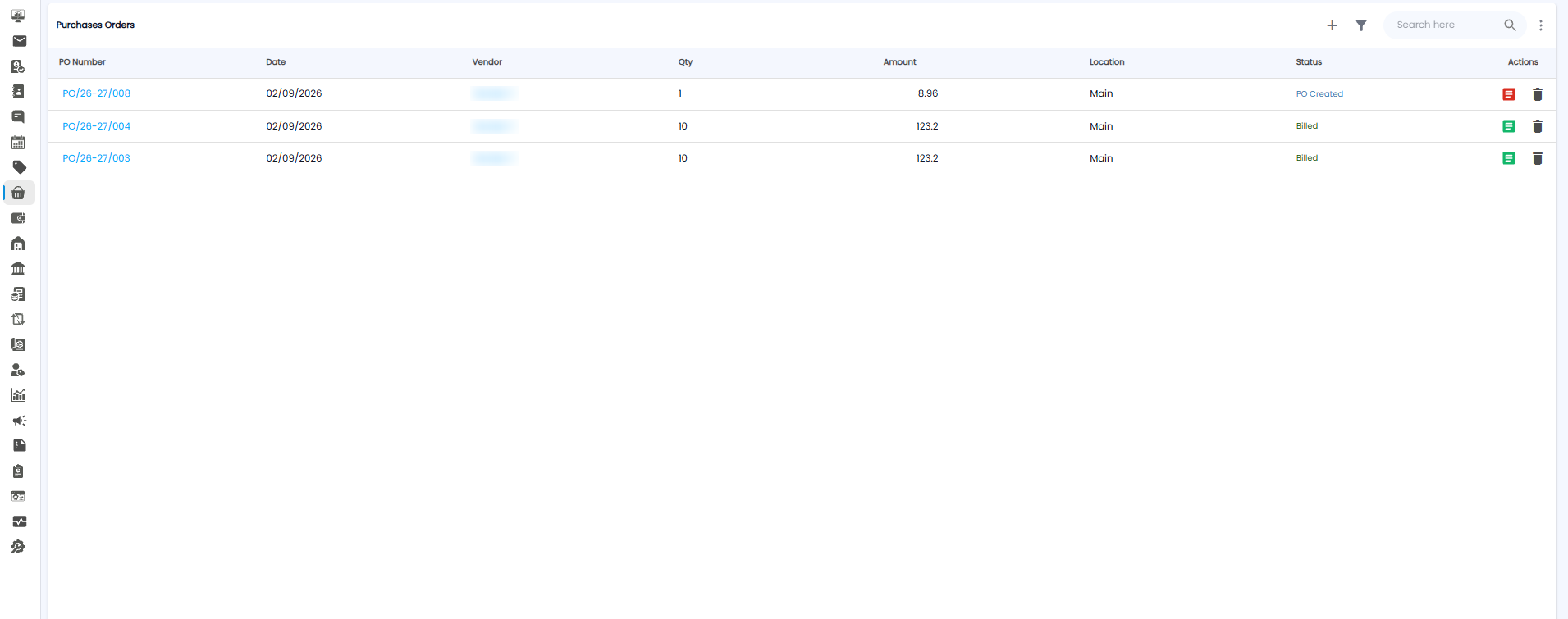
| PO Number | The order number, for example PO/26-27/008. Click it to open the order |
| Date / Vendor | When, and who it is from |
| Qty / Amount | How many items, and the order value |
| Location | The location the goods are for, for example Main |
| Status | PO Created until the vendor bill is recorded, then Billed |
| Actions | The document icon is red while the order is not yet billed and green once it is; the bin deletes the order |
Use + to add an order, the filter icon to narrow the list, and Search here to find one.
Creating a Purchase Order
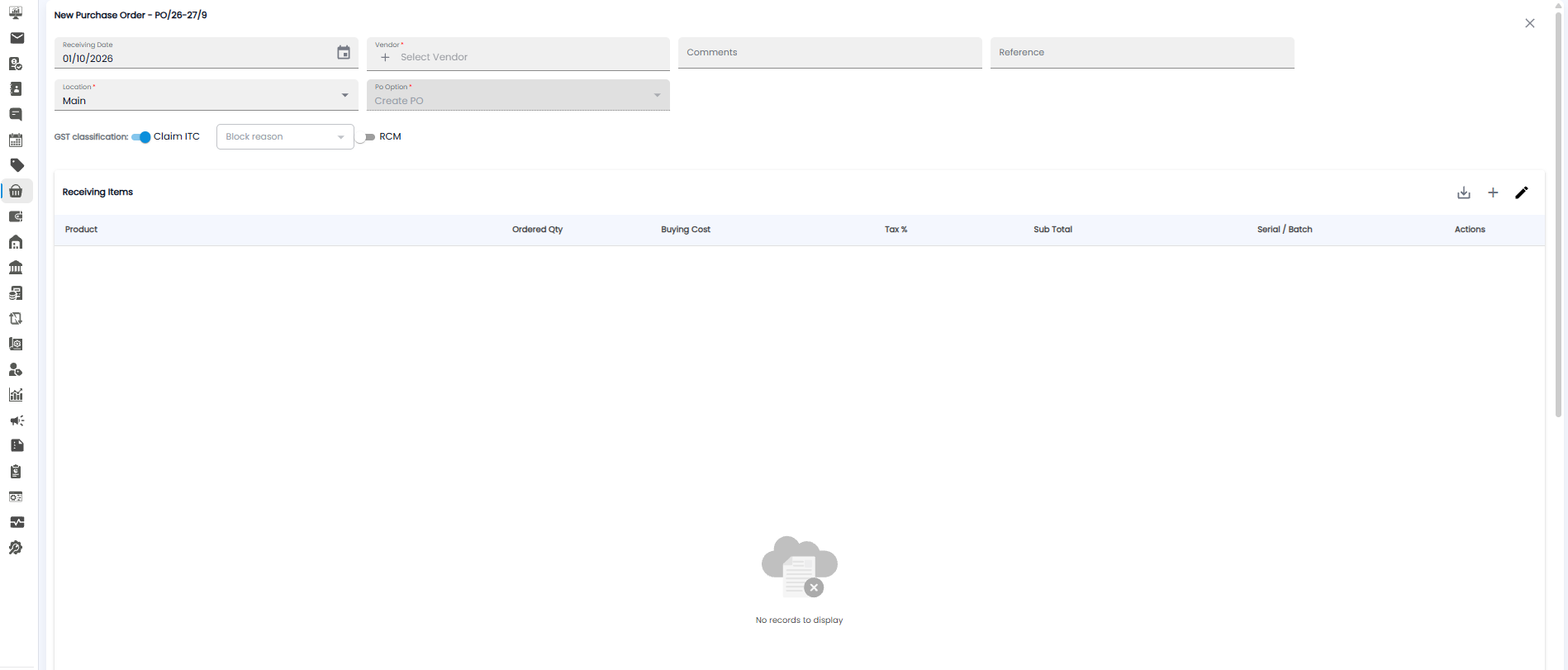
Click +. The form opens with the next order number, for example PO/26-27/9.
| Field | Required | Description |
|---|---|---|
| Receiving Date | No | When you expect the goods. Today by default |
| Vendor | Yes | Who you are ordering from. Click + to add a new vendor |
| Comments / Reference | No | Notes, and the vendor's quote or reference number |
| Location | Yes | Where the goods should go. Main by default |
| Po Option | Yes | Set to Create PO |
GST Classification
- Claim ITC — on by default, so you claim the input tax credit on this purchase. Turn it off and pick a Block reason if the credit cannot be claimed.
- RCM — turn on if this purchase falls under the reverse charge mechanism, where you pay the GST instead of the vendor.
Receiving Items
Click + to add a product. Each row has the Product, Ordered Qty, Buying Cost, Tax %, Sub Total, and Serial / Batch. The pencil icon edits the items and the download icon downloads them.
Tip: Set Claim ITC correctly when you raise the order — it carries through to the bill and decides whether you can claim the GST back.