
Overview
A vendor price list records the prices a vendor charges you for a brand and category over a period. Open Purchases > Vendor Price List.
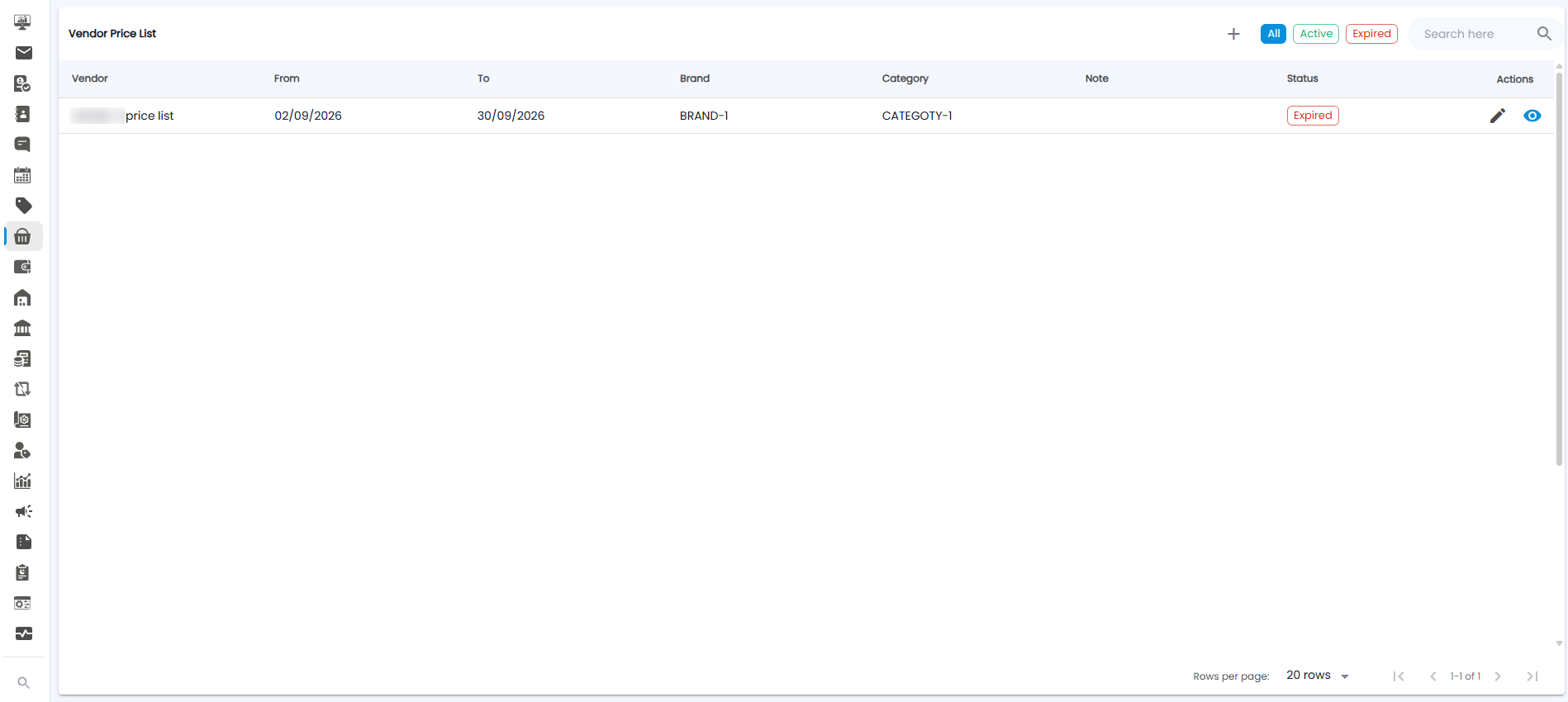
The Price List
| Column | What it shows |
|---|---|
| Vendor | The price list name, for example vendor-1 price list |
| From / To | The period the prices apply |
| Brand / Category | Which products it covers |
| Note | Any notes |
| Status | For example Expired once the To date has passed |
| Actions | Edit (pencil) or view (eye) |
Use All, Active, and Expired to filter, and Search here to find one.
Creating a Vendor Price List
Click +.
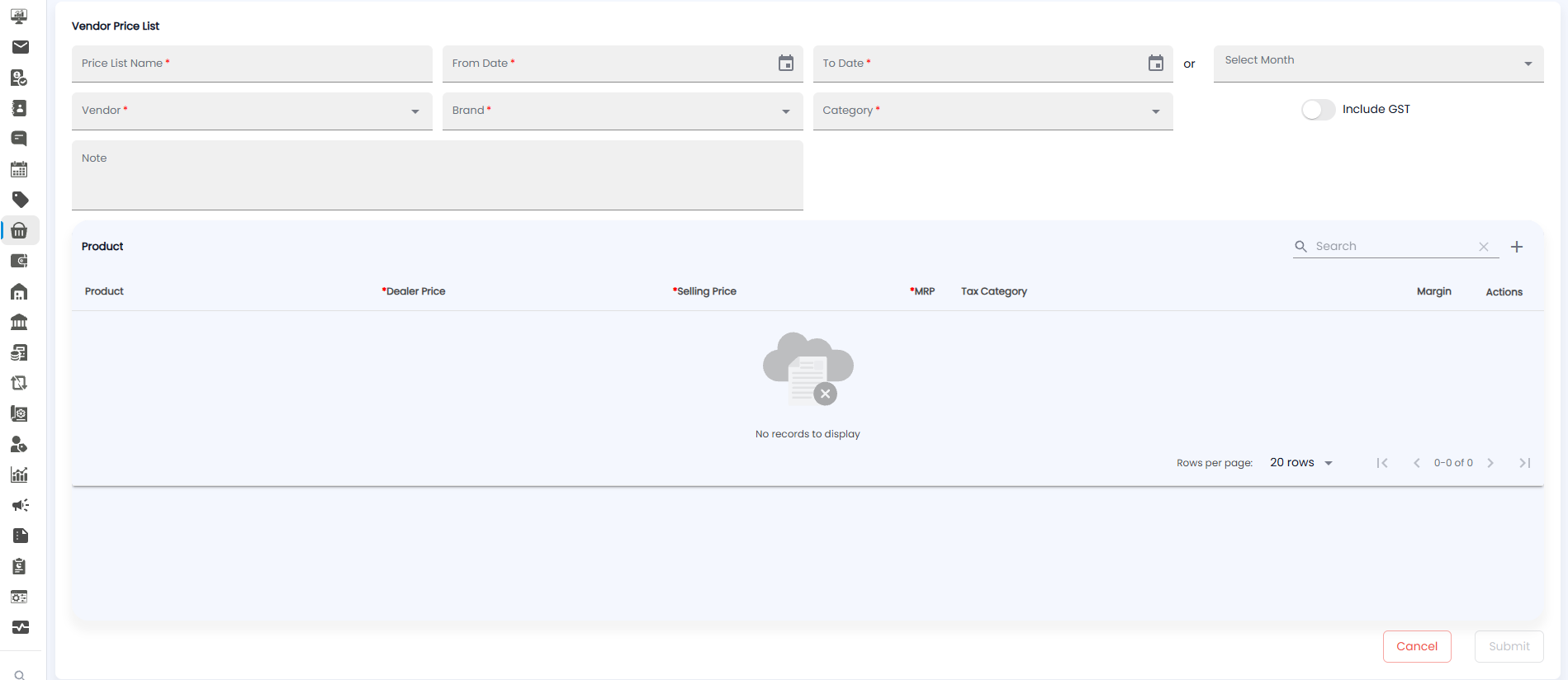
| Field | Required | Description |
|---|---|---|
| Price List Name | Yes | A name for the price list |
| From Date / To Date | Yes | The period the prices apply — or pick a whole month with Select Month instead |
| Vendor / Brand / Category | Yes | Who the prices are from, and which products they cover |
| Include GST | No | Turn on if the prices you enter include GST |
| Note | No | Any notes |
Product Prices
Click + in the Product section to add a product, and enter its Dealer Price*, Selling Price*, and MRP*. The Tax Category and Margin are shown for each product. Use Search to find a product already in the list.
Click Submit to save the price list, or Cancel to leave without saving.
Tip: Check the Margin column before you save — it shows straight away whether a product is worth buying at that dealer price.