
What is Sync Inventory in Tazk POS?
Sync Inventory lists the products your location has available for sync — the catalogue the counter keeps a local copy of so it can bill offline. It shows each product’s name, category, brand, description, unit price and tax category. Only products sold at every location, or assigned to your location, are included.
What does the Sync Inventory page show?
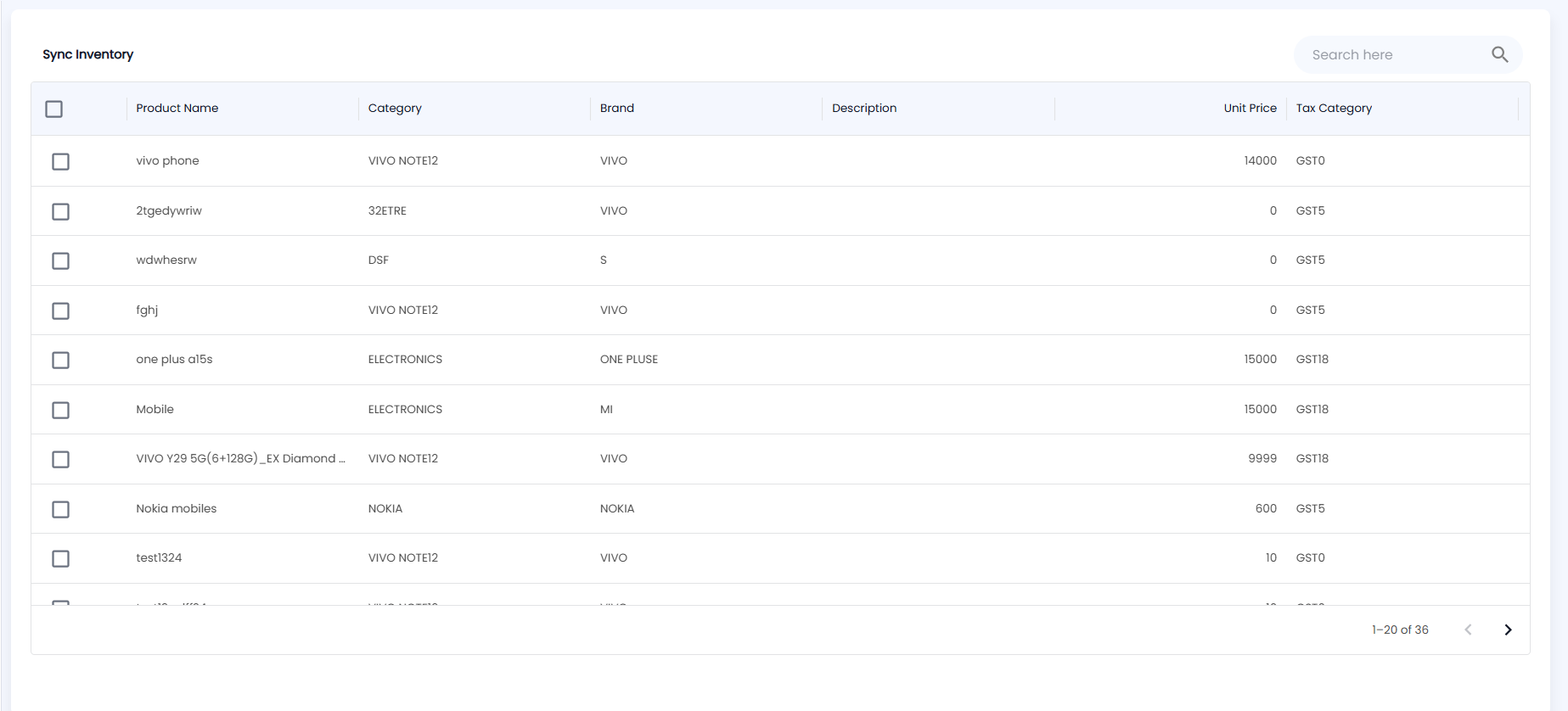
Click Inventory → Sync Inventory. The page lists products for the location selected in the header, 20 at a time:
| Column | Description |
|---|---|
| Product Name | The product |
| Category / Brand | How it is grouped |
| Description | The product description |
| Unit Price | Selling price |
| Tax Category | The GST rate applied, for example GST18 |
Use Search here to find a product; any length of search term works. Each row has a tick box, with a select-all box in the header.
Why is a product missing from the list?
The list is limited to products the location may sell: products set to Every location under All Locations in the Product Master, or products assigned to this location. Deleted products are left out. If a product is missing, open it in the Product Master and check its locations.