
What does the Sales Target Dashboard show?
Sales Target → Dashboard is a read-only overview of one target period. The Salesman tab shows total target, total achieved, achievement % and the number of salesmen, and the Leaderboard ranked by achievement %. The Company tab shows the same for branches. You set targets on Salesman Targets and Company Targets, not here.
How does Sales Target work?
Sales Target has two separate flows that never mix:
- Salesman targets and incentive — monthly goals for each salesman (Salesman Targets), tracked on Achievement, paid through Incentive Plans and Incentive.
- Company (commitment) targets — the top-down plan for branches, brands and products (Company Targets) and vendor commitments. Setting these does not change any salesman's incentive.
Salesman targets are usually kept a little above the commitment (the "stretch", often 20–30% more) as motivation and a safety buffer.
How do I choose the period?
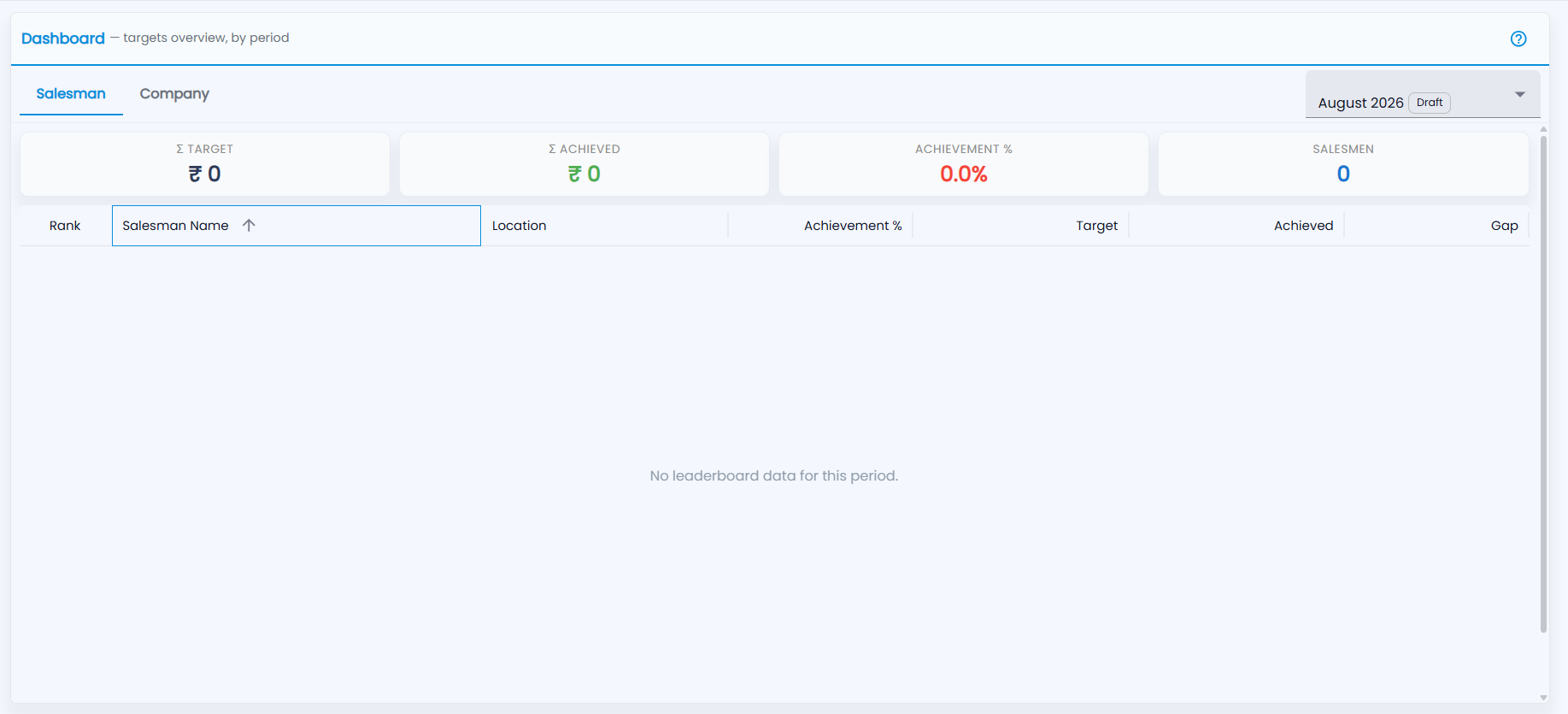
Open Sales Target → Dashboard ("targets overview, by period"). The period selector at the top right, for example August 2026 Draft, drives both tabs. It opens on the period that covers today (or the latest one). Each period shows its status:
| Status | Meaning |
|---|---|
| Draft | Targets not yet final |
| Published | Targets are final and achievement is being tracked |
| Locked / Closed | The period is finished; targets can no longer be edited |
There is nothing to create here — a period is created for you when you pick a month on a target form and save the targets.
What is on the Salesman tab?
Four cards — Σ Target, Σ Achieved, Achievement % and Salesmen — then the leaderboard, ranked by achievement % for the selected period. A salesman's figure includes the targets set for their customers. Click a column heading to sort by it. If no targets are set for the period, it says No leaderboard data for this period.
| Column | What it shows |
|---|---|
| Rank | Position by achievement % |
| Salesman Name / Location | The salesman and their branch |
| Achievement % | Achieved ÷ target |
| Target / Achieved / Gap | The figures in ₹ and what is still to go |
What is on the Company tab?
The Company tab has Σ Target, Σ Achieved, Achievement % and Branches cards and a table of Branch / Level, Target Value, Achieved Value and Achievement % for the branch commitments. The vendor scorecard is on the Vendor tab of Achievement.