
How Targets Work
The Sales Target menu sets targets for a period (usually a month), tracks what was achieved, and works out incentive payouts. There are three kinds of target:
| Target | What it is | Article |
|---|---|---|
| Company targets | A commitment for each branch or location — the realistic number the business plans on | Company Targets |
| Salesman targets | A stretch target for each salesman, usually 20–30% above the commitment, used for incentives | Salesman Targets |
| Vendor targets | A commitment to a vendor across purchase (sell-in), sell-out, and activation (sell-through), with the dealer scheme payout rates | Vendor Targets |
Progress is tracked on Achievement. Payouts are set up in Incentive Plans, worked out in Incentive Results, and can be tried out first in the What-If Incentive Calculator.
Note: A period marked Draft is still open. It is finalised when you save targets for it.
The Dashboard
The Dashboard gives a targets overview for one period.
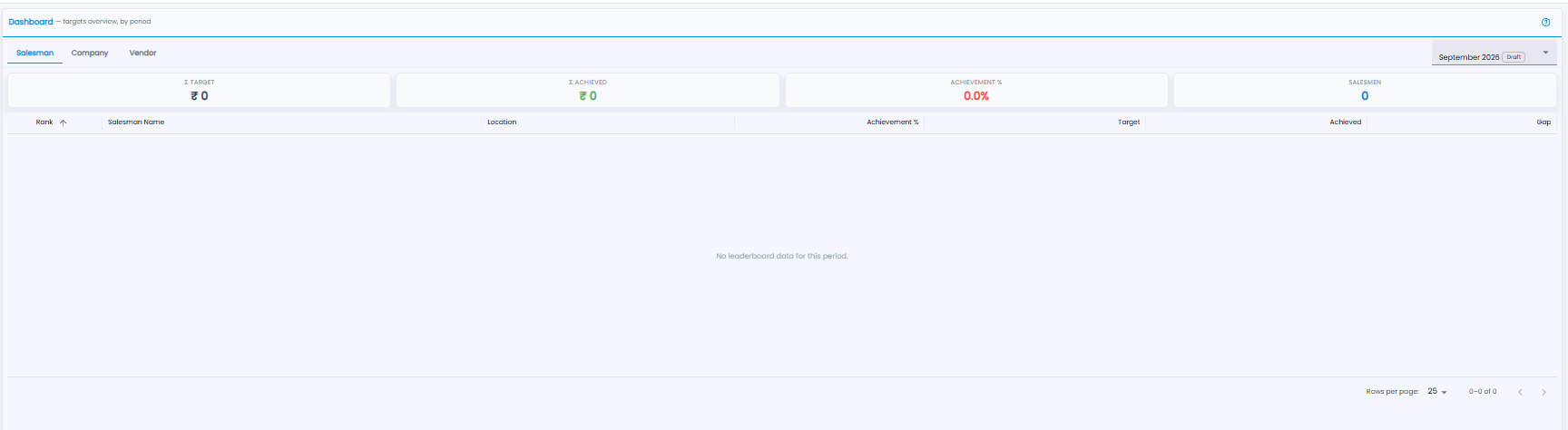
- Switch between Salesman, Company, and Vendor with the tabs
- Pick the period from the drop-down at the top right, for example September 2026. A Draft tag marks a period that is not finalised
- The ? icon opens help
| Tile | What it shows |
|---|---|
| Σ Target / Σ Achieved | The total target and total achieved for the period |
| Achievement % | Achieved as a share of the target |
| Salesmen | How many salesmen have targets |
The leaderboard ranks everyone by achievement. The columns are Rank (click to sort), Salesman Name, Location, Achievement %, Target, Achieved, and Gap (what is still to go). It shows 25 rows per page, and says No leaderboard data for this period when no targets are set.