
Overview
Open a project and click the gear at the top right to open Project Settings. Each section saves on its own.
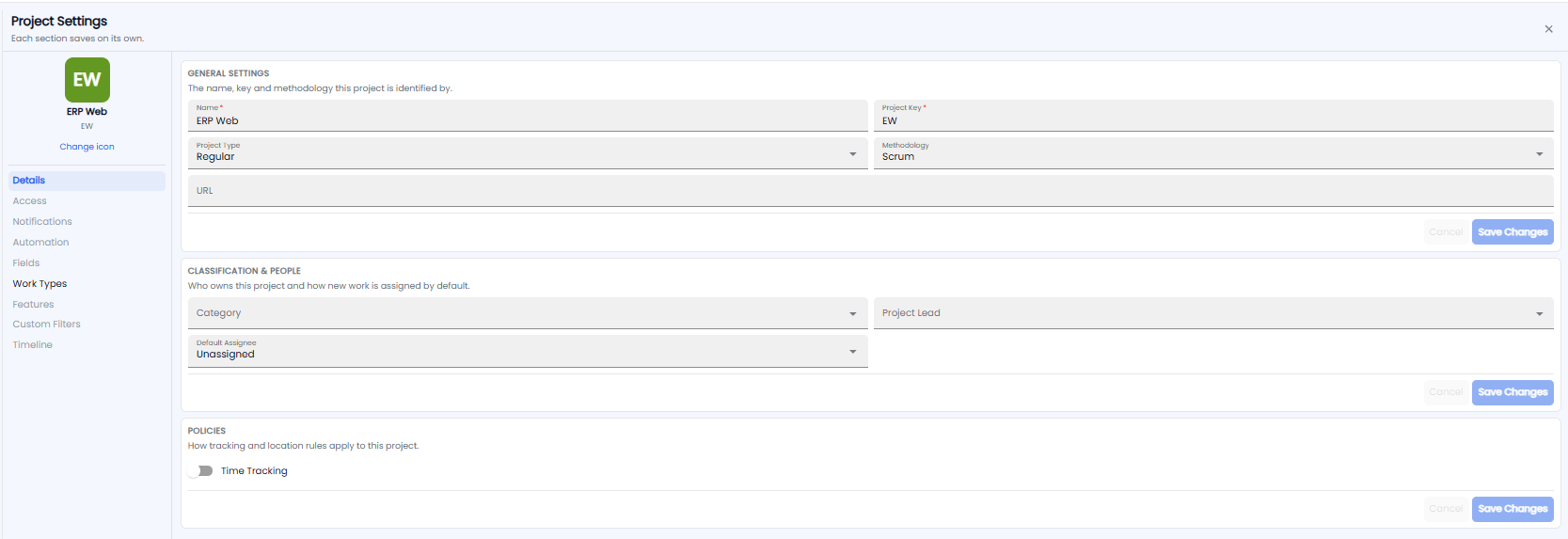
The left side shows the project's icon, name, and key — click Change icon to change the icon — and the sections: Details, Access, Notifications, Automation, Fields, Work Types, Features, Custom Filters, and Timeline.
Details
General Settings
The name, key, and methodology the project is identified by:
- Name* and Project Key* — the key starts every work item number, for example EW in EW-30417
- Project Type — for example Regular
- Methodology — for example Scrum
- URL — a link for the project
Classification & People
Who owns the project and how new work is assigned: Category, Project Lead, and Default Assignee (who new work goes to, or Unassigned).
Policies
Time Tracking — turn on to log time against work items in this project.
Each card has its own Save Changes and Cancel.
Important: Changing the Project Key changes how new work item numbers start. Pick the key when you create the project and leave it.