
List
The List tab shows every work item in the project as a table.
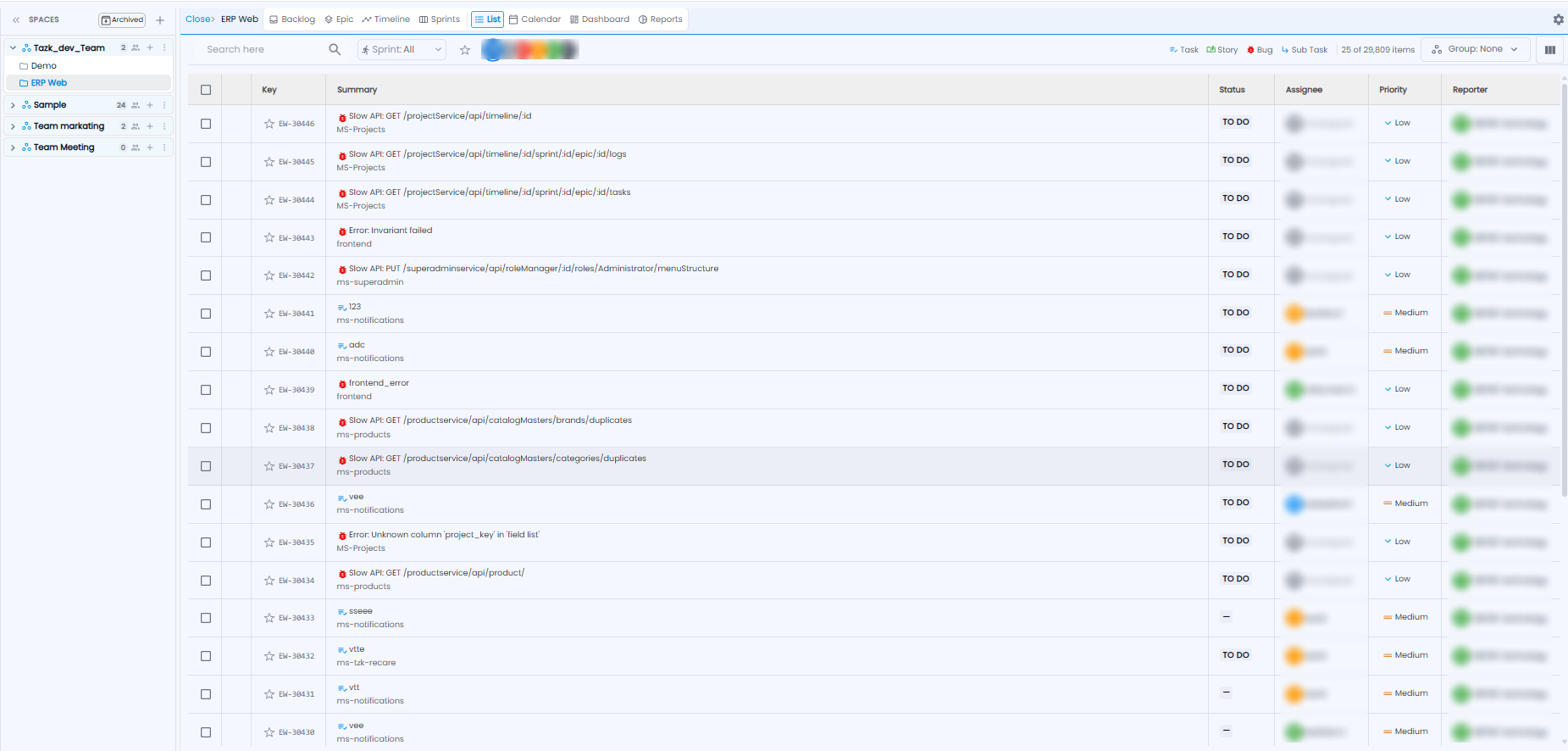
- Use Search here, the Sprint drop-down (for example All), and the star to narrow the list
- Click a person's picture to show only their items, or All for everyone
- Click Task, Story, Bug, or Sub Task to show one type
- Group groups the list, and the columns icon chooses which columns to show
Each row shows the Key, the Summary (with the type icon and the epic underneath), Status, Assignee, Priority, and Reporter. The count at the top shows how many items are listed out of the total.
Calendar
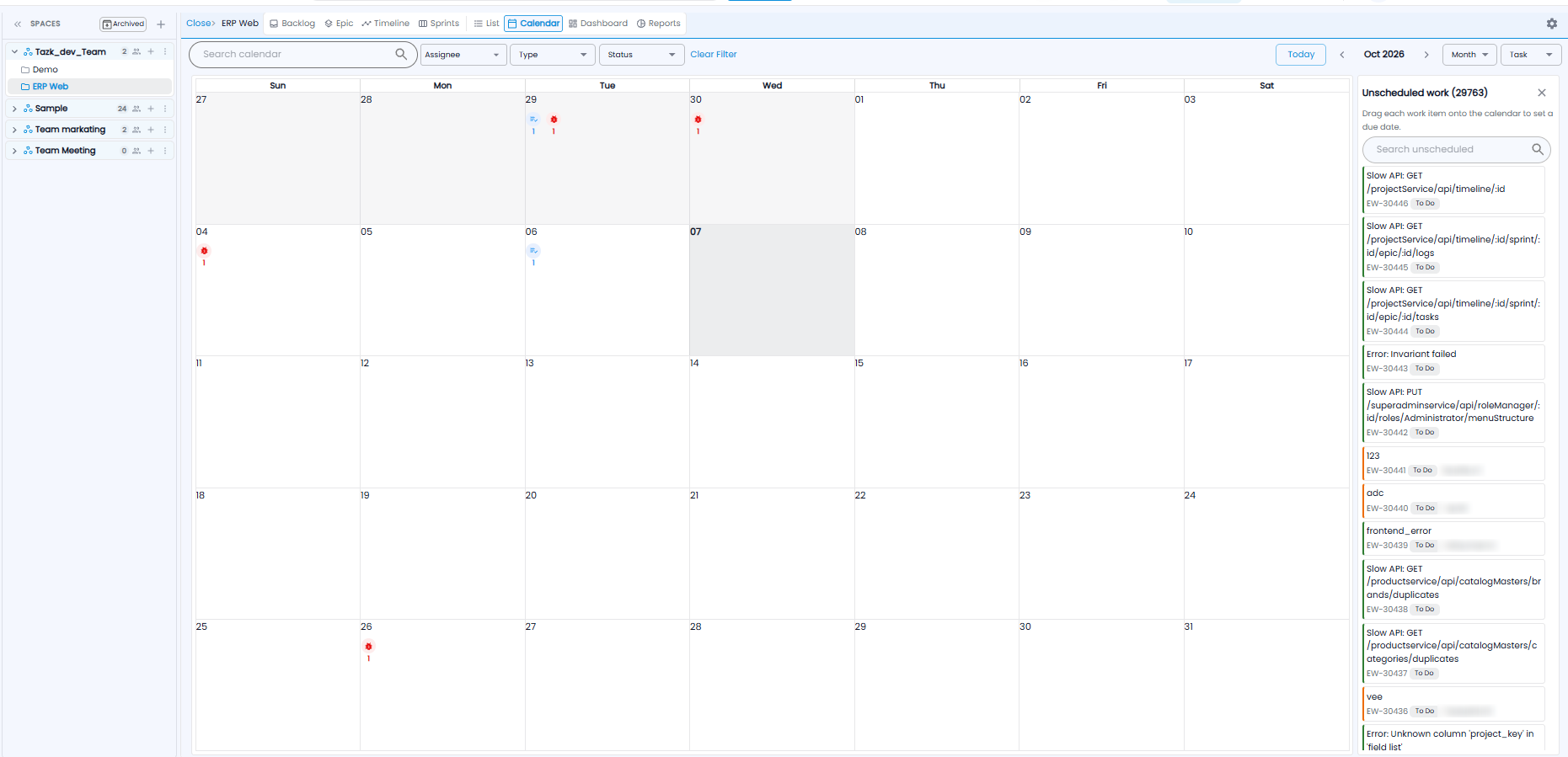
The Calendar tab shows the project's work items on their due dates. Each day shows a marker for each type with the count.
- Filter with Search calendar, Assignee, Type, and Status; Clear Filter removes them
- Today, and the < / > arrows, move between months; the drop-downs switch the view (for example Month) and the item type
Unscheduled Work
The panel on the right lists work items with no due date, with the count. Drag an item onto a day to give it that due date. Use Search unscheduled to find one, and × to close the panel.
Tip: Work through Unscheduled work at sprint planning — items with no due date are easy to forget.