
What is Hire AI in Tazk Payroll?
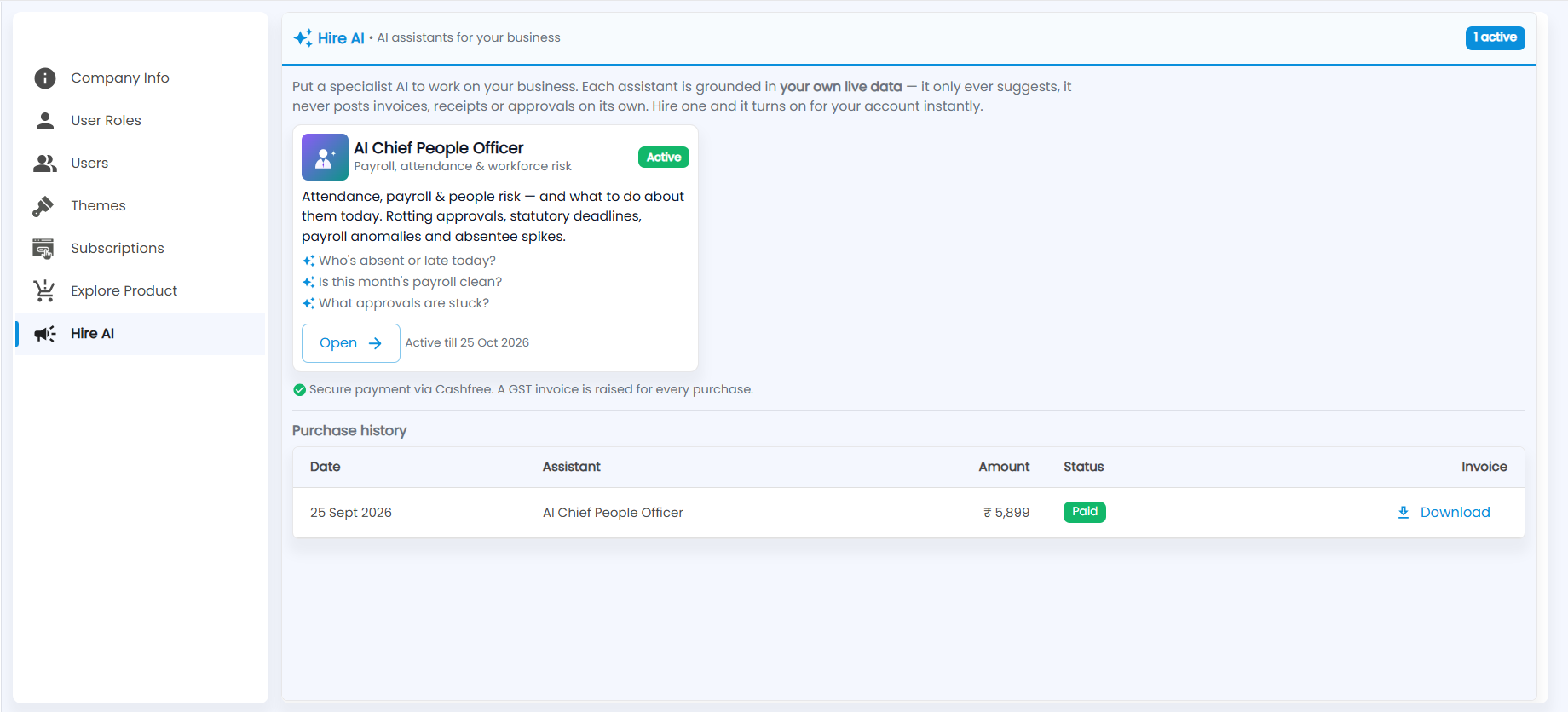
Settings → Hire AI is where you add AI assistants to your account. Each assistant works on your own live data and only makes suggestions: it never posts invoices, receipts or approvals on its own. For payroll there is the AI Chief People Officer, which flags attendance, payroll and people risks and what to do about them. Hire one and it turns on for your account straight away.
What does the AI Chief People Officer do?
It covers payroll, attendance and workforce risk: attendance, payroll and people risks, and what to do about them today. That includes rotting approvals, statutory deadlines, payroll anomalies and absentee spikes. You can ask it questions such as:
- Who's absent or late today?
- Is this month's payroll clean?
- What approvals are stuck?
When it is active, the card shows Active and the date it is active till. Click Open to start using it. The badge at the top right counts your active assistants.
How do I hire an assistant?
- On an assistant you have not hired yet, choose to hire it and complete the payment. Payment is through Cashfree.
- The assistant turns on for your account straight away and shows its active-till date.
Where are my AI purchases?
Purchase history lists each purchase with the date, assistant, amount and status (for example Paid). Click Download for its GST invoice; one is raised for every purchase.